
Introduction
This manual provides detailed instructions for the ZOWEETEK S711 Voice Amplifier with Wireless Lavalier Microphone. Please read this manual thoroughly before using the product to ensure proper operation and to maximize its lifespan. This device is designed to amplify your voice clearly and effectively in various environments such as classrooms, meetings, and outdoor events.

Image: The ZOWEETEK S711 Voice Amplifier (left) and its accompanying Wireless Lavalier Microphone (right).
Package Contents
Please verify that all items listed below are included in your package:
- 1 x ZOWEETEK S711 Voice Amplifier Unit
- 1 x Wireless Lavalier Microphone
- 1 x USB-A to Micro-USB Charging Cable
- 1 x USB-A to USB-C Charging Cable
- 1 x Power Adapter (USB wall charger)
- 1 x Adjustable Waist Strap
- 1 x User Manual (this document)

Image: All components included in the ZOWEETEK S711 Voice Amplifier package, including the amplifier, microphone, cables, adapter, strap, and manual.
Product Overview
Voice Amplifier Unit

Image: Diagram of the ZOWEETEK S711 Voice Amplifier showing its various ports and controls, including Mode, Volume/Power, Play/Pause, Next, Previous, TF card slot, USB flash drive port, Mic input, Clip, and Charging Port.
- Mode Button (M): Switches between playback modes (e.g., TF card, USB, AUX). Long press for manual pairing.
- Volume/Power Dial: Rotates to adjust volume; press and hold to power on/off.
- Play/Pause Button: Controls media playback.
- Next/Previous Buttons: Navigates tracks during media playback.
- TF Card Slot: For Micro SD card playback.
- USB Flash Drive Port: For USB drive playback.
- Mic Input: 3.5mm port for wired microphone or AUX audio input.
- Charging Port: USB-C port for charging the amplifier.
- Clip: For attaching the amplifier to a belt or waistband.
Wireless Lavalier Microphone

Image: Diagram of the ZOWEETEK Wireless Lavalier Microphone, highlighting its flexible neck, ON/OFF switch, Volume controls, Wireless pairing key, Charging Port, and indicator lights.
- ON/OFF Switch: Powers the microphone on or off.
- Vol+/Vol- Buttons: Adjusts the microphone volume.
- Wireless Pairing Key: Used for manual pairing if auto-connect fails.
- Charging Port: Micro-USB port for charging the microphone.
- Indicator Lights: Blue for power/connection, Green for charging, Red for low battery/charging.
- Clip: For attaching the microphone to clothing.
Setup
1. Initial Charging
Before first use, fully charge both the voice amplifier and the wireless microphone.
- Connect the voice amplifier to the power adapter using the USB-C cable.
- Connect the wireless microphone to the power adapter using the Micro-USB cable.
- The amplifier's indicator light will show charging status (refer to specifications for details). The microphone's red light indicates charging, turning off when fully charged.
2. Power On and Auto-Connect
The ZOWEETEK S711 is designed for automatic connection between the amplifier and microphone.
- Turn on the voice amplifier by pressing and holding the Volume/Power dial.
- Turn on the wireless microphone using its ON/OFF switch.
- The microphone and amplifier should automatically pair. The microphone's blue indicator light will become solid when connected.
3. Manual Pairing (If Auto-Connect Fails)
If the microphone and amplifier do not connect automatically:

Image: Visual guide for manual pairing, showing to long press the 'M' key on the amplifier and the wireless pairing key on the microphone.
- Ensure both devices are powered on.
- Long press the 'M' (Mode) button on the voice amplifier.
- Simultaneously, long press the Wireless Pairing Key on the microphone.
- The devices should pair, indicated by a solid blue light on the microphone.
4. Wearing the Device
The voice amplifier can be worn using the included waist strap or clipped to your clothing. The wireless microphone can be clipped to your collar or lapel.
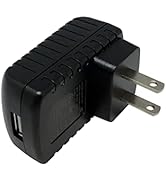
Image: A person demonstrating how to wear the ZOWEETEK S711 voice amplifier on the waist and the wireless lavalier microphone clipped to clothing.
Operating Instructions
1. Voice Amplification
- Ensure both the amplifier and microphone are powered on and paired.
- Speak into the microphone. Adjust the amplifier's volume using the Volume/Power dial.
- Adjust the microphone's sensitivity using the Vol+/Vol- buttons on the microphone unit.
2. Music Playback (TF Card / USB Drive)
- Insert a TF (Micro SD) card or USB flash drive into the respective port on the amplifier.
- Press the 'M' (Mode) button to switch to the desired playback mode (TF or USB).
- Use the Play/Pause, Next, and Previous buttons to control music playback.
- The amplifier supports repeating a single tune or looping all music.
3. AUX Audio Input
The 3.5mm Mic port can also function as an AUX audio input.
- Connect an external audio source (e.g., smartphone, MP3 player) to the Mic port using a 3.5mm audio cable (not included).
- The amplifier will automatically switch to AUX input mode.
4. Important Usage Tip: Avoiding Feedback
To prevent audio feedback (a high-pitched screeching sound), ensure the microphone is not placed too close to or directly in front of the voice amplifier.
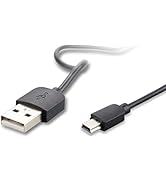
Image: Illustration showing incorrect microphone placement (too close to amplifier, causing feedback) versus correct placement (microphone worn by user, amplifier at a distance).
Charging and Battery Life
The ZOWEETEK S711 features long-lasting rechargeable batteries for both the amplifier and microphone.

Image: Graphic illustrating the working and charging times for both the ZOWEETEK S711 Voice Amplifier and its Wireless Lavalier Microphone.
- Voice Amplifier Working Time: 8-12 hours (depending on volume and usage).
- Voice Amplifier Charging Time: 3-5 hours.
- Wireless Microphone Working Time: 4-6 hours.
- Wireless Microphone Charging Time: Approximately 2 hours.
Use the provided charging cables and power adapter for optimal charging. Do not use damaged cables or adapters.
Maintenance
- Cleaning: Wipe the device surfaces with a soft, dry cloth. Do not use abrasive cleaners or solvents.
- Storage: Store the amplifier and microphone in a cool, dry place away from direct sunlight and extreme temperatures.
- Battery Care: To prolong battery life, avoid fully discharging the batteries frequently. Charge them regularly, even if not in use for extended periods.
- Handling: Handle the devices with care to prevent drops or impacts that could damage internal components.
Troubleshooting
| Problem | Possible Cause | Solution |
|---|---|---|
| No sound from amplifier |
|
|
| Feedback (high-pitched noise) |
|
|
| Microphone not charging |
|
|
| Music playback not working |
|
|
Specifications
| Feature | Detail |
|---|---|
| Model Number | S711 |
| Brand | ZOWEETEK |
| Power Source | Battery Powered (Lithium Ion) |
| Output Power | 10W |
| Connectivity Technology | Wireless (2.4G), AUX (3.5mm) |
| Audio Input | 3.5mm AUX audio input |
| Amplifier Battery Life | 8-12 hours |
| Microphone Battery Life | 4-6 hours |
| Amplifier Weight | 172 Grams (6.1 ounces) |
| Color | Black |
| Mounting Type | Tabletop, Waist Mount |
| Compatible Devices | Headphone (for wired mic input) |
Warranty and Support
ZOWEETEK products are manufactured with quality and reliability in mind. For specific warranty information, please refer to the warranty card included in your product packaging or contact ZOWEETEK customer support directly.
If you encounter any issues or have questions regarding your ZOWEETEK S711 Voice Amplifier, please reach out to our customer support team for assistance. Contact details can typically be found on the official ZOWEETEK website or on the product packaging.


