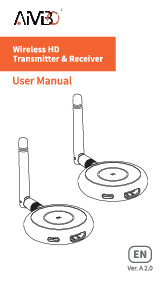
1. Introduction
The AIMIBO Q3 USB C Wireless HDMI Transmitter and Receiver system allows you to wirelessly mirror or extend 4K video and audio from your USB-C enabled device to a larger display. Designed for ease of use, this plug-and-play system eliminates the need for complex setups, Wi-Fi, or additional adapters, making it ideal for various applications from home entertainment to professional presentations.
This manual provides detailed instructions for setting up, operating, and maintaining your AIMIBO wireless HDMI system, along with troubleshooting tips and product specifications.
2. What's in the Box
- 1 x USB C Transmitter (TX)
- 1 x HDMI Receiver (RX)
- 1 x USB C Power Cable
- 1 x Antenna Cable
- 1 x User Manual

Image: Contents of the AIMIBO Q3 USB C Wireless HDMI Transmitter and Receiver box, including the TX, RX, USB-C power cable, antenna cable, and user manual.
3. Setup Instructions
3.1. Connecting the Receiver (RX) to your Display
- Connect the external antenna cable to the Receiver (RX).
- Connect the USB C Power Cable to the Receiver (RX) and plug the USB-A end into a 5V/2A USB charger or your display's USB port for power.
- Plug the HDMI end of the Receiver (RX) into an available HDMI port on your monitor, TV, or projector.
3.2. Connecting the Transmitter (TX) to your Source Device
- Plug the USB C Transmitter (TX) directly into the USB-C port of your laptop, MacBook, Surface, iPad, iPhone 15/16, or other compatible device.
- Ensure your USB-C device supports video output (USB Type-C DP Alt mode and Thunderbolt 3 & 4).
3.3. Automatic Casting
After connecting both the Receiver and Transmitter, wait approximately 5-8 seconds. The TX indicator light will become solid, and your device's screen will automatically project onto the connected display.

Image: Easy Installation steps for the AIMIBO wireless HDMI system, illustrating connections for the receiver and transmitter.
Video: Demonstrates the simple plug-and-play setup process for the AIMIBO USB C Wireless HDMI Kit, showing how to connect the transmitter to a laptop and the receiver to a TV.
4. Operating Instructions
4.1. Display Modes
- Mirror Mode: Duplicates your source device's screen onto the larger display.
- Extend Mode: Extends your desktop across both displays, allowing for multitasking.

Image: Features Mirror and Extend Mode, allowing you to stream videos from your laptop to TV while simultaneously using applications on your laptop.
4.2. Screen Mirroring from Receiver (RX)
The Receiver (RX) can be used independently as a wireless display adapter. It supports screen mirroring from Android tablets, phones, iPhones, iPads, and laptops to TVs or projectors via Miracast, DLNA, and Airplay protocols.
4.3. Multi-Transmitter Support
One Receiver (RX) can be paired with up to 8 Transmitters (TXs), allowing multiple users to share content on a single display. Switch between active transmitters with a single click for seamless presentations or collaborative work.

Image: The AIMIBO HDMI wireless kit supports 1 receiver paired with up to 8 transmitters, providing a flexible solution for mirroring content from multiple devices to a single display.
4.4. Personalized Experience
- Customize Startup Screen: Personalize the display when the system starts.
- Horizontal & Vertical Display: Switch between display orientations by pressing the RX's function button for 3 seconds.
- Optimize Channels: Adjust wireless channels to minimize interference in crowded Wi-Fi environments for smoother mirroring.
- Account Name & Password: Set your own account name and hidden password for enhanced security.

Image: Customization options for the AIMIBO wireless HDMI system, including horizontal/vertical screen switching, custom startup screen, channel optimization, and password settings.
Video: Highlights the amazing features of the Wireless HDMI Transmitter and Receiver USB C, including its ease of use and versatility for various devices and display modes.
5. Specifications
| Feature | Description |
|---|---|
| Brand | AIMIBO |
| Connectivity Technology | Wireless |
| Connector Type | USB C |
| Resolution | 4K@30Hz decoding, 1080P@60Hz output |
| Transmission Frequency | 2.4G/5G Dual Band |
| Transmission Range | Up to 165FT/50M (in open area) |
| Compatible Devices | Laptops (MacBook, Microsoft Surface, Dell, Chromebook, HP, Lenovo), iPads, Samsung, iPhone 15/16, cable boxes, Roku, cameras, Blu-ray, DVD, tablets to monitor/TV/projector. (USB-C device must support video output - DP Alt mode/Thunderbolt 3 & 4) |
| Special Features | 1 RX can pair with 8 TXs; Screen mirror for phone & tablet to TV; Customize startup screen, user name, password; Adjustable channels; Plug & Play, Instant Cast. |
| Item Weight | 5.44 ounces |
| Product Dimensions | 7.08"L x 2.55"W x 0.59"H |
| Model Number | Q3 USB C |
6. Troubleshooting
- No Display/Signal:
- Ensure both TX and RX are properly connected and powered.
- Verify your source device's USB-C port supports video output (DP Alt mode/Thunderbolt 3 & 4).
- Check if the display is set to the correct HDMI input.
- If the product has been paired at the factory and the connection is abnormal, you may need to re-pair. Long press the receiver's button on the bottom, then long press the receiver's button on the middle. For the transmitter, press the middle button for 5-8 seconds.
- Lag/Delays/Flickering:
- Ensure the external antenna is properly connected to the RX.
- Adjust wireless channels to find a clearer frequency, especially in crowded Wi-Fi environments.
- Note that the signal does not penetrate solid walls or metal doors effectively, which can cause signal degradation.
- Overheating:
- The devices are equipped with heat dissipation features. Ensure they have adequate ventilation and are not covered during operation.
- Insufficient Power:
- If HDMI power supply is insufficient, connect the USB C Power Cable to an external 5V/2A power supply.
7. Warranty and Support
AIMIBO provides 12 months of product care and 24/7 customer support. For any issues or inquiries, please contact AIMIBO customer service.
Warranty Description: 1 Year Manufacturer