Introduction
This manual provides essential information for the safe and efficient use of your boAt Energyshroom PB400 Pro 20000mAh Power Bank. Please read these instructions carefully before using the product and retain them for future reference.
Product Overview
Key Features:
- 20000mAh Capacity: Provides multiple charges for various devices.
- 2-Way 22.5W Fast Charging: Supports Quick Charge 3.0, Power Delivery, and PPS for rapid charging of both the power bank and connected devices.
- Multiple Ports: Features one Type-C 2-way port and two USB-A output ports.
- Pass-Through Charging: Allows simultaneous charging of the power bank and a connected device.
- 12-Layer Smart IC Protection: Integrated safety features protect against short-circuit, overcharging, and over-discharging.
- Compact and Lightweight Design: Facilitates portability.
- Durable Construction: Features an aluminum casing for enhanced durability and resistance to high temperatures and scratches.
Package Contents:
- boAt Energyshroom PB400 Pro 20000mAh Power Bank
- USB Charging Cable (Type-C)
- User Manual

Image 1: The boAt Energyshroom PB400 Pro 20000mAh Power Bank in Steel Blue, showcasing its compact design.

Image 2: The boAt Energyshroom PB400 Pro, showcasing its robust aluminum casing and sleek design, built for durability.
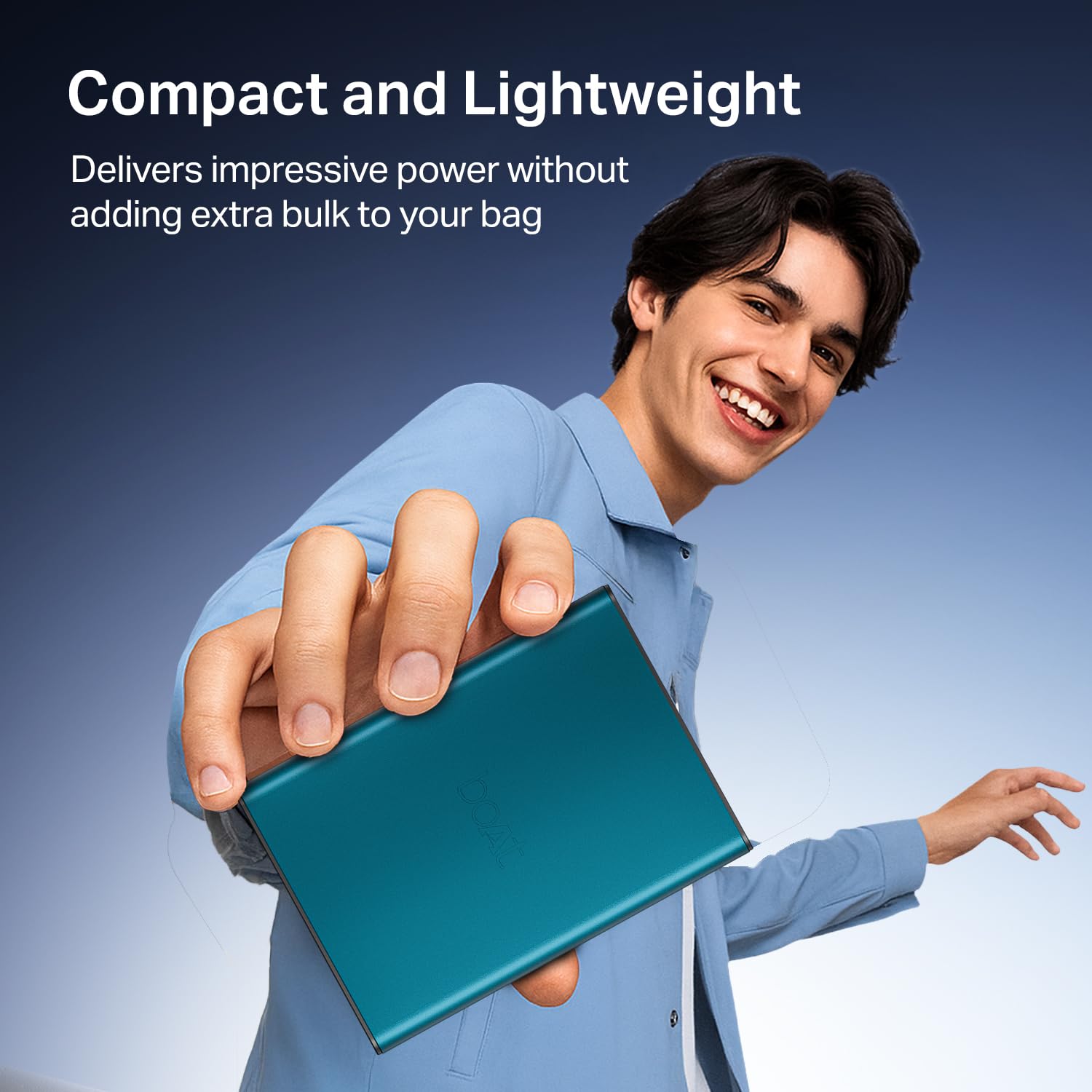
Image 3: The power bank held in hand, demonstrating its compact and lightweight form factor for easy portability.
Setup
- Initial Charge: Before first use, fully charge the power bank. Connect the provided USB Type-C cable to the power bank's Type-C port and the other end to a compatible USB wall adapter (not included). The LED indicators will show charging progress.
- Check Battery Level: Press the power button once to check the current battery level indicated by the LED lights.

Image 4: An internal view diagram highlighting the 20000mAh Lithium Polymer battery and smart power management system, indicating battery capacity.
Operating Instructions
Charging the Power Bank:
Connect the power bank to a power source using the Type-C port. The 2-way 22.5W fast charging feature ensures quick recharging. The LED indicators will illuminate to show the charging status.

Image 5: The power bank connected to a charging cable, illustrating its 2-way 22.5W fast charging capability.
Charging External Devices:
The power bank features three output ports: one Type-C (2-way) and two USB-A ports. You can charge multiple devices simultaneously.
- Connect your device's charging cable to one of the available output ports on the power bank.
- Connect the other end of the cable to your device.
- The power bank will automatically begin charging your device. If not, press the power button once.

Image 6: A detailed view of the power bank's triple output ports, including one Type-C and two USB-A ports, ready for device connection.
Pass-Through Charging:
The boAt Energyshroom PB400 Pro supports pass-through charging, allowing you to charge the power bank itself while simultaneously charging a connected device. This feature is useful when you have limited wall outlets.
- Connect the power bank to a wall adapter for charging.
- Connect your external device to one of the power bank's output ports.
- Both the power bank and your device will charge concurrently.
Maintenance
- Cleaning: Use a soft, dry cloth to clean the power bank. Avoid using liquids or abrasive cleaners.
- Storage: Store the power bank in a cool, dry place away from direct sunlight and extreme temperatures.
- Battery Care: To prolong battery life, fully charge and discharge the power bank at least once every three months if not in regular use.
- Avoid Drops: Protect the device from physical shocks and drops.
Troubleshooting
| Problem | Possible Cause | Solution |
|---|---|---|
| Power bank not charging. | Faulty cable, adapter, or port. | Try a different charging cable and wall adapter. Ensure the Type-C port is clean and free of debris. |
| Device not charging from power bank. | Low power bank battery, incompatible cable, or device. | Ensure the power bank is sufficiently charged. Use the original charging cable for your device. Press the power button on the power bank to initiate charging. |
| Slow charging. | Non-fast charging cable/adapter, multiple devices connected. | Use a fast-charging compatible cable and adapter. Charging multiple devices simultaneously may reduce individual charging speeds. |
| Power bank gets hot during use. | Normal operation during fast charging or heavy load. | A slight increase in temperature is normal. If it becomes excessively hot, disconnect all devices and allow it to cool down. Contact support if the issue persists. |
Specifications
| Model Name | Energyshroom PB400 Pro |
| Battery Capacity | 20000mAh |
| Battery Type | Lithium Polymer |
| Input (Type-C) | 22.5W (2-Way) |
| Output (Type-C) | 22.5W (2-Way) |
| Output (USB-A) | 2 x 22.5W |
| Special Features | Fast Charging, Pass-Through Charging, 12-Layer Smart IC Protection |
| Dimensions | 12.2 x 9.5 x 3.7 cm |
| Weight | 325 g |
| Material | Aluminum Casing |
| Country of Origin | India |
Safety Information
To ensure safe operation and prevent damage to the product or injury to yourself, please observe the following safety precautions:
- Do not expose the power bank to water, moisture, or extreme temperatures.
- Do not disassemble, modify, or attempt to repair the device.
- Keep out of reach of children.
- Avoid dropping or subjecting the power bank to severe impacts.
- Use only certified charging cables and adapters.
- Do not use the power bank if it is damaged or shows signs of swelling.
- Dispose of the product responsibly according to local regulations.

Image 7: An illustration detailing the 12-Layer Smart IC Protection, which safeguards against short circuits, over-charging, and over-discharging.
Warranty and Support
The boAt Energyshroom PB400 Pro comes with a 1-Year Domestic Warranty. For warranty claims or technical support, please contact boAt customer service.
Manufacturer: Imagine Marketing Ltd.
Contact Information: info@imaginemarketingindia.com
For more information, visit the official boAt Store on Amazon.


