
1. Introduction
The SKG Smart Watch GT5 is a versatile fitness tracker designed for men and women, featuring a 1.43" HD AMOLED display, built-in GPS, and 5ATM waterproofing. It offers over 100 sports modes, including geomagnetic and barometer functions for outdoor activities. Comprehensive health monitoring tracks heart rate, SpO2, stress, and sleep quality. Compatible with Android and iPhone, it supports Bluetooth calls and smart notifications, all powered by a long-lasting 9-day battery.
2. What's in the Box
- SKG Smart Watch GT5
- Charging Cable
- User Manual

Image: Contents of the SKG Smart Watch GT5 package, including the smartwatch, charging cable, and user manual.
3. Setup
3.1 Charging the Device
Before first use, ensure the watch is fully charged. Connect the magnetic charging cable to the charging points on the back of the watch. Use a charger that meets the output power requirements (Rated Input Power 5W, Rated Input Voltage 5V==0.5A).
Video: Demonstrates how to connect the magnetic charging cable to the SKG Smart Watch GT5 and the charging process. It also displays the rated input power and voltage requirements.
3.2 App Download and Pairing
Download the "SKG Health" app from the Google Play Store (for Android 6.0+ devices) or the Apple App Store (for iOS 9.0+ devices). Follow the in-app instructions to register and pair your SKG Smart Watch GT5 with your smartphone via Bluetooth.

Image: Instructions for downloading the SKG Health app from Google Play or the App Store.

Image: Step-by-step guide on connecting the SKG Smart Watch GT5 to the SKG Health app and enabling notifications.
4. Operating Instructions
4.1 Basic Operations
- Power On/Off/Restart:
- To power on: Press and hold Button 1 for 3 seconds.
- To power off or restart: When powered on, press and hold Button 2 for 5 seconds to select power off or restart.
- To directly restart: Press and hold Button 1 for 8 seconds. - Light Up the Screen:
- In screen-off state: Short-press the side button (Button 1) to light up the screen.
- When wearing the watch: Raising your wrist will also light up the screen. This feature can be toggled on/off in the drop-down quick menu. - Button Operations:
- On the watch face page: Short-press Button 1 to enter the application list page. Short-press again to return to the main interface.
- Short-press Button 2 to enter the sports list, allowing quick start of sports recording. - Operations on the Watch Face:
- Slide your finger down to enter the quick menu for settings like Bluetooth status, Do Not Disturb, screen brightness, wake on wrist raise, flashlight, water clearing, alarm, low battery mode, and general settings.
- Slide your finger left/right to enter quick functions like music control, weather, and activity tracking. Continuous sliding switches between different functions.
- Click on a quick function page to directly enter the corresponding function.
Video: A quick start guide demonstrating basic operations including power on/off, screen activation, button functions, and navigating the watch face.
Video: Demonstrates how to pause or end an exercise session on the watch by sliding right and long-pressing the red button.
4.2 Health Monitoring
The SKG Smart Watch GT5 continuously monitors various health metrics:
- Heart Rate: Tracks your heart rate throughout the day.
- SpO2 Levels: Monitors blood oxygen saturation.
- Stress: Assesses your stress levels.
- Sleep Quality: Analyzes sleep patterns, including deep sleep, light sleep, and awake times.
All data is presented in the "SKG Health" app, allowing you to track trends and make lifestyle adjustments.

Image: The SKG Smart Watch GT5 showing various health monitoring data points, including calories, steps, heart rate, sleep, and blood oxygen levels.
4.3 Sports Modes & Outdoor Features
The watch offers over 100 indoor and outdoor sports modes, including cycling, running, yoga, climbing, hiking, swimming, and walking. It features built-in GPS for accurate location tracking and recording of workout metrics like steps, calories, distance, speed, and routes. Geomagnetic and barometer sensors provide precise direction navigation and altitude measurements for outdoor adventures.

Image: The SKG Smart Watch GT5 displaying compass and barometer functions, useful for outdoor navigation and atmospheric pressure measurements.
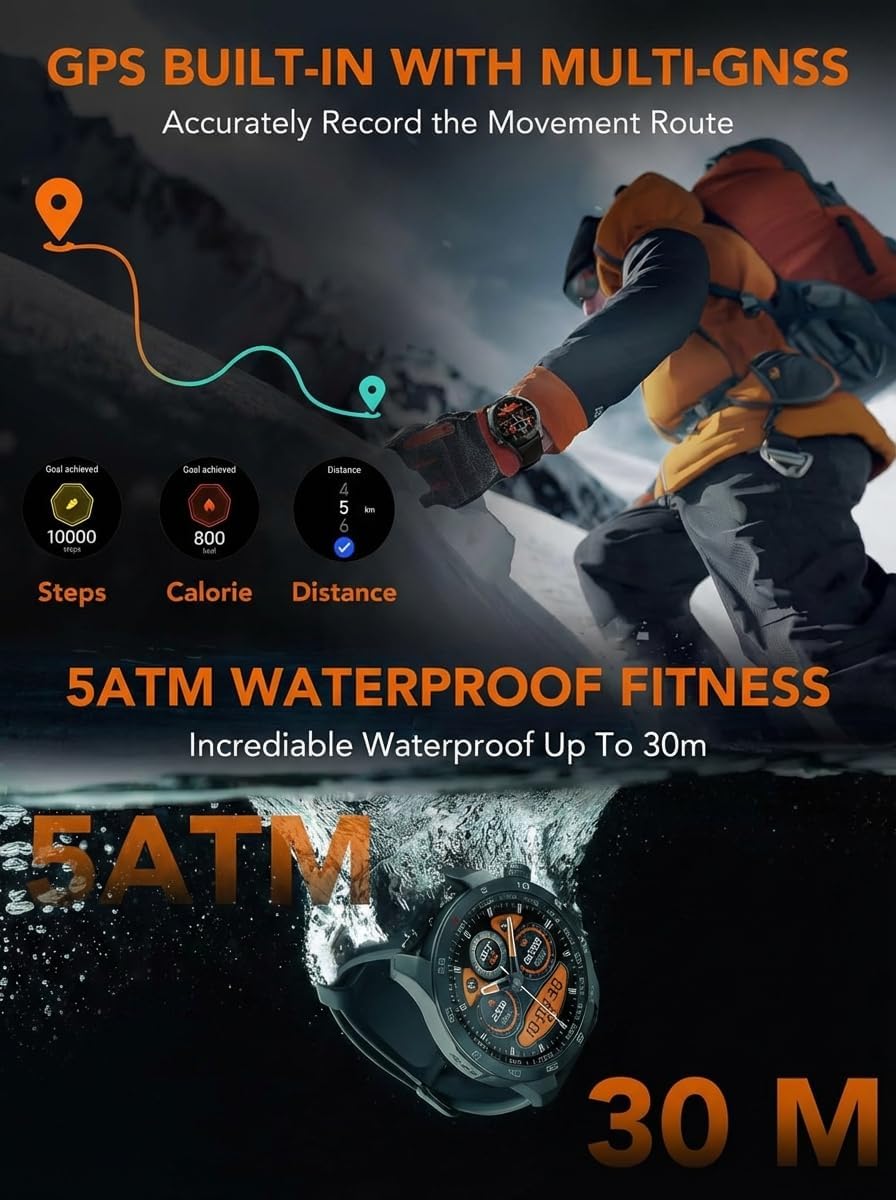
Image: The SKG Smart Watch GT5 demonstrating built-in GPS tracking for steps, calories, and distance, alongside its 5ATM waterproof rating.
4.4 Bluetooth Phone Call & Smart Notifications
Connect your SKG Smart Watch GT5 via Bluetooth to your smartphone (Android 6.0+ and iOS 9.0+). This allows you to import contacts, make and receive calls directly on the watch. With appropriate permissions, you can also receive notifications from various SNS apps, SMS, and other alerts (note: replying to texts is not supported).

Image: The SKG Smart Watch GT5 displaying its Bluetooth call functionality and showing icons for various social media and messaging app notifications.
4.5 Other Useful Tools
The watch includes additional features to enhance daily convenience:
- Weather Display
- Music Control
- Stopwatch
- Alarm Clock
- Timer
- Flashlight
- Vibration Drainage (for water removal)
- Camera Control (remote shutter for phone camera)
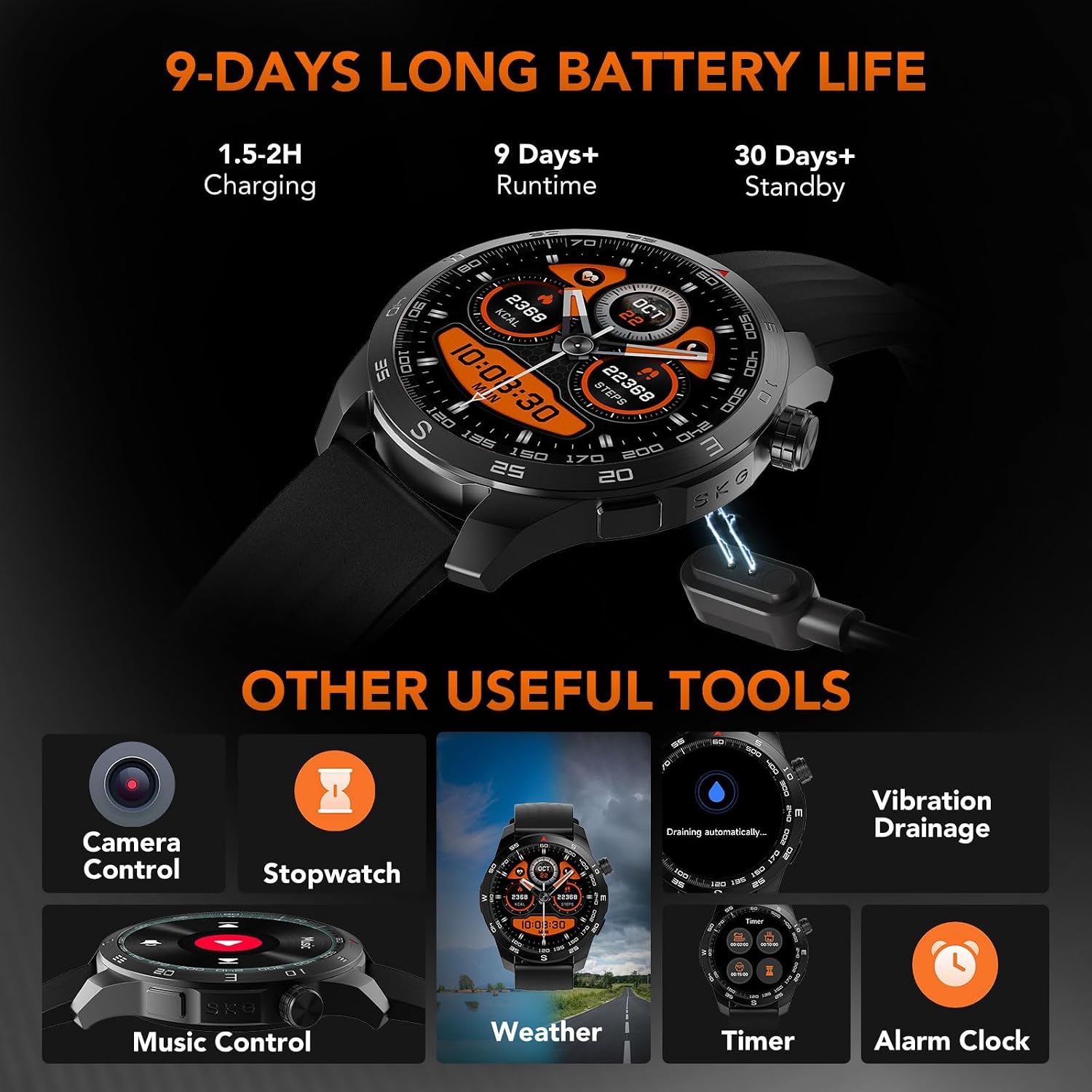
Image: The SKG Smart Watch GT5 showcasing its additional tools, including camera control, stopwatch, weather display, music control, timer, alarm clock, and vibration drainage.
5. Maintenance
5.1 Waterproofing
The SKG Smart Watch GT5 is 5ATM waterproof, protecting internal components from water damage when swimming in a pool up to 30 meters. It also features a vibration drainage function to help remove water from the watch after exposure.
5.2 Cleaning
Regularly clean your watch and strap to maintain performance and prevent skin irritation. Use a soft, damp cloth to wipe the watch face and strap. Ensure the charging contacts are clean and dry before charging.
6. Troubleshooting
- Watch not turning on: Ensure the watch is fully charged. Long-press Button 1 for 3 seconds to power on.
- Watch not pairing with phone: Ensure Bluetooth is enabled on your phone and the watch is within range. Restart both devices and try pairing again through the SKG Health app.
- Inaccurate health data: Ensure the watch is worn snugly on your wrist, with the sensors making good contact with your skin. Avoid excessive movement during measurements.
- Notifications not received: Check app permissions on both your phone and the SKG Health app to ensure notifications are enabled for desired applications.
- Short battery life: Adjust screen brightness, disable unnecessary features like continuous heart rate monitoring if not needed, and ensure proper charging practices.
7. Specifications
| Feature | Detail |
|---|---|
| Model Name | SKG GT5 |
| Display | 1.43" HD AMOLED |
| Operating System | Android & iOS (Android 6.0+, iOS 9.0+) |
| Connectivity | Bluetooth |
| GPS | Built-in GPS |
| Water Resistance | 5ATM (up to 50 meters) |
| Battery Life | Up to 9 days (30-day standby) |
| Battery Capacity | 300 Milliamp Hours |
| Charge Time | 1.5-2 hours |
| Sensors | Heart Rate, SpO2, Stress, Geomagnetic, Barometer |
| Sports Modes | 100+ (Climbing, Cycling, Hiking, Swimming, Walking, etc.) |
| Band Material | Silicone |
| Case Material | Silicone |
8. Warranty & Support
For any product defects, the SKG Smart Watch GT5 is eligible for return, refund, or replacement within 30 days of receipt. For further product problems or suggestions, please contact SKG Global Official Store directly for the most satisfying solution.


