
1. Introduction
This manual provides detailed instructions for the proper use, maintenance, and troubleshooting of your BOBLOV B4K5 4K Body Camera. Please read this manual thoroughly before operating the device to ensure optimal performance and longevity.
2. Package Contents and Physical Overview
2.1 What's in the Box
Upon opening your BOBLOV B4K5 package, please verify that all the following items are included:
- B4K5 body camera
- Long clip
- Short clip
- USB cable
- Charging dock

Figure 2.1: Included accessories with the BOBLOV B4K5 Body Camera.
2.2 Physical Overview
Familiarize yourself with the various components and controls of your B4K5 body camera:

Figure 2.2: Front and side view of the BOBLOV B4K5 Body Camera, showing the lens, buttons, and charging dock connection.
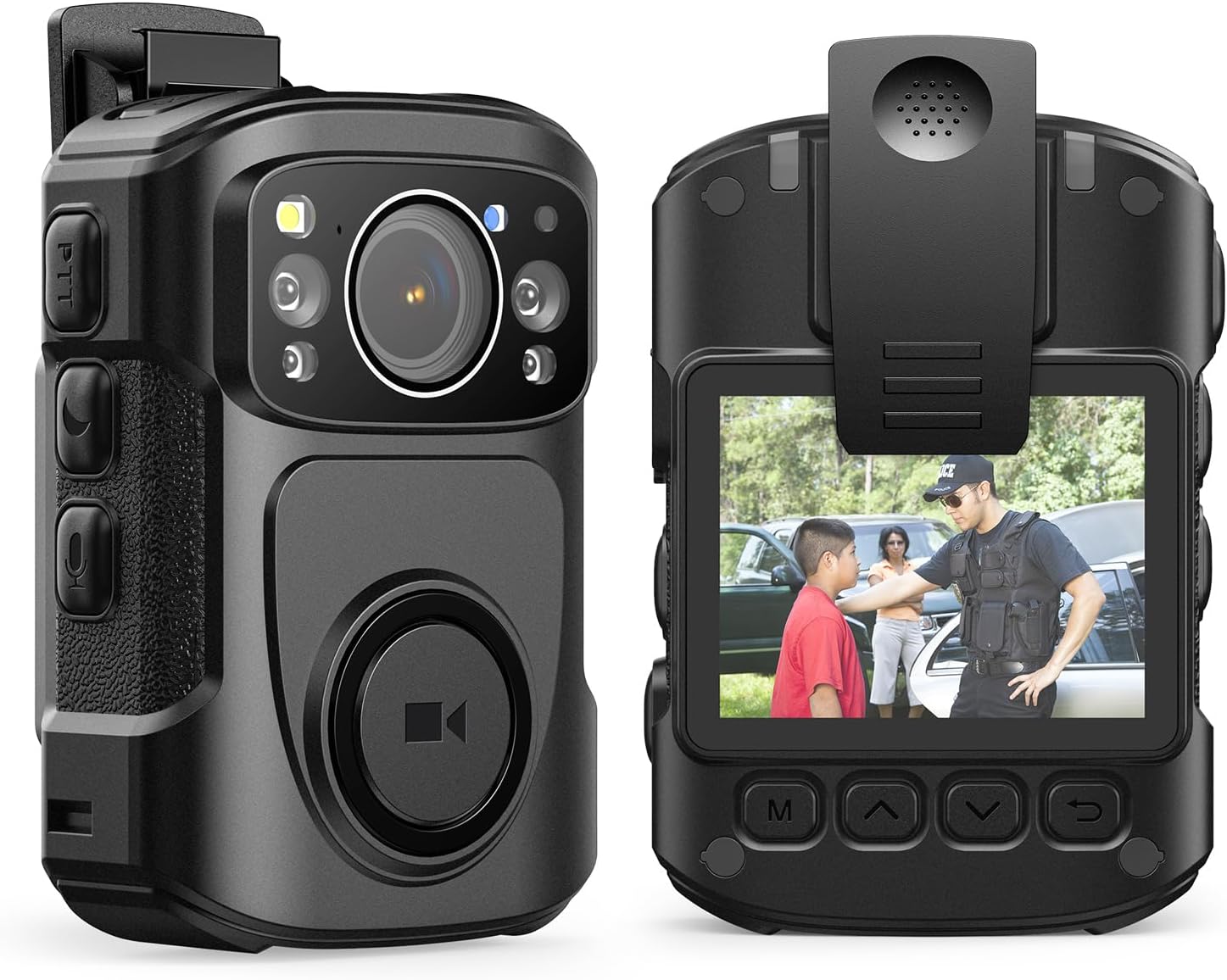
Figure 2.3: Front and back view of the BOBLOV B4K5 Body Camera, highlighting the display and navigation buttons.
- Front Lens: Main camera lens for video and photo capture.
- IR Lights: Four built-in infrared lights for night vision.
- White Filling Lights: For enhanced visibility in dark environments.
- Large Recording Button: Prominently located on the front for quick start/stop of recording.
- Side Buttons: Control power, mode, and other functions.
- Display Screen: Located on the back for viewing footage and navigating menus.
- USB-C Port: For direct charging and data transfer.
- Speaker/Microphone: For audio recording and playback.
3. Setup and Initial Use
3.1 Initial Charging
Before first use, fully charge the BOBLOV B4K5 camera. The device features a 3400mAh battery. Charging can be done via the included USB-C cable directly or by placing the camera in the dedicated charging dock.
- Connect the USB cable to the charging dock and a power source, then place the camera in the dock.
- Alternatively, plug the USB-C cable directly into the camera's USB-C port.
- A full charge typically takes 4-5 hours. The charging indicator light will change to indicate a full charge.

Figure 3.1: Charging the B4K5 camera using the charging dock. A full charge provides up to 11 hours of 1080P recording.
3.2 Attaching the Clip
Select either the long or short clip based on your preference and attachment point (e.g., shirt pocket, belt, shoulder strap). Securely attach the chosen clip to the camera's rear slot.

Figure 3.2: Example of the B4K5 camera worn on clothing.
4. Operating Instructions
4.1 Power On/Off
- To power on, press and hold the Power button (usually on the side) until the screen illuminates.
- To power off, press and hold the Power button again until the device shuts down.
4.2 Recording Video and Photos
The B4K5 supports 4K/2160P video recording and 48MP photo capture.
- Video Recording: Press the large recording button on the front of the camera once to start video recording. Press it again to stop. The camera will vibrate to confirm recording status changes.
- Photo Capture: While in standby or recording mode, press the dedicated Photo button (if available, or refer to specific button mapping in the camera's on-screen menu) to take a still photo.
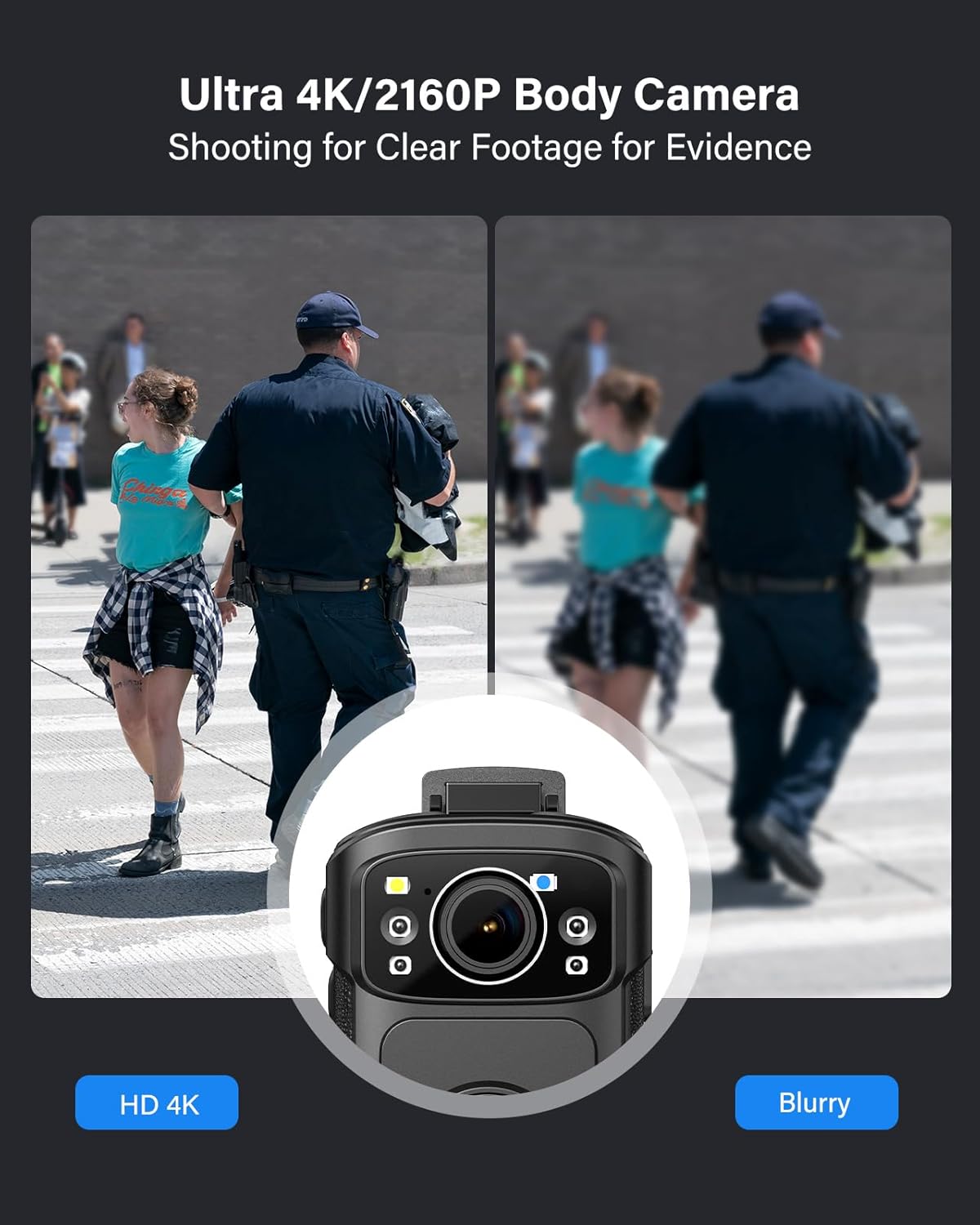
Figure 4.1: The B4K5 captures clear 4K footage for evidence and daily use.
4.3 Night Vision
The B4K5 is equipped with four IR lights for enhanced visibility in low-light conditions. Night vision can be set to automatic or manual mode via the camera's settings menu.
- In automatic mode, the camera will switch to night vision when ambient light is insufficient.
- In manual mode, you can activate or deactivate night vision as needed.
4.4 GPS Functionality
The built-in GPS module tracks your movements during recording. To review your routes and locations, you must use the dedicated player software provided by BOBLOV. This software is compatible with Windows operating systems only.
- Ensure GPS is enabled in the camera settings for location data to be recorded with your video files.
- Connect the camera to a Windows computer to access and use the GPS player software.
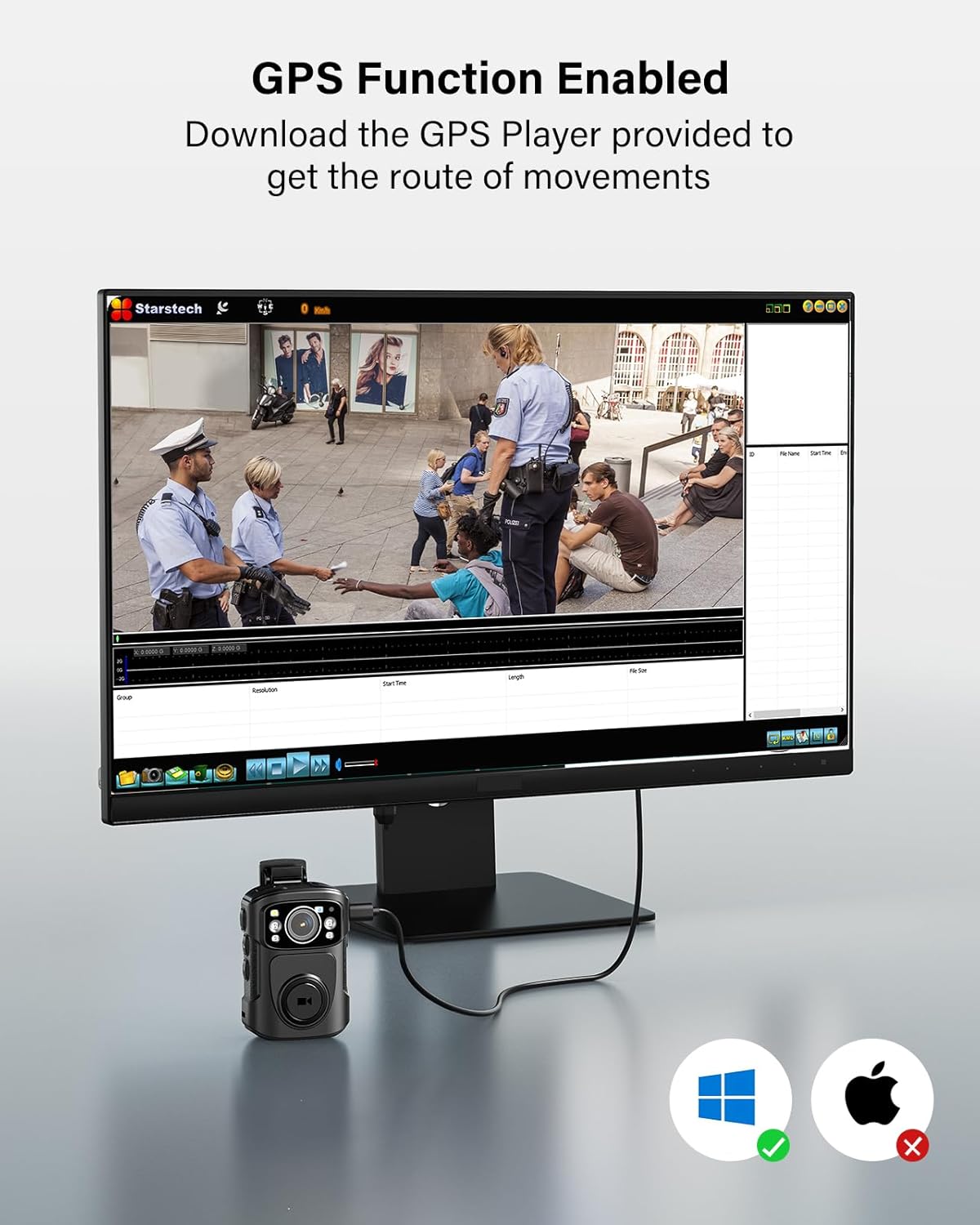
Figure 4.2: GPS function enabled, requiring a Windows-compatible player for route review.
4.5 Loop Recording
The B4K5 supports loop recording, which means when the memory is full, the camera will automatically overwrite the oldest files. You can set the duration of each video clip (e.g., 5, 10, 20, 25, or 30 minutes) in the camera's settings. The default clip duration is 20 minutes.
4.6 Data Transfer
To transfer recorded files to your computer:
- Connect the camera to your computer using the provided USB-C cable.
- The camera will appear as a removable storage device.
- Navigate to the camera's storage to copy video and photo files to your computer.
5. Maintenance
5.1 Charging
Regularly charge your B4K5 to ensure it is ready for use. While the camera offers up to 11 hours of 1080P recording (with IR and GPS off), actual battery life may vary based on usage (e.g., 4-6 hours at 4K/30fps recording). Always use the provided charging dock or USB-C cable for optimal charging.
5.2 Cleaning
- Use a soft, dry cloth to clean the camera body.
- For the lens, use a specialized lens cleaning cloth and solution to avoid scratches.
- Do not use harsh chemicals or abrasive materials.
5.3 Storage
When not in use for extended periods, store the camera in a cool, dry place away from direct sunlight and extreme temperatures. Ensure the battery is partially charged (around 50%) before long-term storage to preserve battery health.
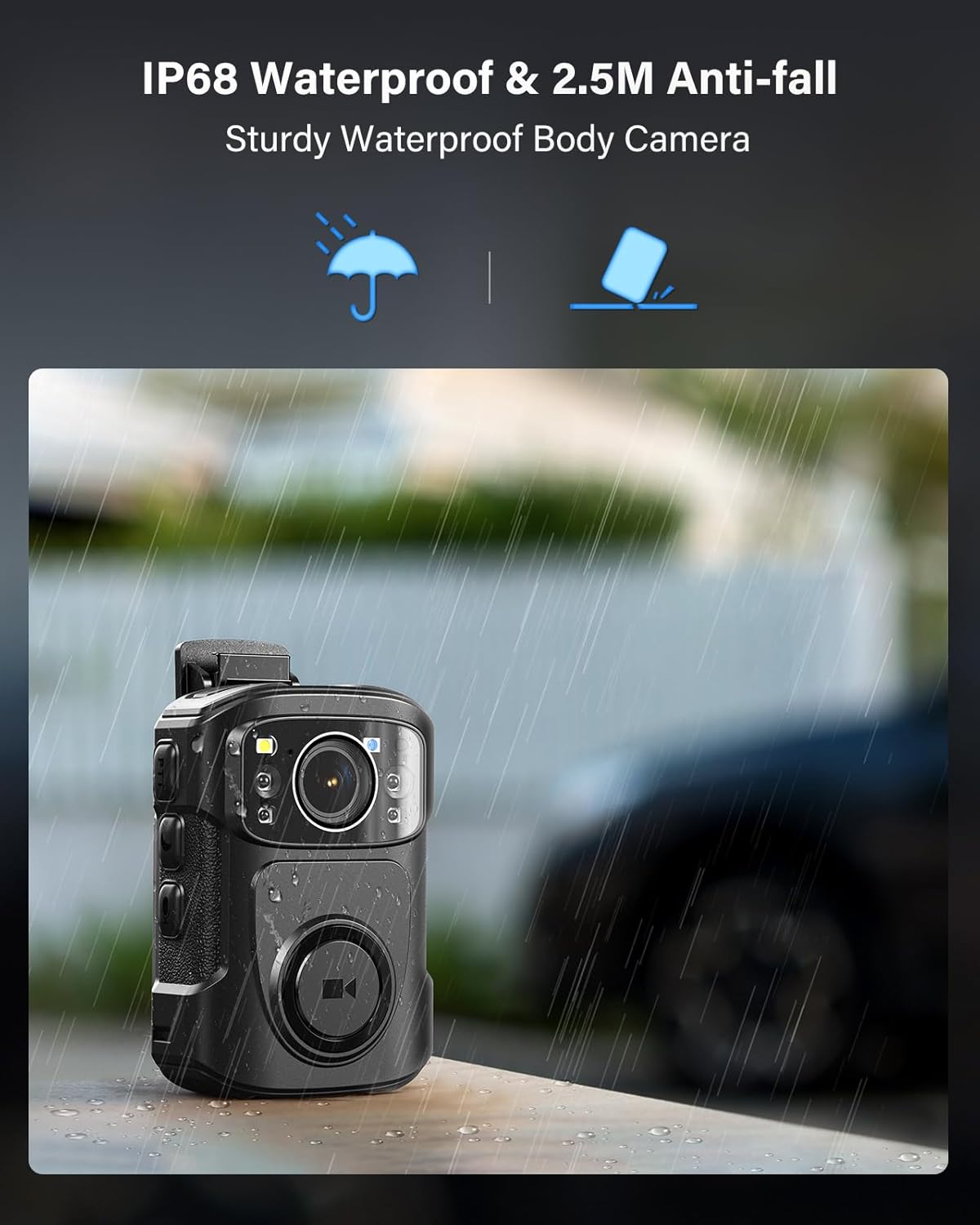
Figure 5.1: The B4K5 camera is IP68 waterproof and designed to withstand challenging environments.
6. Troubleshooting
If you encounter issues with your BOBLOV B4K5, please refer to the following common problems and solutions:
| Problem | Possible Cause / Solution |
|---|---|
| Camera does not power on. | Battery may be depleted. Charge the camera fully. Ensure the power button is pressed and held sufficiently. |
| Short battery life. | Recording at 4K resolution or with IR/GPS enabled consumes more power. Ensure the camera is fully charged before use. Battery performance can degrade over time. |
| Recording stops unexpectedly. | Memory may be full (loop recording should overwrite oldest files, but check settings). Low battery can also cause this. Ensure sufficient charge. |
| GPS data not showing. | Ensure GPS is enabled in camera settings. The GPS player software is only compatible with Windows computers. Make sure you are using the correct software. |
| Cannot transfer files to computer. | Ensure the USB-C cable is securely connected. Try a different USB port or cable. The camera should appear as a removable drive; if not, check computer's device manager. |
| Video quality is blurry. | Ensure the lens is clean. Check recording resolution settings; higher resolution provides clearer video. |
7. Specifications
| Feature | Detail |
|---|---|
| Brand | BOBLOV |
| Model Number | 128gB4K5 |
| Video Capture Resolution | 4K (2160P) |
| Photo Resolution | 48MP |
| Battery Capacity | 3400mAh |
| Recording Time (1080P) | Up to 11 hours (IR/GPS off) |
| Recording Time (4K/30fps) | 4-6 hours |
| Waterproof Rating | IP68 |
| Internal Memory | 128GB (also available in 256GB) |
| Screen Size | 2 Inches |
| Special Features | Built-In Light, Night Vision, GPS |
| Connectivity Technology | Wired (USB-C) |
| Item Weight | 1.19 pounds |
| Package Dimensions | 9.57 x 7.44 x 2.56 inches |
8. Warranty and Support
BOBLOV provides product coverage for its supporters. The B4K5 body camera comes with 24 months of product coverage. For technical assistance or inquiries, BOBLOV aims to provide quick responses within 24 hours and offers lifetime technical support.
For further support, please visit the official BOBLOV store or contact their customer service directly. Refer to your purchase documentation for specific contact details.
Note: The provided JSON data did not include specific video URLs with "creator_type":"Seller" for embedding. Therefore, no videos are included in this manual.


