1. Product Overview
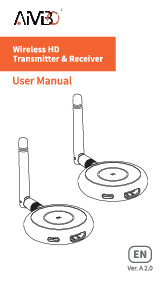
The AIMIBO Wireless HDMI Transmitter and Receiver kit provides a seamless solution for transmitting HDMI signals wirelessly. This system supports 4K decoding and 1080P output, utilizing dual-band 2.4GHz/5GHz technology for stable and fast audio-video streaming. It eliminates the need for tangled cables, offering flexibility for various applications such as home entertainment, business presentations, and educational settings.
The kit is designed for true plug-and-play operation, requiring no manual setup or driver installation. It allows for easy switching between multiple HDMI source devices and offers broad compatibility with a range of devices including laptops, PCs, cameras, game consoles, and more.
2. What's in the Box
Please verify that all items are present in your package:
- 2 x Wireless HDMI Transmitters (TX)
- 1 x Wireless HDMI Receiver (RX)
- 1 x Mini HDMI Converter
- 1 x Micro HDMI Converter
- 2 x USB-C Charging Cables
- 1 x 5G Antenna Cable
- 1 x User Manual

Image: All components included in the AIMIBO Wireless HDMI Transmitter and Receiver kit, laid out neatly with labels.
3. Setup Instructions
3.1 Standard Connection (Plug & Play)
- Connect the two HDMI Transmitters (TX) to your HDMI output devices (e.g., laptop, TV box). Ensure they are powered, if necessary, using the provided USB-C cables.
- Connect the HDMI Receiver (RX) to your HDMI input device (e.g., TV, projector, monitor). Ensure it is powered using a USB-C cable.
- The devices are pre-paired from the factory. They will automatically synchronize and display the content from the active transmitter.

Image: Visual representation of the plug-and-play setup, highlighting no Wi-Fi, no driver, and no app requirements.
3.2 Connecting the 5G Antenna
For optimal performance and range, especially in environments with potential interference, connect the provided 5G antenna cable to the receiver unit.

Image: Detailed view of the 5G Smart Chip and the external 5G antenna, emphasizing enhanced transmission.
4. Operating Instructions
4.1 Seamless Screen Switching
With two transmitters connected, you can switch between the two HDMI output devices by simply pressing the button on the active transmitter. This eliminates the need to unplug and re-plug cables.

Image: A user switching between a laptop and a TV box connected to a single large screen using the wireless HDMI system.
4.2 Dual Band 2.4GHz/5GHz Operation
The system automatically switches between 2.4GHz and 5GHz frequency bands to ensure optimal data transfer speeds and an uninterrupted experience. In areas with high Wi-Fi traffic, you can adjust wireless channel settings via the RX settings page to avoid interference.
4.3 4K Decoding and 1080P Output
The device supports 4K decoding, ensuring high clarity and color accuracy for input signals. The output is delivered at 1080P, providing a smooth and flawless display on your HDMI screens for an enhanced viewing experience.
4.4 Wireless Transmission Range
The system offers a transmission range of up to 165 feet (50 meters) in open spaces. When transmitting through walls or other obstructions, the effective range may reduce to approximately 32 feet (10 meters).

Image: A presentation scenario showing a laptop wirelessly transmitting to a projector over a distance of 165ft/50m.
4.5 Flexible Multi-Device Connectivity
The receiver can be paired with up to 8 transmitters, allowing you to seamlessly switch between multiple HDMI output devices with a single click. This feature optimizes workflow efficiency and entertainment experiences.
4.6 Wide Compatibility
The HDMI transmitters are compatible with devices featuring an HDMI output, including laptops, PCs, cameras, DVD players, game consoles, and TV boxes. The HDMI receiver works with devices that have an HDMI input, such as TVs, projectors, and monitors.

Image: An overview of compatible devices for both the transmitter and receiver units, including laptops, cameras, TVs, and projectors.
4.7 Receiver as a Standalone Wireless HDMI Dongle
The receiver can function independently as a wireless HDMI dongle, allowing direct mirroring from smartphones or tablets. It supports Android, iOS, macOS, and Windows devices.
Note: When using the RX alone, Android and Windows devices can mirror most video applications. However, iOS devices may not mirror HDCP-protected applications like Netflix or Hulu.

Image: Step-by-step guide on how to connect a smartphone to the receiver for screen mirroring, including Wi-Fi connection and screen mirroring activation.
5. Advanced Settings
5.1 Customize User Interface
You can personalize the user interface of the receiver. To do this:
- Power on the RX.
- Connect your laptop to the RX's Wi-Fi network (e.g., RX-AIMIBO, password: 12345678).
- Open a web browser and enter the IP address: 192.168.203.1.
- Click on "User Interface Background" and then "Select an image" to upload your desired background.
Note: If you encounter issues with settings, verify the firmware version on the main screen is 22798157. If not, contact support for an online update.

Image: A four-step guide demonstrating how to access the receiver's settings via a web browser and customize the user interface background.
5.2 Customize Dongle Name and Password
To change the dongle's name and password:
- Connect your phone to the RX's Wi-Fi (e.g., AMB-XX, password: 12345678).
- Open a web browser and enter the IP address: 192.168.203.1.
- Click on "Device Name" and "WiFi Password" to modify them.
5.3 Modify Screen Rotation
Press and hold the button on the RX unit for 3 to 5 seconds to rotate the screen between horizontal (landscape) and vertical (portrait) orientations.

Image: A guide showing how to change the dongle's name and Wi-Fi password via a web interface, and how to rotate the screen orientation by pressing a button on the RX unit.
6. Maintenance
To ensure the longevity and optimal performance of your AIMIBO Wireless HDMI system, follow these maintenance guidelines:
- Cleaning: Use a soft, dry cloth to clean the devices. Avoid liquid cleaners or abrasive materials.
- Storage: Store the devices in a cool, dry place away from direct sunlight and extreme temperatures.
- Handling: Handle the transmitters and receiver with care to prevent physical damage. Avoid dropping or subjecting them to strong impacts.
- Ventilation: Ensure proper ventilation around the devices during operation to prevent overheating.
7. Troubleshooting
If you encounter issues with your AIMIBO Wireless HDMI system, refer to the following common troubleshooting steps:
- No Signal/Black Screen:
- Ensure both the transmitter(s) and receiver are properly connected and powered on.
- Verify that the HDMI cables are securely plugged into both the source and display devices.
- Check if the display device is set to the correct HDMI input source.
- Try restarting both the source device and the wireless HDMI system.
- Flickering or Unstable Picture:
- Ensure the 5G antenna is properly connected to the receiver.
- Reduce the distance between the transmitter and receiver.
- Minimize obstructions (walls, furniture) between the units.
- Check for strong Wi-Fi interference from other devices and consider adjusting the wireless channel via the RX settings page (refer to Section 5.1).
- Audio Issues (No Sound or Distorted Audio):
- Verify that the audio output settings on your source device are correct.
- Ensure the display device's volume is not muted or too low.
- Check all HDMI connections.
- Cannot Connect to RX Wi-Fi for Settings:
- Ensure the RX is powered on.
- Double-check the Wi-Fi name and password (default: RX-AIMIBO, 12345678).
- Try another device (phone/laptop) to connect to the RX's Wi-Fi.
- Verify the firmware version (22798157) on the main screen. If outdated, contact support.
8. Specifications
| Brand | AIMIBO |
| Model Number | Q3B2TX |
| Color | Blue |
| Hardware Interface | HDMI |
| Special Feature | DVD Player (Note: This refers to compatibility with DVD players as a source, not a built-in feature) |
| Compatible Devices | Laptops, PCs, Cameras, DVD players, Game Consoles, TV Boxes, Blu-ray players, Smartphones, Tablets, TVs, Projectors, Monitors |
| Material | Plastic |
| Product Dimensions (L x W x H) | 8 x 5 x 4 centimeters |
| Operating System Compatibility | Windows, macOS, iOS, Android |
| Wireless Frequency | 2.4GHz/5GHz Dual Band |
| Transmission Range | Up to 165 feet (50 meters) in open space; 32 feet (10 meters) through walls |
| Video Decoding | 4K |
| Video Output | 1080P |
9. Warranty and Support
AIMIBO provides a comprehensive one-year warranty for this product. Additionally, free lifetime technical support is available to assist you with any questions or issues you may encounter.
For technical assistance or warranty claims, please refer to the contact information provided in your product packaging or visit the official AIMIBO website.