
1. Introduction
The ZOWEETEK Voice Amplifier H6-H is a portable PA system designed to amplify your voice for various indoor and outdoor settings. It features a wireless handheld microphone, Bluetooth connectivity, and multiple playback options, making it ideal for teachers, speakers, and group events. This manual provides detailed instructions for setting up, operating, and maintaining your voice amplifier.
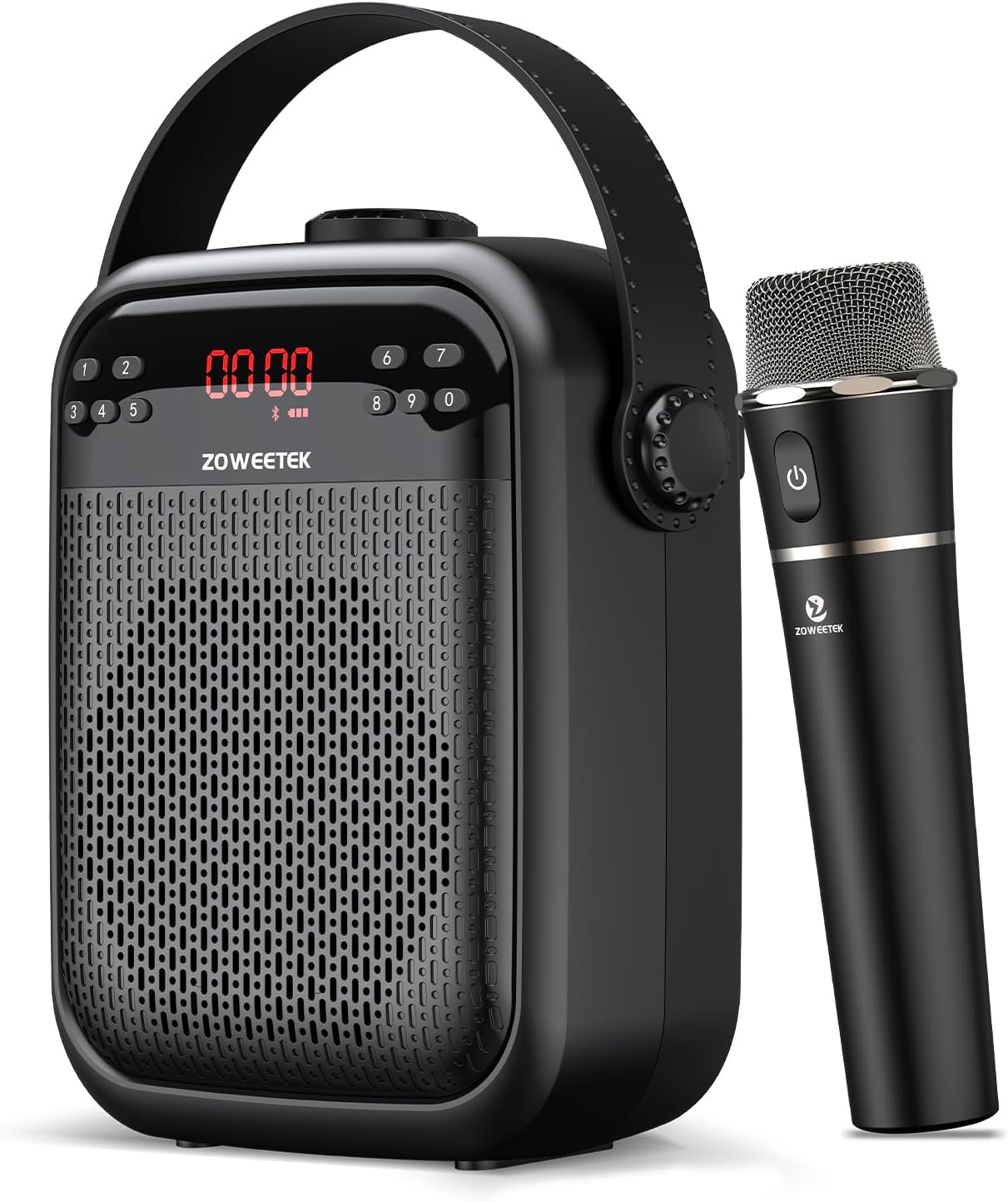
Figure 1.1: ZOWEETEK Voice Amplifier H6-H and Wireless Microphone
2. Package Contents
Please check the package carefully to ensure all items are present and in good condition:
- ZOWEETEK Voice Amplifier Unit
- Wireless Handheld Microphone
- USB Charging Cable (Type-C)
- Power Adapter
- Shoulder Strap
- User Manual
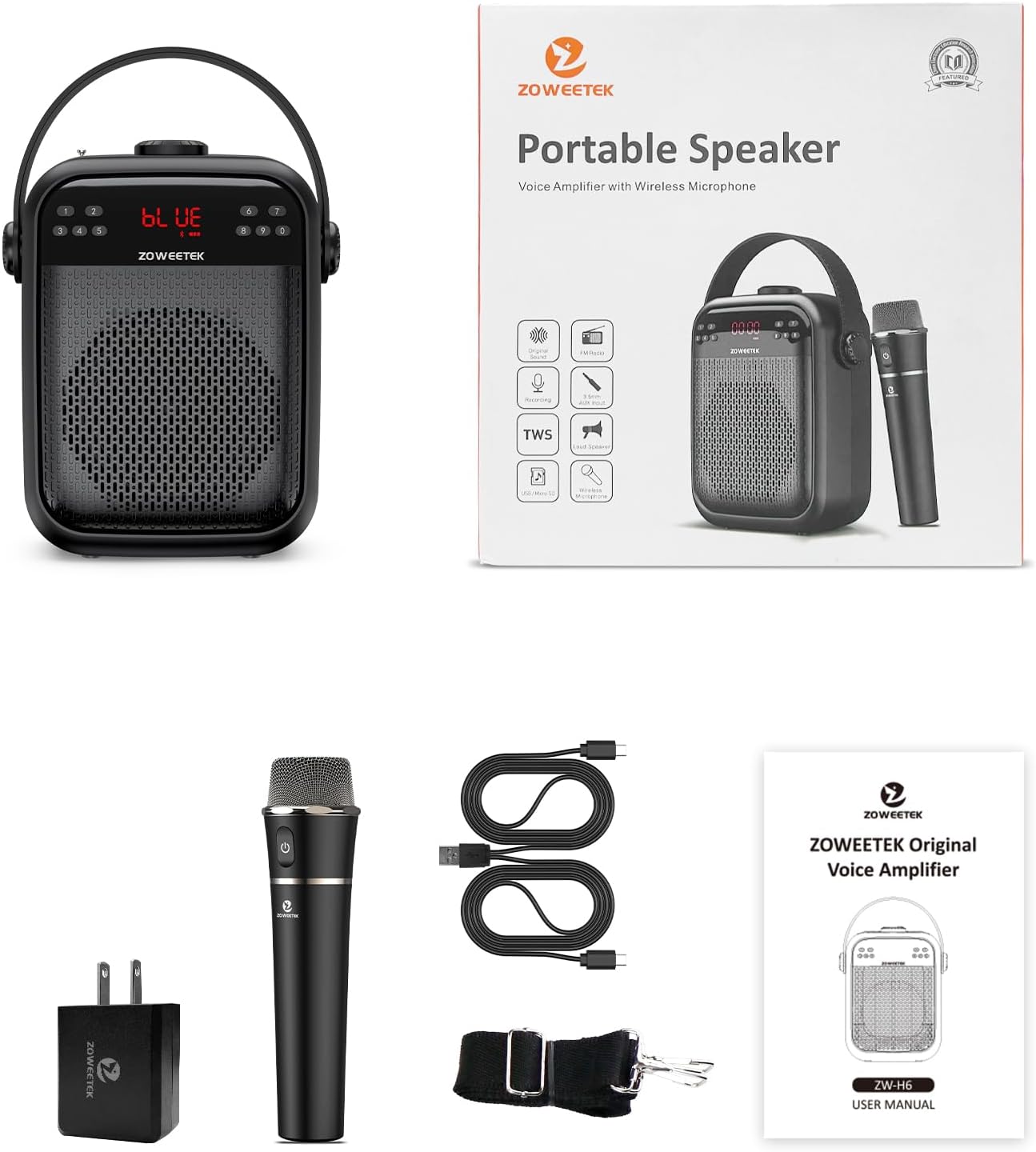
Figure 2.1: Included Accessories and Main Unit
3. Product Features
The ZOWEETEK Voice Amplifier H6-H offers a range of features for versatile use:
- Powerful 40W Output: Amplifies your voice clearly and powerfully, covering an area of approximately 20000 sq.ft (2000 ㎡) without noise or distortion.
- Wireless Handheld Microphone: Compact, exquisite, with long battery life, stable signal, and clear sound.
- Long-lasting Battery: Speaker and microphone last over 8-10 hours on a single charge, sufficient for full day's use. Charging time is 3-5 hours.
- Bluetooth Connectivity: Connect wirelessly to your smartphone or other Bluetooth-enabled devices for music playback.
- True Wireless Stereo (TWS): Combine two ZOWEETEK H6-H speakers for a total of 80 watts of big sound in Bluetooth mode.
- Multiple Playback Options: Supports FM radio, recording functions, TF (Micro SD) card playback, USB flash drive playback, and 3.5mm AUX audio input.
- Versatile Use: Ideal for teachers, speakers, yoga instructors, lectures, karaoke, and various indoor and outdoor small group events.

Figure 3.1: Key Features Overview

Figure 3.2: 40W Output Power Illustration
4. Setup
4.1 Charging the Amplifier and Microphone
Before first use, fully charge both the voice amplifier and the wireless microphone.
- Amplifier: Connect the provided USB charging cable to the DC 5V port on the amplifier and the power adapter. Plug the adapter into a wall outlet. The charging indicator will illuminate.
- Microphone: Connect the microphone to a 5V power source using its dedicated charging port.
A full charge typically takes 3-5 hours for the amplifier and ensures 8-10 hours of working time.

Figure 4.1: Battery Life and Charging Time
4.2 Powering On/Off
- Amplifier: Rotate the Power/Volume knob clockwise to turn on the amplifier. The display will light up. Rotate counter-clockwise to turn off.
- Microphone: Press and hold the power button on the wireless microphone to turn it on or off.
4.3 Attaching the Shoulder Strap
Attach the included shoulder strap to the designated loops on the amplifier unit for convenient portability.
5. Operating Instructions
5.1 Wireless Microphone Connection
The wireless handheld microphone is designed for automatic pairing with the amplifier. Simply turn on both devices, and they should connect without manual intervention.

Figure 5.1: Automatic Microphone Pairing
5.2 Volume Adjustment
- Amplifier Volume: Use the main Power/Volume knob on the top of the amplifier to adjust the overall output volume.
- Microphone Volume: The microphone volume can be adjusted by sliding the dedicated button on the back of the speaker unit.
5.3 Mode Selection
Press the 'M' (Mode) button on the amplifier to cycle through available modes: Bluetooth, FM Radio, TF Card, USB, and AUX input.
5.4 Bluetooth Pairing
When the amplifier is in Bluetooth mode, it will announce "Bluetooth is waiting for a connection." On your device (e.g., smartphone), search for "ZOWEETEK" in the Bluetooth settings and select it to pair. Once connected, the amplifier will announce "Bluetooth is connected."

Figure 5.2: Bluetooth Connection
5.5 Music Playback
- TF Card/USB: Insert a TF (Micro SD) card or USB flash drive with audio files into the respective slots. The amplifier will automatically switch to the corresponding mode and begin playback.
- AUX Input: Connect an external audio device (e.g., MP3 player, computer) to the 3.5mm AUX input port using an audio cable.
- Bluetooth: Play audio directly from your paired Bluetooth device.
5.6 True Wireless Stereo (TWS) Function
To use the TWS function, you need two ZOWEETEK H6-H amplifier units. Turn on both units and ensure they are in Bluetooth mode. They will automatically attempt to pair with each other. Once connected, they will function as a stereo pair, providing a combined 80W output.

Figure 5.3: True Wireless Stereo Setup
5.7 FM Radio
In FM mode, extend the antenna on the amplifier for better reception. Use the Previous/Next buttons to scan for radio stations.
5.8 Recording Function
The amplifier supports recording. Refer to the on-screen prompts or specific button combinations for initiating and managing recordings.
6. Maintenance
To ensure the longevity and optimal performance of your ZOWEETEK Voice Amplifier, follow these maintenance guidelines:
- Cleaning: Wipe the unit with a soft, dry cloth. Do not use abrasive cleaners or solvents.
- Storage: Store the amplifier in a cool, dry place away from direct sunlight and extreme temperatures.
- Battery Care: If the unit will not be used for an extended period, charge it fully every 3 months to preserve battery health.
- Avoid Feedback: To prevent audio feedback and noise, do not place the microphone directly in front of or too close to the voice amplifier while in use.
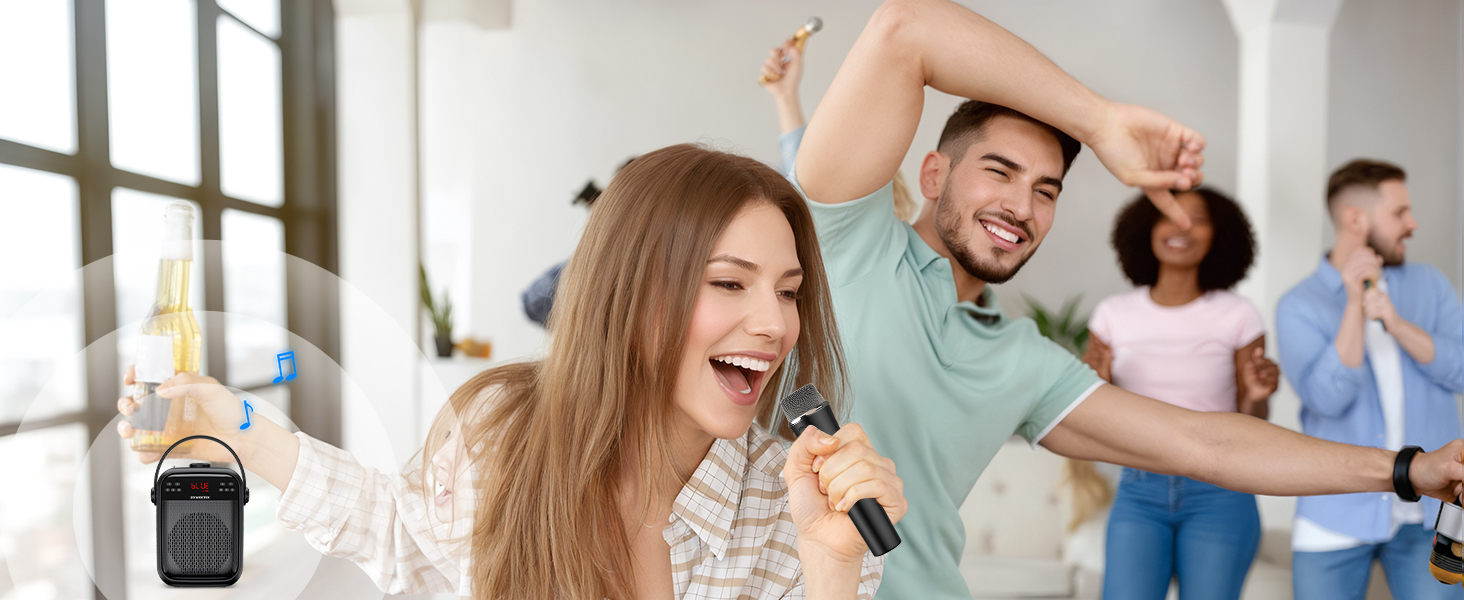
Figure 6.1: Preventing Audio Feedback
7. Troubleshooting
If you encounter issues with your ZOWEETEK Voice Amplifier, refer to the following common problems and solutions:
| Problem | Possible Cause | Solution |
|---|---|---|
| No sound from amplifier | Low battery; Volume too low; Incorrect mode; Microphone not paired. | Charge the unit; Increase volume; Select correct input mode; Ensure microphone is powered on and paired. |
| Distortion or Feedback | Microphone too close to amplifier; Volume too high; Obstructions. | Increase distance between microphone and amplifier; Reduce volume; Ensure clear line of sight. |
| Bluetooth not connecting | Amplifier not in Bluetooth mode; Device not discoverable; Already connected to another device. | Switch amplifier to Bluetooth mode; Ensure device's Bluetooth is on and discoverable; Disconnect from other devices. |
| Battery not charging | Charging cable or adapter faulty; Port damaged. | Try a different compatible cable/adapter; Contact customer support if port is damaged. |
| Microphone not working | Microphone low battery; Not powered on; Not paired. | Charge microphone; Power on microphone; Ensure automatic pairing is successful. |
8. Specifications
Detailed technical specifications for the ZOWEETEK Voice Amplifier H6-H:
| Attribute | Value |
|---|---|
| Model Number | H6-H |
| Mounting Type | Portable |
| Power Source | Battery Powered |
| Output Wattage | 40 Watts |
| Number of Channels | 1 |
| Audio Input | 3.5mm AUX |
| Connectivity Technology | Bluetooth |
| Product Dimensions (L x W x H) | 6.5 x 3.46 x 8.26 inches |
| Item Weight | 3.23 pounds |
| Batteries | 2 Lithium Ion batteries (included) |
| Compatible Devices | Headphone, Headset, Smartphone |
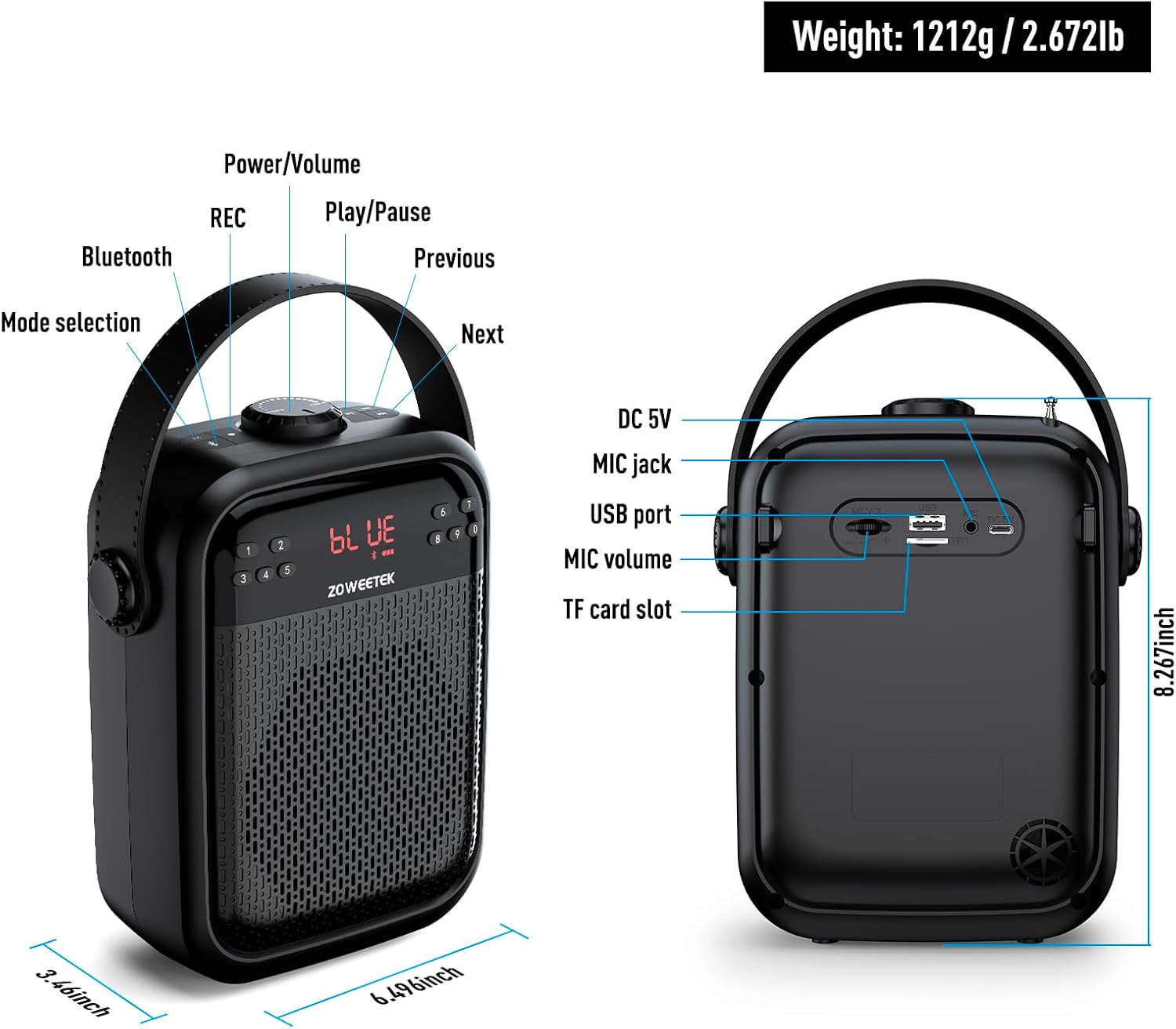
Figure 8.1: Product Dimensions and Ports
9. Warranty and Support
ZOWEETEK is committed to providing high-quality products. For any warranty claims, technical support, or inquiries regarding your voice amplifier, please contact the manufacturer directly. While specific warranty periods may vary, additional protection plans are often available for purchase to extend coverage.
Manufacturer: ZOWEETEK
For further assistance, please refer to the contact information provided on the product packaging or the official ZOWEETEK website.


