Introduction
This manual provides detailed instructions for the Yunseity USB Microscope, a versatile digital microscope designed for various inspection tasks. Featuring a 2MP camera with 1080P resolution and 50-1000X magnification, it offers clear and detailed imaging for electronic repairs, educational research, jewelry appraisal, and beauty applications. The device supports both wireless and wired USB connections, ensuring flexibility for different usage scenarios.
Package Contents
Please verify that all items listed below are included in your package:
- 1 x Digital Microscope
- 1 x Stand
- 1 x Data Cable
- 1 x Instruction Manual (this document)
- 1 x Storage Bag
- 1 x Scale Plate
- 2 x Screws
- 1 x Hex Wrench

Product Overview
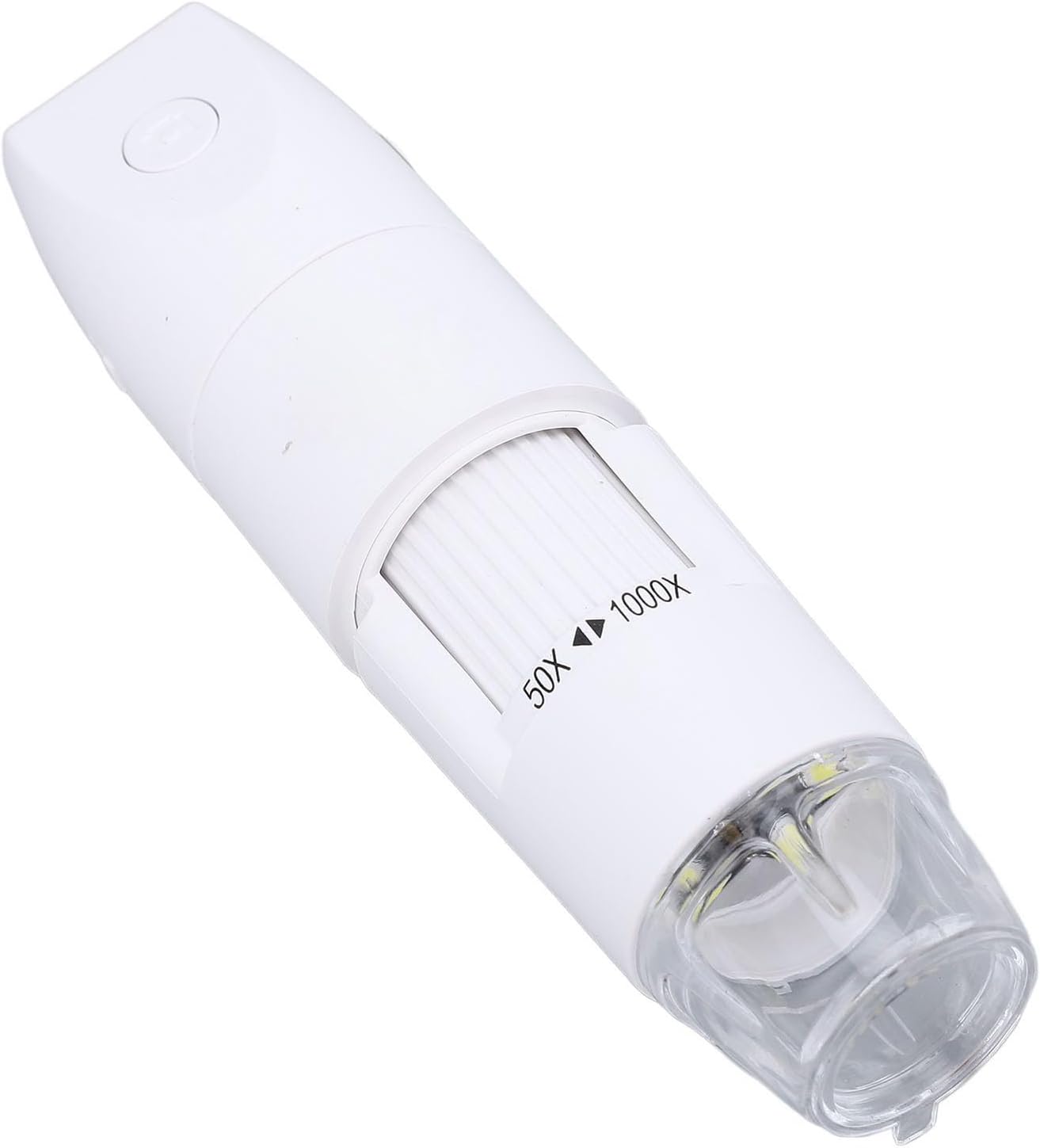
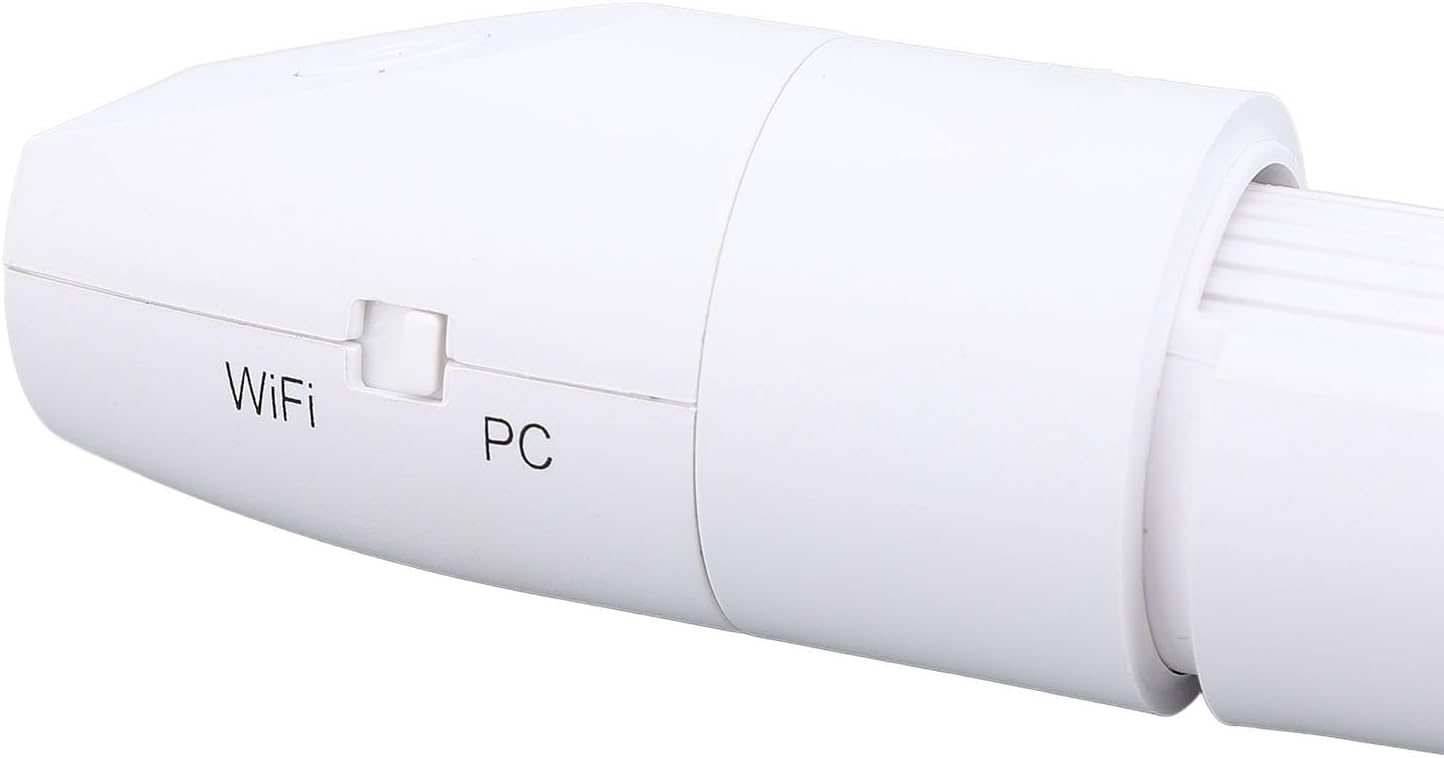
Familiarize yourself with the main components of your Yunseity USB Microscope.


Setup
Follow these steps to set up your USB Microscope for first use.
- Charge the Device: Before initial use, ensure the microscope is fully charged using the provided data cable and a standard USB power adapter (not included). Connect the data cable to the DC 5V port on the microscope.
- Assemble the Stand: Attach the microscope to the adjustable stand using the provided screws and hex wrench. Ensure it is securely fastened for stable viewing.
- Download the Application: Scan the QR code found in the physical instruction manual (included in the package) to download the corresponding application for your device (Android, iOS, Windows, or OS X). Install the application.
- Power On: Press and hold the power button on the microscope until the indicator light illuminates.
- Select Connection Mode: Use the WiFi/PC switch on the side of the microscope to select your desired connection mode.
- WiFi Mode: For wireless connection to Android or iOS devices.
- PC Mode: For wired USB connection to Windows or OS X computers.

Operating Instructions
Learn how to effectively use your Yunseity USB Microscope.
Connecting to Your Device
- WiFi Connection (Android/iOS):
- Switch the microscope to WiFi mode.
- On your smartphone or tablet, go to Wi-Fi settings and connect to the microscope's Wi-Fi network (usually named something like "Microscope_XXXX").
- Open the downloaded application. The microscope's live feed should appear.
- Wired USB Connection (Windows/OS X):
- Switch the microscope to PC mode.
- Connect the microscope to your computer using the provided data cable.
- Open the downloaded application on your computer. The microscope's live feed should appear. If not, select the microscope as the camera source within the application settings.
Adjusting Focus and Magnification
- Magnification: The microscope offers a magnification range of 50X to 1000X. The actual magnification observed depends on the distance between the microscope lens and the object, and the display size.
- Manual Focus: Rotate the focus wheel on the body of the microscope to achieve a clear image. The focus distance range is 0-40mm. Adjust slowly until the image on your screen is sharp.
- Illumination: The microscope is equipped with built-in LED lights to illuminate your subject. Adjust the brightness if necessary for optimal viewing.
Capturing Images and Videos
- Capture Button: Press the physical capture button on the microscope to take a still image.
- Software Controls: Use the controls within the application to capture images, record videos, and access other features like measurement tools (if available in the app).
Maintenance
Proper care will ensure the longevity and optimal performance of your microscope.
- Cleaning the Lens: Use a soft, lint-free cloth specifically designed for optical lenses to gently clean the microscope lens. Avoid abrasive materials or harsh chemicals.
- Cleaning the Body: Wipe the microscope body with a dry or slightly damp soft cloth. Do not immerse the device in water.
- Storage: Store the microscope in a cool, dry place, away from direct sunlight and extreme temperatures. Use the provided storage bag to protect it from dust and scratches.
- Battery Care: For optimal battery life, avoid fully discharging the battery frequently. Charge the device regularly, even if not in use for extended periods.
Troubleshooting
If you encounter issues, refer to the following common problems and solutions.
- No Image on Screen:
- Ensure the microscope is powered on and fully charged.
- Verify the correct connection mode (WiFi or PC) is selected.
- For WiFi, check if your device is connected to the microscope's Wi-Fi network.
- For USB, ensure the cable is securely connected and the microscope is selected as the camera source in your application.
- Restart both the microscope and your viewing device.
- Image is Blurry:
- Adjust the manual focus wheel slowly until the image becomes clear.
- Ensure the object is within the 0-40mm focus distance range.
- Clean the microscope lens if there is any dust or smudges.
- Microscope Not Connecting to Wi-Fi:
- Ensure the microscope is in WiFi mode.
- Check your device's Wi-Fi settings to confirm the microscope's network is visible and selected.
- Move closer to the microscope to ensure a strong signal.
- Disable and re-enable Wi-Fi on your viewing device.
- Application Not Launching or Crashing:
- Ensure your device meets the minimum system requirements for the application.
- Try reinstalling the application.
- Check for any available updates for the application or your device's operating system.
Specifications
Detailed technical specifications for the Yunseity USB Microscope.
| Item Type | Digital Microscope |
| Material | ABS |
| Pixels, Resolution | 2MP, 1080P |
| Magnification | 50-1000X |
| Focus Distance | Manual focus (0-40mm) |
| Connection | Wireless (WiFi), Wired USB |
| Compatible Systems | Android, iOS, Windows, OS X |
| Model Number | Yunseityrci5e69dg0-11 |
| Colour | White |
| Manufacturer | Yunseity |
| Country of Origin | China |
| Parcel Dimensions | 19 x 12 x 5 cm; 311 g |
Warranty Information
This product is covered by a standard manufacturer's warranty against defects in materials and workmanship. Please refer to the specific warranty terms provided with your purchase documentation or contact customer support for details regarding warranty duration and claims process.
Customer Support
For technical assistance, troubleshooting, or any questions regarding your Yunseity USB Microscope, please contact our customer support team. Refer to the contact information provided in your purchase documentation or visit the official Yunseity website for support options.


