
1. Introduction
Thank you for choosing the Tribesigns RY0118 Two Person Desk. This manual provides detailed instructions for the safe assembly, proper use, and maintenance of your new desk. Please read this manual thoroughly before beginning assembly and retain it for future reference.
This desk is designed to provide a spacious and functional workspace for two individuals, featuring an integrated monitor stand and convenient storage shelves. Its robust construction ensures durability and stability for various home office or gaming setups.
2. Safety Information
- Always assemble the desk according to the provided instructions.
- Do not exceed the maximum weight recommendation of 350 lb (158 kg) to ensure stability and safety.
- Ensure all screws and fasteners are securely tightened before use. Periodically check and re-tighten as necessary.
- Keep small parts and packaging materials away from children to prevent choking hazards.
- Use the desk on a level surface to prevent wobbling and potential tipping.
- Avoid placing hot items directly on the desk surface without protection.
- Do not stand or sit on the desk.
3. Package Contents
Before assembly, verify that all components are present and undamaged. If any parts are missing or damaged, please contact customer support.
- Desktop Panels (Main surface)
- Monitor Stand Panels
- Metal Frame Legs
- Storage Shelf Panels (4 units)
- Adjustable Foot Pads
- Assembly Hardware (Screws, Allen wrench, etc.)
- Instruction Manual
4. Assembly Instructions (Setup)
Assembly is recommended with two people. All necessary tools are included. Follow the numbered parts and steps carefully.
- Prepare the Workspace: Clear a spacious area for assembly. Lay out all parts and hardware, matching them to the provided parts list.
- Assemble the Side Frames: Attach the storage shelf panels to the metal frame legs on both sides of the desk. Ensure all screws are finger-tightened initially.
- Attach Desktop Panels: Carefully place the main desktop panels onto the assembled side frames. Secure them using the provided hardware.
- Install Monitor Stands: Position the monitor stand panels on top of the main desktop, aligning them with the designated holes. Secure them with screws.
- Final Tightening: Once all components are in place, systematically tighten all screws with the included Allen wrench. Do not overtighten.
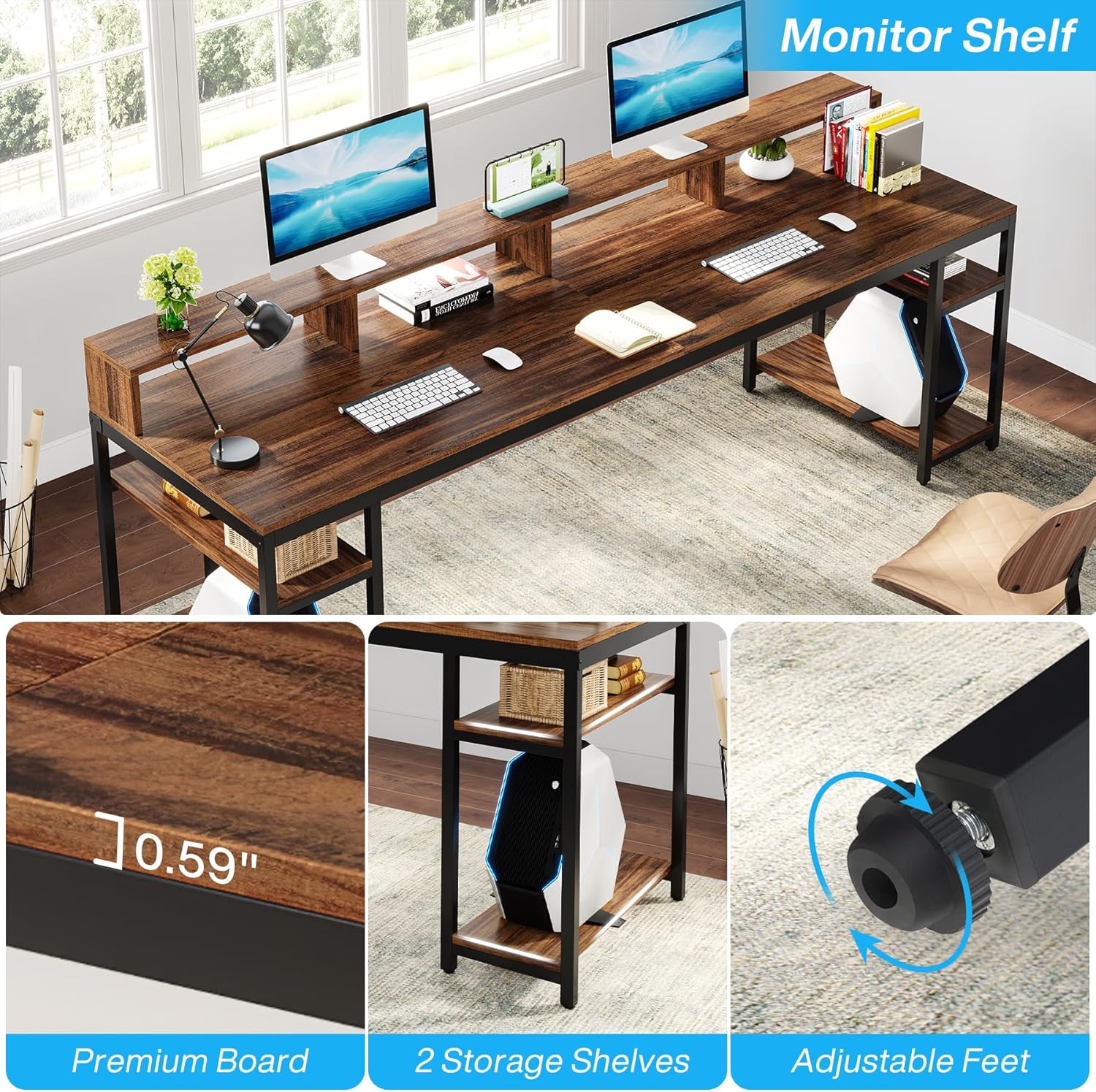
- Adjust Foot Pads: Adjust the foot pads at the bottom of the desk legs to ensure the desk is level and stable on your floor surface.


5. Usage (Operating)
The Tribesigns RY0118 desk is designed for versatile use in home offices, gaming setups, or study areas.
- Spacious Desktop: The 78.74"W x 27.56"D desktop provides ample space for two users, accommodating multiple monitors, keyboards, and other office equipment.
- Ergonomic Monitor Stand: Utilize the elevated monitor stand to position your screens at an optimal viewing height, reducing neck and eye strain. This also frees up valuable desktop space underneath.
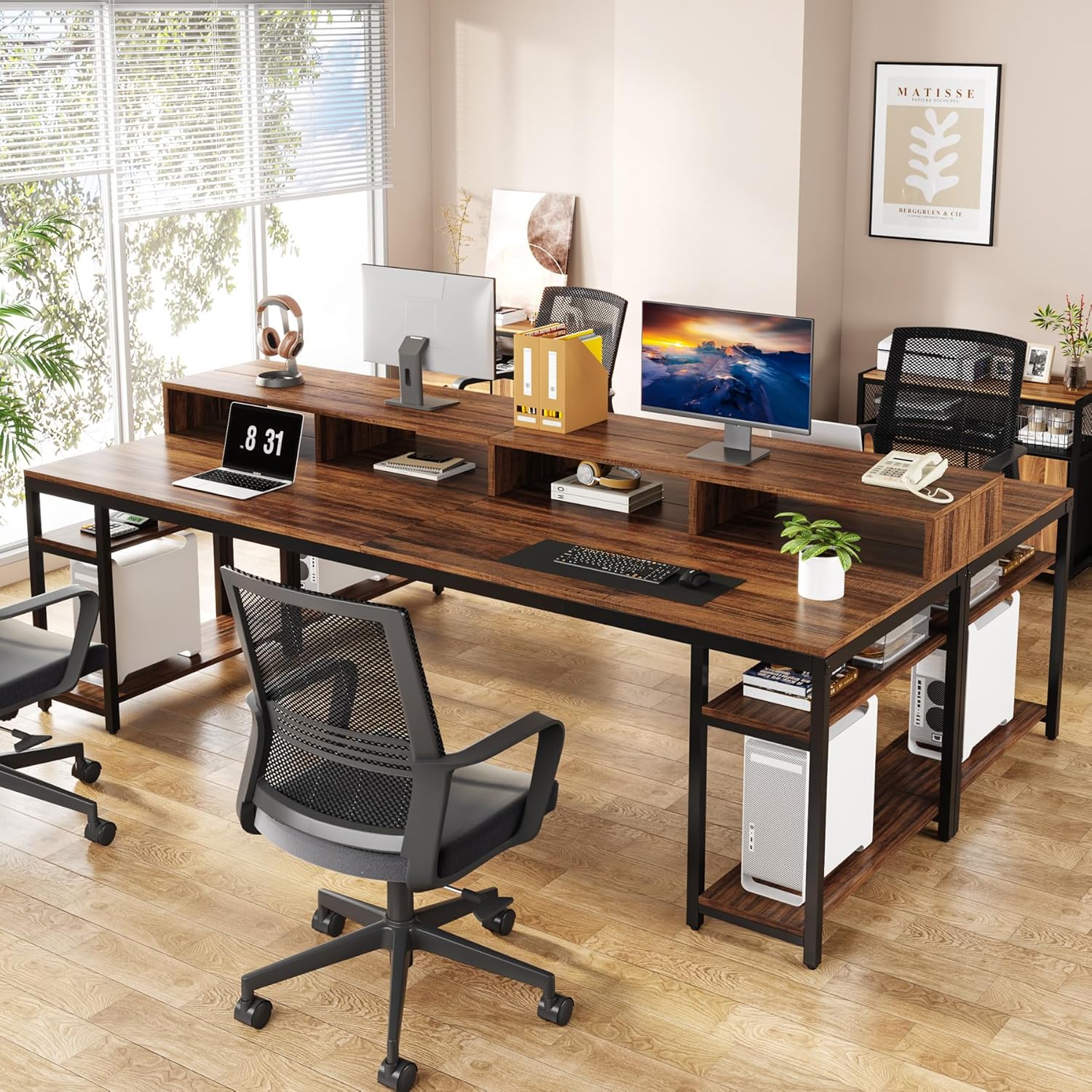
- Integrated Storage Shelves: The four open storage shelves (two on each side) are ideal for organizing books, office supplies, computer towers (CPUs), or decorative items.
6. Maintenance
- Cleaning: Wipe the desk surface and frame with a dry, soft cloth. Avoid abrasive cleaners or harsh chemicals that may damage the finish.
- Spills: Immediately wipe up any spills to prevent staining or damage to the engineered wood surface.
- Hardware Check: Periodically inspect all screws and connections to ensure they remain tight. Re-tighten if necessary.
- Weight Distribution: Distribute weight evenly across the desktop and shelves to maintain stability and prevent stress on the structure.
7. Troubleshooting
- Desk is Wobbly:
- Ensure all screws are fully tightened.
- Adjust the foot pads on each leg to compensate for uneven floor surfaces.
- Verify that the desk is placed on a flat, stable surface.
- Parts Do Not Align During Assembly:
- Do not fully tighten screws until all parts are loosely assembled. This allows for minor adjustments.
- Double-check the orientation of each part against the assembly diagrams.
- Missing or Damaged Parts:
- Carefully check all packaging materials.
- Contact Tribesigns customer support with your model number (RY0118) and a description of the issue.
8. Specifications
| Feature | Detail |
|---|---|
| Brand | Tribesigns |
| Model Number | RY0118 |
| Product Dimensions (D x W x H) | 27.56" x 78.74" x 35.83" |
| Color | Rustic Brown |
| Style | Industrial |
| Top Material Type | Engineered Wood |
| Base Material | Metal |
| Special Features | 2 Person Desk, Adjustable Foot Pads, Monitor Stand, Scratch Resistant, Storage Shelves |
| Number of Shelves | 4 (Open Storage) |
| Maximum Weight Recommendation | 350 Pounds (158 kg) |
| Item Weight | 83.77 Pounds (38 kg) |
| Required Assembly | Yes |
| Includes All Assembly Tools | Yes |
| UPC | 036659347821 |
9. Warranty and Support
The Tribesigns RY0118 Two Person Desk comes with a Limited Warranty. For specific details regarding warranty coverage, please refer to the warranty card included with your purchase or contact Tribesigns customer service.
For any questions, assistance with assembly, or to report missing/damaged parts, please contact Tribesigns customer support. Contact information can typically be found on the product packaging or the official Tribesigns website.


