
HelloBaby HB6340
HelloBaby HB6340 Video Baby Monitor
User Manual
1. Product Overview
The HelloBaby HB6340 is a reliable video baby monitor designed to provide peace of mind for parents. It features a vibrant 4-inch IPS screen, remote pan-tilt-zoom camera control, automatic night vision, and two-way audio communication. Operating on a secure 2.4GHz FHSS connection, it requires no Wi-Fi, ensuring privacy and freedom from hacking risks. Additional smart features include a nursery temperature sensor, feeding timers, lullabies, and an ECO mode for extended battery life.

This image displays the HelloBaby HB6340 video baby monitor, showing both the parent unit with a 4-inch IPS screen and the camera unit. The parent unit features control buttons for navigation and functions, while the camera unit has a lens for monitoring.
2. What's in the Box
- One Camera Unit
- One Monitor Unit
- Wall Mount
- Two Chargers
3. Key Features
- 4" IPS Display & Remote Pan Tilt Zoom: Enjoy clear, real-time monitoring with wide viewing angles. Remotely control camera pan, tilt, and 2x optical zoom.
- Auto Night Vision & Two-Way Audio: Infrared night vision for 24/7 visibility. Use two-way audio to communicate with your baby or caregivers.
- No WiFi & Encrypted FHSS Connection: Secure 2.4GHz FHSS technology ensures privacy with zero hacking risks. Ideal for interference-free monitoring up to 1000ft.
- Smart Features for Modern Parents: Built-in temperature sensor, feeding/diaper change timers, 8 soft lullabies, and ECO mode for extended battery life (up to 26 hours).
- Travel-Friendly & Lifetime Support: Compact, wall-mountable design with long battery life for portability.

This graphic highlights the main features of the HelloBaby HB6340 monitor, including infrared night vision, two-way talk, ECO mode, privacy protection, up to 1000ft range, temperature sensor, feeding timer, and lullabies.
This image illustrates the monitor's crisp night vision capability, showing a baby sleeping in a crib in a dark room, and highlights the ECO mode for power saving.
This video demonstrates the benefit of the monitor's no-WiFi connection, emphasizing privacy and reliability for use at home or while traveling. It shows the monitor and camera in various settings, highlighting its secure operation without internet dependency.
4. Setup
4.1 Initial Setup
- Unpack: Carefully remove all components from the packaging.
- Charge: Connect both the camera unit and the parent monitor unit to their respective power adapters and plug them into a power outlet. Ensure both units are fully charged before first use for optimal battery performance.
- Power On: Press and hold the power button on both the camera and monitor units until they turn on.
- Automatic Connection: The camera and monitor are pre-paired at the factory. They should automatically connect once powered on. If connection issues occur, refer to the Troubleshooting section for manual pairing instructions.
- Position Camera: Place the camera unit in a location that provides a clear view of your baby. Ensure it is out of reach of children and any potential hazards. The included wall mount can be used for secure placement.

This image demonstrates the simple, user-friendly setup of the HelloBaby monitor, showing the camera and monitor units connected to power outlets, indicating easy plug-and-play functionality.
5. Operating Instructions
5.1 Remote Pan, Tilt, and Zoom
Use the directional buttons on the parent unit to remotely adjust the camera's viewing angle. Press the zoom button to activate 2x optical zoom for a closer look.

This image illustrates the remote pan, tilt, and zoom capabilities of the camera, showing how the parent unit controls the camera's movement to capture the baby's movements and zoom in for details.
5.2 Two-Way Audio
Press and hold the microphone button on the parent unit to speak through the camera to your baby. Release the button to hear your baby's sounds.

This image depicts the two-way talk feature, showing a parent speaking into the monitor and a baby reacting, emphasizing clear microphone quality for soothing communication.
5.3 Night Vision
The camera automatically switches to infrared night vision in low-light conditions, providing a clear black-and-white image of your baby.
5.4 ECO Mode
Activate ECO mode to conserve battery life. In this mode, the screen and audio will turn off when no sound is detected from the baby's room. They will reactivate automatically when sound is detected.
5.5 Lullabies
The monitor includes 8 pre-programmed lullabies. Access the menu on the parent unit to select and play lullabies to help soothe your baby.

This image highlights the monitor's features for temperature alerts and lullabies, showing a baby sleeping peacefully with musical notes, indicating the ability to maintain a comfortable environment and play soothing sounds.
5.6 Temperature Monitoring
The built-in temperature sensor on the camera unit displays the nursery temperature on the parent unit's screen, helping you ensure a comfortable environment for your baby.
5.7 Timers
Set feeding, potion, or diaper change reminders using the timer function in the parent unit's menu.
5.8 Language Settings
The monitor supports 9 languages. Navigate to the language settings in the menu to select your preferred language.

This image shows the language selection screen on the HelloBaby monitor, displaying flags and names for 9 available languages, allowing users to choose their preferred interface language.
6. Maintenance
6.1 Cleaning
Wipe the camera and monitor units with a soft, dry cloth. Do not use abrasive cleaners or solvents. Ensure the devices are powered off and unplugged before cleaning.
6.2 Battery Care
To maximize battery life, fully charge the parent unit before each use. Avoid completely draining the battery frequently. If storing the unit for an extended period, charge it to about 50% and store in a cool, dry place.
7. Troubleshooting
7.1 No Signal/Poor Connection
- Ensure both units are powered on and within range (up to 1000ft in open areas).
- Move the monitor closer to the camera.
- Avoid placing units near other electronic devices that may cause interference (e.g., microwaves, Wi-Fi routers).
- Try re-pairing the units: Consult the full user manual for specific pairing instructions if automatic connection fails.
7.2 Poor Image Quality
- Ensure the camera lens is clean and free from dust or smudges.
- Check lighting conditions. Night vision activates automatically in low light.
7.3 Short Battery Life
- Ensure the parent unit is fully charged before use.
- Activate ECO mode to conserve battery.
- Reduce screen brightness.
8. Specifications
| Feature | Specification |
|---|---|
| Model Number | HB6340 |
| Screen Size | 4 inches IPS |
| Video Capture Resolution | 480p |
| Connectivity Technology | Wireless (2.4GHz FHSS) |
| Range | Up to 1000ft (open area) |
| Battery Life (Audio-on Mode) | Up to 26 hours |
| Battery Life (Screen-on Mode) | Up to 15 hours |
| Power Source | Battery Powered |
| Included Components | One camera, one monitor, wall mount, two chargers |
| Item Weight | 1.43 pounds |
| Product Dimensions | 6.5 x 4.3 x 5.4 inches |
| UPC | 190282014274 |
9. Warranty & Support
The HelloBaby HB6340 monitor comes with a 1-year warranty, ensuring coverage for manufacturing defects and malfunctions under normal use. For any inquiries, technical assistance, or warranty claims, HelloBaby offers 24/7 customer service.
Contact Support:
Please refer to the contact information provided on the product packaging or visit the official HelloBaby website for the most up-to-date support channels.
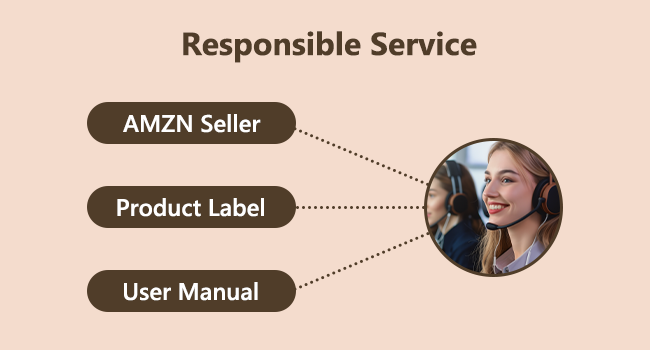
This image illustrates the commitment to responsible service, highlighting various channels for customer support including Amazon Seller, Product Label, and User Manual, ensuring comprehensive assistance for users.
Related documentsHB6340


Ask a question about this manual
Ask about setup, troubleshooting, compatibility, parts, safety, or missing instructions. Manuals+ will review the question and use this page’s manual context to help answer it.