
Introduction
Thank you for choosing the Tribesigns Computer Desk. This manual provides essential information for the safe assembly, operation, and maintenance of your new desk. Please read these instructions carefully before beginning assembly and retain them for future reference.
Safety Information
To ensure safe use of your Tribesigns Computer Desk, please observe the following warnings:
- Do not exceed the maximum weight capacity of 31 kg (68 lbs) on the desk surface.
- Always place the desk on a stable, flat, and level surface to prevent tipping.
- Keep small parts and packaging materials away from children to avoid choking hazards.
- Ensure all screws and fasteners are securely tightened before use. Periodically check and re-tighten as necessary.
- Avoid standing or sitting on the desk.
- The desk features smooth edges designed to protect against accidental injuries. Handle with care during assembly.
Package Contents
Please verify that all components are present before starting assembly. Refer to the detailed parts list included in your physical assembly guide for specific component identification. If any parts are missing or damaged, please contact customer support.
Setup and Assembly
Assembly of this computer desk is designed to be straightforward. It is recommended that two people assemble the desk. Please follow the step-by-step instructions provided in the included assembly manual. Assembly tools may be required and are not always included; refer to your physical guide for a complete list.
Key Assembly Features:
- Adjustable Feet: The desk is equipped with adjustable feet to ensure perfect stability on uneven floors. Adjust each foot until the desk is level and stable.
- Reversible Drawer Unit: The three-drawer unit can be installed on either the left or right side of the desk, according to your preference and workspace layout. Follow the specific instructions in your assembly guide for reversible installation.

Image: Diagram illustrating the flexible installation of the drawer unit on either the left or right side of the desk.
Operating Instructions
Once assembled, your Tribesigns Computer Desk is ready for use. Its large surface and integrated storage are designed to enhance your productivity and organization.
- Workspace: The generous 150 cm x 50 cm desktop provides ample space for your computer, monitor, and other work essentials.
- Drawer Usage: The three spacious drawers offer convenient storage. One drawer is specifically designed for file storage, accommodating standard file folders to keep your documents organized.
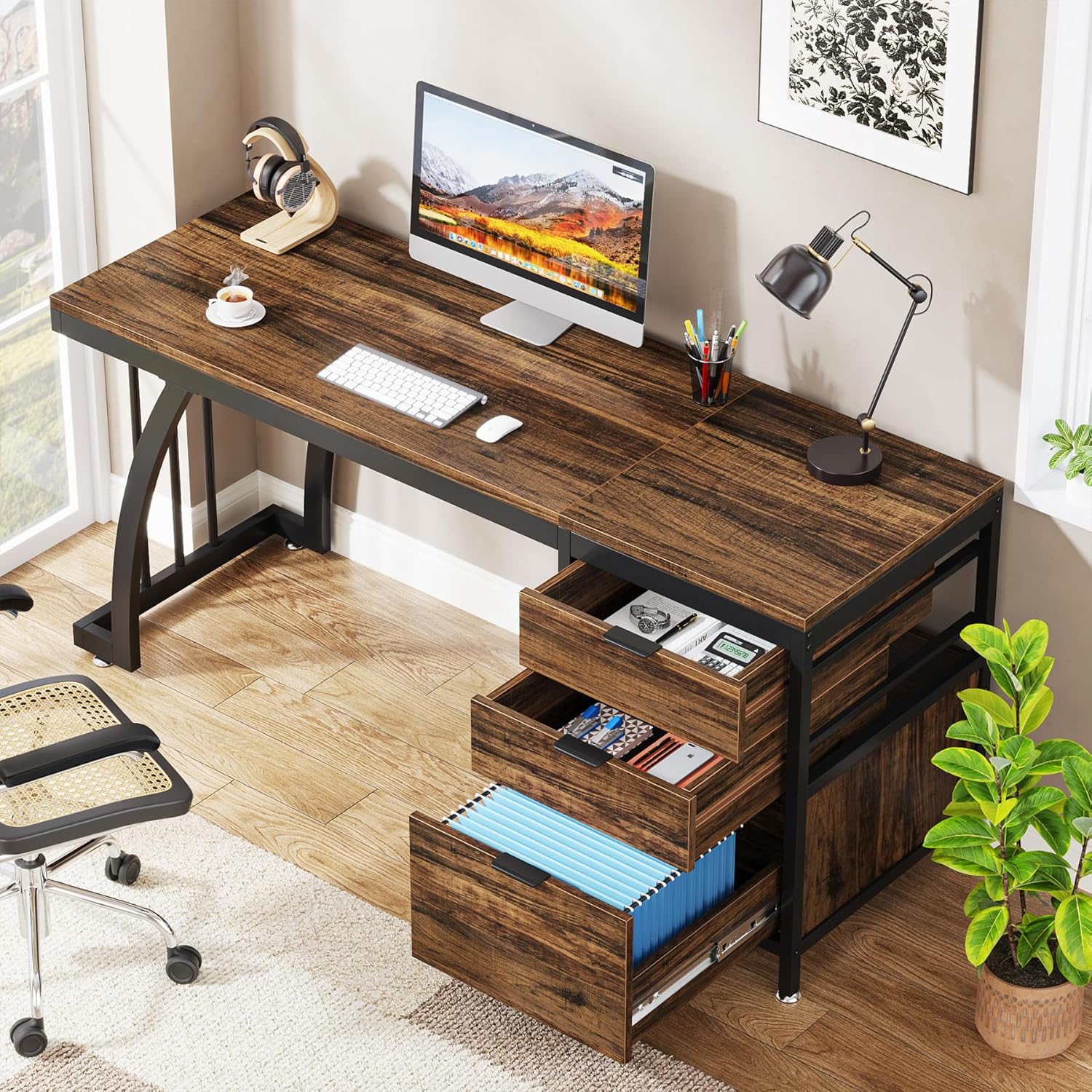
Image: The desk's three drawers, with the bottom drawer configured for file storage, holding documents and office supplies.
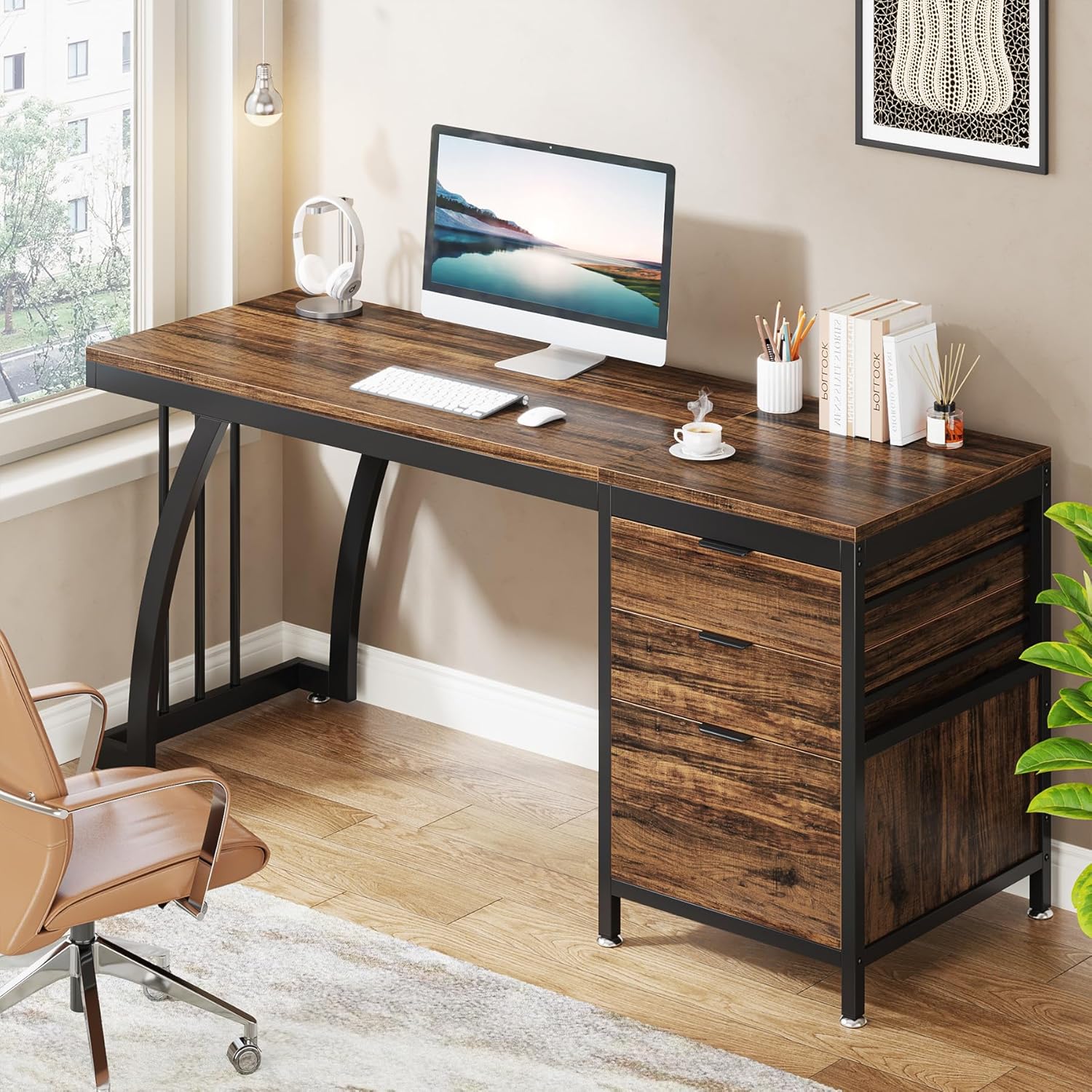
Image: The Tribesigns computer desk in use, showcasing its spacious desktop and integrated drawer unit.
Maintenance
To maintain the appearance and longevity of your Tribesigns Computer Desk, follow these simple care instructions:
- Cleaning: Wipe the desk surface and frame with a dry or slightly damp cloth. Avoid using harsh chemicals or abrasive cleaners, which can damage the finish.
- Spills: Clean up spills immediately to prevent staining, especially on the wood surface.
- Protection: Use coasters for drinks and protective pads under hot items to prevent heat damage or water rings.
- Stability Check: Periodically check all screws and fasteners to ensure they remain tight. Re-tighten if necessary to maintain structural integrity.
Troubleshooting
If you encounter any issues with your Tribesigns Computer Desk, consider the following common solutions:
- Wobbling Desk: Ensure the desk is on a flat surface. Adjust the leveling feet at the bottom of the desk legs until it is stable and does not wobble.
- Drawers Not Sliding Smoothly: Check that the drawer slides are correctly installed and free from obstructions. Ensure all screws on the slides are tightened.
- Missing Parts: Double-check the packaging and compare with the parts list in your assembly manual. If parts are genuinely missing, contact customer support.
- Assembly Difficulties: Review the assembly instructions carefully. Ensure all components are oriented correctly. Do not force parts together.
Specifications

Image: Dimensional overview of the Tribesigns Computer Desk, showing length, width, height, and drawer unit measurements.
| Feature | Detail |
|---|---|
| Model Number | JW0650JW0731 |
| Overall Dimensions (L x D x H) | 150 cm x 50 cm x 75 cm (59.1 in x 19.7 in x 29.5 in) |
| Item Weight | 30 kg (66.1 lbs) |
| Maximum Weight Capacity | 31 kg (68 lbs) |
| Material (Top) | Wood |
| Material (Frame/Legs) | Metal |
| Material (Drawers) | Wood |
| Color (Top) | Rustic Brown |
| Color (Base) | Black |
| Number of Drawers | 3 |
| Special Feature | Scratch Resistant, Reversible Drawer Unit, Adjustable Feet |
| Assembly Required | Yes (2 persons recommended) |
| Care Instructions | Easy to clean with a dry or damp cloth |
Warranty and Support
Tribesigns is committed to providing high-quality products and reliable customer service. While specific warranty details are not provided in this manual, we offer accessible and dependable customer support to assist you with any questions or concerns regarding your product.
If you require assistance with assembly, have questions about product features, or need to report a missing or damaged part, please contact Tribesigns customer service through the retailer where you purchased the product or visit the official Tribesigns website for support contact information. Your satisfaction is our priority.


