
Introduction
Thank you for choosing the DELLA 10000 BTU Portable Air Conditioner. This unit is designed to provide efficient cooling, dehumidification, and fan functions for spaces up to 450 sq. ft. With smart features like WiFi connectivity and compatibility with Alexa, you can control your comfort from anywhere. This manual provides essential information for safe operation, installation, maintenance, and troubleshooting.
Important Safety Instructions
WARNING: To reduce the risk of fire, electrical shock, or injury, observe the following:
- Read all instructions before using this appliance.
- Use this unit only for its intended purpose as described in this manual.
- Ensure the power supply matches the voltage specified on the rating label.
- Do not operate the unit with a damaged cord or plug.
- Always unplug the unit when not in use or before cleaning.
- Keep the unit away from heat sources and direct sunlight.
- Do not block air inlets or outlets.
- This appliance is not intended for use by persons (including children) with reduced physical, sensory or mental capabilities, or lack of experience and knowledge, unless they have been given supervision or instruction concerning use of the appliance by a person responsible for their safety.
Product Components and Features

Figure 1: The DELLA Portable Air Conditioner unit shown with its remote control and a smartphone displaying the control app. The unit is white, compact, and features caster wheels for easy mobility.
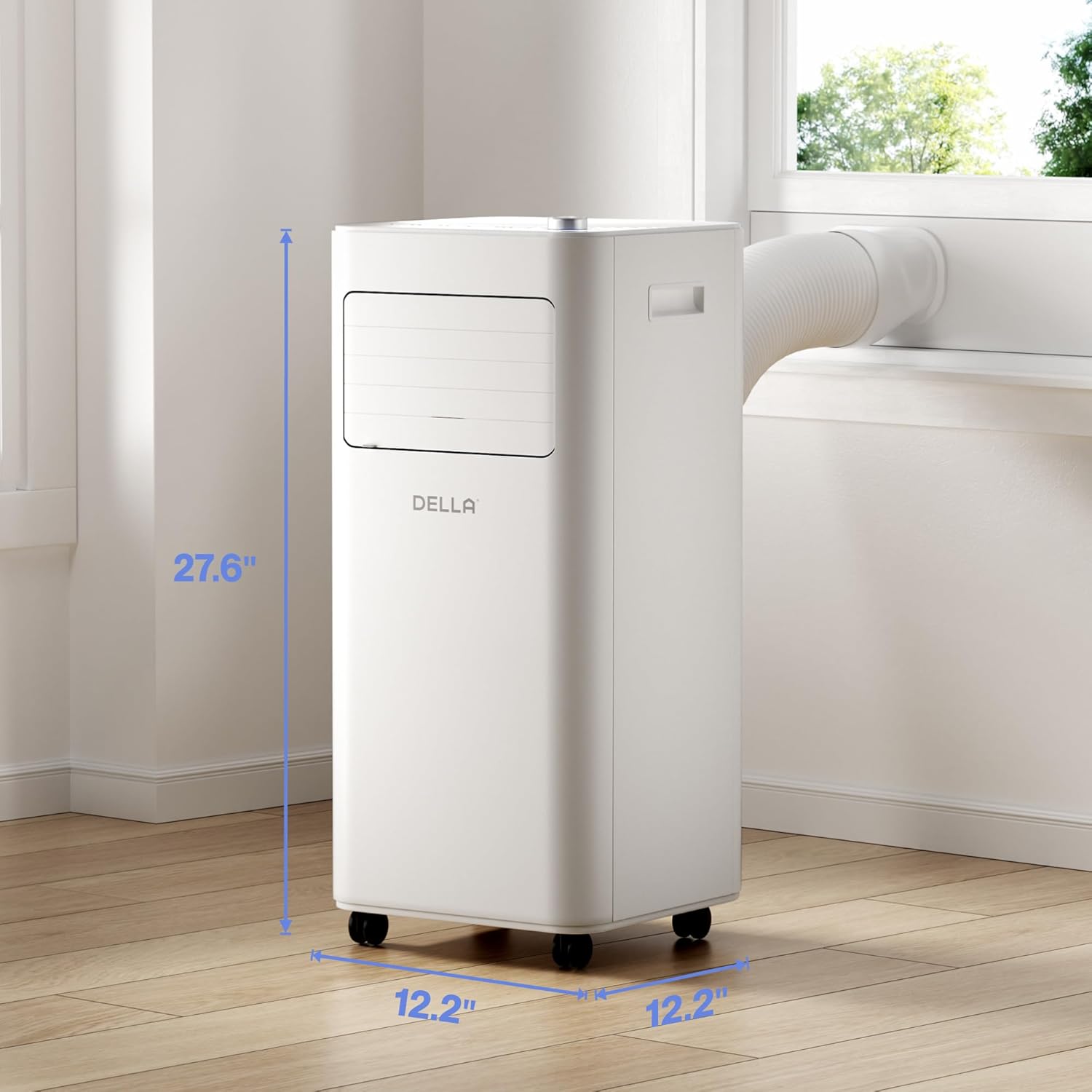
Figure 2: Detailed dimensions of the portable air conditioner. The unit measures 27.6 inches in height, 12.2 inches in width, and 12.2 inches in depth, making it suitable for various room layouts.

Figure 3: Close-up view of the intuitive soft-touch control panel located on the top of the unit. It includes controls for Sleep Mode, Child Lock, 24H Timer/WiFi, 2 Fan Speeds, Mode Select, Power ON/OFF, and Temperature Control, along with a digital display.
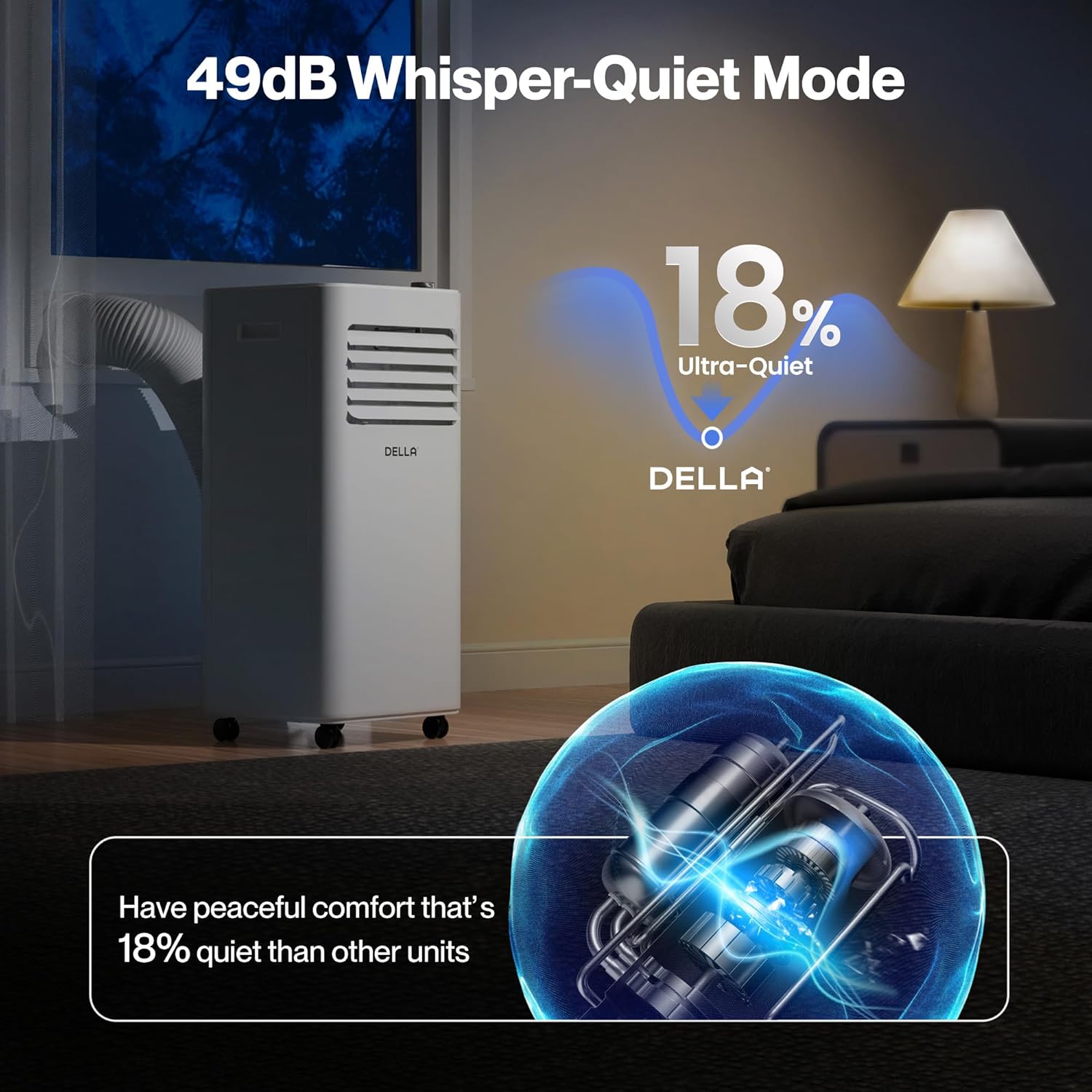
Figure 4: The portable AC unit operating in a bedroom, highlighting its 49dB Whisper-Quiet Mode. This feature ensures peaceful comfort, being 18% quieter than comparable units.

Figure 5: An internal diagram illustrating the "Ultimate Efficiency" of the unit, powered by MightyAir X. It shows a 30% more efficient design and a 10,000 BTU cooling capacity covering up to 450 sq. ft.

Figure 6: The unit showcasing its MightyAir X Tech, which provides 30% more speed and long-range wind blowing up to 16 feet, ensuring faster and more effective cooling throughout the room.
Setup and Installation
The DELLA Portable Air Conditioner is designed for quick and easy installation without the need for cutting or drilling. Follow these steps to set up your unit:
- Unpacking: Carefully remove the unit and all accessories from the packaging. Ensure all components are present: main AC unit, exhaust hose, window kit (adjustable sealing board), remote control, and user manual.
- Positioning: Place the unit on a flat, stable surface. The unit features caster wheels for easy movement. Ensure there is at least 20 inches of space around the unit for proper airflow.
- Exhaust Hose Installation:
- Attach the exhaust hose to the back of the AC unit by sliding and twisting it into the designated port until it clicks securely into place.
- Attach the other end of the exhaust hose to the adjustable window sealing board port.
- Window Kit Installation:
- Adjust the window sealing board to fit your window opening (suitable for both horizontal and vertical windows, 25.5" to 64.1" range).
- Secure the window kit in place, ensuring a tight seal to prevent hot air from entering the room.
- Connect the exhaust hose to the window kit.
- Power Connection: Plug the power cord into a grounded electrical outlet.
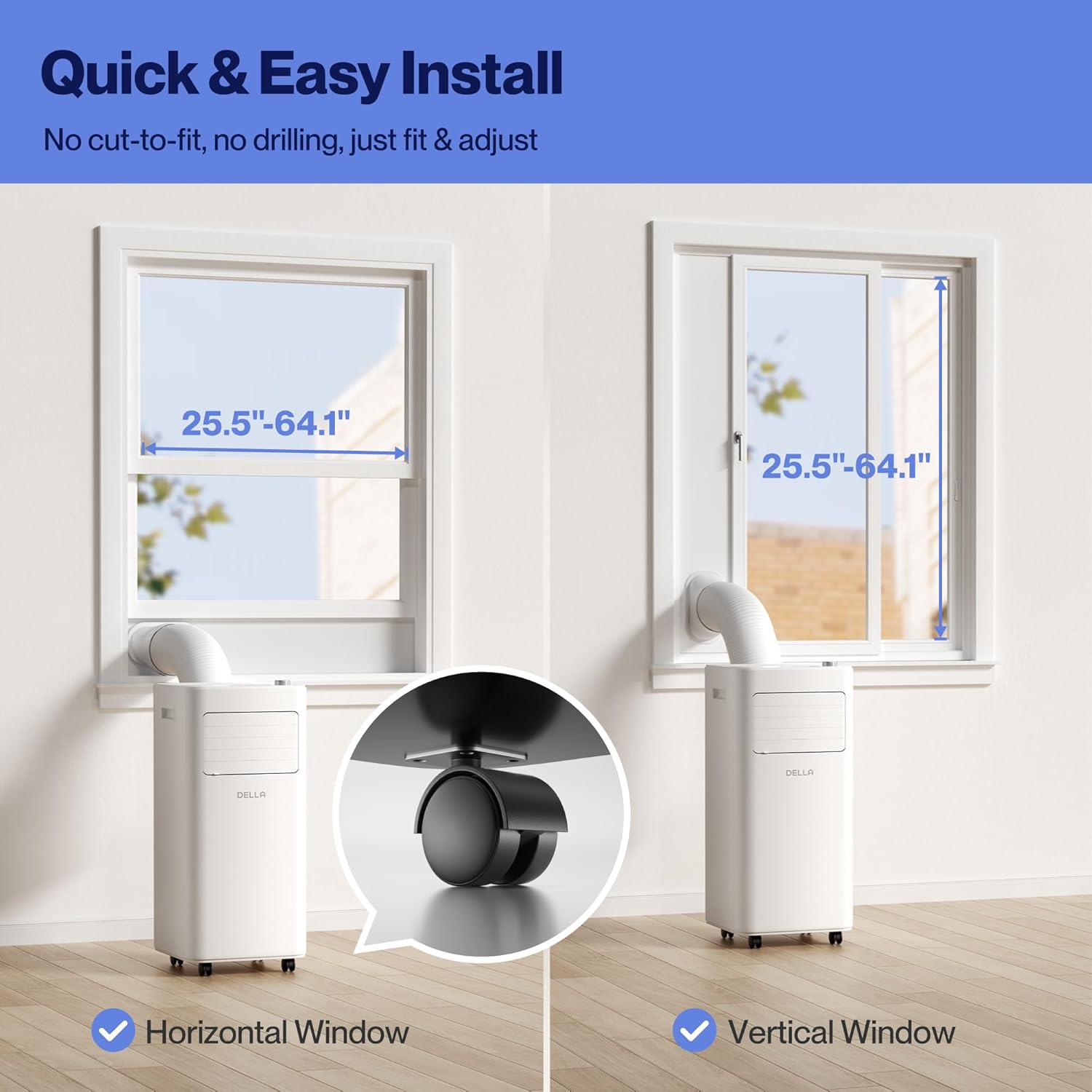
Figure 7: Visual guide for quick and easy installation, showing how the unit fits into both horizontal and vertical windows with the adjustable window kit. A close-up of the smooth-rolling caster wheels is also shown.
Video 1: A comprehensive overview of the DELLA Portable AC, demonstrating its features, ease of setup, and various functionalities. This video provides a visual guide to the initial installation process, including connecting the exhaust hose and window kit.
Operating Instructions
Your DELLA Portable Air Conditioner offers multiple operating modes and control options for personalized comfort.
Control Panel and Remote Control
The unit can be controlled via the intuitive soft-touch control panel on top of the unit or the included remote control. Both offer similar functionalities.
- Power ON/OFF: Press the Power button to turn the unit on or off.
- Mode Select: Cycle through Cooling, Dehumidifier, and Fan modes.
- Cool Mode: Provides 10,000 BTU cooling capacity for rooms up to 450 sq. ft. Adjustable temperature from 61°F to 90°F.
- Dry Mode (Dehumidifier): Reduces humidity in the air. Offers 20% higher dehumidifier capacity than traditional models.
- Fan Mode: Circulates air with adjustable 2 fan speeds. Features auto-swing up-down for optimal air distribution.
- Temperature Control: Use the temperature up/down buttons or rotary knob to set your desired temperature.
- Fan Speed: Adjust fan speed between low and high settings.
- 24H Timer: Set a timer for the unit to automatically turn on or off within a 24-hour period.
- Sleep Mode: Activates a quiet operation mode, gradually increasing the temperature for comfortable sleep.
- Child Lock: Locks the control panel to prevent accidental changes.
Smart WiFi and App Control
The unit is Smart WiFi Enabled and can be controlled via the free Della+ App, compatible with Alexa and Google Assistant. This allows for remote control and advanced features like Geo Fencing Cooling.
- App Download: Download the "Della+" app from your smartphone's app store.
- Pairing: Follow the in-app instructions to pair your portable AC unit with your home WiFi network.
- Remote Control: Control all unit functions from your smartphone, including power, mode, temperature, and fan speed.
- Geo Fencing Cooling: Set up location-based automation to turn the unit on or off as you arrive or leave your home.
- Voice Control: Integrate with Alexa or Google Assistant for hands-free operation.

Figure 8: The unit's smart device app control feature, allowing users to manage comfort from anywhere, anytime using the free Della+ App. It also shows compatibility with Google Assistant and Alexa.
Video 2: A detailed guide on setting up and customizing the Geo Location function within the Della+ app. This feature allows the unit to automatically activate or deactivate based on your proximity to a preset location, enhancing convenience and energy efficiency.
Maintenance
Regular maintenance ensures optimal performance and extends the lifespan of your portable air conditioner.
Filter Cleaning
The unit is equipped with easy-to-clean reusable filters. Clean the air filter every two weeks or more frequently if the unit is used in a dusty environment.
- Turn off and unplug the unit before maintenance.
- Locate the air filter panels on the back of the unit.
- Remove the filter panels.
- Wash the filters under running water (warm, not hot) or use a vacuum cleaner to remove dust.
- Allow the filters to air dry completely before reinstalling them. Do not expose to direct sunlight.
- Reinstall the dry filters into the unit.
Water Drainage
The unit features a 500ML water tank with a self-evaporate system, reducing the frequency of manual drainage. However, in high humidity conditions, the tank may fill up and require drainage.
- When the water tank is full, the "FL" indicator will illuminate on the display.
- Turn off and unplug the unit.
- Place a shallow pan or container under the drainage port at the bottom rear of the unit.
- Remove the drain plug to allow water to flow out.
- Once drained, replace the drain plug securely.
- For continuous drainage, connect a suitable drain hose (not included) to the drainage port and direct it to a floor drain or larger container.
Troubleshooting Guide
Before contacting customer support, please refer to the following table for common issues and their solutions.
| Problem | Possible Cause | Solution |
|---|---|---|
| Unit does not turn on. | No power supply; Power cord unplugged; Circuit breaker tripped; Water tank full. | Check power outlet; Plug in power cord securely; Reset circuit breaker; Drain water tank. |
| Unit does not cool effectively. | Air filter dirty; Room too large; Doors/windows open; Exhaust hose not properly installed; Temperature setting too high. | Clean air filter; Ensure room size is within unit's capacity (450 sq. ft.); Close all doors and windows; Check exhaust hose connection and seal; Lower temperature setting. |
| Unit is noisy. | Unit not on a flat surface; Air filter dirty; Obstruction in fan. | Place unit on a flat, stable surface; Clean air filter; Check for and remove any obstructions. |
| "FL" indicator is on. | Water tank is full. | Drain the water tank. |
| WiFi connection unstable. | Weak WiFi signal; Incorrect network settings. | Move unit closer to router; Ensure phone is on 2.4GHz network during setup; Re-pair unit with app. |
Specifications
- Model: 048-OPAC-6_1
- Cooling Capacity: 10,000 BTU
- Coverage Area: Up to 450 sq. ft.
- Functions: Cooling, Dehumidifier, Fan
- Dimensions (W x D x H): 12.2 x 12.2 x 27.6 inches
- Noise Level: 49 dB (Whisper-Quiet Mode)
- Control: Soft-touch panel, Remote Control, Smart WiFi App (Della+), Voice Control (Alexa, Google Assistant)
- Drainage: 500ML Self-Evaporate System, Manual Drainage Option
- Window Kit Compatibility: 25.5" - 64.1" (Horizontal/Vertical)
Warranty Information
DELLA products are backed by a 1-Year Warranty from the date of purchase. This warranty covers defects in materials and workmanship under normal use. Please retain your proof of purchase for warranty claims.
The warranty does not cover:
- Damage caused by accident, abuse, misuse, or improper installation.
- Damage caused by unauthorized repairs or modifications.
- Normal wear and tear.
Customer Support
For any questions, technical assistance, or warranty claims, please contact DELLA Customer Support. Our team of technicians is available to assist you.
- Live Chat: Available 24/7 via the Della+ App or our official website.
- Phone Support: Speak to our technicians Monday-Friday, PST.
- Online Resources: Visit the Della Store on Amazon for additional product information and support.


