Introduction
This manual provides detailed instructions for the installation, setup, and operation of your Hiseeu 4MP 100% Wireless WiFi Solar Camera. Please read this guide thoroughly to ensure proper use and optimal performance of your device. Keep this manual for future reference.
What's in the Box
Verify that all components are present in your package:
- Solar Camera x 2
- Solar Panel x 2
- User Manual
Setup Guide
1. Solar Panel Installation
Mount the solar panel in a location that receives direct sunlight for several hours daily to ensure continuous power to the camera. Use the provided screws and mounting base to secure the panel.
Video: How to install the solar panel. This video demonstrates the steps for securely mounting the solar panel to a wall.
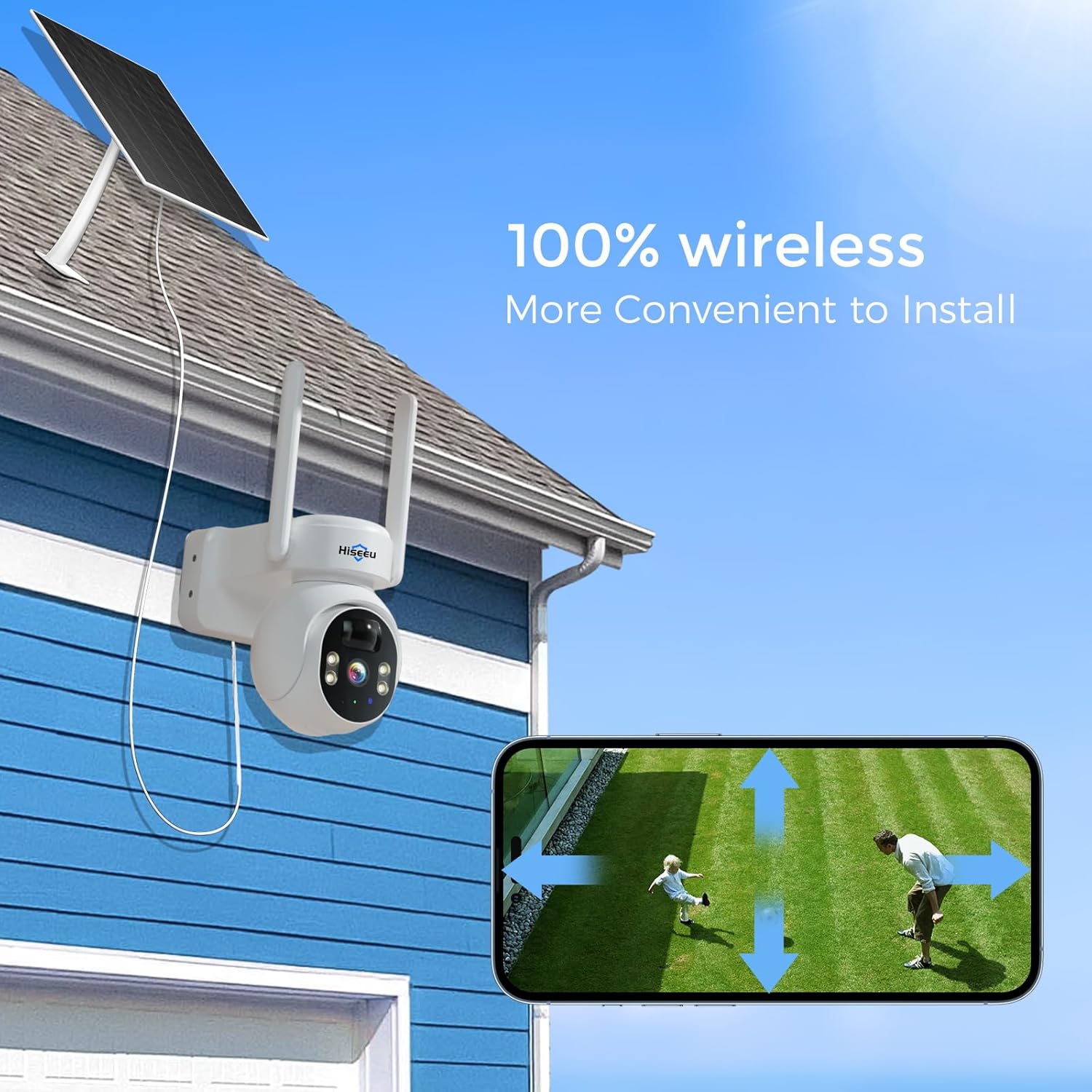
Image: The Hiseeu solar camera and its solar panel mounted on a house wall, highlighting its wireless design for easy installation.
2. App Download and Registration
Download the "Eseecloud" app from your device's app store (iOS 9.0 or above, Android 5.0 or above). Register an account using your phone number or email address. Follow the on-screen prompts to complete the registration and setup of your password.
Video: Eseecloud APP Manual. This video provides a visual guide for navigating the Eseecloud app, including device addition and settings.
3. Camera Connection
After powering on the camera, open the Eseecloud app and select "Add smart camera". You can connect the camera via QR code scanning or by connecting it to your router's LAN port using an Ethernet cable for initial setup. Ensure your home WiFi is 2.4GHz (5GHz is not supported) and the WiFi name/password do not contain special characters and are not over 12 characters.

Image: Visual guide demonstrating the ease of installation, adding the device to the app, and viewing the live feed.
Operating Instructions
1. PTZ (Pan, Tilt, Zoom) Control
The camera features 355° pan and 90° tilt capabilities, allowing for comprehensive area coverage. Use the Eseecloud app to remotely adjust the camera's viewing angle. Digital zoom is available by swiping the screen in the app.

Image: The camera's pan and tilt range, illustrating its 355° rotation and 90° tilt for wide coverage.
2. Night Vision Modes
The camera offers both full-color night vision and infrared night vision. You can select your preferred mode through the app settings. Full-color night vision provides detailed, colored images in low-light conditions, while infrared night vision offers clear black-and-white footage.
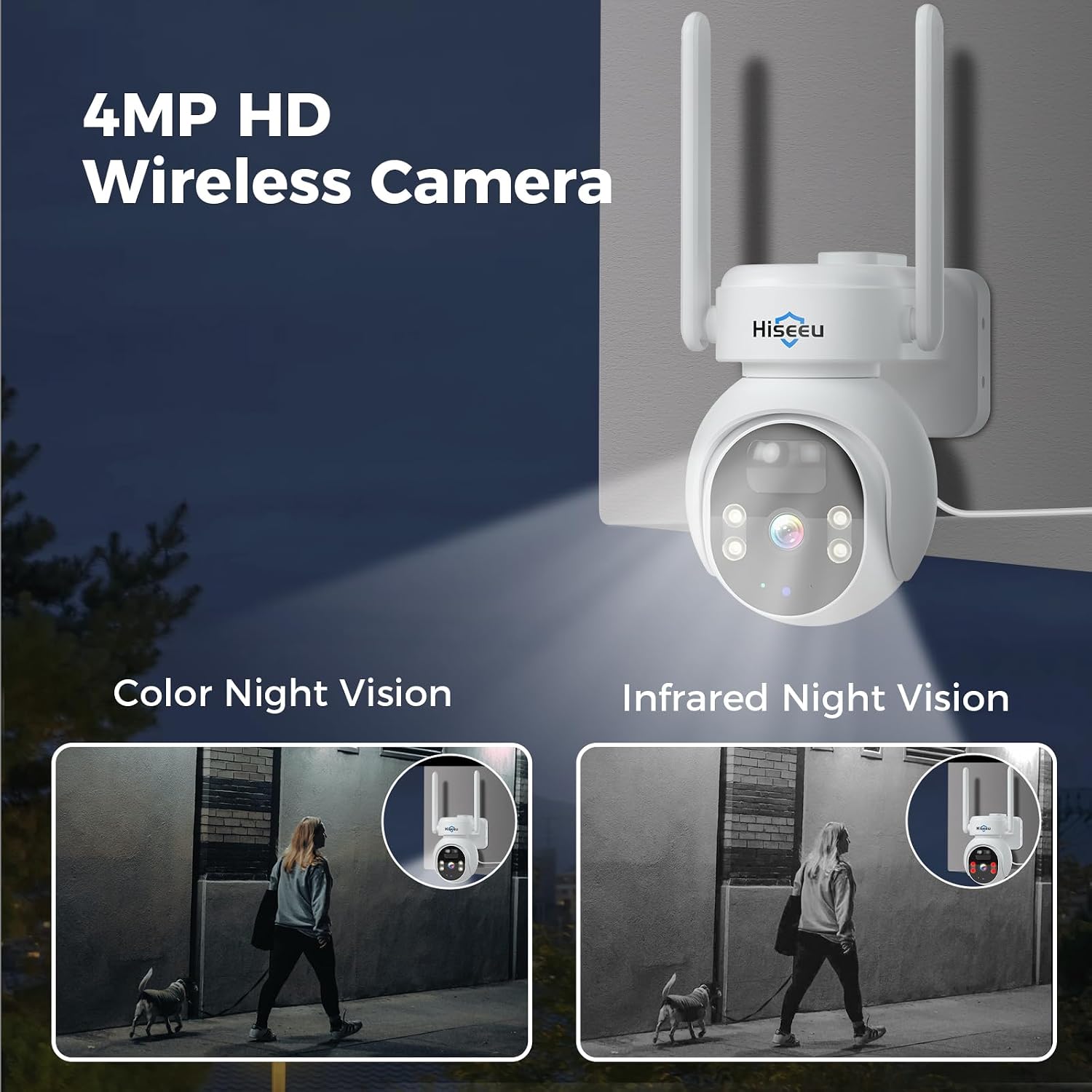
Image: A side-by-side comparison demonstrating the clarity of color night vision versus infrared night vision.
3. Humanoid Detection & Alerts
The camera features advanced humanoid detection to minimize false alarms. When human movement is detected, the app will send an alarm notification to your smartphone. You can customize detection sensitivity and specific monitoring areas within the app.

Image: An illustration of the camera's PIR Humanoid Detection feature, showing an alert on a smartphone.
4. Two-Way Audio
Utilize the built-in microphone and speaker for two-way communication. This allows you to speak with visitors or deter unwanted individuals directly through the camera via the Eseecloud app.

Image: A visual representation of the two-way audio function through the app.
5. Recording & Storage
The camera supports local storage via an SD card (up to 128GB, not included) and optional cloud storage (subscription may apply). Recordings can be stored for approximately 30 days. You can access and review footage through the app's playback feature.

Image: Depiction of SD card and cloud storage options for the camera.
6. Siren/Spotlight Alarm
In the event of suspicious activity, you can activate a siren or spotlight alarm directly from the app to deter intruders. The camera can also be configured to trigger these alarms automatically upon detection.

Image: The camera's siren and spotlight alarm features in action, providing security at night.
Maintenance
To ensure optimal performance and longevity of your Hiseeu Solar Camera, consider the following maintenance tips:
- Solar Panel Cleaning: Periodically clean the surface of the solar panel to remove dust, dirt, or debris that may obstruct sunlight and reduce charging efficiency. Use a soft, damp cloth.
- Weather Resistance: The camera is IP66 waterproof, designed to withstand various weather conditions including rain and snow. However, avoid direct high-pressure water jets.
- Battery Health: The solar panel continuously charges the camera's internal battery. Ensure the solar panel is positioned for maximum sun exposure to maintain battery charge.
- Firmware Updates: Regularly check the Eseecloud app for available firmware updates to ensure your camera has the latest features and security enhancements.

Image: The camera's ability to withstand various weather conditions, including rain and snow.
Troubleshooting
If you encounter issues with your Hiseeu Solar Camera, refer to the following common solutions:
- Camera Not Connecting to WiFi: Ensure your WiFi network is 2.4GHz. Verify the WiFi password is correct and does not contain special characters or exceed 12 characters. Try restarting your router and the camera.
- Frequent False Alarms: Adjust the motion detection sensitivity in the app settings. Define specific detection areas to exclude irrelevant zones like public pathways or moving foliage.
- Poor Night Vision Quality: Ensure the camera lens is clean. Check if there are any obstructions blocking the infrared lights or spotlights. Verify the selected night vision mode in the app.
- Battery Not Charging: Confirm the solar panel is clean and positioned to receive adequate direct sunlight. Check the connection cable between the solar panel and the camera.
- No Audio/Poor Two-Way Audio: Ensure the microphone and speaker settings are enabled in the app. Check your phone's volume settings.
Specifications
| Feature | Detail |
|---|---|
| Indoor/Outdoor Usage | Outdoor |
| Power Source | Solar Powered |
| Connectivity Protocol | Wi-Fi (2.4G) |
| Video Capture Resolution | 4MP |
| Mounting Type | Wall Mount |
| Viewing Angle | 120 Degrees |
| Night Vision Range | 65 Feet |
| Water Resistance Level | IP66 Waterproof |
| Item Dimensions (L x W x H) | 18 x 15.99 x 20 inches |
| Item Weight | 7.3 pounds (3.32 Kilograms) |
| Alert Type | Motion Only (Humanoid Detection) |
| Control Method | App, Remote |
| Special Feature | Easy to Install, Two-Way Audio, Color Night Vision, PTZ |
Warranty and Support
Your Hiseeu Solar Camera comes with a 12-month limited warranty, implemented according to local laws and regulations. For any questions or support, the Eseecloud app provides one-on-one 7/24 online support. You can contact customer service directly through the app to resolve any issues.
For additional resources, you may refer to the video on how to add devices to Alexa: https://www.amazon.com/vdp/02b7820d64ad4e6a457cf6d8638e830
Note: If you log in to Eseecloud through a third-party software, you cannot use the Eseecloud skill on Alexa. You must register an Eseecloud app account through a phone number or email address. You must name the device, otherwise Alexa will not find it.


