
Introduction
Thank you for choosing the HelloBaby HB65 Video Baby Monitor. This manual provides essential information for the safe and effective operation of your new baby monitor system. Please read these instructions carefully before use and retain them for future reference.
The HelloBaby HB65 system includes a parent unit (monitor) and two camera units, designed to provide secure and reliable monitoring of your baby or multiple areas within your home.
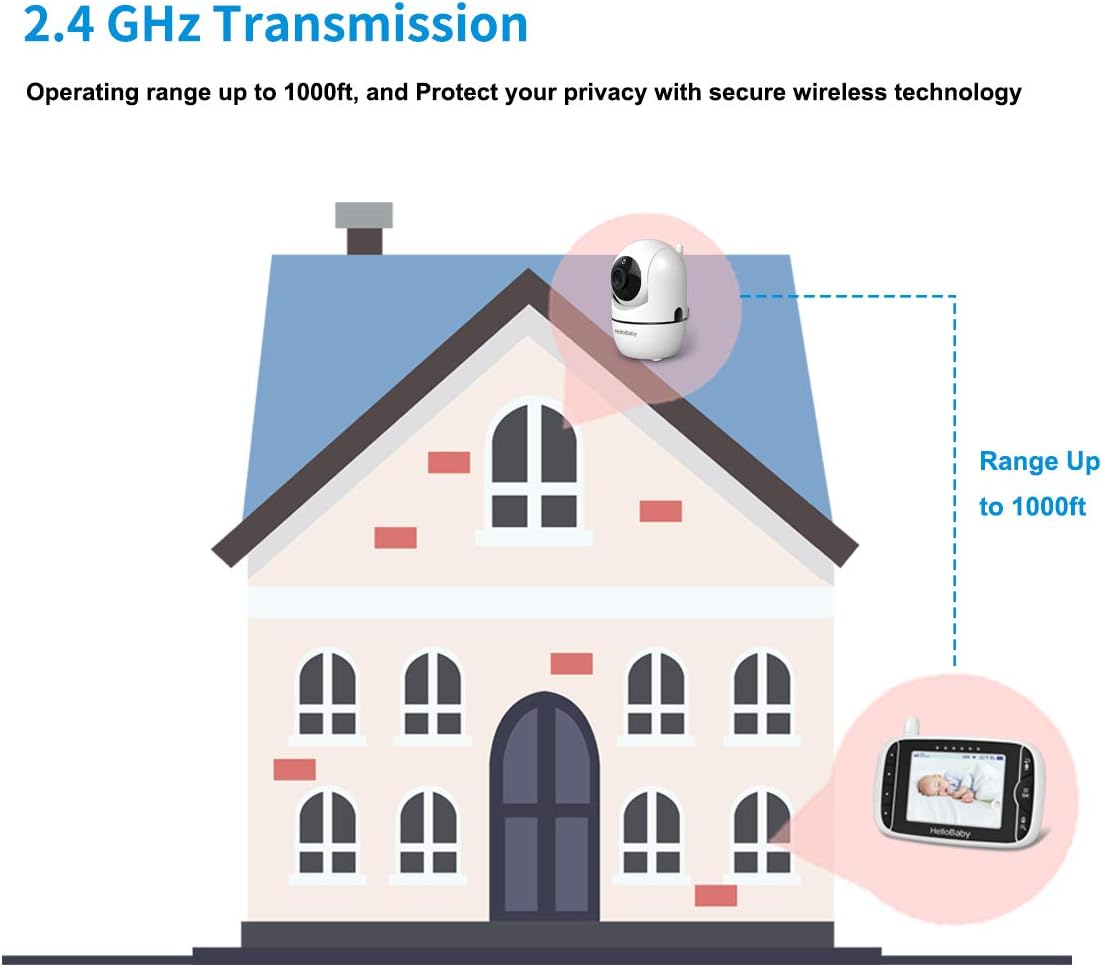
Image: The HelloBaby HB65 parent unit (monitor) and a single camera unit, illustrating the complete system.
Package Contents
Ensure all items are present in your package:
- 1 x Parent Unit (Monitor)
- 2 x Camera Units
- 3 x Power Adapters (for Parent Unit and Camera Units)
- Wall Mounting Accessories for Camera Units
- User Manual (this document)
Setup
1. Charging the Parent Unit
Before first use, fully charge the parent unit for approximately 8 hours. Connect the small plug of the power adapter to the parent unit and the other end to a power outlet. The charging indicator will illuminate.
2. Positioning the Camera Unit(s)
Place the camera unit(s) in a location that provides a clear view of your baby or the area you wish to monitor. Ensure the camera is at least 1 meter (3 feet) away from the baby to prevent entanglement hazards with the power cord. The camera units can be wall-mounted using the included accessories.

Image: A diagram illustrating the 2.4 GHz wireless transmission from a camera unit inside a house to a parent unit, showing an operating range of up to 1000 feet.
Connect the camera unit(s) to a power outlet using their respective power adapters. The camera will automatically power on.
3. Initial Connection
The parent unit and camera units are pre-paired at the factory. Once both units are powered on, the parent unit should automatically display the video feed from the camera. If no image appears, refer to the troubleshooting section for pairing instructions.
Operating Instructions
1. Power On/Off
- Parent Unit: Press and hold the Power button on the parent unit to turn it on or off.
- Camera Unit: The camera unit powers on automatically when connected to a power source. Disconnect from power to turn off.
2. Remote Pan/Tilt/Zoom Control
The camera units offer remote control for pan, tilt, and zoom functions, allowing you to adjust the viewing angle from the parent unit.
- Pan: The camera can pan 350 degrees horizontally.
- Tilt: The camera can tilt 120 degrees vertically.
- Zoom: Use the dedicated buttons on the parent unit to zoom in or out on the video feed.

Image: Two views of the HelloBaby camera unit, demonstrating its 355-degree horizontal rotation and 120-degree vertical tilt capabilities.
3. Two-Way Audio
The two-way audio feature allows you to speak to your baby through the camera unit from the parent unit.
- Press and hold the Talk button on the parent unit to speak. Release the button to listen.

Image: A parent holding the monitor, with a baby in a crib shown on the screen, and speech bubbles indicating two-way communication between the parent and baby.
4. VOX Mode (Voice Operated Exchange)
VOX mode conserves battery power by turning off the parent unit screen when no sound is detected. The screen will reactivate and a red light will flash when the camera detects sound, such as your baby crying.
- Activate VOX mode through the parent unit menu.
- Adjust the VOX sensitivity level to suit your environment.
5. Infrared Night Vision
The camera automatically detects low light conditions and activates infrared night vision, providing a clear black and white video feed in dark rooms.

Image: A baby sleeping in a dark room, with an overlay showing the camera's light sensor, infrared LEDs, CMOS sensor, and power LED, indicating automatic infrared night vision.
6. Temperature Monitoring
The camera unit includes a built-in temperature sensor that displays the room temperature on the parent unit screen. You can set alerts for high or low temperature ranges.
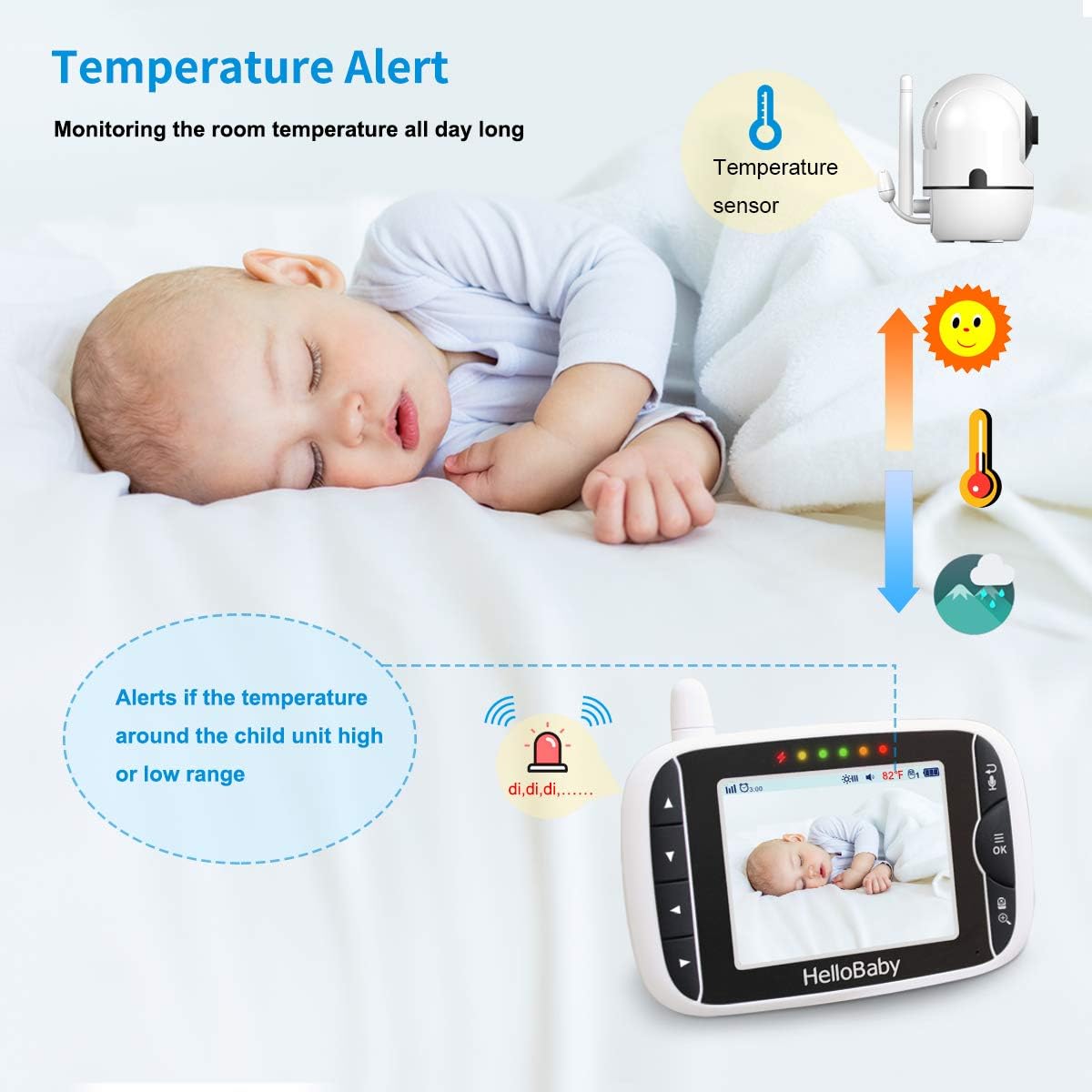
Image: A baby sleeping, with the monitor displaying a temperature alert. The camera unit is shown with its temperature sensor, indicating continuous room temperature monitoring.
7. Lullabies
The monitor has built-in lullabies that can be played through the camera unit to soothe your baby.
- Access the lullaby function through the parent unit menu to select and play melodies.
8. Multi-Camera View
The HelloBaby HB65 supports up to four cameras. With two cameras included, you can switch between views or use a split-screen display (if supported by the parent unit model) to monitor multiple locations.
- Use the camera switch button on the parent unit to cycle through connected cameras.
- The system can scan and display views from different cameras every 10 seconds.

Image: A diagram illustrating the multi-camera expandability, showing the parent unit connected wirelessly to cameras placed in a baby room, living room, entertainment room, and bedroom.
Maintenance
- Cleaning: Clean the monitor and camera units with a dry, soft cloth. Do not use cleaning sprays or liquid cleaners.
- Battery Care: To prolong battery life, avoid fully discharging the parent unit battery frequently. Charge it regularly.
- Storage: If storing the unit for an extended period, ensure the battery is partially charged and store in a cool, dry place.
Troubleshooting
| Problem | Possible Cause / Solution |
|---|---|
| No image/sound on parent unit |
|
| Monitor disconnecting randomly / Freezing / Half screen black |
|
| VOX mode not activating or switching cameras quickly enough |
|
| Loud static noise from camera |
|
| Parent unit screen black / not turning on |
|
Specifications
| Feature | Detail |
|---|---|
| Model Name | HB65 |
| Connectivity Technology | Wireless (2.4GHz FHSS) |
| Screen Size | 3.2 inches |
| Video Capture Resolution | 480p |
| Pan Angle | 350 degrees |
| Tilt Angle | 120 degrees |
| Night Vision Range | Up to 1000 feet (in open space) |
| Special Features | 2 Way Audio, Cry Detection (VOX), Infrared Night Vision, PTZ Technology, Temperature Monitoring, Lullabies |
| Indoor/Outdoor Usage | Indoor |
| Power Source | Corded Electric |
| Mounting Type | Wall Mount |
| Number of Cameras | 2 (expandable up to 4) |
| Item Dimensions | 10.2 x 2.5 x 5.8 centimetres |
Warranty Information
The HelloBaby HB65 Video Baby Monitor comes with a 1-year manufacturer's warranty from the date of purchase. This warranty covers defects in materials and workmanship under normal use. Please retain your proof of purchase for warranty claims.
For warranty service or inquiries, please contact customer support.
Customer Support
If you encounter any issues or have questions regarding your HelloBaby HB65 Video Baby Monitor, please contact HelloBaby customer support. While a direct contact email was not provided, you can typically find support information on the official HelloBaby website or through the retailer where you purchased the product.


