
1. Introduction
The ThermoPro Waterproof Wireless Indoor Outdoor Thermometer provides accurate and convenient temperature monitoring for various water environments such as swimming pools, hot tubs, cold plunges, ice baths, and ponds. This device features a floating transmitter with IPX8 waterproofing and a wireless receiver that displays both water temperature and indoor ambient temperature and humidity. With a long wireless range, you can monitor conditions from the comfort of your home.
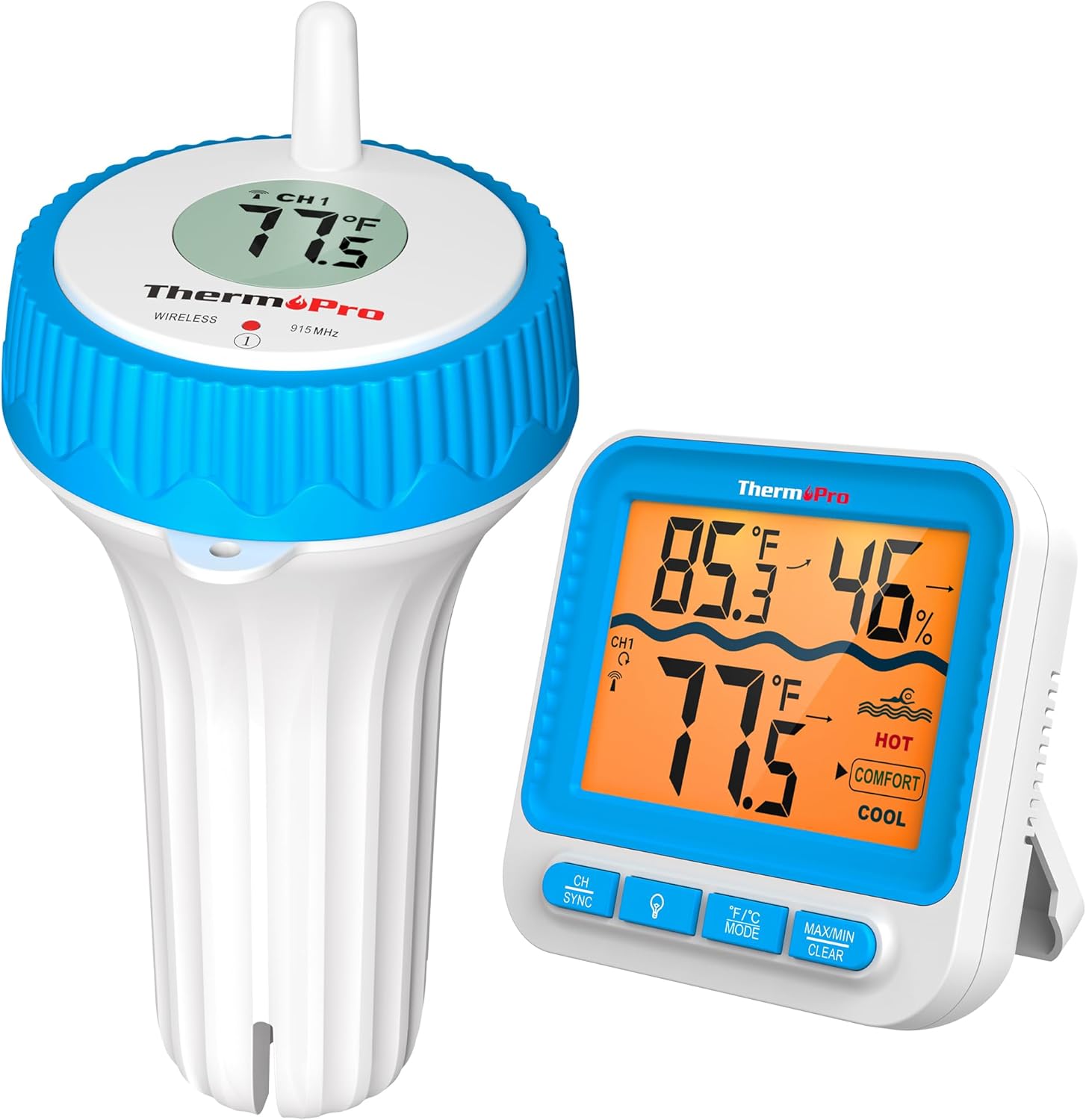
Image 1.1: ThermoPro Wireless Indoor Outdoor Thermometer components.
2. Package Contents
- 1 x Receiver Unit
- 1 x Floating Transmitter Unit
- 1 x Rope (for transmitter tethering)
- 4 x AAA Batteries
- 1 x User Manual (this document)
3. Product Overview
3.1 Receiver Unit
The receiver unit displays the water temperature from the floating transmitter, as well as the indoor ambient temperature and humidity. It features a large backlit LCD for easy reading and buttons for various functions.

Image 3.1: Front view of the receiver unit.
3.2 Floating Transmitter Unit
The floating transmitter is designed to be placed in water. It measures the water temperature and wirelessly transmits the data to the receiver. It is IPX8 waterproof rated, ensuring durability in aquatic environments.

Image 3.2: Floating transmitter unit.
4. Setup and Initial Pairing
Follow these steps to set up your ThermoPro thermometer:
- Install Batteries in Transmitter: Unscrew the top part of the floating transmitter. Insert 2 AAA batteries into the designated compartment, observing polarity (+/-). Ensure the rubber gasket is properly seated before re-screwing the top firmly to maintain the waterproof seal.
- Install Batteries in Receiver: Open the battery compartment on the back of the receiver unit. Insert 2 AAA batteries, observing polarity (+/-).
- Automatic Pairing: The transmitter and receiver are pre-paired at the factory. Once batteries are installed in both units, they should automatically connect. The water temperature will appear on the receiver display.
- Manual Resynchronization (if needed): If the units do not pair automatically, press and hold the 'CH/SYNC' button on the receiver for 3 seconds. Then, briefly press the 'CH/SYNC' button inside the transmitter's battery compartment. The units should resynchronize.

Image 4.1: Step-by-step guide for battery installation and synchronization.
5. Operating Instructions
5.1 Display Features
- Water Temperature: Displays the temperature from the floating transmitter.
- Indoor Temperature & Humidity: Displays the ambient temperature and humidity at the receiver's location.
- Backlight: Press the LIGHT button to activate the backlight for 10 seconds, aiding visibility in low-light conditions.
- MAX/MIN Records: Press the MAX/MIN CLEAR button once to view the maximum recorded indoor/water temperatures and humidity. Press again to view minimum records. Hold the button for 3 seconds to clear the records. Records reset automatically every 24 hours.
- Comfort Indicator: The display includes a comfort indicator (HOT, COMFORT, COOL) for the water temperature.
- HOT: Temperature > 84°F
- COMFORT: 77°F < Temperature < 84°F
- COOL: Temperature < 77°F

Image 5.1: Comfort level indicator on the receiver display.
5.2 Temperature Unit Selection
Press the °F/°C MODE button to switch between Fahrenheit (°F) and Celsius (°C) temperature units.
5.3 Wireless Range
The thermometer utilizes RF technology to provide a wireless range of up to 500 feet (150 meters) in open areas. Obstacles such as walls, metal structures, and electronic devices can reduce the effective range.

Image 5.2: Illustration of the 500-foot wireless range.
5.4 Placement Options for Receiver
The receiver unit offers multiple placement options:
- Tabletop Stand: Use the integrated kickstand to place the receiver on a flat surface.
- Wall Mount: Utilize the hanging hole on the back to mount the receiver on a wall.
- Magnetic Back: The receiver has magnets on the back for attachment to metallic surfaces like refrigerators.

Image 5.3: Receiver placement options.
6. Maintenance
- Cleaning: The product care instructions specify "Hand Wash Only." Use a soft, damp cloth to clean the units. Avoid abrasive cleaners or solvents.
- Waterproof Seal: For the floating transmitter, ensure the threaded ring is always tightened securely after battery changes. Proper alignment of the mental parts (antenna, signal light, and rope hole) is crucial for maintaining the IPX8 waterproof performance.
- Battery Replacement: Replace batteries in both units when the low battery indicator appears on the receiver display. Always use fresh AAA batteries.
- Storage: If storing the thermometer for an extended period, remove batteries from both units to prevent leakage. Store in a dry, cool place.

Image 6.1: Importance of maintaining the waterproof seal.
7. Troubleshooting
- No Temperature Reading / Communication Loss:
- Ensure both receiver and transmitter have fresh batteries installed correctly.
- Perform a manual resynchronization (refer to Section 4. Setup).
- Reduce the distance between the transmitter and receiver.
- Relocate the receiver or transmitter to avoid interference from large metal objects, thick walls, or other electronic devices.
- Inaccurate Temperature Readings:
- Verify the transmitter is fully submerged in the water and not partially exposed to air.
- Check the waterproof seal of the transmitter. Even minor water intrusion can affect accuracy. Ensure the cap is tightly screwed on and the gasket is intact.
- Allow sufficient time (at least 5-10 minutes) for the sensor to stabilize in new water conditions.
- Water Inside Transmitter:
- This indicates a compromised waterproof seal. Immediately remove the transmitter from water, open it, remove batteries, and allow it to dry completely.
- Inspect the rubber gasket for damage or misalignment. Ensure the cap is screwed on tightly and correctly aligned. If the issue persists, the unit may need replacement.
- Display Not Working:
- Check batteries in the receiver. Replace if necessary.
- Ensure batteries are inserted with correct polarity.
8. Specifications
| Feature | Detail |
|---|---|
| Brand | ThermoPro |
| Model Name | outdoor thermometer |
| Special Feature | Waterproof (IPX8) |
| Connectivity Technology | RF Technology |
| Wireless Range | Up to 500 feet (150 meters) in open air |
| Water Temperature Range | 32°F to 140°F (0°C to 60°C) |
| Sensor Temperature Range | -40°F to 158°F (-40°C to 70°C) |
| Accuracy | ±0.9°F (±0.5°C) |
| Response Time | 50 seconds |
| Display Type | Digital LCD with Backlight |
| Power Source | 4 x AAA Batteries (2 for receiver, 2 for transmitter) |
| Outer Material | Plastic |
| Product Care Instructions | Hand Wash Only |
9. Warranty and Support
ThermoPro provides a warranty for its products. For specific warranty details, registration, or technical support, please refer to the official ThermoPro website or contact their customer service directly. Contact information is typically found on the product packaging or the ThermoPro official website.
Website: www.thermopro.com


