
1. Introduction
This manual provides essential information for the proper installation, operation, and maintenance of your Roborock Washable Filters. Adhering to these instructions will help ensure optimal performance and extend the lifespan of your robot vacuum cleaner.
1.1 Compatibility
These Roborock washable filters are ONLY compatible with the following robot vacuum cleaner models:
- Roborock Qrevo Master
- Roborock Qrevo Slim
- Roborock Saros Z70
Please confirm your robot model before purchase or installation.

Image: Roborock Qrevo Master robot vacuum cleaner with an inset showing the compatible washable filter.
1.2 Package Contents
Your package includes:
- 2 x Roborock Washable Filters

Image: Two Roborock washable filters, ready for use.
2. Setup: Filter Installation
The Roborock washable filter is designed for quick and effortless replacement without the need for any tools.
- Open the top cover of your Roborock robot vacuum cleaner to access the dustbin compartment.
- Remove the dustbin from the vacuum.
- Locate the old filter within the dustbin. Gently pull it out.
- Insert the new washable filter into the designated slot in the dustbin, ensuring it snaps securely into place.
- Reinsert the dustbin into the robot vacuum cleaner and close the top cover.
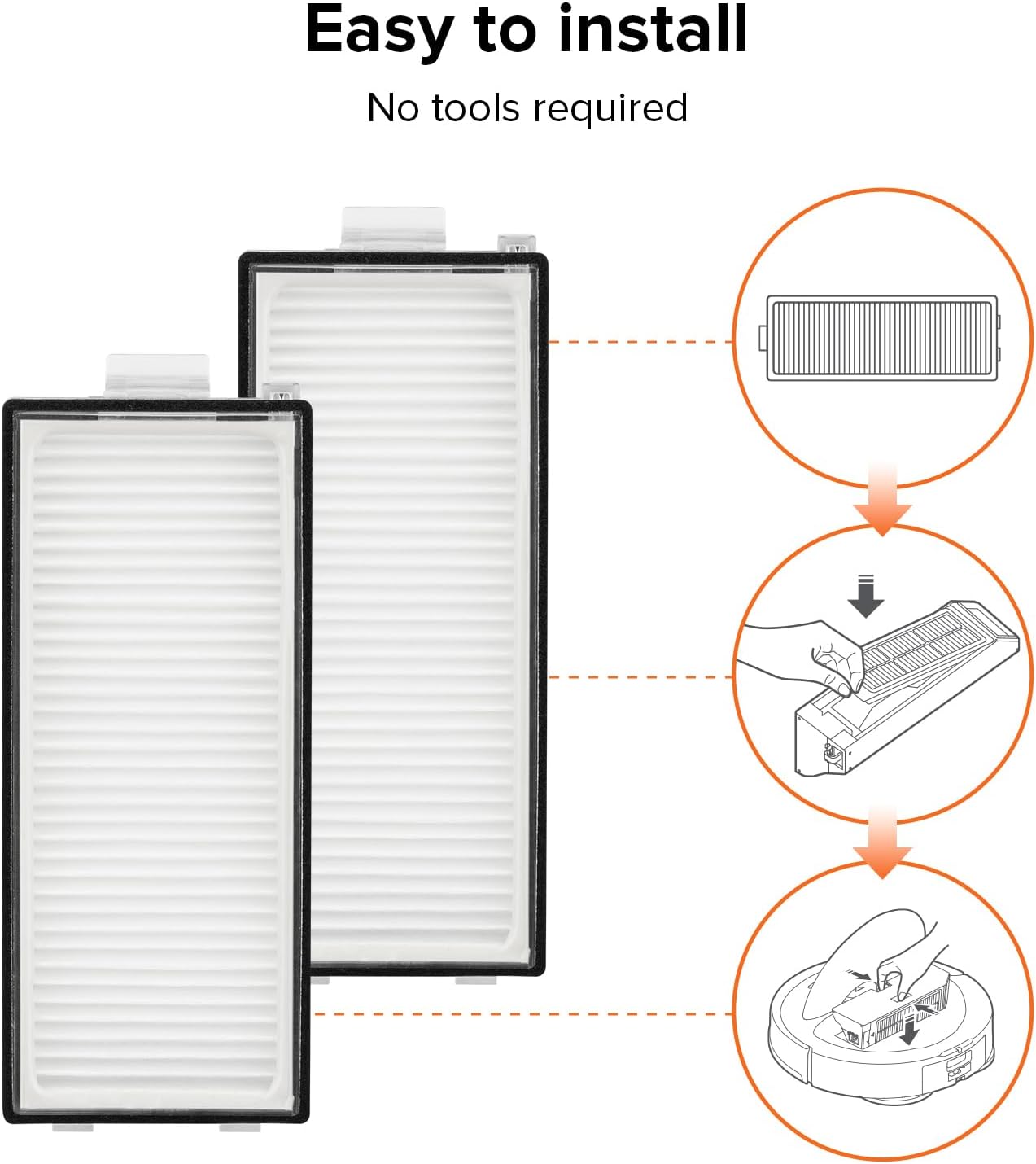
Image: Step-by-step diagram showing how to remove the old filter and install a new one into the dustbin of a robot vacuum.
2.1 Video Guide: Filter Replacement
Video: This video demonstrates the general process of replacing a filter in a Roborock robot vacuum. While the video title mentions other models, the filter replacement procedure shown is similar and applicable to the compatible models for this product.
3. Operating with the Filter
The high-efficiency design of these washable filters, featuring an air-coated Teflon surface, ensures long-lasting filtration when maintained correctly. The effective air-tight sealing minimizes air pressure loss, helping your robot vacuum maintain powerful suction for thorough cleaning.
4. Maintenance
Regular maintenance of your washable filter is crucial for optimal performance and to prolong the life of your robot vacuum.
4.1 Cleaning Instructions
- Remove the filter from the dustbin as described in the installation section.
- Gently tap the filter to dislodge any loose dirt or debris.
- Rinse the filter under running water until it is clean.
- Important: Ensure the filter is completely dry before re-installing it into the vacuum. This may take up to 24 hours. Using a wet filter can damage your vacuum.
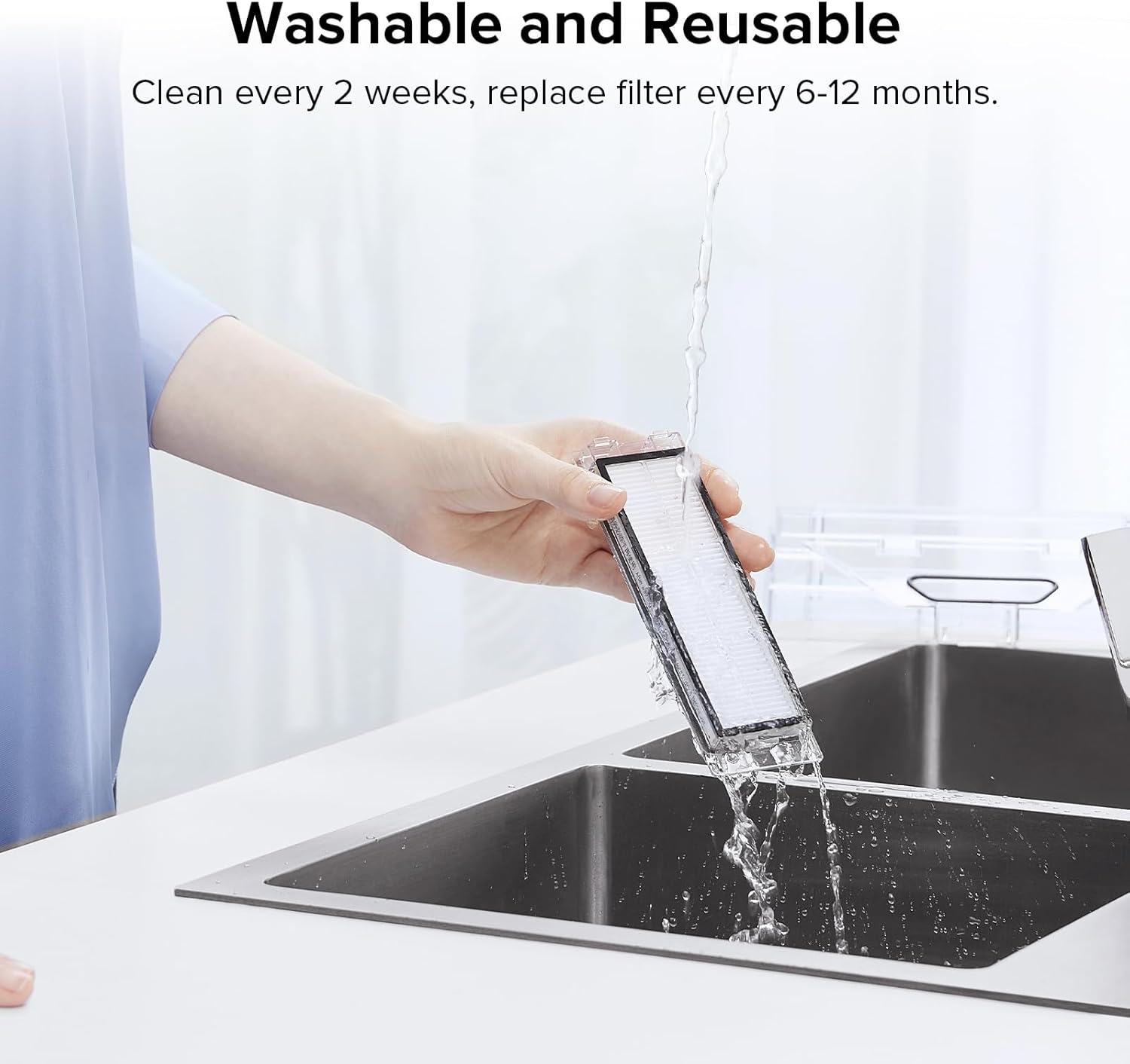
Image: A hand rinsing a Roborock washable filter under running water in a kitchen sink.
4.2 Replacement Schedule
- Clean the filter every two weeks.
- It is recommended to replace the filter every 6-12 months, depending on usage and cleaning frequency.
5. Troubleshooting
If you experience issues with your robot vacuum's suction or receive a filter-related error message, consider the following:
- Reduced Suction: A clogged filter can significantly reduce suction power. Remove and clean the filter thoroughly. Ensure it is completely dry before re-installation.
- Unusual Odors: If the vacuum emits unusual odors, the filter might be dirty or damp. Clean and dry the filter, or replace it if the odor persists.
- Filter Not Fitting: Ensure you have the correct filter model for your specific Roborock vacuum (Qrevo Master, Qrevo Slim, or Saros Z70).
6. Specifications
| Feature | Detail |
|---|---|
| Product Dimensions | 4.05 x 1.59 x 0.47 inches |
| Item Weight | 2.89 ounces |
| Number of Pieces | 2 |
| Material | Washable |
| Compatible Devices | Robotic Vacuum (Qrevo Master, Qrevo Slim, Saros Z70) |
| Manufacturer | roborock |

Image: Diagram illustrating the precise dimensions of the Roborock washable filter.
7. Warranty
Warranty Description: N/A.
8. Support
To ensure the longevity and optimal performance of your robot vacuum, it is recommended to purchase replacement parts exclusively from the official Roborock store.
If you have any questions, require assistance, or need further information regarding your Roborock Washable Filters, please do not hesitate to contact Roborock customer support. You can typically find contact details on the official Roborock website or through your product's companion app.
For general inquiries, visit the Roborock Store on Amazon.


