
1. Introduction
This manual provides essential information for the proper use and care of your Casio MTP1302D-3AV Men's Analog Watch. Please read these instructions carefully to ensure optimal performance and longevity of your timepiece. This watch combines classic design with reliable quartz movement, offering both style and functionality for daily wear.
2. Product Overview
The Casio MTP1302D-3AV features a striking green dial, complemented by luminous hands and markers for enhanced readability. Its durable stainless steel case and bracelet ensure resilience for everyday use. A date display is conveniently located at the 3 o'clock position.
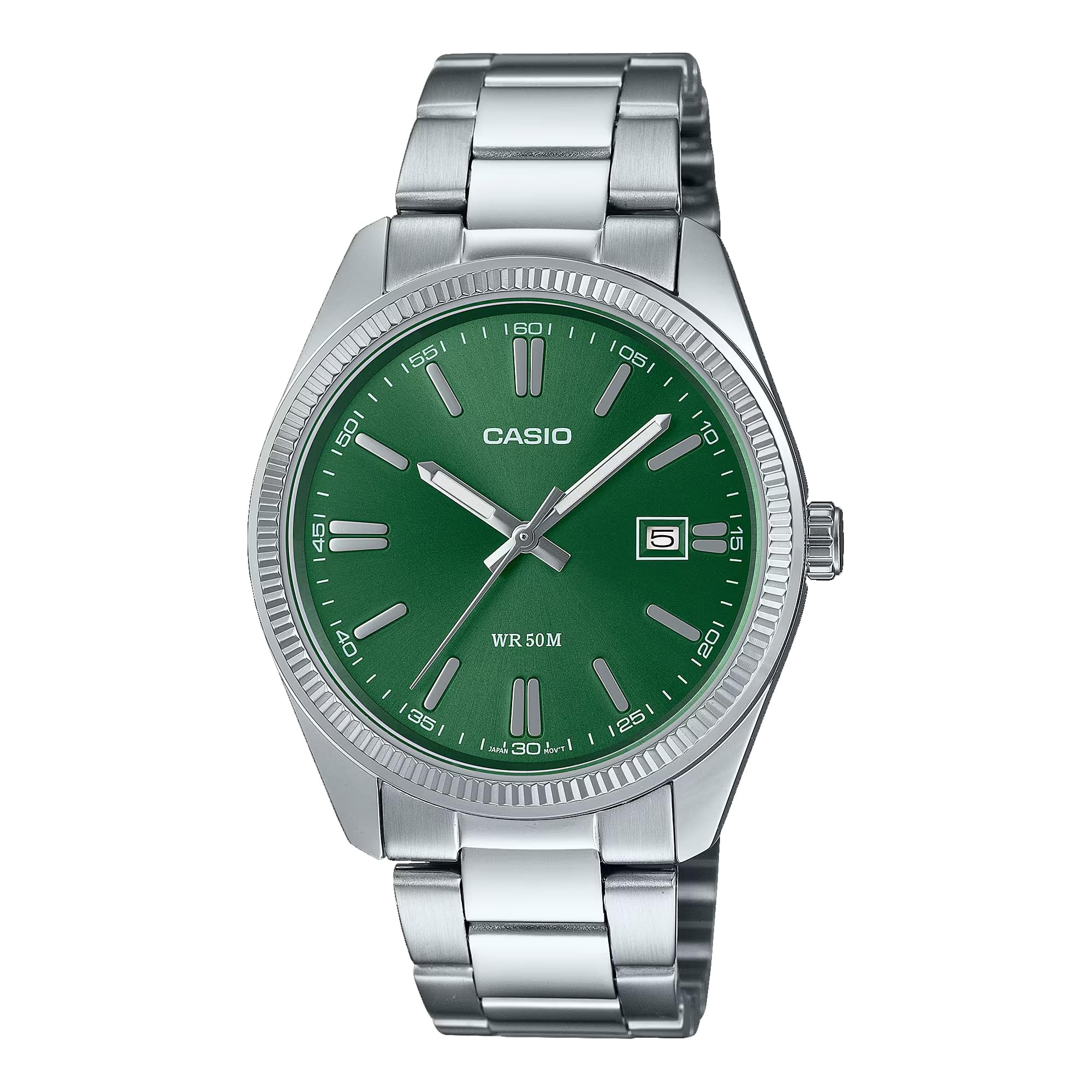
Figure 1: Front view of the Casio MTP1302D-3AV watch, highlighting its green dial and stainless steel construction.
3. Setup
3.1 Setting the Time
- Pull the crown out to the second click position.
- Rotate the crown to move the hour and minute hands to the desired time.
- Push the crown back in to the normal position to start timekeeping.
3.2 Setting the Date
- Pull the crown out to the first click position.
- Rotate the crown to set the desired date.
- Push the crown back in to the normal position.
Note: Avoid setting the date between 9:00 PM and 1:00 AM, as this may interfere with the automatic date change mechanism.
4. Operating the Watch
4.1 Wearing the Watch
Ensure the watch bracelet is adjusted to fit comfortably on your wrist. The stainless steel bracelet features a buckle clasp for secure fastening. If adjustment is needed, it is recommended to consult a professional jeweler.
4.2 Water Resistance (WR 50M)
This watch is designed with 50-meter water resistance (WR 50M), making it suitable for everyday use and light water exposure. It can withstand splashes, rain, and brief immersion in water. However, it is not recommended for swimming, diving, or watersports where prolonged water exposure or high water pressure is involved. Do not operate the crown while the watch is wet.
5. Maintenance
5.1 Cleaning
Regularly wipe the watch case and bracelet with a soft, dry cloth to remove dirt and moisture. For stainless steel parts, a slightly damp cloth can be used, followed by a dry cloth. Avoid using chemical cleaners or abrasive materials.
5.2 Battery Replacement
The watch is powered by a Japanese Quartz movement, which requires a battery. When the watch stops or the second hand begins to jump at irregular intervals, it indicates a low battery. Battery replacement should be performed by a qualified watch technician to maintain water resistance and ensure proper function.
5.3 Storage
When not in use, store your watch in a cool, dry place away from direct sunlight, extreme temperatures, and strong magnetic fields. Keeping it in its original box or a watch case can help protect it from dust and scratches.
6. Troubleshooting
6.1 Watch Not Running
- Check if the crown is pushed in completely.
- The battery may need replacement. Consult a technician.
6.2 Incorrect Time/Date
- Refer to Section 3 for instructions on setting the time and date.
- Ensure the crown is fully pushed in after setting.
6.3 Condensation Inside the Watch
If you notice condensation inside the watch, it may indicate a loss of water resistance. Have the watch inspected by a qualified technician immediately to prevent further damage.
7. Specifications
| Feature | Detail |
|---|---|
| Model Name | MTP1302D-3AV |
| Brand | Casio |
| Display Type | Analog |
| Movement Type | Japanese Quartz |
| Power Source | Battery Powered |
| Case Material | Stainless Steel |
| Band Material | Stainless Steel |
| Dial Color | Green |
| Case Diameter | 44.2 Millimeters |
| Water Resistance Depth | 50 Meters (165 Feet) |
| Crystal Type | Mineral Glass |
| Clasp Type | Buckle |
| Item Weight | 0.5 Pounds (8 ounces) |
8. Warranty and Support
8.1 Limited Warranty
Your Casio MTP1302D-3AV watch comes with a limited warranty. Please refer to the warranty card included with your purchase for specific terms, conditions, and duration of coverage. The warranty typically covers manufacturing defects under normal use.
8.2 Customer Support
For any questions, service, or repair needs not covered in this manual, please contact Casio customer support or an authorized service center. Do not attempt to open or repair the watch yourself, as this may void the warranty and cause further damage.


