
Introduction
The Sharper Image Infrared Laser Tag Blaster Set provides an exciting and dynamic laser tag experience for indoor or outdoor play. This 4-pack set allows for instant setup of a laser tag arena, offering enhanced gameplay with multiple team color options and dual firing modes. Designed for ease of use, these blasters are compatible with other Sharper Image laser tag and Handtank sets, allowing for expanded play scenarios.
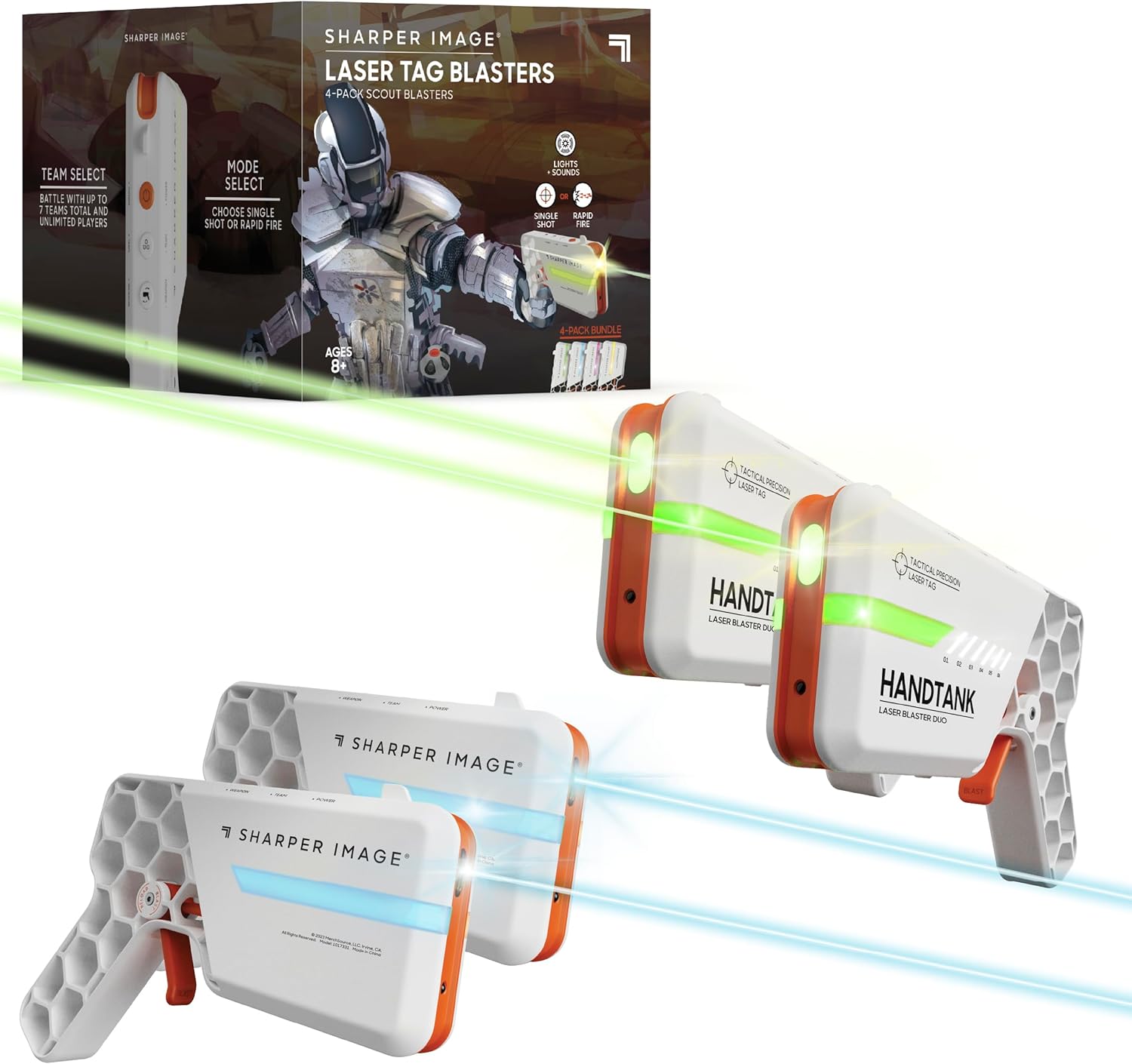
Image: The Sharper Image Infrared Laser Tag Blaster Set, including four blasters and the product box.
Package Contents
- 4 x Sharper Image Laser Tag Blasters
Setup
Battery Installation
Each laser tag blaster requires 3 AAA batteries (not included). To install batteries:
- Locate the battery compartment on the side of the blaster.
- Using a small Phillips head screwdriver, unscrew the battery compartment cover.
- Insert 3 AAA batteries, ensuring correct polarity (+/-).
- Replace the battery compartment cover and secure it with the screw.

Image: Internal view of the blaster showing the battery placement.
Powering On
Press the Power button located on the top of the blaster to turn it on. You will hear a sound effect indicating it is ready for play.

Image: The top of the blaster with clearly labeled Power, Team, and Weapon buttons.
Operating Instructions
Team Selection
To select your team color, press the Team button. The blaster will cycle through 7 different team colors. Choose your desired color to join a team or play individually.
Image: Blasters showcasing the variety of available team colors.
Firing Modes and Reloading
The blasters feature dual firing modes. Press the Weapon button to cycle between different weapon types, each with unique sound effects and firing patterns. To fire, pull down on the trigger. To reload your blaster, push up on the trigger.
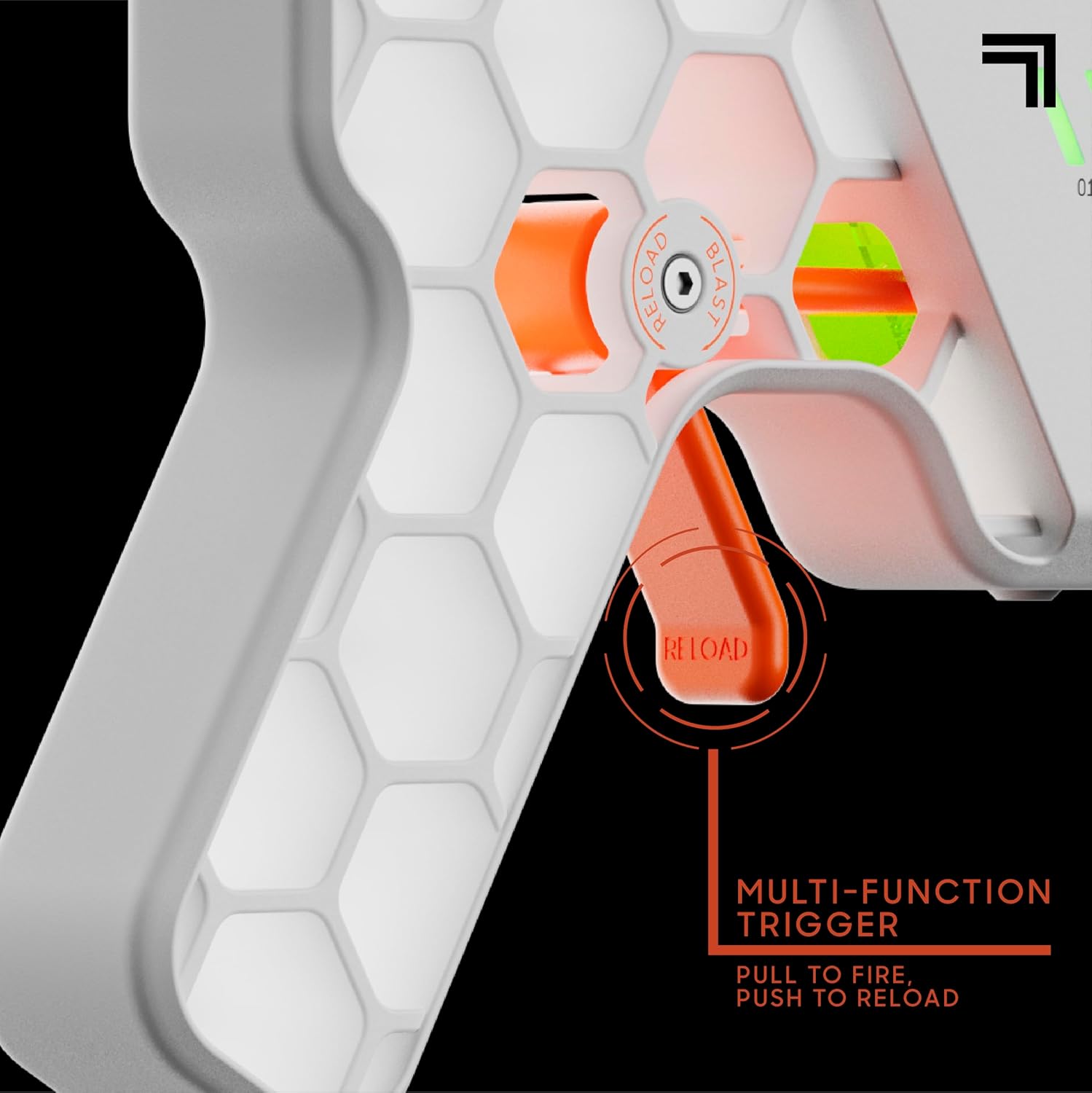
Image: The multi-function trigger, used for both firing and reloading.
Health Meter
Monitor your health status using the integrated HP meter on the side of the blaster. Each segment represents a portion of your health. When hit by an opponent, your health meter will decrease. The game ends when your health meter reaches zero.
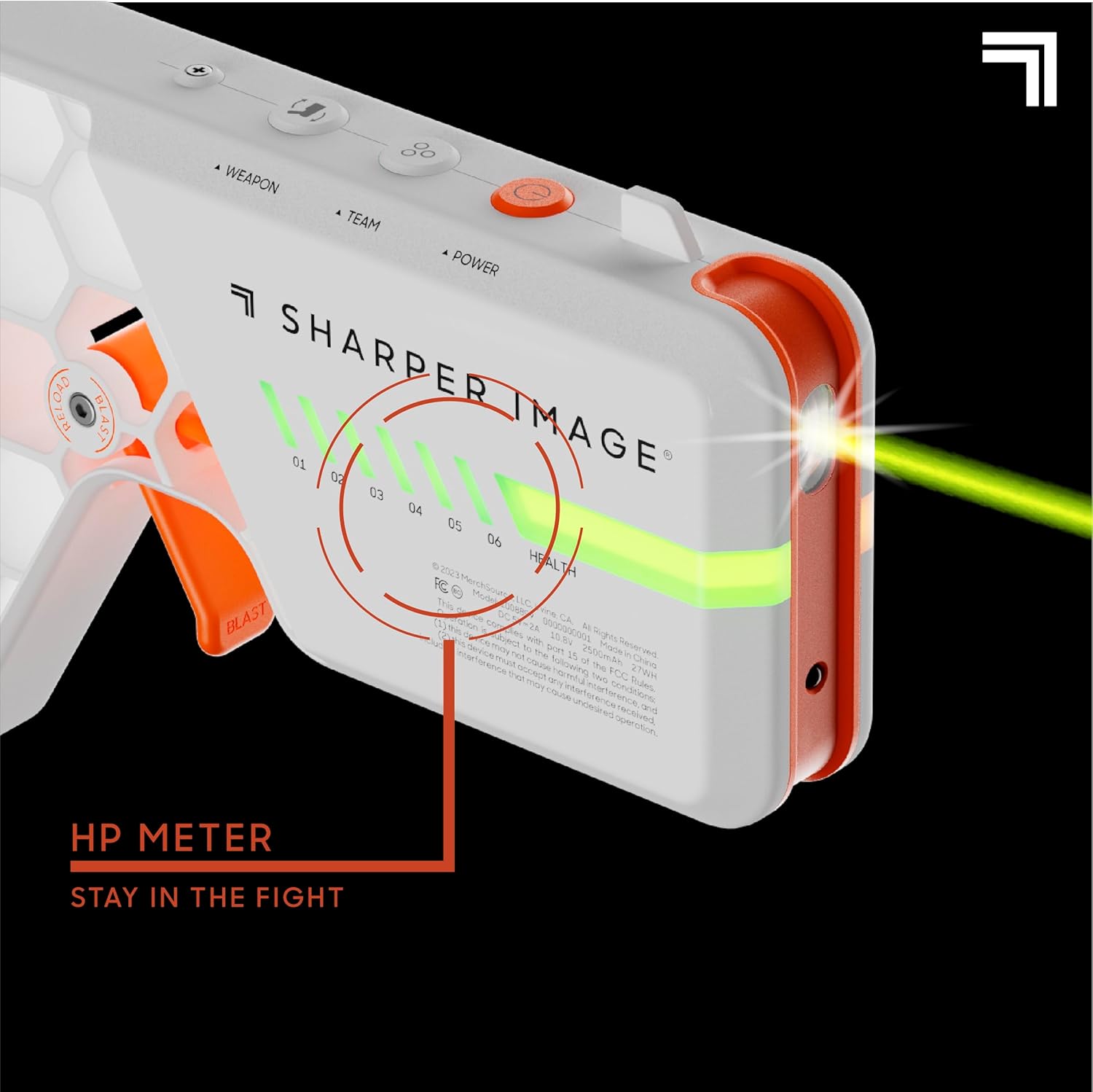
Image: The HP meter indicating remaining health during gameplay.
Official Product Video
Video: An official product video demonstrating the Sharper Image Laser Tag Blaster DUO 4-pack in action, highlighting its features and gameplay.
Maintenance
- Cleaning: Wipe the blasters with a soft, dry cloth. Do not use abrasive cleaners or immerse in water.
- Storage: Store the blasters in a cool, dry place away from direct sunlight when not in use. Remove batteries if storing for extended periods to prevent leakage.
Troubleshooting
| Issue | Possible Cause | Solution |
|---|---|---|
| Blaster does not power on. | Low or incorrectly installed batteries. | Ensure batteries are new and installed with correct polarity. Replace if necessary. |
| Limited range or inaccurate shots. | Obstructions or excessive distance. | Ensure clear line of sight between blasters. Reduce distance for optimal performance (up to 110 ft). |
| Sound effects are distorted or absent. | Low batteries or internal malfunction. | Replace batteries. If issue persists, contact customer support. |
| Cannot change team colors or weapon types. | Button malfunction or temporary glitch. | Ensure buttons are pressed firmly. Try turning the blaster off and on again. |
Specifications
- Product Dimensions: 7.63 x 6.28 x 5.57 inches
- Item Weight: 1.94 pounds
- Item Model Number: 1018379
- Manufacturer Recommended Age: 8 years and up
- Effective Range: Up to 110 feet
- Power Source: 3 x AAA batteries per blaster (not included)
- Material: Plastic
Warranty and Support
For warranty information or technical support, please visit the official Sharper Image store or contact their customer service. Keep your purchase receipt for any warranty claims.
Official Sharper Image Store: Sharper Image Store on Amazon

