
Gotrax Xr Elite
Gotrax XR Elite Electric Scooter User Manual
Model: XR Elite
Introduction
This user manual provides essential information for the safe operation, maintenance, and troubleshooting of your Gotrax XR Elite Electric Scooter. Please read this manual thoroughly before your first ride to ensure proper usage and to maximize the lifespan of your scooter.
Safety Information
WARNING: Riding an electric scooter can be a dangerous activity. Certain conditions may cause the equipment to fail without fault of the manufacturer. The scooter can, and is intended to, move, and it is therefore possible to lose control, fall off, and/or get into dangerous situations that no amount of care, instruction or expertise can eliminate. If such things occur, you can be seriously injured or die.
- Always wear a helmet and appropriate safety gear (knee pads, elbow pads) when riding.
- Do not ride in wet conditions, heavy rain, or through puddles.
- Ensure all bolts and screws are tightened before each ride.
- Do not exceed the maximum weight limit of 220 pounds.
- Ride only on designated paths or areas where electric scooters are permitted.
- Be aware of your surroundings and other pedestrians or vehicles.
- Avoid sudden braking or sharp turns at high speeds.
- Do not allow children under the age of 16 to operate the scooter.
Package Contents
Verify that all items are present in your package:
- Gotrax XR Elite Electric Scooter
- Charging Adapter
- User Manual (this document)
- Assembly Tools (if required for minor assembly)
Setup and Assembly
Your Gotrax XR Elite scooter comes mostly pre-assembled. Follow these steps for final setup:
-
Unfolding the Scooter:
Carefully remove the scooter from its packaging. Locate the folding mechanism near the base of the handlebar stem. Release the safety latch and lift the handlebar stem until it locks securely into the upright position. Ensure the red safety button is engaged to prevent accidental folding during use.

Image: The Gotrax XR Elite Electric Scooter in its fully assembled and unfolded state, ready for use.
-
Handlebar Installation (if applicable):
Some models may require attaching the handlebars. Align the handlebars with the stem and secure them using the provided screws and tools. Ensure they are firmly attached and do not wobble.
-
Initial Charging:
Before first use, fully charge the scooter's battery. Connect the charging adapter to the charging port, typically located on the side of the deck. The indicator light on the charger will turn green when fully charged (approximately 4 hours). Do not overcharge the battery.
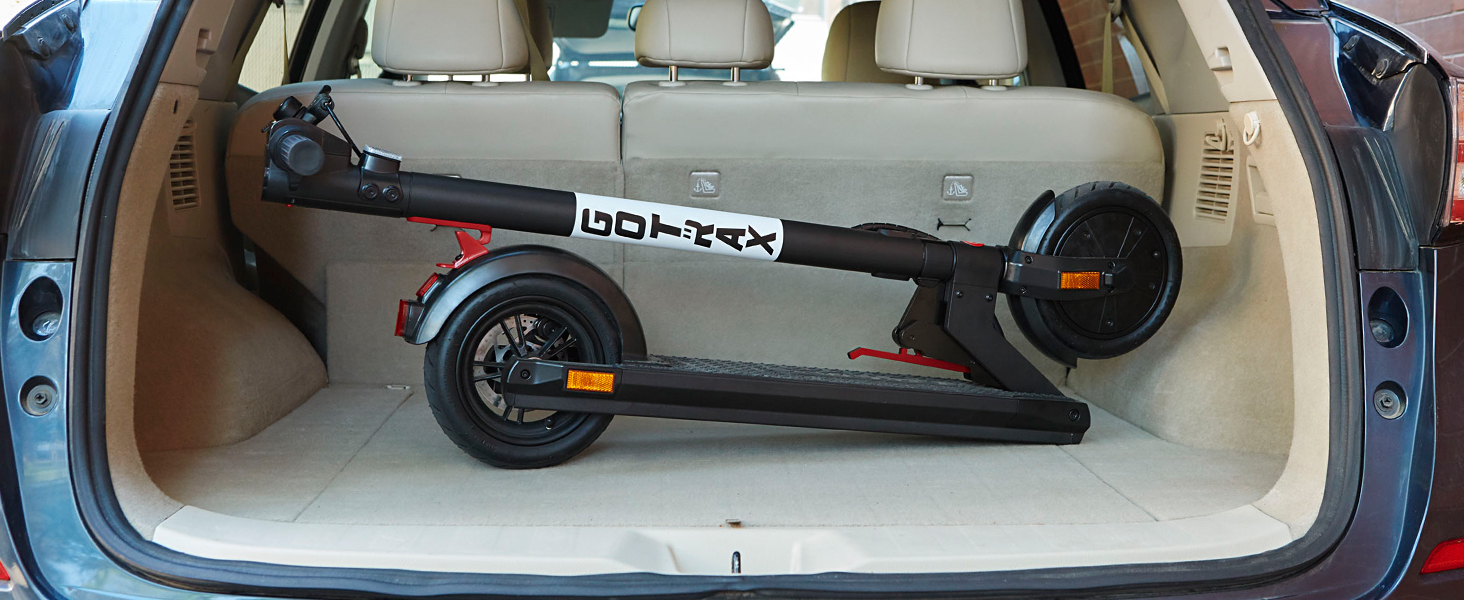
Image: An internal diagram showing the arrangement of the battery cells within the scooter's deck.
-
Tire Check:
The XR Elite features 8.5-inch solid tires, which do not require inflation. However, inspect them for any signs of damage before each ride.
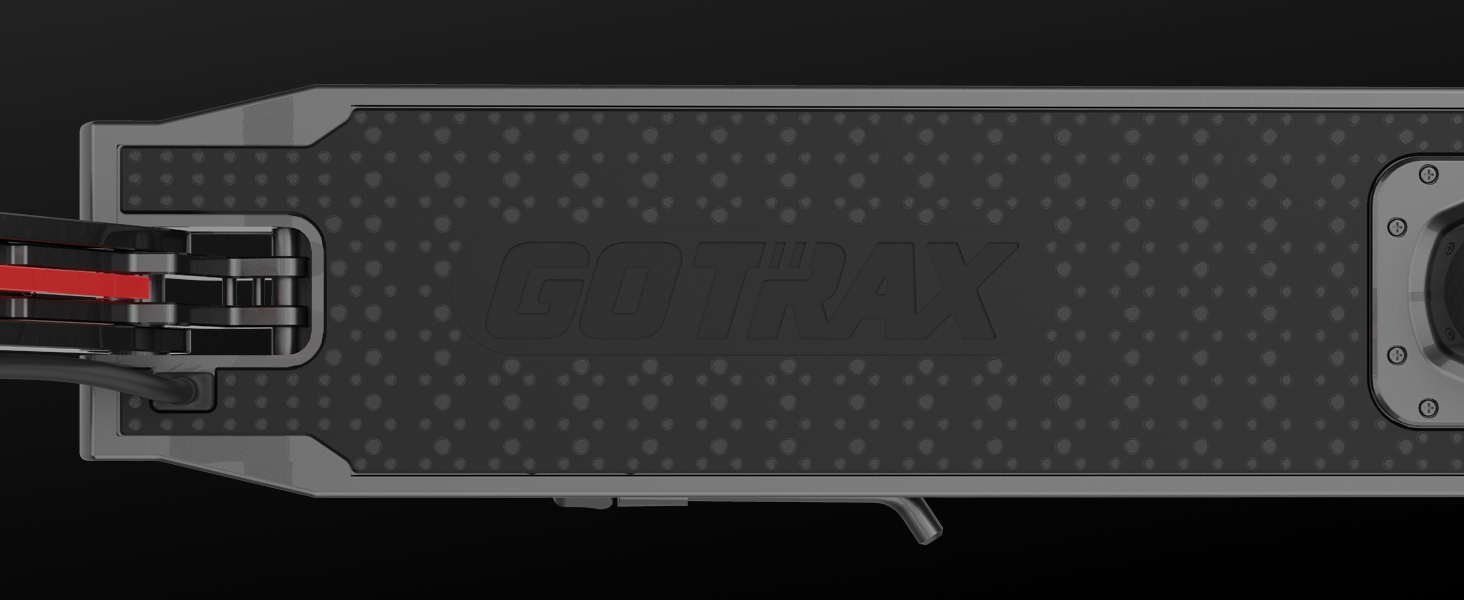
Image: A detailed view of the scooter's front wheel, highlighting the solid tire and front reflector.
Operating Instructions
Familiarize yourself with the controls and functions of your scooter:
-
Power On/Off:
Press and hold the power button on the digital display to turn the scooter on or off.

Image: A close-up of the handlebar-mounted digital display, showing indicators for cruise control, speedometer, battery life, and headlight status.
-
Riding:
Place one foot on the deck and push off with the other foot to gain initial momentum. Once moving, gently press the throttle lever to engage the motor. The scooter features cruise control for consistent speed.

Image: A man wearing a helmet rides the Gotrax XR Elite Electric Scooter across a colorful crosswalk, demonstrating typical usage.
-
Braking:
The scooter is equipped with an EABS (Electronic Anti-lock Braking System) and a rear disc brake for dual braking. Apply the brake lever on the handlebar to slow down or stop. For emergency stops, apply both brakes simultaneously.
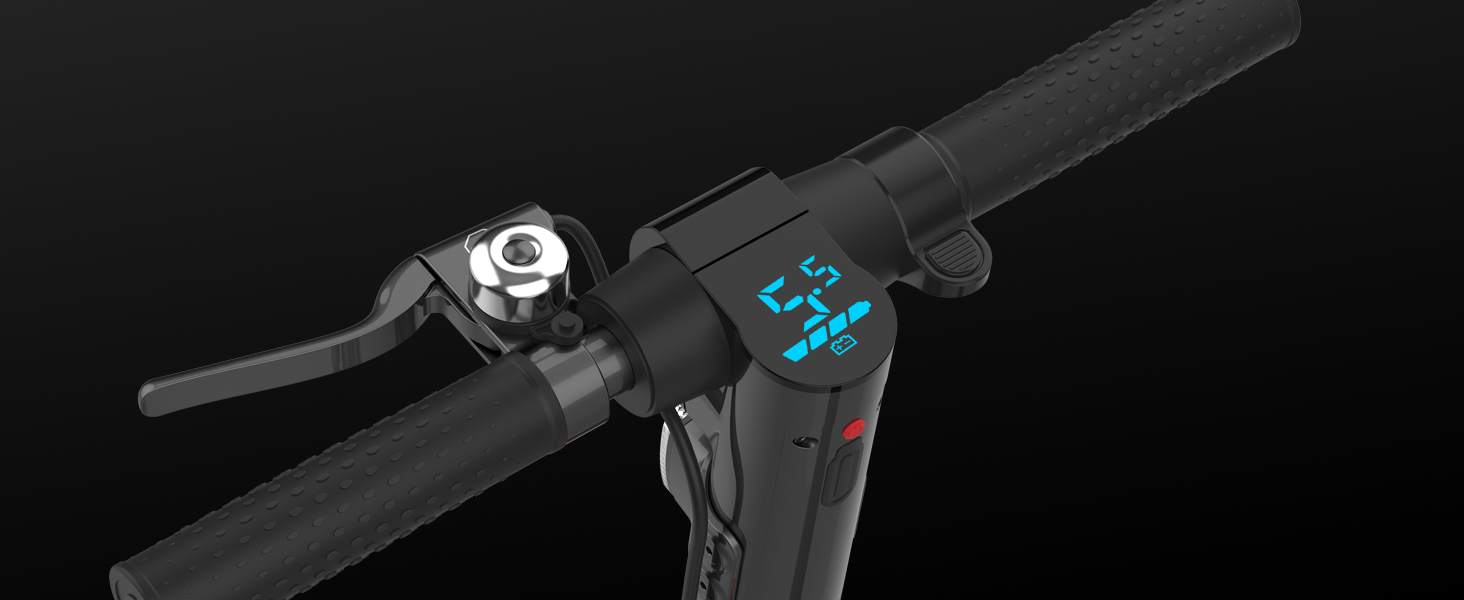
Image: A detailed view of the rear wheel assembly, showcasing the disc brake and taillight for safety.
-
Lights:
The scooter features a bright headlight and a taillight for improved visibility, especially during low-light conditions. These can be activated via the controls on the handlebar.
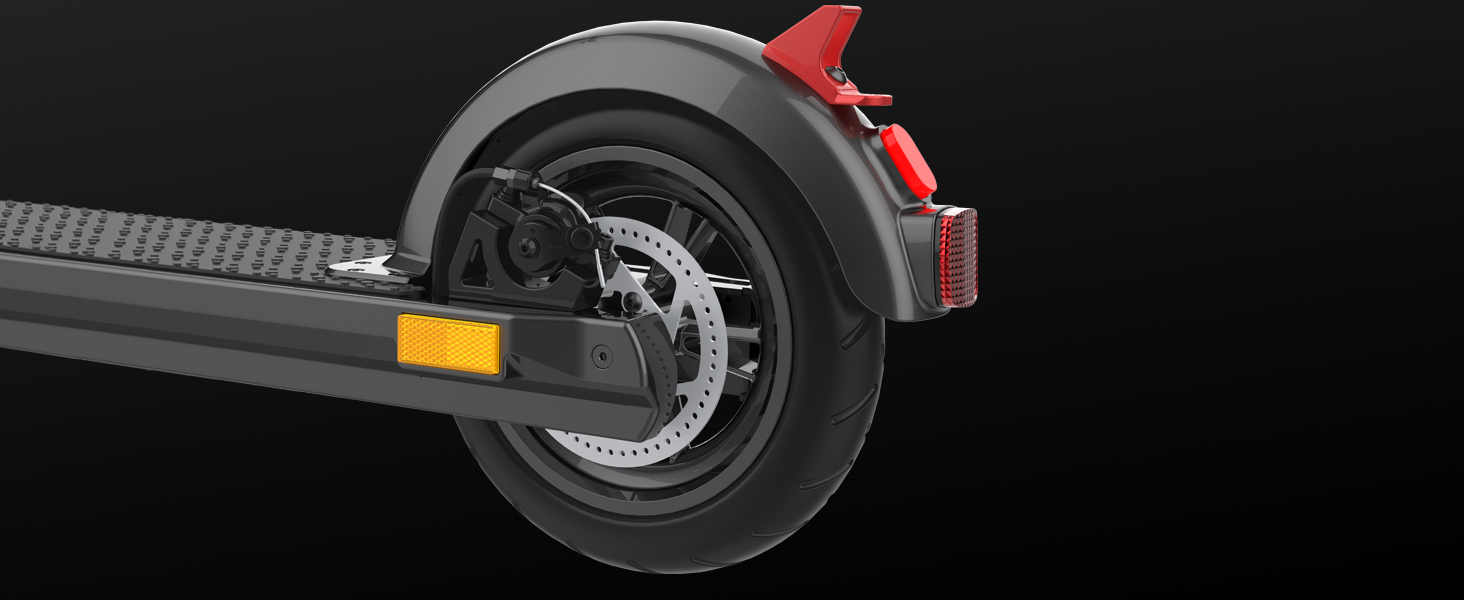
Image: A close-up shot of the scooter's front, showing the bright headlight in operation, designed to enhance visibility.
-
Folding for Transport:
To fold the scooter, ensure it is powered off. Disengage the safety button and release the folding latch. Carefully fold the handlebar stem down towards the deck until it clicks into place. This compact design makes it easy to carry or store.

Image: A man carrying the Gotrax XR Elite Electric Scooter in its folded configuration, demonstrating its portability.

Image: The folded Gotrax XR Elite Electric Scooter neatly placed in the trunk of a car, illustrating its compact storage capability.
Maintenance
Regular maintenance ensures optimal performance and longevity of your scooter:
-
Cleaning:
Wipe the scooter with a damp cloth after each use. Do not use alcohol, gasoline, kerosene, or other corrosive chemical solvents, as they may damage the appearance and internal structure of the scooter. Do not wash the scooter with a high-pressure water jet.
-
Battery Care:
Charge the battery regularly, even if the scooter is not in use, to maintain battery health. Store the scooter in a cool, dry place away from direct sunlight and extreme temperatures.
-
Brake Adjustment:
Periodically check the brake system for proper function. If the brakes feel loose or unresponsive, they may need adjustment. Consult a qualified technician if you are unsure.
-
General Inspection:
Before each ride, check for any loose parts, unusual noises, or signs of wear and tear. Pay attention to the folding mechanism, wheels, and handlebars.
Troubleshooting
Common issues and their potential solutions:
| Problem | Possible Cause | Solution |
|---|---|---|
| Scooter does not turn on. | Low battery; Power button not pressed correctly. | Charge the battery fully; Press and hold the power button firmly. |
| Scooter not moving when throttle is pressed. | Not enough initial momentum; Brake engaged; Motor issue. | Push off to gain speed before engaging throttle; Release brake fully; Contact support if issue persists. |
| Reduced range or speed. | Low battery; Overload (rider weight); Uphill riding; Cold weather. | Ensure full charge; Check weight limit; Performance may vary with conditions. |
| Brakes feel loose. | Brake cable needs adjustment. | Adjust brake cable tension or consult a technician. |
If you encounter issues not listed here or if solutions do not resolve the problem, please contact Gotrax customer support.
Specifications
| Feature | Detail |
|---|---|
| Model Name | XR Elite |
| Motor Power | 300W |
| Max Speed | 15.5 MPH |
| Max Range | 16 Miles |
| Battery Capacity | 36V 7.8AH |
| Charging Time | Approx. 4 Hours |
| Wheel Size | 8.5 Inches |
| Tire Type | Solid (Honeycomb) |
| Braking System | EABS + Rear Disc Brake |
| Frame Material | Aluminum Alloy |
| Max Rider Weight | 220 Pounds |
| Item Weight | 33 Pounds |
| Product Dimensions (L x W x H) | 43" x 16" x 43" |
| Special Features | Foldable, Cruise Control, Headlight, Taillight, Reflectors |
Warranty and Support
The Gotrax XR Elite Electric Scooter comes with a 365-day limited warranty. This warranty covers manufacturing defects under normal use conditions. Please retain your proof of purchase for warranty claims.
For technical support, warranty inquiries, or replacement parts, please visit the official Gotrax website or contact their customer service department. Refer to the contact information provided on the Gotrax website or your purchase documentation.
For additional resources, you may also refer to the official User Manual (PDF).
Related documentsXr Elite


Ask a question about this manual
Ask about setup, troubleshooting, compatibility, parts, safety, or missing instructions. Manuals+ will review the question and use this page’s manual context to help answer it.