
1. Introduction
Welcome to the Gyrocopters Fury Electric Bike user manual. This document provides essential information for the safe and efficient operation, assembly, maintenance, and troubleshooting of your new electric bike. Please read this manual thoroughly before your first ride and keep it for future reference.

Image 1: The Gyrocopters Fury Electric Bike, a compact and foldable e-bike designed for urban and light trail use.
Video 1: A brief overview showcasing the key features and design of the Gyrocopters Fury Electric Bike.
2. Safety Information
Your safety is paramount. The Gyrocopters Fury Electric Bike is UL 2849 certified, ensuring it meets stringent safety standards for electrical systems, battery, and mechanical components. Always wear a helmet and appropriate safety gear when riding.
2.1 Key Safety Features
- UL 2849 Certification: Approved for Canada and US laws, ensuring a secure e-bike.
- EABS + Dual Disc Brakes: Equipped with front and rear dual disc brakes for reliable stopping power.
- Battery Management System (BMS): Protects the Lithium-Ion battery from overcharging, overheating, short circuits, undervoltage, overcurrent, and potential fire hazards.
- Integrated Headlight and Taillight: Enhances visibility for safer riding in various conditions.

Image 2: Illustration highlighting the UL 2849 approval, Battery Management System (BMS), and Smart World Tracker for enhanced safety and security.
3. Product Features
The Gyrocopters Fury Electric Bike combines performance with convenience, offering a versatile riding experience.
3.1 Performance and Design
- Motor: Peak 400W brushless hub motor for efficient power delivery.
- Speed: Max speed up to 25 km/h (15.5 mph).
- Range: Up to 58 km (36 miles) with pedal assist.
- Tires: 14 x 3-inch fat tires provide superior performance and shock absorption on various terrains.
- Foldable Design: Easy one-step folding mechanism for effortless storage and portability.
- Anti-theft GPS Tracker: Includes a World Tag compatible with the 'Find My' App (iOS only) for real-time location tracking.

Image 3: Visual representation of the Gyrocopters Fury's fat tires, speed, range, battery capacity, and smart GPS tracker.

Image 4: Demonstrates the portable and lightweight folding design of the Gyrocopters Fury Electric Bike, showing it being placed into a car trunk.

Image 5: Highlights the multiple benefits of the 14x3 inch fat tires, including shock absorption, comfortable riding, and wear-resistant durable material, suitable for various terrains like flat, gravel, beach, and snow.
Video 2: A detailed presentation of the Gyrocopters Fury Electric Bike's features and benefits, including its compact design, powerful motor, and safety elements.
4. Setup and Assembly
The Gyrocopters Fury Electric Bike arrives 99% assembled. Follow these steps to complete the setup:
- Unpack: Carefully remove the bike and all components from the packaging.
- Handlebar Installation: Unfold the handlebar stem and secure it in place. Adjust the handlebar height to your preference.
- Pedal Attachment: Identify the left (L) and right (R) pedals. Attach them to the crank arms, ensuring to tighten them securely with the provided wrench. Remember, the left pedal tightens counter-clockwise, and the right pedal tightens clockwise.
- Fender Installation: Attach the front and rear fenders using the provided screws and wrench.
- Seat Adjustment: Adjust the seat post to a comfortable riding height and secure it with the quick-release clamp.
Video 3: Step-by-step guide on how to unpack and assemble the Gyrocopters Fury Electric Bike, including handlebar, pedal, fender, and seat installation.
5. Operating Instructions
Familiarize yourself with the controls and riding modes before your first ride.
5.1 Controls and Display
- LCD Display: Monitors battery status, speed, and riding mode.
- Power On/Off: Use the dedicated button on the handlebar to power the bike on or off.
- Accelerate: Twist the throttle on the right handlebar to engage pure electric mode.
- Headlight On/Off: Button on the left handlebar for controlling the front light.
- Bell: Integrated bell for signaling.
5.2 Riding Modes
The Gyrocopters Fury offers three distinct riding modes:
- Pure Electric Mode: Engage the throttle for motor-powered riding without pedaling.
- Pedal-Assist Mode: The motor provides assistance as you pedal, making rides easier, especially uphill.
- Traditional Bike Mode: Ride the bike like a standard bicycle, using only pedal power.
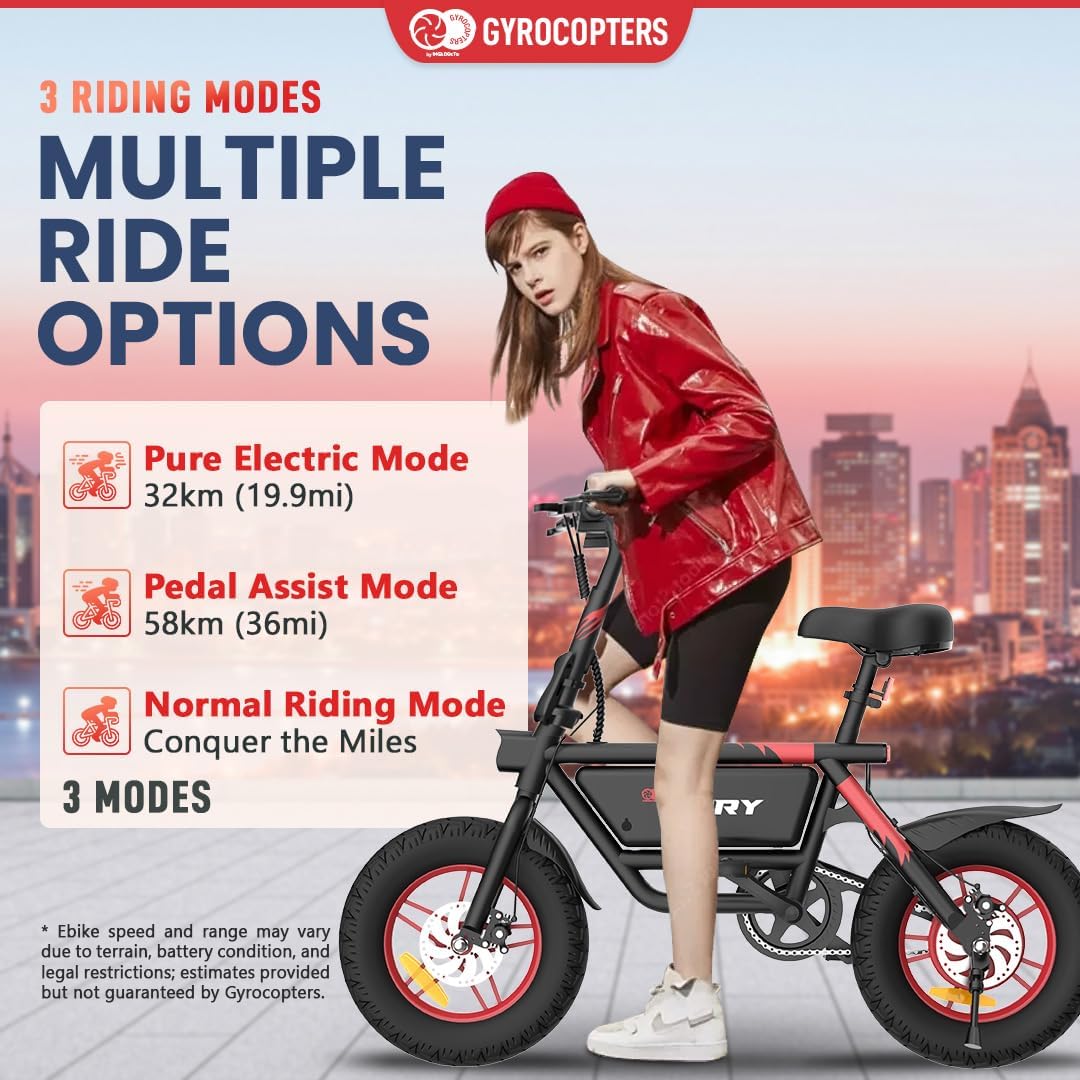
Image 6: Depicts the three riding modes: Pure Electric Mode, Pedal Assist Mode, and Normal Riding Mode, offering multiple ride options.

Image 7: Close-up view of the handlebar controls, including the bell, LCD display, power on/off, headlight on/off, and acceleration mechanism. Also shows the bright LED headlight, front and rear dual disc brakes, and integrated taillight.
Video 4: Showcases the Gyrocopters Fury Electric Bike in action, demonstrating its compact design, ease of setup, powerful performance, and safety features during a ride.
6. Maintenance
Regular maintenance ensures the longevity and optimal performance of your electric bike.
6.1 General Care
- Cleaning: Wipe down the bike with a damp cloth after each ride. Avoid high-pressure washing directly on electrical components.
- Tire Pressure: Check tire pressure regularly and maintain it according to the recommended levels indicated on the tire sidewall.
- Brakes: Inspect brake pads and discs for wear. Ensure brake levers are responsive and provide adequate stopping power. Adjust as needed.
- Chain: Keep the chain clean and lubricated to prevent rust and ensure smooth operation.
- Fasteners: Periodically check all nuts, bolts, and quick-release levers to ensure they are securely tightened.
6.2 Battery Care
- Charging: Charge the Lithium-Ion battery fully before the first use. Use only the provided charger. Charging time is approximately 3-4 hours.
- Storage: If storing the bike for an extended period, charge the battery to about 50-70% and store it in a cool, dry place. Recharge every 2-3 months to prevent deep discharge.
- Temperature: Avoid exposing the battery to extreme temperatures (hot or cold) as this can affect its performance and lifespan.
7. Troubleshooting
Here are some common issues and their potential solutions:
| Problem | Possible Cause | Solution |
|---|---|---|
| Bike does not power on | Low battery; loose battery connection; power button malfunction | Charge the battery; check battery connection; contact support if button is faulty. |
| Motor not assisting | Battery low; pedal-assist sensor issue; motor connection loose | Charge battery; check sensor and motor connections; ensure correct riding mode is selected. |
| Brakes feel weak | Worn brake pads; loose brake cable; disc contamination | Inspect and replace brake pads; adjust brake cable tension; clean discs with appropriate cleaner. |
| Unusual noises during ride | Loose components; dry chain; tire rubbing | Check all fasteners; lubricate chain; inspect tire clearance. |
If you encounter issues not listed here or if solutions do not resolve the problem, please contact customer support.
8. Specifications
Detailed technical specifications for the Gyrocopters Fury Electric Bike:
| Feature | Detail |
|---|---|
| Model | Fury |
| Motor | 400W Peak Brushless Hub Motor |
| Max Speed | 25 km/h (15.5 mph) |
| Max Range (PAS) | Up to 58 km (36 mi) |
| Battery | Lithium Ion (included), 270 Watt-hours |
| Charging Time | Approx. 3-4 hours |
| Tire Size | 14 x 3 Inches (Fat Tire) |
| Brake Type | EABS + Dual Disc Brake |
| Frame Material | Alloy Steel |
| Weight Capacity | 120 kg (265 lbs) |
| Product Dimensions | 125 x 7.6 x 106.5 cm |
| Item Weight | 22 kg |
| Special Features | Digital Display, Foldable, Portable, Headlight, Taillight, Anti-theft GPS Tracker |

Image 8: Detailed diagram showing the dimensions and adjustable height features of the Gyrocopters Fury Electric Bike, along with recommended rider height.
9. Warranty and Support
For warranty information, product support, or any inquiries, please contact Gyrocopters customer service.
- Phone: +1 647-797-3804
- Email: customercare@imgadgets.com
Please retain your proof of purchase for warranty claims.


