
HOCO TWS EW34
HOCO EW34 True Wireless Earphones User Manual
Model: TWS EW34 | Brand: HOCO
Introduction
Thank you for choosing the HOCO EW34 True Wireless Earphones. This manual provides essential information on how to set up, operate, maintain, and troubleshoot your earphones to ensure optimal performance and longevity. Please read this manual carefully before using the product.
Package Contents
Before you begin, please ensure all items are present in the package:
- HOCO EW34 True Wireless Earphones (Left and Right)
- Charging Case
- Charging Cable
- User Manual (this document)
Setup
1. Initial Charging
Before first use, fully charge the charging case and earphones. Place both earphones into the charging case. Connect the charging cable to the charging port on the case and to a USB power source.

Image: HOCO EW34 earphones placed inside their open charging case, showing the charging indicators.
The indicator light on the charging case will show the charging status. Ensure the case is fully charged before using the earphones for the first time.

Image: The HOCO EW34 charging case, closed, displaying the USB charging port on the side.
2. Bluetooth Pairing
- Ensure the earphones are charged and inside the charging case.
- Open the charging case. The earphones will automatically enter pairing mode, indicated by a flashing light (if applicable).
- On your device (smartphone, tablet, etc.), enable Bluetooth.
- Search for "HOCO EW34" in the list of available Bluetooth devices.
- Select "HOCO EW34" to connect. Once connected, a voice prompt will confirm the successful pairing.
- The earphones will automatically reconnect to the last paired device when taken out of the case, if Bluetooth is enabled on the device.
Operating Instructions
Wearing the Earphones
Gently insert the earphones into your ears, ensuring a comfortable and secure fit. Adjust them slightly until the sound quality is optimal and they feel stable.
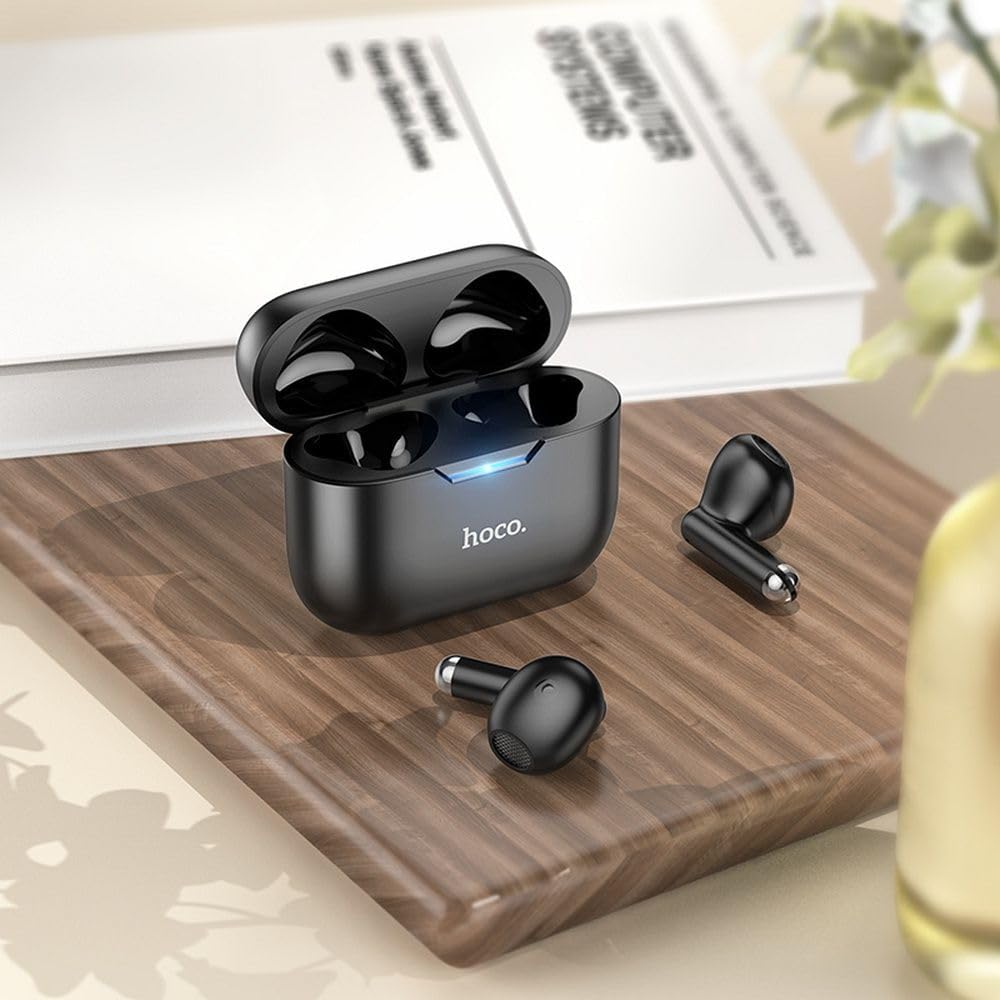
Image: The HOCO EW34 earphones and their charging case resting on a wooden surface next to a book, illustrating their compact size.
Basic Controls (Touch Sensitive)
The HOCO EW34 earphones feature touch-sensitive controls. Specific functions may vary slightly based on your device and application.
- Play/Pause: Single tap on either earphone.
- Next Track: Double tap on the right earphone.
- Previous Track: Double tap on the left earphone.
- Answer/End Call: Single tap on either earphone during an incoming call.
- Reject Call: Press and hold either earphone for 2 seconds during an incoming call.
- Activate Voice Assistant: Triple tap on either earphone.
Maintenance
Proper maintenance ensures the longevity and performance of your HOCO EW34 earphones.
- Cleaning: Use a soft, dry, lint-free cloth to clean the earphones and charging case. Do not use harsh chemicals or abrasive materials.
- Storage: When not in use, store the earphones in their charging case to protect them from dust and damage.
- Battery Care: Avoid fully discharging the battery frequently. Charge the earphones and case regularly, even if not in constant use, to maintain battery health.
- Avoid Water: The earphones are not waterproof. Avoid exposure to water, sweat, or high humidity.
Troubleshooting
If you encounter issues with your HOCO EW34 earphones, try the following solutions:
| Problem | Possible Solution |
|---|---|
| Earphones not pairing with device. |
|
| No sound from one or both earphones. |
|
| Charging case not charging. |
|
| Poor sound quality. |
|
Specifications
Here are the technical specifications for the HOCO EW34 True Wireless Earphones:
- Bluetooth Version: 5.3
- Chip: JL AC6983
- Charging Case Battery Capacity: 250 mAh
- Earphone Battery Capacity: 30 mAh (each)
- Talk/Music Time: 4 hours
- Standby Time: 150 hours
- Dimensions (Case): 57 × 46 × 23.5 mm
- Total Weight: 42 g
- Model Name: TWS EW34
- Color: Black
Warranty and Support
For warranty information, please refer to the warranty card included with your purchase or visit the official HOCO website. Warranty terms and conditions may vary by region.
If you require further assistance or encounter issues not covered in this manual, please contact HOCO customer support through their official website or the retailer from whom you purchased the product. Please have your product model number (TWS EW34) and proof of purchase ready when contacting support.
Related documentsTWS EW34


Ask a question about this manual
Ask about setup, troubleshooting, compatibility, parts, safety, or missing instructions. Manuals+ will review the question and use this page’s manual context to help answer it.