
Introduction
The Momcozy Sound Machine (Model WN03) is designed to create a peaceful and soothing environment for both infants and adults. It features 20 calming sounds, an adjustable touch-sensitive night light, a sleep timer, and a memory function for personalized comfort. Its compact and portable design makes it an ideal companion for home use or travel.

Image: The Momcozy Sound Machine, a compact white device with a soft blue light, resting on a wooden nightstand.
Setup
Unboxing and Initial Inspection
Carefully remove all components from the packaging. Ensure the sound machine and charging cable are present and undamaged. Refer to the included user manual for a detailed button description.
Video: A short demonstration of unboxing the Momcozy Sound Machine and highlighting its various buttons and features.
Charging the Device
Connect the provided charging cable to the device and a suitable power source. A full charge takes approximately 2.5 hours and provides over 10 hours of continuous use. The device features an extended 59-inch charging cable for convenience.

Image: The sound machine connected to a charger, with text indicating 2.5 hours of charging provides over 10 hours of playback.

Image: The sound machine with its long, coiled charging cable, emphasizing its adaptability to various power outlets.
Operating Instructions
Power On/Off
To power on the device, press the main power button. To turn it off, press the main power button again.
Light Control
The device features an adjustable touch light. Simply touch the top surface to turn the light on or off. Press and hold the top surface to smoothly adjust the brightness. For maximum brightness, flip the device upside down.

Image: A hand interacting with the illuminated power button of the sound machine, demonstrating ease of use in low light.

Image: A hand touching the top of the sound machine, illustrating the instant light activation feature.

Image: A hand pressing and holding the top of the sound machine to adjust the light brightness, allowing for personalized ambiance.
Sound Selection
Choose from 20 soothing sounds, including white noise, pink noise, brown noise, green noise, fan sounds, and nature sounds like ocean waves, rain, crackling campfire, bird chirping, cricket chirping, and meditation music. Use the dedicated buttons on the top panel to cycle through the sound options.

Image: The sound machine's control panel, illustrating the variety of 20 soothing sound options available, including natural sounds, fan sounds, white noise, and pink noise.
Volume Control
Adjust the volume using the dedicated volume buttons on the control panel to suit your preference.
Sleep Timer
The sound machine offers 1-hour, 3-hour, and 6-hour auto-off timer options. Select the desired duration to automatically turn off the sound, promoting uninterrupted sleep.

Image: The sound machine displaying its auto-off timer function, with options for 1, 3, or 6 hours.
Memory Function
The device remembers your last sound and volume settings, providing a consistent and personalized experience each time it's used.
Child Lock
Activate the child lock feature to prevent accidental changes to settings by curious hands, ensuring continuous soothing sounds for your baby.

Image: A smiling baby near the sound machine, with an overlay highlighting the child lock function for peace of mind.
Usage Scenarios
The Momcozy Sound Machine is versatile for various situations:
- Nighttime Care: The soft light is ideal for late-night diaper changes or feedings.
- Relaxation: Enjoy your favorite soundtracks for yoga, exercise, meditation, or general relaxation.
- Focus: Use it as a private tool in the office to minimize distractions.
- Travel: Its compact and lightweight design makes it perfect for travel, providing a familiar sleep environment in hotels or when visiting family.

Image: A visual representation of the sound machine being used in various settings: for yoga, meditation, working at a desk, and for a baby's sleep.

Image: The compact Momcozy Sound Machine being placed into a suitcase, demonstrating its suitability for travel.
Maintenance
To ensure the longevity and proper functioning of your Momcozy Sound Machine, follow these maintenance guidelines:
- Cleaning: Wipe the device with a soft, dry cloth. Do not use abrasive cleaners or immerse in water.
- Storage: Store in a cool, dry place away from direct sunlight when not in use.
- Handling: Handle with care to avoid dropping or physical damage.
Troubleshooting
If you encounter any issues with your Momcozy Sound Machine, please refer to the following common solutions:
- Device not turning on: Ensure the device is fully charged. Connect it to a power source and allow it to charge for at least 30 minutes before attempting to power it on again.
- No sound: Check the volume level. Ensure the device is not in child lock mode.
- Light not working: Tap the top surface to activate the light. If it still doesn't work, ensure the device is powered on.
- Sound quality issues: Ensure the device is placed on a stable, flat surface. Avoid placing it near other electronic devices that may cause interference.
If the problem persists, please contact Momcozy customer support for further assistance.
Specifications
| Feature | Detail |
|---|---|
| Brand | Momcozy |
| Model Name | Sound Machine for Baby (WN03) |
| Color | White |
| Material | Plastic, PVC |
| Power Source | Battery Powered |
| Sounds | 20 Soothing Sounds (White Noise, Pink Noise, Brown Noise, Green Noise, Fan Sounds, Nature Sounds, Meditation Music) |
| Light | Adjustable Touch Light |
| Timer Options | 1h / 3h / 6h Auto-off |
| Special Features | Memory Function, Child Lock, Portable |
| Dimensions | 13.1 x 12.9 x 8.4 cm |
| Weight | 230 grams |
| UPC | 840506404588 |
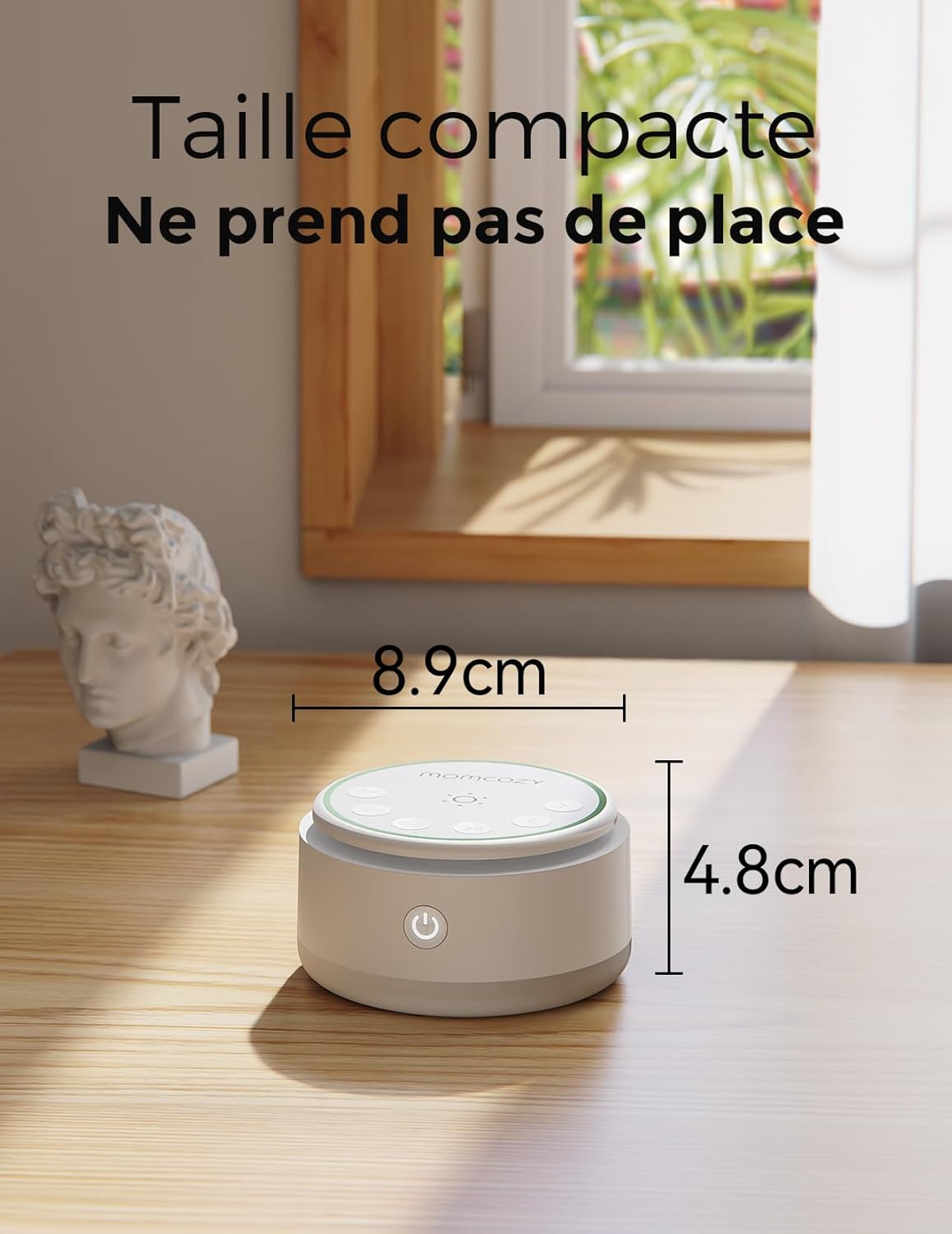
Image: The compact Momcozy Sound Machine with its dimensions clearly marked, illustrating its small footprint.
Safety Warnings
- Keep out of reach of children.
- Do not expose to water or other liquids.
- Follow all battery charging instructions carefully.
- Do not expose the device to extreme temperatures or direct sunlight.
Warranty and Support
For warranty information or customer support, please refer to the product packaging or contact Momcozy directly through their official website or the retailer where the product was purchased. Keep your proof of purchase for any warranty claims.
For additional information and products, visit the Momcozy Brand Store.


