
Introduction
This manual provides instructions for the operation and maintenance of your Timex Sport Digital Watch, model TW5M63300. This watch is designed for active lifestyles, featuring a robust construction and essential digital functions.
Key features include:
- 52 mm round black resin case with a black resin strap and buckle clasp.
- Digital time and date display.
- Strap suitable for wrist sizes from 150 mm to 205 mm.
- Acrylic glass.
- Water resistance up to 200 meters.
- Daily alarm.
- Two time zone settings.
- 24-hour stopwatch.
- INDIGLO® Night-Light.
Setup
Before using your watch, you may need to set the time and date. Refer to the specific button functions for your model.
Setting Time and Date
- Press the MODE button repeatedly until the time setting mode is displayed (usually indicated by flashing digits).
- Use the SET or ADJUST button to select the hour, minute, second, month, day, and year.
- Use the START/STOP or ADVANCE button to increase the selected value.
- Once all settings are correct, press the MODE button again to exit the setting mode.

Figure 1: Front view of the Timex Sport Digital Watch, showing the digital display and case design.
Operating Instructions
Daily Alarm
Your watch includes a daily alarm function. To set the alarm:
- Press the MODE button until the alarm mode is displayed.
- Use the SET or ADJUST button to select the alarm hour and minute.
- Use the START/STOP or ADVANCE button to change the values.
- Press MODE to confirm and exit.
- To activate/deactivate the alarm, typically press a specific button (e.g., START/STOP) while in alarm mode.
Dual Time Zone
The dual time zone feature allows you to track a second time zone. This is useful for travel or communicating with people in different regions.
- Navigate to the dual time mode using the MODE button.
- Follow similar steps as setting the main time to adjust the second time zone.
24-Hour Stopwatch
The integrated stopwatch can measure elapsed time up to 24 hours.
- Press the MODE button until the stopwatch function is displayed.
- Press START/STOP to begin timing.
- Press START/STOP again to pause/resume.
- Press RESET (often the SET or ADJUST button) to clear the stopwatch.
INDIGLO® Night-Light
The INDIGLO® night-light illuminates the watch face for easy viewing in low-light conditions.
- To activate, press the INDIGLO button (usually located on the side of the watch).
- The light will remain on for a few seconds.

Figure 2: Illustration of the INDIGLO® night-light illuminating the watch display for visibility in the dark.
Maintenance
Water Resistance
Your Timex Sport Digital Watch is water resistant up to 200 meters (660 feet). This means it is suitable for recreational scuba diving. However, it is important to note the following:
- Do not press any buttons while the watch is submerged in water.
- Avoid exposing the watch to extreme temperature changes, which can affect its water resistance.
- After exposure to saltwater, rinse the watch with fresh water and dry it thoroughly.
Battery Information
The watch uses one Lithium metal battery (CR2025 cell). The battery is included with the watch. When the display becomes dim or functions become erratic, it may be time to replace the battery. Battery replacement should ideally be performed by a qualified watch technician to ensure water resistance is maintained.

Figure 3: Close-up of the watch case back, showing "STAINLESS STEEL BACK", "WR 200 METERS", and "CR2025 CELL" indicating battery type.
General Care
- Clean your watch regularly with a soft, damp cloth.
- Avoid exposing the watch to strong chemicals, solvents, or detergents, as these can damage the case and strap.
- Store the watch in a cool, dry place when not in use.
Troubleshooting
| Problem | Possible Cause | Solution |
|---|---|---|
| Display is blank or dim. | Low or dead battery. | Replace the battery (CR2025). |
| Time is incorrect. | Time not set correctly or accidental button press. | Refer to "Setting Time and Date" in the Setup section. |
| Buttons are unresponsive. | Watch may be in a locked mode or internal issue. | Try pressing all buttons to see if any respond. If not, a battery reset (removal and reinsertion) might be needed, or contact support. |
| Water inside the watch. | Buttons pressed underwater or seal compromised. | Immediately take the watch to a qualified service center. Do not attempt to dry it yourself. |
Specifications
| Feature | Detail |
|---|---|
| Model Number | TW5M63300 |
| Case Diameter | 52 mm |
| Case Material | Resin |
| Strap Material | Resin |
| Strap Fit | 150 mm to 205 mm wrist circumference |
| Crystal Material | Acrylic |
| Water Resistance | 200 meters (660 feet) |
| Battery Type | CR2025 Lithium Metal (included) |
| Functions | Digital Time/Date, Daily Alarm, Dual Time Zone, 24-Hour Stopwatch, INDIGLO® Night-Light |
| Package Dimensions | 9.9 x 7.2 x 6.6 cm; 120 grams |
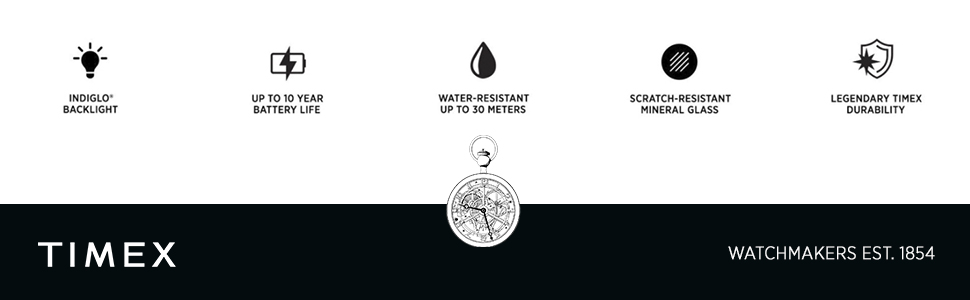
Figure 4: Visual representation of key features: INDIGLO® Backlight, Up to 10 Year Battery Life (general Timex claim, not specific to CR2025), Water-Resistant, Scratch-Resistant Mineral Glass (product says Acrylic), Legendary Timex Durability.
Note: The image mentions "Up to 10 Year Battery Life" and "Scratch-Resistant Mineral Glass". For model TW5M63300, the battery is CR2025 and the crystal is Acrylic. Please refer to the detailed specifications above for model-specific information.
Warranty and Support
For warranty information and customer support, please refer to the official Timex website or contact their customer service directly. Keep your proof of purchase for any warranty claims.
Official Timex Website: www.timex.com


