
1. Introduction
Thank you for choosing the Timex Unisex Digital 43mm Watch. This manual provides essential information for the proper setup, operation, and care of your new timepiece. Please read these instructions carefully to ensure optimal performance and longevity of your watch.
2. Watch Overview
Familiarize yourself with the buttons and display of your Timex Digital 43mm Watch.

Figure 2.1: Side view of the watch, highlighting the function buttons. The top left button is typically for INDIGLO, and the top right button is for START/STOP functions.
Your watch features a clear digital display and multiple function buttons for easy access to time, date, stopwatch, and alarm features. The specific button functions are detailed in the operating instructions.
3. Initial Setup
Upon first use or after a battery change, you may need to set the time and date.
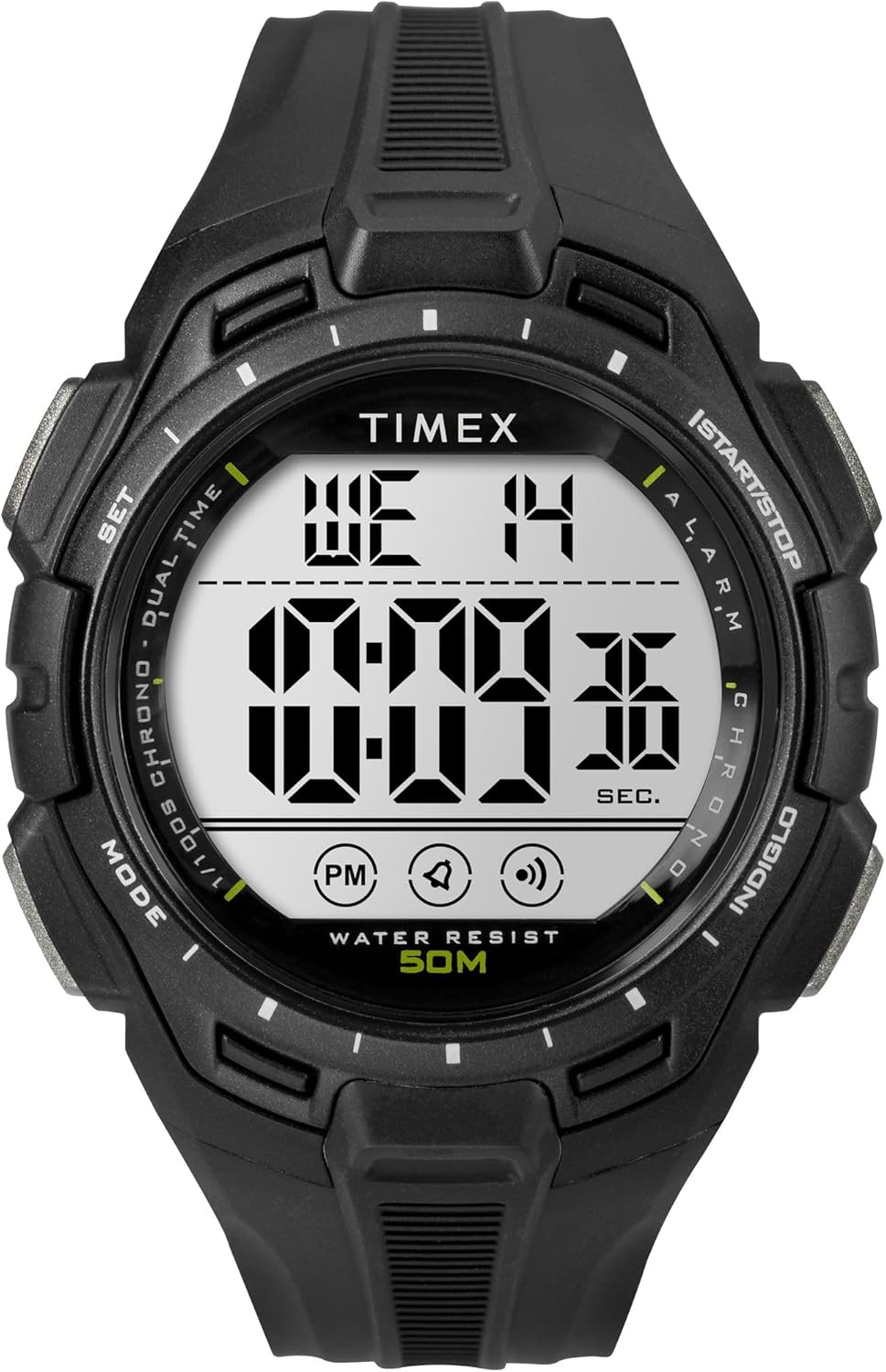
Figure 3.1: Front view of the Timex Digital 43mm Watch, showing the digital display.
3.1 Setting Time and Date
- Press the MODE button (usually bottom left) repeatedly until the time setting mode is displayed (often indicated by flashing digits).
- Use the SET or START/STOP button (usually top right) to adjust the flashing digit (hours, minutes, seconds).
- Press the MODE button again to move to the next setting (e.g., minutes, then year, month, day).
- Once all settings are correct, press the MODE button or a dedicated EXIT button to return to normal time display.
3.2 Setting the Alarm
- Press the MODE button until the alarm time is displayed.
- Use the SET or START/STOP button to adjust the alarm hours and minutes.
- Press the MODE button to confirm and exit the alarm setting mode.
- To activate/deactivate the alarm, typically press the SET button while in alarm display mode. An alarm icon will appear/disappear.
4. Operating Instructions
4.1 Using INDIGLO Night-Light
Press the INDIGLO button (usually top left) to illuminate the watch face for easy viewing in low-light conditions. The light will remain on for a few seconds.
4.2 Using the Stopwatch
- Press the MODE button until the stopwatch display appears (usually showing 00:00:00).
- Press the START/STOP button (top right) to start the stopwatch.
- Press START/STOP again to pause the stopwatch.
- To reset the stopwatch, press the RESET button (often the bottom right button) while the stopwatch is paused.
4.3 Switching 12/24-Hour Format
While in time setting mode, when adjusting the hours, you can typically toggle between 12-hour (with AM/PM indicator) and 24-hour (military) format by pressing the SET or START/STOP button past 12 PM or 24. Refer to the specific setting sequence for your model.
5. Maintenance and Care
Proper care will extend the life and appearance of your Timex watch.
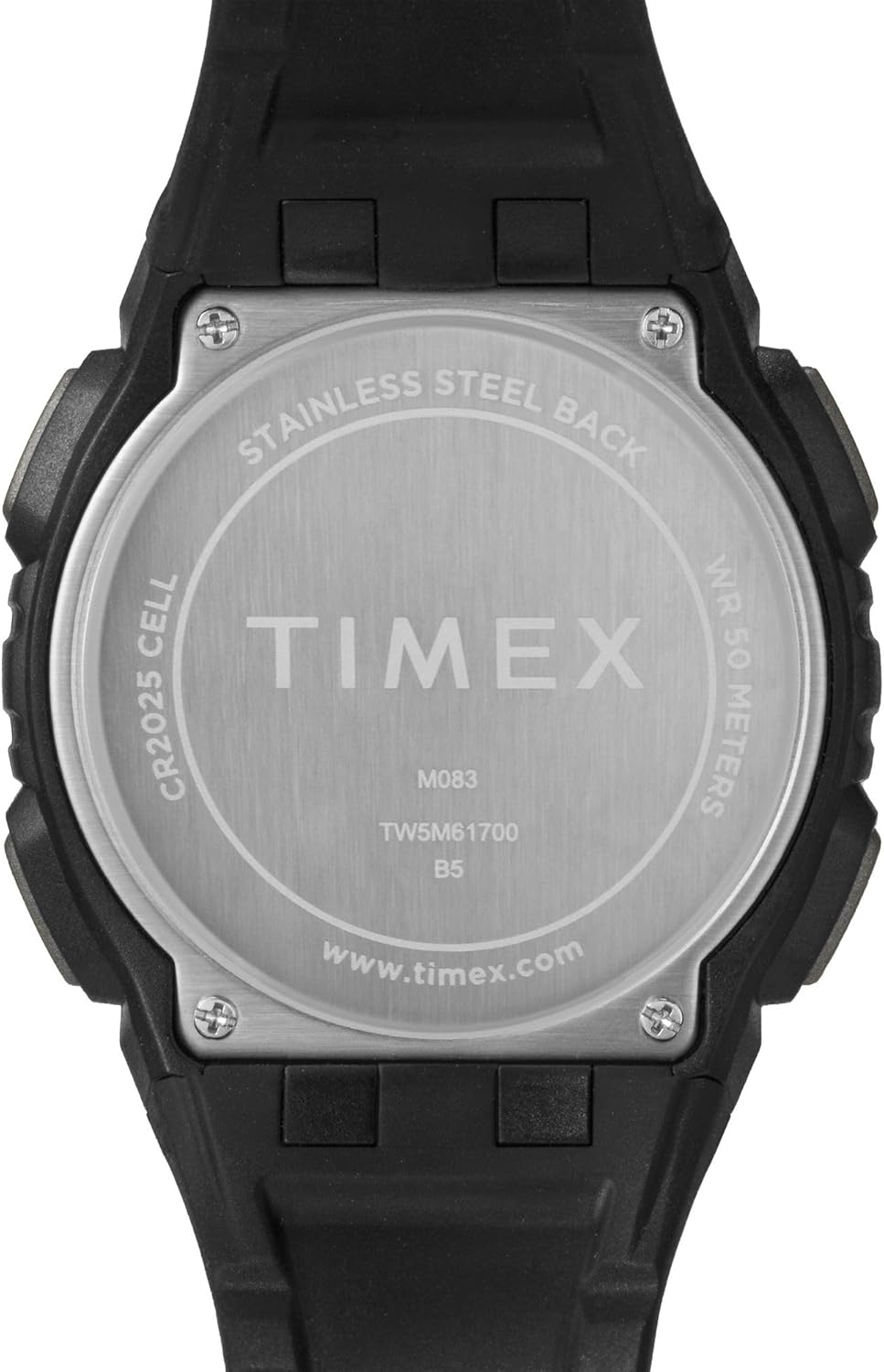
Figure 5.1: Rear view of the watch case, indicating water resistance and battery type.
5.1 Water Resistance
- Your watch is water resistant to 50 meters (164 feet). This means it is suitable for short periods of recreational swimming, but not for diving or snorkeling.
- Do not operate buttons underwater.
- Avoid exposing the watch to hot water, steam, or extreme temperature changes, as this can compromise the water seals.
5.2 Battery Replacement
- The watch uses one CR2025 Lithium Metal battery.
- Battery replacement should ideally be performed by a qualified watch technician to ensure proper sealing and water resistance.
- Improper battery replacement can damage the watch and void the warranty.
5.3 Cleaning
Clean your watch regularly with a soft, damp cloth. Avoid using harsh chemicals or abrasive materials, which can damage the case or strap.
5.4 Avoiding Scratches
The watch crystal is made of acrylic, which is susceptible to scratches. To minimize scratching, avoid contact with abrasive surfaces and store the watch carefully when not in use.
6. Troubleshooting
If you encounter issues with your watch, refer to the following common solutions:
- Watch Not Displaying Correctly / Frozen Display: A soft reset may resolve this. Press and hold all four buttons simultaneously for a few seconds, then release. If the issue persists, the battery may need replacement.
- Display is Dim or Faint: This typically indicates a low battery. Replace the battery as soon as possible.
- Buttons Not Responding: Ensure the watch is not in a locked mode (if applicable). If buttons remain unresponsive, try a soft reset. If the problem continues, professional service may be required.
- Water Inside Watch: If moisture appears inside the watch, stop using it immediately and have it inspected by a qualified technician. Water damage is often not covered under warranty.
7. Specifications
| Feature | Detail |
|---|---|
| Model Number | TW5M617009J |
| Display Type | Digital |
| Case Diameter | 43 Millimeters |
| Case Thickness | 13.8 Millimeters |
| Band Width | 15 Millimeters |
| Band Material Type | Resin |
| Case Material Type | Resin |
| Crystal Type | Acrylic |
| Water Resistance Depth | 50 Meters (164 Feet) |
| Movement Type | Quartz |
| Battery Type | CR2025 Lithium Metal (included) |
| Item Weight | 0.08 Kilograms |
8. Limited Warranty
Your Timex watch is warranted against manufacturing defects for a period of one (1) year from the original date of purchase. This warranty does not cover:
- Battery life.
- Damage resulting from improper handling, lack of care, accidents, or normal wear and tear.
- Water damage unless marked as water-resistant and damage occurs within the specified depth rating and proper care instructions were followed.
- Scratches to the crystal, case, or band.
For warranty service, please retain your proof of purchase and contact Timex customer support.
9. Customer Support
For further assistance, frequently asked questions, or to locate an authorized service center, please visit the official Timex website:
You may also refer to the product page on Amazon for additional details and customer reviews: Timex Unisex Digital 43mm Watch on Amazon


