
AIMIBO 9687581011
AIMIBO Wireless HDMI Receiver User Manual
Model: 9687581011
1. Product Overview
The AIMIBO Wireless HDMI Receiver is designed to extend HDMI signals wirelessly, providing a flexible solution for transmitting high-definition audio and video from a source device to a display without the need for long HDMI cables. This system supports various configurations, including one-to-one and one-to-many setups, making it ideal for home entertainment, conference rooms, and educational environments.

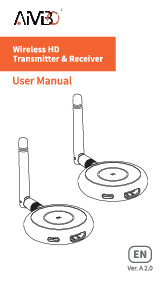
Image: The main unit of the AIMIBO Wireless HDMI Receiver, showcasing its compact design and dual antennas.
2. Component Identification
Familiarize yourself with the various ports and indicators on the receiver unit:

Image: Detailed view of the AIMIBO Wireless HDMI Receiver, highlighting its front panel with USB ports, mode button, indicator lights, ID switch, and SP/SW switch. The rear panel shows the DC/12V power port, HDMI OUT, Reset button, Audio output, and IR Remote port.
- USB Ports: For connecting a keyboard and mouse (if KVM functionality is supported).
- Mode Button: To switch between different operating modes.
- Indicator Lights: Display status such as power, link, and mode.
- ID Switch: For setting the device ID in multi-receiver setups.
- SW/SP Switch: To toggle between Switch (SW) and Splitter (SP) modes.
- DC/12V Power Port: Connect the included power adapter here.
- HDMI OUT: Connect to your display device (TV, monitor, projector).
- Reset Button: For factory reset or troubleshooting.
- Audio Output: For connecting external audio systems.
- IR Remote: For connecting an IR extender cable to control the source device remotely.
3. Installation Guide
Follow these steps for initial setup and connection:
- Connect Power: Connect the power adapter to the DC/12V port on both the transmitter (TX) and receiver (RX) units, then plug into a power outlet.
- Connect HDMI:
- Connect one end of an HDMI cable to the HDMI IN port on the transmitter (TX) unit and the other end to your source device (e.g., laptop, game console, set-top box).
- Connect one end of another HDMI cable to the HDMI OUT port on the receiver (RX) unit and the other end to your display device (e.g., TV, monitor, projector).
- Power On: Ensure both the transmitter and receiver units are powered on. The power indicator light should illuminate.
- Pairing (if necessary): If the units do not automatically connect, follow the pairing instructions in the "Operation Modes and Pairing" section.
4. Operation Modes and Pairing
The AIMIBO Wireless HDMI Receiver supports various operation modes. The primary mode for multi-receiver setups is the SP (Splitter) mode.
4.1. Receiver Pairing Method (SP Mode)
To pair the receiver with a transmitter, especially for multi-receiver configurations (1 TX to 8 RXs), follow these steps:

Image: Step-by-step visual guide for pairing the receiver. It illustrates connecting power to both TX and RX, switching both units to SP mode, connecting HDMI cables, observing the STA light flashing during pairing, and confirming pairing when the STA light becomes solid.
- Connect Power: Ensure both the transmitter and receiver are connected to power.
- Switch to SP Mode: On both the transmitter (TX) and receiver (RX) units, locate the SW/SP switch and set it to "SP" mode.
- Connect HDMI: Connect an HDMI cable from your source device to the TX's "HDMI IN" port. Connect an HDMI cable from the RX's "HDMI OUT" port to your display.
- Observe STA Light: When pairing, the "STA" indicator light on the receiver will flash.
- Pairing Complete: Once pairing is successful, the "STA" light will become solid, indicating a stable connection.
4.2. Multi-Receiver Configuration (1 TX to 8 RXs)
This system supports transmitting a single HDMI source to up to eight receivers simultaneously, allowing for multiple displays in different locations.

Image: Diagram illustrating a single transmitter (TX) wirelessly sending signals to multiple receivers (RX1, RX2, RX3) located in different rooms of a house, demonstrating the 1 TX to 8 RXs capability.

Image: Visual representation of the SP (Splitter) Mode, showing one transmitter (TX) connected to a laptop, wirelessly broadcasting content to eight separate screens via individual receivers (RX), suitable for large display setups like conference rooms.
To set up multiple receivers, ensure each receiver is powered on and paired with the transmitter as described above. Each receiver will then display the content from the single transmitter.
4.3. Plug & Play Functionality
The system is designed for ease of use, offering a plug-and-play experience once initial setup and pairing are complete. Simply connect your source and display devices, and the system will automatically establish a connection.

Image: A setup demonstrating the plug-and-play feature, with a laptop connected to a transmitter and a large display receiving the signal wirelessly via a receiver, indicating simple connectivity for various applications.
4.4. IR Remote Control Extension
The system includes an IR remote extension feature, allowing you to control your source device (e.g., DVD player, set-top box) from the location of your display, even if the source device is in another room.

Image: Illustration of the IR remote control extension feature, showing a user controlling a source device (transmitter side) from a distance using a remote, with the signal relayed via the receiver to the display.
5. Troubleshooting
| Problem | Possible Cause | Solution |
|---|---|---|
| No signal on display. |
|
|
| Intermittent signal or poor quality. |
|
|
| STA light flashing continuously. | Units are not paired or connection is unstable. | Re-attempt the pairing process (Section 4.1). Ensure both units are in SP mode. |
6. Specifications
| Feature | Detail |
|---|---|
| Model Number | 9687581011 |
| Brand | AIMIBO |
| Product Dimensions | 3 x 2 x 5 inches |
| Item Weight | 1.03 pounds |
| Connectivity Technology | Wireless |
| Connector Type | HDMI |
| Color | Silver |
| Compatible Devices | HDMI-enabled displays, projectors, source devices (e.g., laptops, game consoles) |
| Max Receivers Supported | Up to 8 (in SP mode) |
7. Care and Maintenance
- Keep the device in a dry environment and away from direct sunlight or extreme temperatures.
- Avoid dropping or subjecting the device to strong impacts.
- Clean the device with a soft, dry cloth. Do not use liquid cleaners or aerosols.
- Ensure proper ventilation around the units to prevent overheating.
- Disconnect power when not in use for extended periods.
8. Warranty and Support
AIMIBO products are designed for reliability and performance. For warranty information, technical support, or any inquiries, please refer to the official AIMIBO website or contact their customer service directly.
You can visit the AIMIBO store for more information: AIMIBO Store on Amazon
Related documents9687581011


Ask a question about this manual
Ask about setup, troubleshooting, compatibility, parts, safety, or missing instructions. Manuals+ will review the question and use this page’s manual context to help answer it.