
Energizer UE20055PQ
Energizer 20000mAh Portable Charger User Manual
Brand: Energizer
Model: UE20055PQ
Product Overview
The Energizer UE20055PQ is a high-capacity 20,000mAh portable power bank designed to provide extended power for your mobile devices. It features fast charging capabilities with 22.5W USB-A and 20W USB-C Power Delivery outputs, allowing for rapid charging of smartphones, tablets, and other compatible devices. Its compact and lightweight design makes it an ideal companion for travel and daily use. The power bank is equipped with multiple safety features to ensure reliable and secure operation.

Figure 1: Energizer UE20055PQ Portable Charger. This image shows the sleek, dark grey power bank with its textured surface and LED indicator lights on the top, and USB-A and USB-C ports on the side.
Package Contents
- Energizer UE20055PQ 20,000mAh Portable Charger
- USB-C Charging Cable
- User Manual (this document)
Setup and Initial Use
1. Initial Charging of the Power Bank
Before first use, it is recommended to fully charge your Energizer UE20055PQ power bank. Use the provided USB-C cable and connect it to a compatible USB wall adapter (not included). The LED indicator lights will show the charging progress.
- Charging Status:
- One LED blinking: 0-25% charged
- One LED solid, second blinking: 25-50% charged
- Two LEDs solid, third blinking: 50-75% charged
- Three LEDs solid, fourth blinking: 75-99% charged
- All four LEDs solid: 100% charged

Figure 2: LED Battery Life Indicator. This image highlights the four small LED lights on the power bank, which indicate the current battery level and charging status.
2. Identifying Ports
The power bank features multiple ports for versatile charging:
- USB-A Output Port: For charging devices compatible with standard USB-A cables.
- USB-C Input/Output Ports (x2): These ports can be used to charge the power bank itself or to charge devices that use USB-C cables. They support Power Delivery for fast charging.

Figure 3: Triple Devices Charging. This image illustrates the power bank connected to three different devices (smartphone, tablet, and another smartphone) using its USB-A and two USB-C ports, demonstrating its multi-device charging capability.
Operating Instructions
Charging Your Devices
To charge your device, connect it to the power bank using a compatible USB cable. The power bank will automatically begin charging. You can charge up to three devices simultaneously.
- USB-C Power Delivery (PD): Provides up to 20W fast charging for compatible devices, such as iPhones (reaching 50% in approximately 30 minutes).
- USB-A Output: Delivers 22.5W for Android devices, allowing them to charge from 0% to 80% in approximately 35 minutes.

Figure 4: 20W Power Delivery. This image shows a close-up of the power bank's USB-C port and a smartphone displaying an 81% charge, indicating fast charging for USB-C devices.
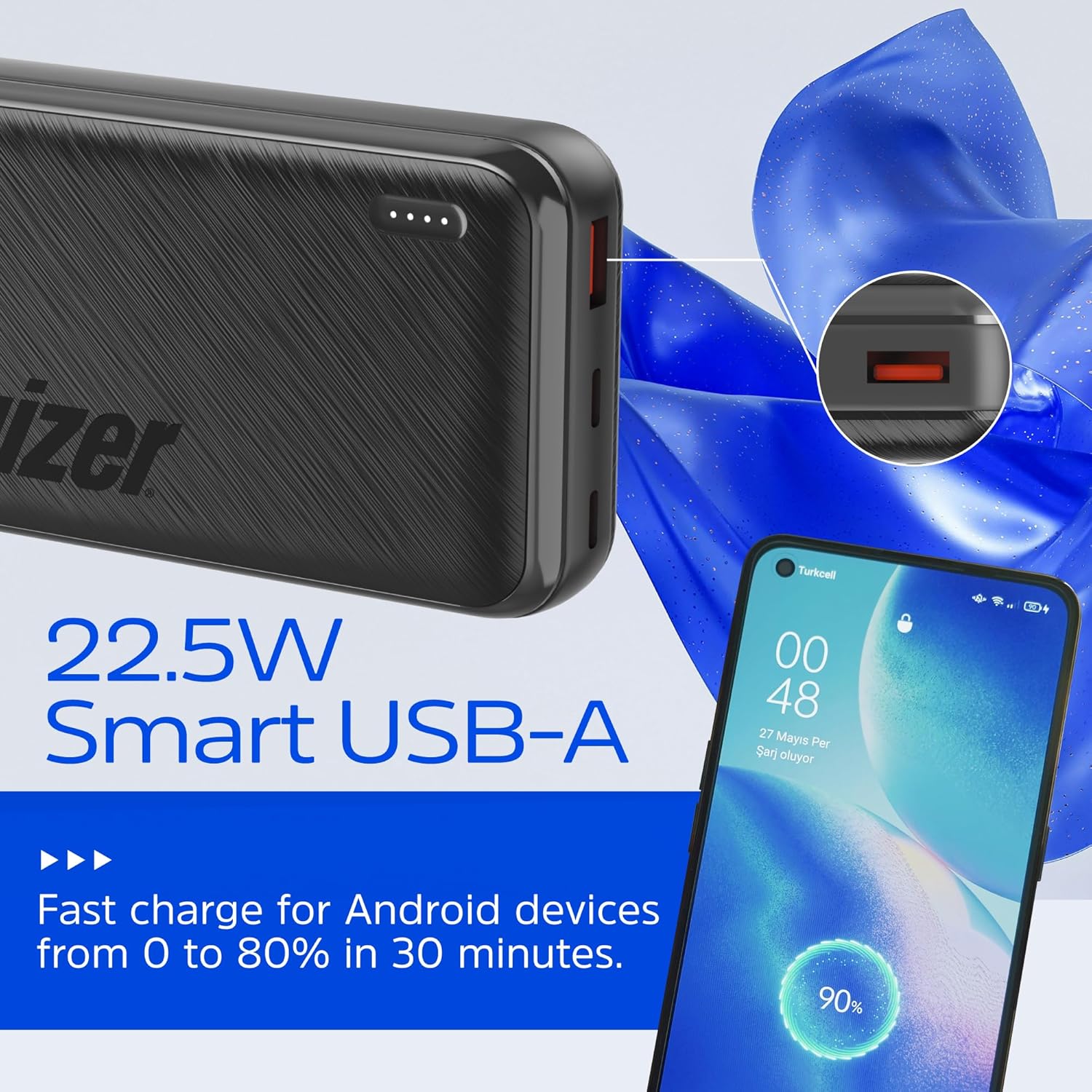
Figure 5: 22.5W Smart USB-A. This image focuses on the power bank's USB-A port and an Android smartphone showing a 90% charge, highlighting its fast charging capability for Android devices.
Checking Battery Level
Press the power button once to activate the LED indicator lights, which will display the remaining battery capacity of the power bank.

Figure 6: High Capacity. This graphic illustrates the 20,000mAh power capacity and its estimated charging duration for various devices: up to 72 hours for smartphones, 24 hours for small tablets, and 16 hours for large tablets.
Maintenance
- Cleaning: Use a soft, dry cloth to clean the surface of the power bank. Do not use liquid cleaners or aerosols.
- Storage: Store the power bank in a cool, dry place away from direct sunlight and extreme temperatures.
- Battery Care: To prolong battery life, avoid fully discharging the power bank frequently. Recharge it regularly, even if not in use, to maintain optimal battery health.
- Safety: Do not disassemble, crush, puncture, or short-circuit the power bank. Keep away from fire and water.
Troubleshooting
| Problem | Possible Cause | Solution |
|---|---|---|
| Power bank not charging devices. | Low battery on power bank; incorrect cable; device not compatible. | Recharge power bank; ensure cable is fully inserted and compatible; check device compatibility. |
| Power bank not recharging. | Faulty charging cable or adapter; power bank internal issue. | Try a different USB-C cable and wall adapter; contact customer support if issue persists. |
| Slow charging. | Using a non-fast charging port/cable; device not supporting fast charge. | Ensure you are using the correct USB-C PD or USB-A 22.5W port and a compatible cable for fast charging. |
| LED indicators not working. | Power bank is completely discharged; internal malfunction. | Attempt to charge the power bank; if no lights appear after extended charging, contact support. |
The Energizer UE20055PQ incorporates PowerSafe Management technology, which includes protections against over-current, temperature fluctuations, over-charging, and short circuits, ensuring safe operation.

Figure 7: PowerSafe Management. This graphic lists the key safety features of the power bank: Over-Current Protection, Temperature Protection, Over Charging Protection, Short Circuit Protection, and Premium Battery Cell.
Specifications
| Feature | Detail |
|---|---|
| Model Number | UE20055PQ |
| Battery Capacity | 20,000 mAh (74Wh Max) |
| Product Dimensions | 5.72 x 2.71 x 1.11 inches |
| Item Weight | 1.06 pounds (approx. 481g) |
| Input (USB-C) | 18W Power Delivery (Fast Recharge) |
| Output 1 (USB-A) | 22.5W (for Android devices) |
| Output 2 & 3 (USB-C) | 20W Power Delivery (for iPhones and other USB-C devices) |
| Simultaneous Charging | Up to 3 devices |
| Special Features | LED Indicator Lights, Lightweight, Over Charging Protection, Pocket Size, Fast Charging |
| Airline Approved | Yes (under 100Wh) |
Warranty and Support
Energizer products are manufactured to high quality standards. For warranty information and customer support, please refer to the official Energizer website or contact their customer service department. Keep your purchase receipt as proof of purchase for any warranty claims.
You can visit the official Energizer store for more information: Energizer Store on Amazon
Related documentsUE20055PQ


Ask a question about this manual
Ask about setup, troubleshooting, compatibility, parts, safety, or missing instructions. Manuals+ will review the question and use this page’s manual context to help answer it.