
1. Introduction
This manual provides essential instructions for the safe and efficient operation, maintenance, and troubleshooting of your EF ECOFLOW RIVER 2 Max 500 Portable Power Station. Please read this manual thoroughly before using the product to ensure proper functionality and to prevent damage.

Image 1.1: The EF ECOFLOW RIVER 2 Max 500 Portable Power Station, showcasing its compact design and various ports.
2. Setup and Initial Charging
Before first use, it is recommended to fully charge the RIVER 2 Max 500. The unit offers multiple charging methods.
2.1 Unboxing
Carefully remove the power station and all accessories from the packaging. Verify that all components listed in the packing list are present and undamaged.
2.2 Charging Methods
The RIVER 2 Max 500 supports four primary charging methods:
- AC Wall Outlet: Recharge from 0% to 100% in approximately 1 hour using the included AC charging cable.
- Solar Panel: Recharge in as fast as 2.3 hours with a 220W solar input (solar panel sold separately).
- Car Charger: Charge via your vehicle's 12V cigarette lighter port.
- USB-C: Supports charging via a USB-C port.

Image 2.1: Visual representation of the four charging methods available for the power station.
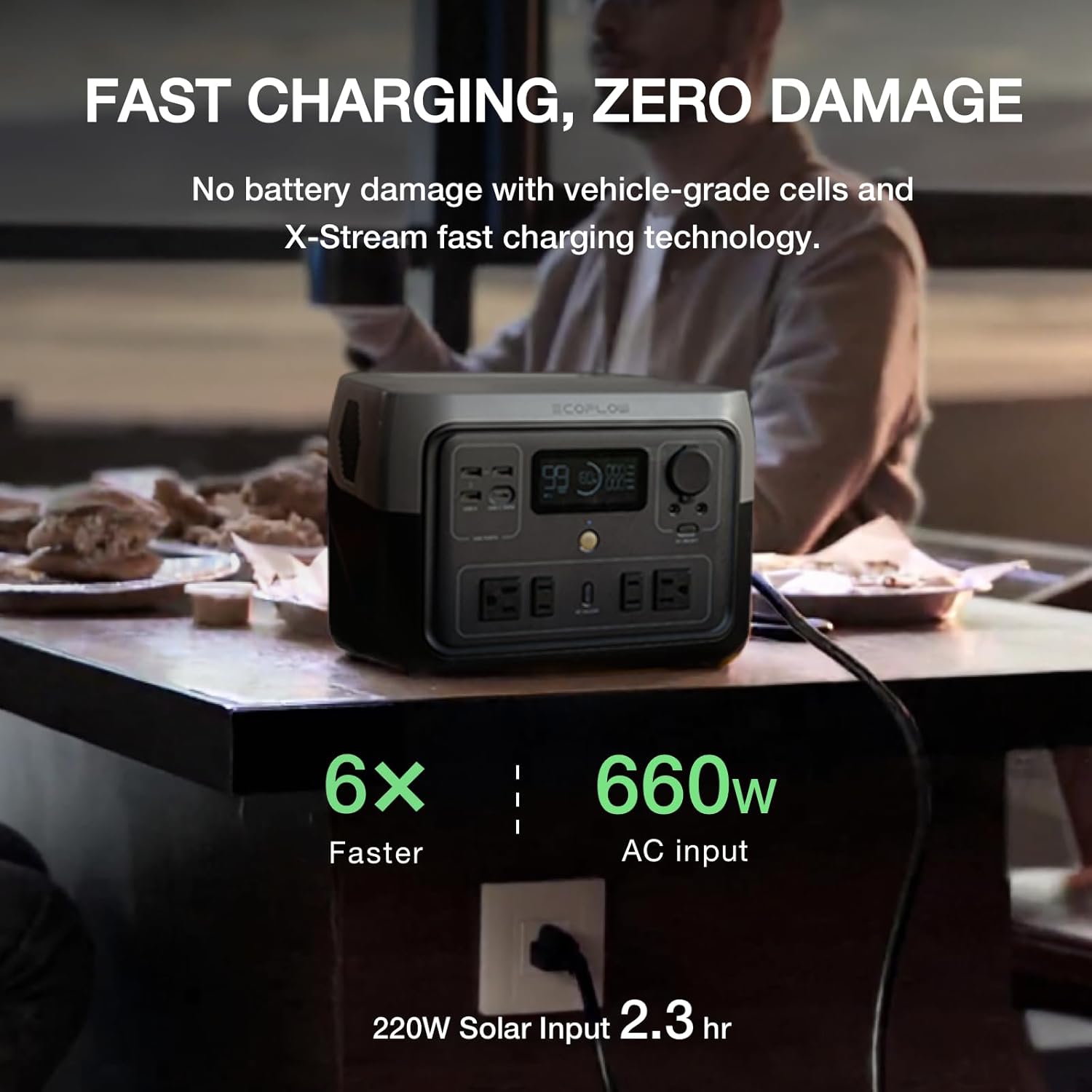
Image 2.2: The power station connected to a standard AC wall outlet for rapid charging.
3. Operating Instructions
The RIVER 2 Max 500 is designed to power a wide range of devices. Understand its features for optimal use.
3.1 Powering Devices
The power station features multiple output ports to accommodate various electronics:
- AC Outlets: Four 300W AC outlets (up to 1000W with X-Boost).
- USB-A Ports: Three USB-A ports for standard USB devices.
- USB-C Port: One 100W USB-C port for fast charging compatible devices.
- Car Outlet: One 12V car outlet.
- DC(5521) Outlets: Two DC 5521 ports.
To use an output port, ensure the power station is turned on and activate the specific output group (e.g., AC ON/OFF button for AC outlets).
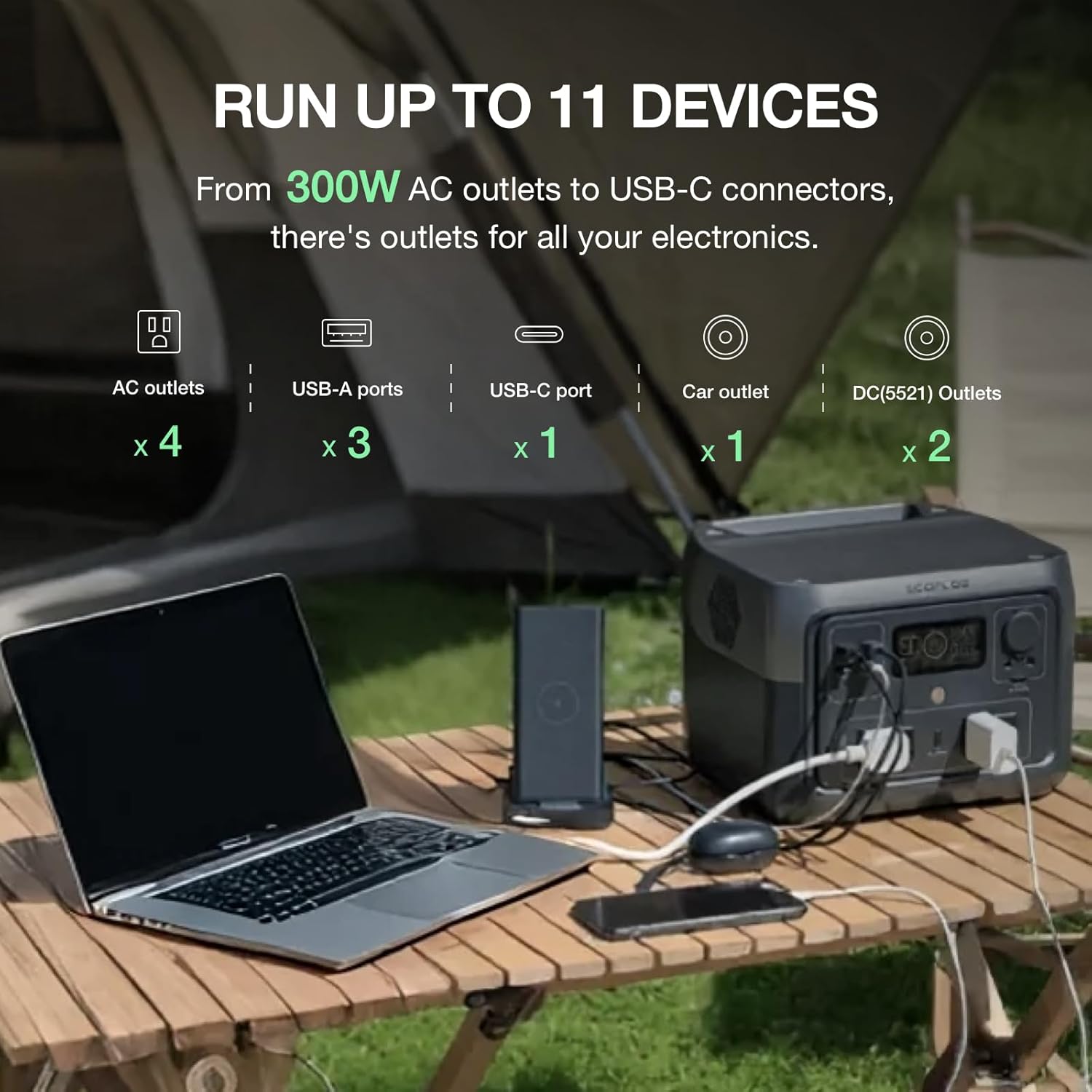
Image 3.1: The power station connected to and charging multiple devices simultaneously.
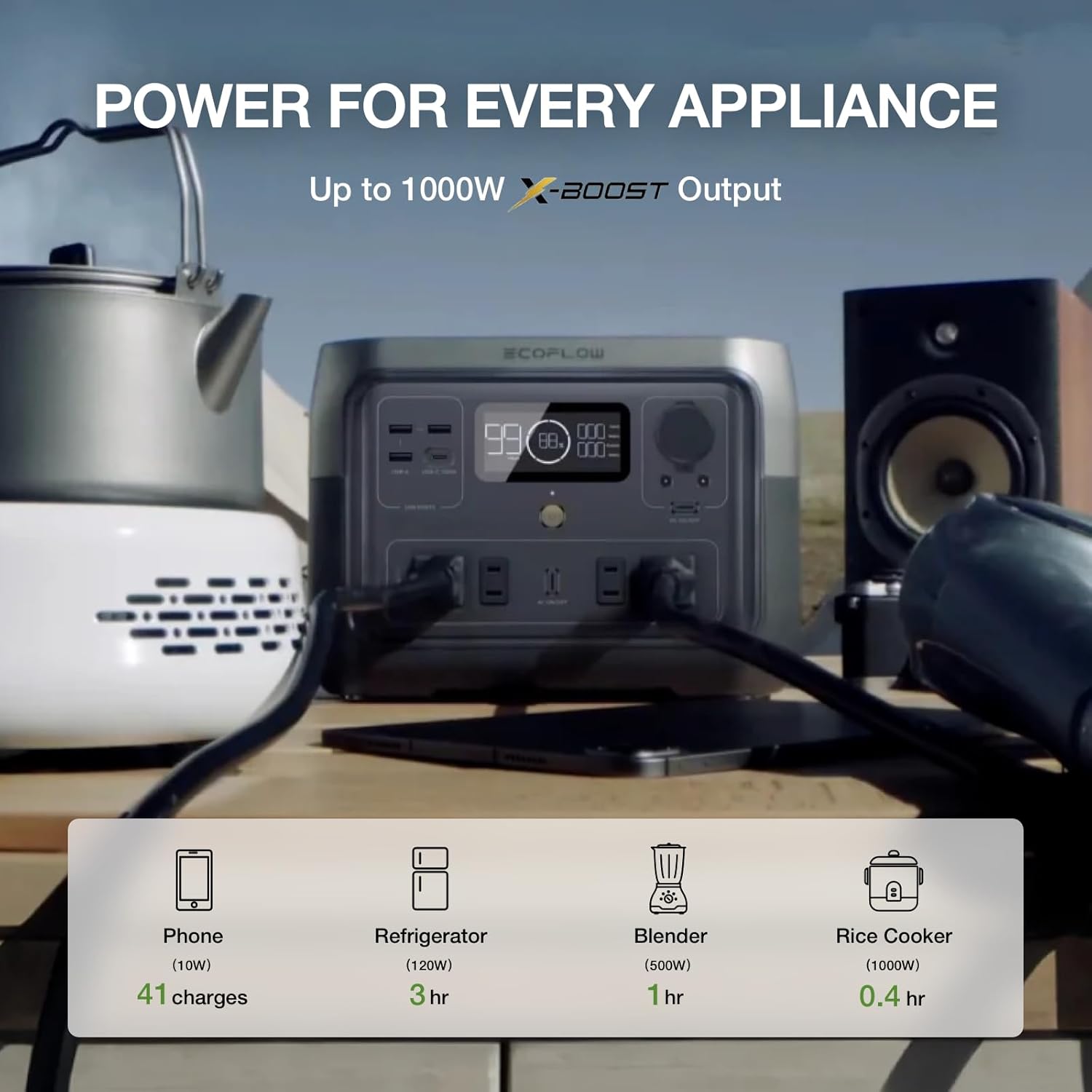
Image 3.2: Examples of appliances and their estimated run times or charges from the power station.
3.2 X-Boost Feature
The X-Boost feature allows the RIVER 2 Max 500 to power appliances requiring up to 1000W, even though its rated output is 500W. This is achieved by lowering the voltage and current, making it suitable for resistive loads like heating elements. This feature is automatically enabled when the load exceeds the rated output.
3.3 Smart App Control
Monitor and control your RIVER 2 Max 500 in real-time using the EcoFlow app. The app provides detailed information on battery status, input/output power, and allows for customized charging settings.
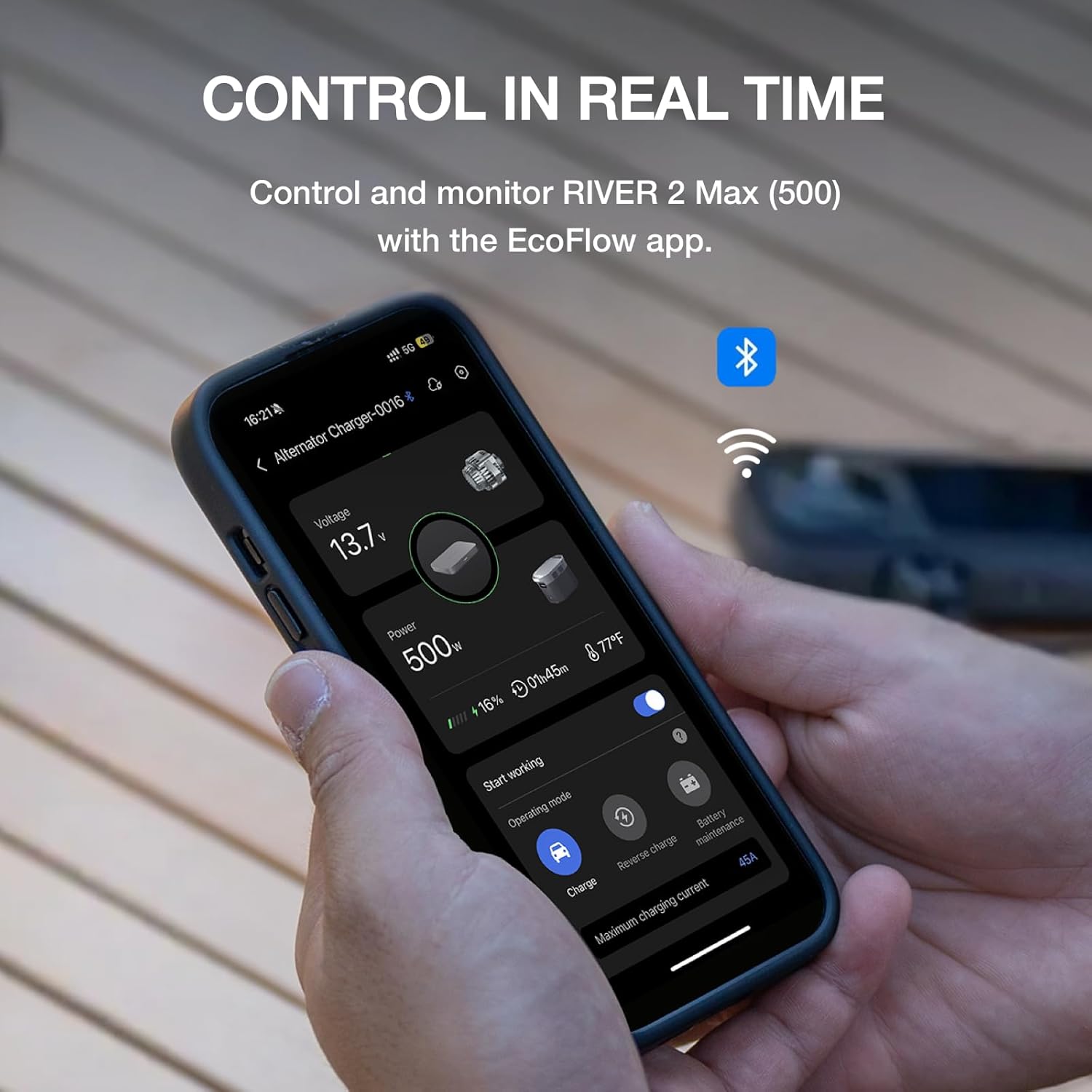
Image 3.3: The EcoFlow app providing real-time data and control options for the power station.
4. Maintenance and Storage
Proper maintenance ensures the longevity and performance of your RIVER 2 Max 500.
4.1 LiFePO4 Battery Care
The RIVER 2 Max 500 utilizes LiFePO4 battery cells, known for their long lifespan. These batteries are designed to provide over 3000 cycles to 80%+ capacity, offering more than 10 years of use.
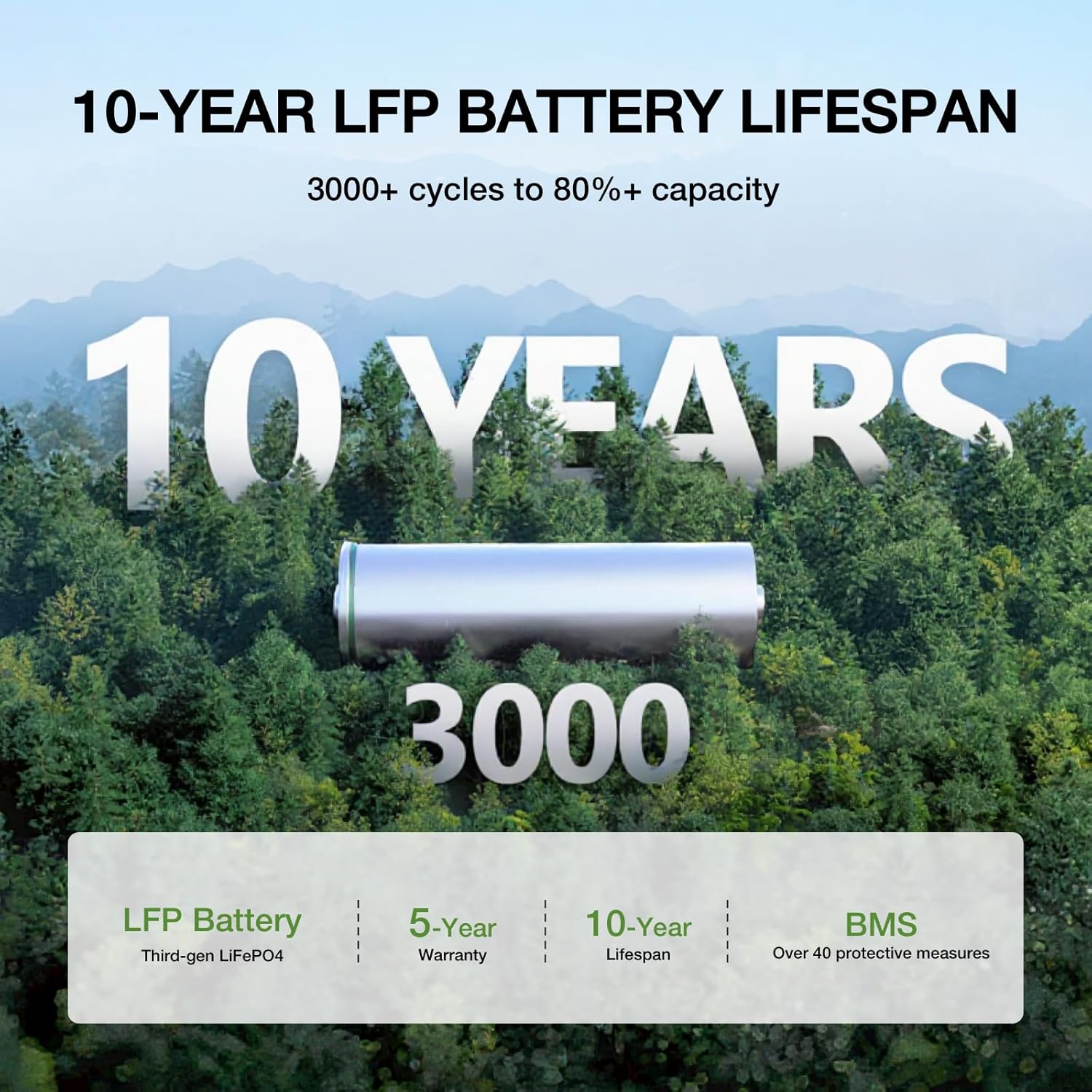
Image 4.1: Visual representation of the LiFePO4 battery technology and its extended lifespan.
4.2 Battery Management System (BMS)
The integrated advanced BMS protection monitors voltage, current, and temperature to safeguard the battery and optimize its performance over time.
4.3 Storage
When storing the power station for extended periods, ensure it is charged to approximately 50-80% and recharge it every 3-6 months to prevent deep discharge. Store in a cool, dry place away from direct sunlight and extreme temperatures.
5. Troubleshooting
This section addresses common issues you might encounter with your RIVER 2 Max 500.
5.1 Unit Not Turning On
- Ensure the power button is pressed and held for a few seconds.
- Check the battery level. If critically low, connect to a power source for charging.
5.2 Overload Message
- An 'OVERLOAD' message indicates that the connected device(s) exceed the power station's output capacity for that port or overall.
- Disconnect the high-power device(s).
- For AC output, ensure X-Boost is enabled for compatible appliances, or reduce the total wattage of connected devices.
5.3 Slow Charging
- Verify that the correct charging cable and adapter are used.
- For solar charging, ensure panels are in direct sunlight and properly angled. Check for obstructions or dirt on the panels.
- Check the charging settings in the EcoFlow app; ensure fast charging is not disabled.
5.4 App Connectivity Issues
- Ensure Bluetooth or Wi-Fi is enabled on your smartphone.
- Restart the EcoFlow app and the power station.
- Ensure the power station's firmware is up to date.
6. Specifications
| Feature | Detail |
|---|---|
| Model Number | EFR607 |
| Capacity | 499Wh |
| AC Output | 500W (Surge 1000W with X-Boost) |
| Battery Type | LiFePO4 |
| Lifespan | 3000+ cycles to 80%+ capacity |
| AC Charging Time | Approx. 1 hour |
| Solar Charging Input | 220W Max |
| Product Dimensions | 10.6 x 10.2 x 7.7 inches |
| Item Weight | 13.3 pounds |
| Voltage | 120 Volts |
| Special Feature | Portable |

Image 6.1: Detailed dimensions of the EF ECOFLOW RIVER 2 Max 500.
7. Warranty and Support
7.1 Warranty Information
The EF ECOFLOW RIVER 2 Max 500 comes with a 5-year service warranty. Please refer to the official EF ECOFLOW website or your purchase documentation for full warranty terms and conditions.
7.2 Customer Support
For technical assistance, warranty claims, or general inquiries, please contact EF ECOFLOW customer support through their official website or the contact information provided in your product packaging.


