
1. Introduction
This manual provides comprehensive instructions for the ORDRO 5K Video Camera Camcorder, Model WL-AE20. Designed for enthusiasts, this camcorder offers advanced features for capturing high-quality video and still images. Please read this manual carefully before operating the device to ensure proper use and to maximize its capabilities.
Important Tips:
- This camera is designed for amateur users.
- Always format the SD card (supports up to 256GB) before initial use.
- For optimal viewing, set the camera to 5K mode and view files on a 4K TV.
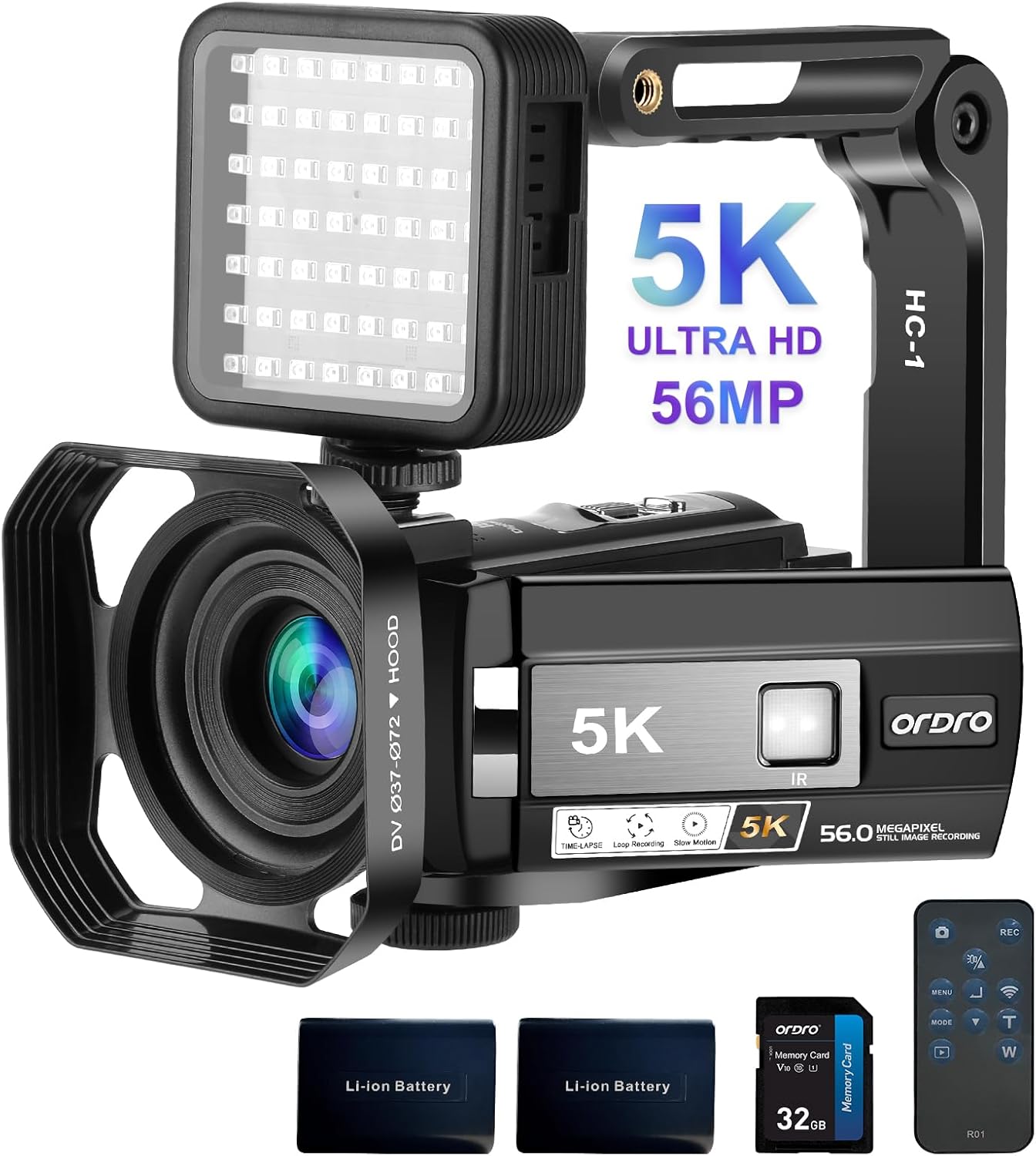
Image: The ORDRO 5K Video Camera Camcorder, showcasing its main body, external IR light, lens hood, and included accessories like batteries and remote control.
2. Package Contents
Verify that all items listed below are included in your package:
- 5K Video Camera x1
- IR Night Light x1
- Handheld Stabilizer x1
- Lens Hood x1
- Lens Cover x1
- Remote Control x1
- Lithium Battery 1800mAh x2
- Type C USB Cable x1
- Type C HDMI Cable x1
- User Manual x1
- DV Bag x1

Image: A visual representation of all items included in the ORDRO 5K Video Camera package, such as the camera, IR light, cables, batteries, and user manual.
3. Setup
3.1 Battery Installation
- Open the battery compartment cover located on the bottom of the camcorder.
- Insert the two provided Lithium Polymer batteries (1800mAh) into the compartment, ensuring correct polarity.
- Close the battery compartment cover securely.
3.2 SD Card Installation
- Locate the SD card slot on the side of the camcorder.
- Insert a compatible SD card (up to 256GB) into the slot until it clicks into place.
- Important: Format the SD card through the camera's menu before first use to ensure compatibility and optimal performance.
3.3 Attaching Accessories
- Lens Hood: Attach the lens hood to the front of the lens to reduce glare and protect the lens from stray light.
- Handheld Stabilizer: Mount the camcorder onto the handheld stabilizer for improved stability during recording, especially when moving.
- External IR Night Light: Connect the external IR night light to the camcorder's hot shoe mount for enhanced illumination in low-light conditions.
4. Operating Instructions
4.1 Power On/Off
Press and hold the power button to turn the camcorder on or off.
4.2 Recording and Photo Capture
- Video Recording: Press the Record button to start and stop video recording. The camcorder supports UHD (5K) at 25fps, UHD (4K) at 30fps, QHD (2K) at 30fps, FHD (1080P) at 60fps/30fps, and HD (720P) at 60fps/30fps.
- Photo Capture: Press the Photo button to take still images. The camera captures photos up to 56.0 Megapixels.

Image: A graphic illustrating the various video resolutions (5K/25fps, 4K/30fps, 2.7K/30fps, 1080p/60fps, 720p/60fps) and photo resolutions (56M, 48M, 36M, 24M, 20M, 16M, 12M, 8M, 5M) supported by the ORDRO camcorder.
4.3 Display and Zoom
- 3.0-inch IPS Touch Screen: Navigate menus and review footage using the rotatable touch screen.
- 18X Digital Zoom: Use the zoom controls to magnify your subject up to 18 times digitally.
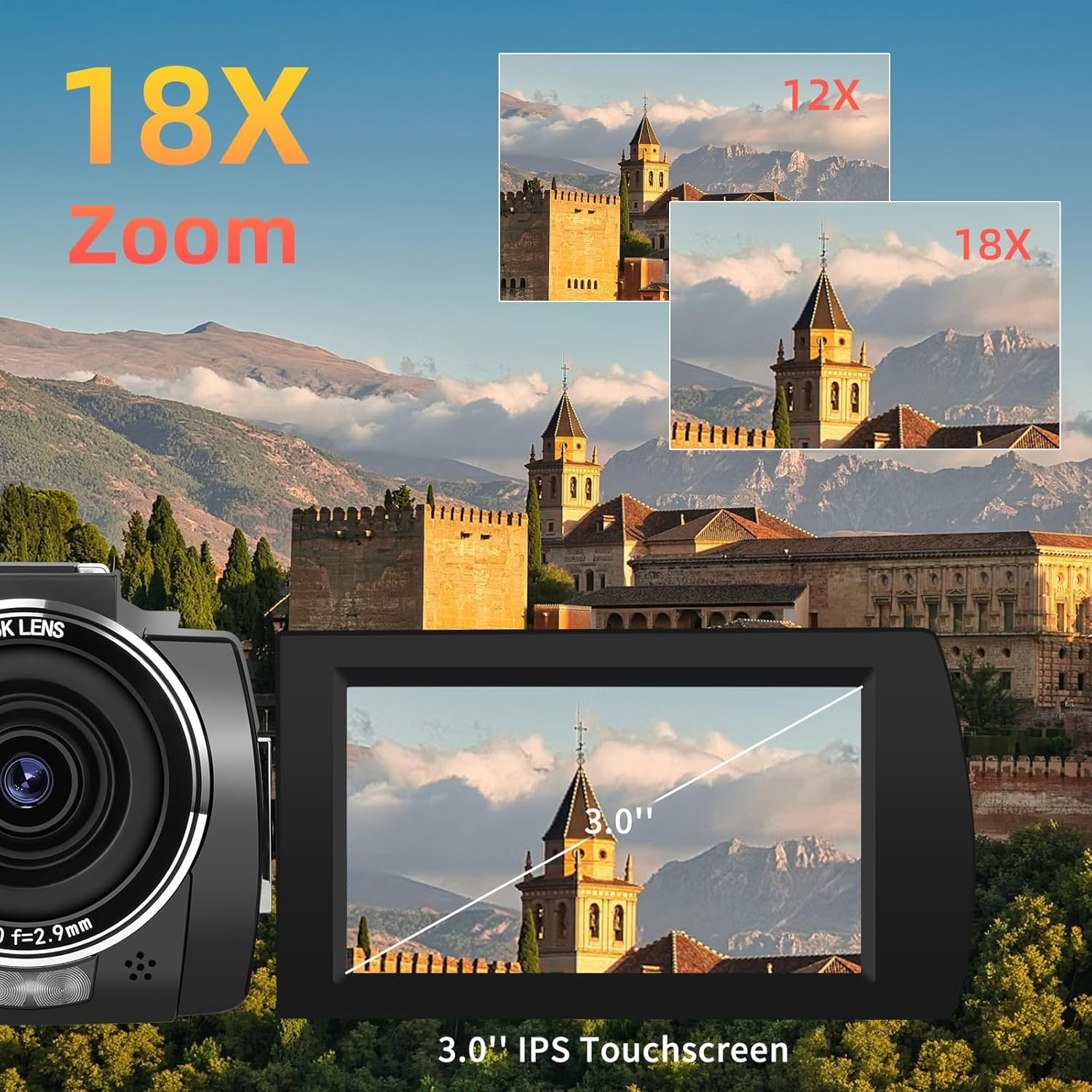
Image: A visual demonstration of the 18X digital zoom capability and the 3.0-inch IPS touchscreen display of the ORDRO camcorder.
4.4 Special Features
- Wi-Fi Connection: Connect to your Android/iOS device via the "LERCENKER" APP for remote viewing, control, and file transfer.
- IR Night Vision: Utilize the built-in IR night light and the external IR night light for clear recording in low-light or complete darkness. The external LN-5 Night Vision Light can capture up to 82ft range.
- WDR (Wide Dynamic Range): Captures more detail in both bright and dark areas of a scene.
- Gyro EIS (Electronic Image Stabilization): Reduces camera shake for smoother, clearer footage, especially during motion.
- Webcam Function: Connect to a computer via USB cable and select "PC Camera" mode for video calls or live streaming.
- HDMI Output: Connect to a TV using an HDMI cable (Type-C HDMI cable included) for viewing content on a larger screen.
- Other Functions: Pause function, Face Detection, Continuous Shooting, Self-Timer, Time-Lapse, Slow Motion, Loop Recording, 40cm Close Photograph, Quick 3 Burst Shot, Recording While Charging.

Image: A comparison showing the difference in image clarity with and without infrared night vision, highlighting the effectiveness of the ORDRO camcorder's IR capabilities.

Image: Demonstrates the effect of Wide Dynamic Range (WDR) on image detail in shadows and low light, and the effectiveness of Gyro Electronic Image Stabilization (EIS) compared to ordinary stabilization.
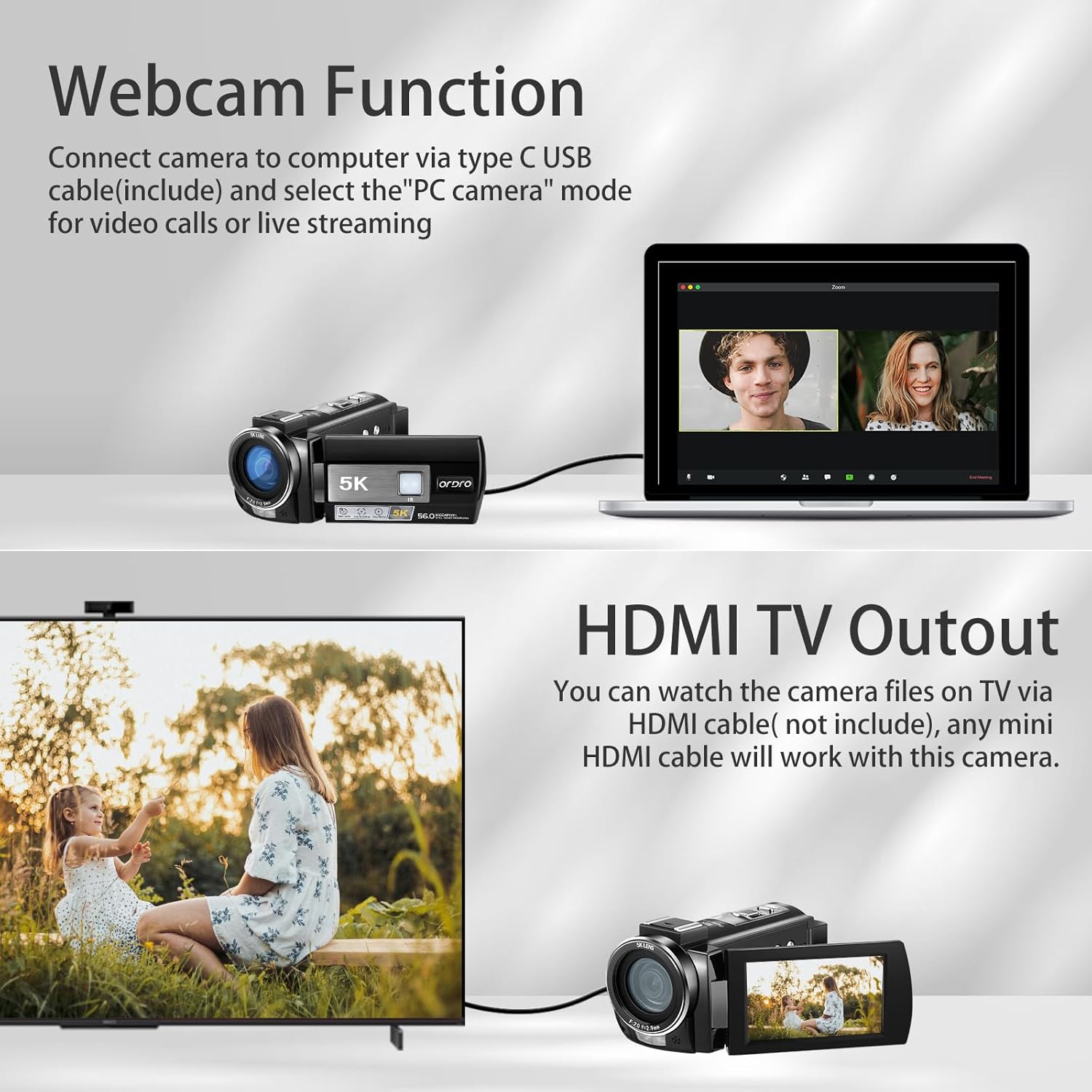
Image: Illustrates how to use the camcorder as a webcam by connecting it to a computer via USB, and how to connect it to a TV for playback via HDMI.
5. Maintenance
- Cleaning: Use a soft, dry cloth to clean the camera body. For the lens, use a specialized lens cleaning cloth and solution. Avoid abrasive materials.
- Battery Care: Store batteries in a cool, dry place when not in use. Recharge batteries regularly to maintain their lifespan, even if not frequently used.
- Storage: When not in use for extended periods, remove the batteries and store the camcorder in its DV bag in a dry, dust-free environment.
- SD Card Management: Regularly back up your footage and photos. Format the SD card periodically to maintain optimal performance and prevent data corruption.
6. Troubleshooting
- Camera not turning on: Ensure batteries are fully charged and correctly inserted. Try using the second battery.
- SD card error: Ensure the SD card is inserted correctly. Format the SD card through the camera's menu. If the issue persists, try a different compatible SD card.
- Poor image/video quality: Check lighting conditions. Ensure the lens is clean. Verify that the camera is set to the desired resolution (e.g., 5K for highest quality). Ensure Gyro EIS is enabled for stable footage.
- Wi-Fi connection issues: Ensure the "LERCENKER" APP is installed and updated on your mobile device. Restart both the camera and your mobile device.
- No image on TV via HDMI: Ensure the HDMI cable is securely connected to both the camera and the TV. Select the correct HDMI input on your TV.
7. Specifications
| Feature | Detail |
|---|---|
| Brand | ORDRO |
| Model Number | WL-AE20 |
| Photo Sensor Technology | CMOS (1/2.7" High Sensitivity CMOS Sensor) |
| Video Capture Resolution | UHD (5K): 5120*2160(25fps), UHD (4K): 3840*2160(30fps), QHD (2K): 2688*1512 (30fps), FHD (1080P): 1920*1080 (60fps/30fps), HD (720P): 1280*720 (60fps/30fps) |
| Photo Format | JPEG (56.0 Megapixels) |
| Video Format | MP4 |
| Lens Angle | 95° |
| Lens Aperture | F/2.0 f=2.9mm |
| Focus Range | 0.4m~INF |
| Digital Zoom | 18X |
| Screen Size | 3.0 Inches (IPS Touch Screen) |
| Connectivity Technology | Wi-Fi, USB 2.0 (Type C), HDMI (Type C) |
| Supported Storage | SD Card (up to 256GB) |
| Batteries | 2 Lithium Polymer batteries (included) |
| Special Features | Night Vision, Time Lapse, Slow Motion, Low Light, Built-In Light, WDR, Gyro EIS, Webcam Function, Face Detection, Continuous Shooting, Anti-shake, Self-Timer, Loop Recording, Recording While Charging |
| Item Weight | 2.72 pounds |
| Package Dimensions | 8.39 x 6.06 x 5.31 inches |
| Country of Origin | China |

Image: An illustration highlighting the 1/2.7" High Sensitivity CMOS Sensor within the ORDRO camcorder, emphasizing its role in enhanced image quality, sharpness, color reproduction, and fine quality.
8. Warranty and Support
The ORDRO 5K Video Camera Camcorder comes with a 1-year warranty from the date of purchase.
For any technical assistance, troubleshooting, or warranty claims, please contact ORDRO customer service. We offer 24/7 online customer service to assist you.
You can also visit the official ORDRO store for more information and support resources: ORDRO Store on Amazon.


