

1. Setup Guide
1.1 What's in the Box
- 1x Smartwatch
- 1x Magnetic Charging Cable
- 1x Multilingual User Manual
1.2 Initial Charging
Before first use, fully charge your smartwatch using the provided magnetic charging cable. A full charge takes approximately 2 hours. The watch offers up to 7 days of working time and 40 days of standby time.

The smartwatch connected to its magnetic charging cable, showing a 100% battery indicator on the display.
1.3 App Download & Pairing
Download the 'Fitomo' app from your phone's app store (compatible with Android 6.0/iOS 9.0 and above). Follow the on-screen instructions to grant necessary permissions for full functionality.
Official video guide on how to connect the Parsonver SPROD1 Smart Watch to an Android phone using the Fitomo app.
Official video guide on how to connect the Parsonver SPROD1 Smart Watch to an iPhone using the Fitomo app.
Ensure your phone's Bluetooth and location services are enabled. Open the Fitomo app, navigate to the 'Me' section, and select 'Connect Device'. The app will search for your watch (PARSONVER SR1). Select it to initiate pairing. Confirm the pairing request on both your phone and the watch.

Screenshot of the Fitomo app guiding the user through the device connection process.
1.4 Granting Permissions
After pairing, the app will request various permissions (call history, contacts, location, notifications). Grant all permissions to ensure full functionality of the smartwatch, including call answering, message display, and accurate weather updates.
Official video demonstrating the setup process and granting permissions for the Parsonver SPROD1 Smart Watch.
2. Operating Instructions
2.1 Call & Notification Management
The Parsonver Smart Watch allows you to make and answer calls directly from your wrist via Bluetooth connection. Receive smart reminders for calls, SMS, texts, and app notifications (Facebook, WhatsApp, Instagram, Twitter, TikTok, etc.). Note: The watch does not support sending messages.

A woman interacting with her Parsonver Smart Watch to manage calls and view app notifications.
2.2 Health Monitoring
The smartwatch is your 24-hour health companion. It continuously monitors your heart rate and blood oxygen levels. Detailed sleep analysis (deep sleep, light sleep, REM stages, wake times, quick naps) provides insights into your sleep quality. It also features specialized women’s health tracking and smart stress monitoring.

Visual representation of the smartwatch's 24-hour health monitoring capabilities, including heart rate, blood oxygen, and sleep tracking.
2.3 Sports Modes & Activity Tracking
Elevate your fitness journey with over 100 indoor and outdoor sports modes. The watch automatically records daily steps, distance traveled, calories burned, and active minutes, syncing data seamlessly with your mobile device.
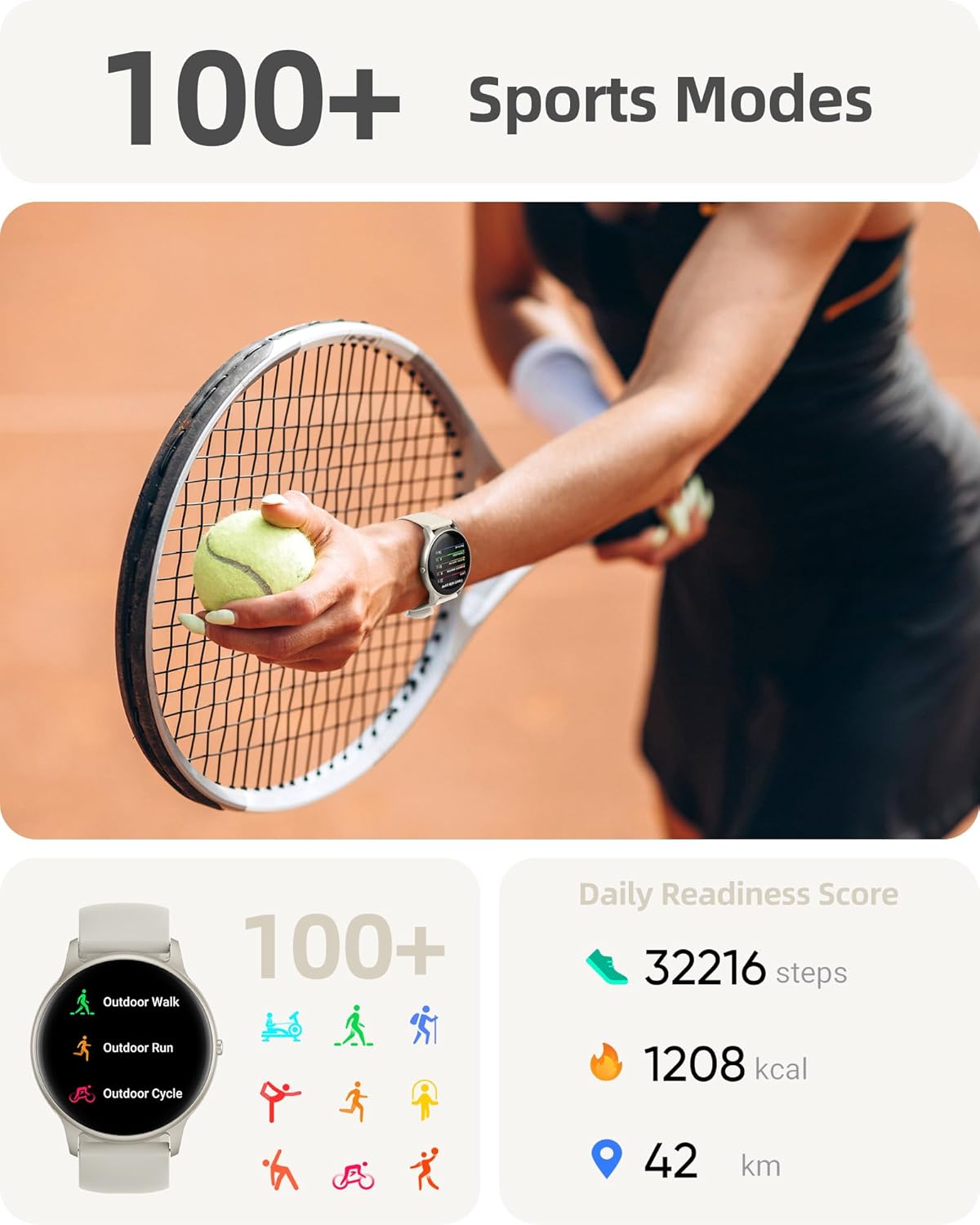
The smartwatch displaying various sports modes and activity tracking metrics like steps, calories, and distance.
2.4 Customization & Additional Features
Choose from over 200 stunning watch dials or create your unique design with your favorite photos. The watch includes features like breathing training, real-time weather updates, music control, stopwatch, camera control, adjustable brightness, sedentary reminders, hydration prompts, and a phone finder.

A close-up of the smartwatch displaying a customizable watch face, highlighting the variety of options available through the app.
3. Maintenance
3.1 Cleaning & Care
Regularly clean your smartwatch and strap with a soft, damp cloth. Avoid using harsh chemicals or abrasive materials. Ensure the charging contacts are clean and dry before charging.
3.2 Waterproofing
The Parsonver SPROD1 smartwatch has an IP68 waterproof/dustproof rating, suitable for daily use like hand washing or sweating during exercise. Avoid prolonged submersion, hot water, or high-speed water activities like showering, sauna, or diving, as this may affect its waterproof integrity.

The smartwatch being splashed with water, demonstrating its IP68 waterproof rating.
4. Troubleshooting
4.1 Connectivity Issues
If your watch fails to connect or maintain a connection:
- Ensure Bluetooth is enabled on your phone.
- Check that location services are turned on and set to 'Always' for the Fitomo app.
- Restart both your phone and the smartwatch.
- Forget the device in your phone's Bluetooth settings and re-pair through the Fitomo app.
- Verify all app permissions are granted in your phone's system settings.
4.2 Notification Problems
If you are not receiving notifications:
- Ensure 'Message Notifications' and 'Incoming Call Alert' are enabled in the Fitomo app.
- Check your phone's notification access settings to ensure Fitomo has permission to read notifications.
- Disable any battery optimization settings for the Fitomo app that might restrict background activity.
4.3 Inaccurate Data
If health or activity data appears inaccurate:
- Ensure the watch is worn snugly on your wrist, not too loose or too tight.
- Verify that the watch's sensors are clean and free from debris.
- Confirm that location services are active and precise for accurate distance tracking.
5. Product Specifications
| Product Dimensions | 10.24 x 1.77 x 0.41 inches |
| Item Weight | 1.41 ounces (40 Grams) |
| Item Model Number | SR1 |
| Batteries | 1 C batteries required (included) |
| Standing Screen Display Size | 1.32 Inches |
| Memory Storage Capacity | 512 MB |
| Operating System Compatibility | iOS 9.0/Android 6.0 or above Smartphones |
| Battery Capacity | 250 Milliamp Hours |
| Connectivity Technology | Bluetooth 5.3 |
| GPS | GPS Via Smartphone |
| Shape | Round |
6. Warranty & Support
Parsonver is dedicated to ensuring a seamless and enjoyable experience with their products. A knowledgeable and friendly support team is available 24/7 to assist with any questions or feedback.
For further assistance, please refer to the official user manual available as a PDF: Download User Manual (PDF)

Icon representing 24/7 online support for Parsonver products.


