
TECKNET HSD01001BA01
TECKNET 2 in 1 Wireless Doorbell with Bluetooth Speaker
Model: HSD01001BA01
Brand: TECKNET
Product Overview
The TECKNET 2 in 1 Wireless Doorbell with Bluetooth Speaker combines the functionality of a wireless doorbell with a portable Bluetooth speaker. This versatile device allows you to use it as a standard doorbell while simultaneously enjoying high-quality audio from its integrated speaker. It features an IP66 waterproof and dustproof design, ensuring durability in various weather conditions, and offers a wide operating temperature range from -4°F to 140°F.
The speaker delivers Hi-Fi stereo sound with customizable RGB light effects, enhancing both auditory and visual experiences. The doorbell is equipped with a 1000mAh rechargeable battery, providing extended standby time. Users can select from 60 melodies and adjust the volume across 5 levels, from 0 to 100dB. Utilizing Bluetooth 5.2 technology, it ensures fast and stable connections with various Bluetooth-enabled devices, and the wireless doorbell boasts an impressive operating range of up to 1300 feet.
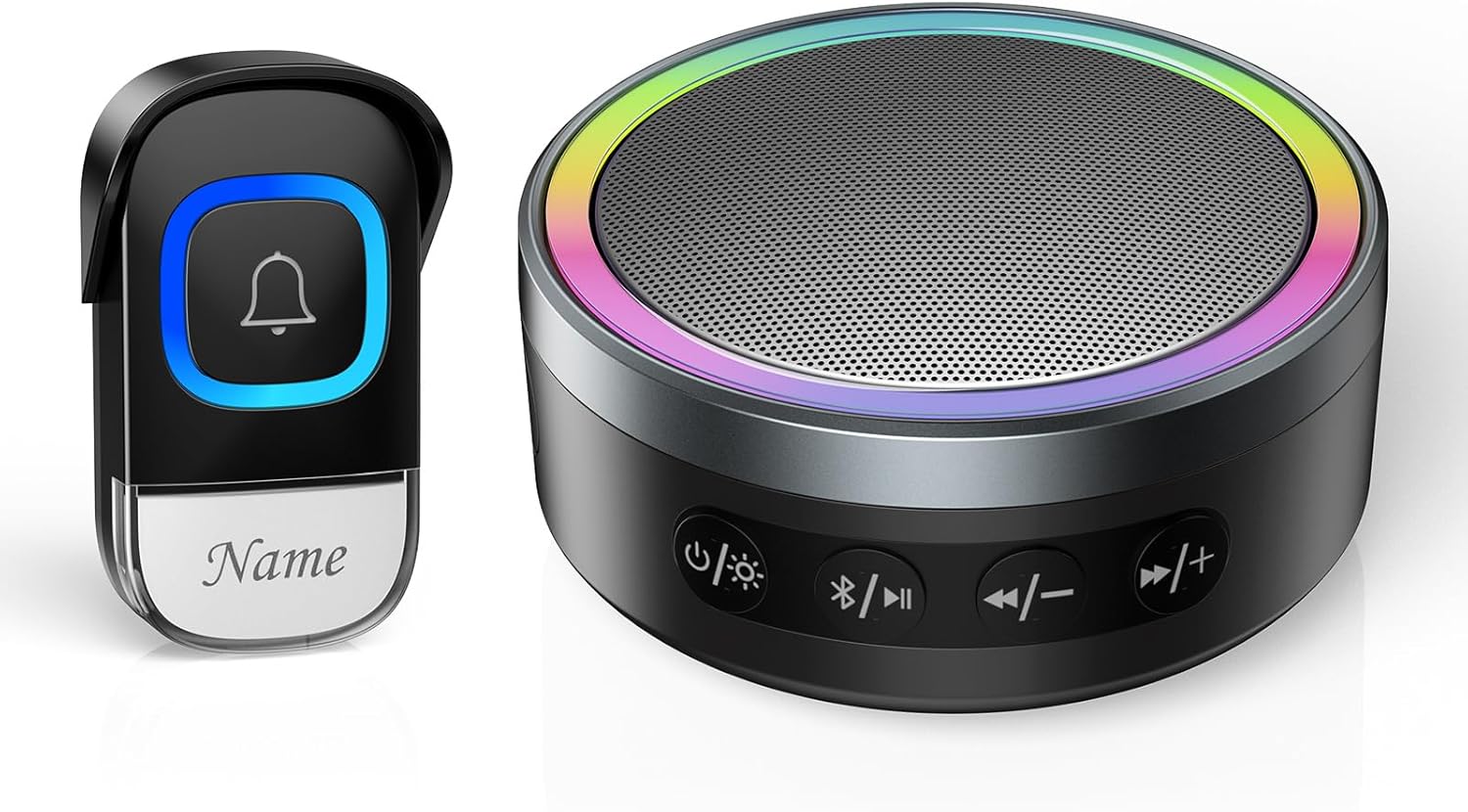
Image: The TECKNET 2 in 1 Wireless Doorbell and Bluetooth Speaker, showcasing the doorbell button and the circular speaker with RGB lighting.
What's Included
The package includes the following components:
- Receiver/Bluetooth Speaker/Doorbell Unit
- Transmitter (Doorbell Push Button)
- USB Charging Cable
- Adhesive Pads for mounting
- Screws for mounting
- User Manual (PDF version available online)

Image: All components included in the TECKNET 2 in 1 Wireless Doorbell and Bluetooth Speaker package, laid out clearly. This includes the speaker unit, doorbell button, charging cable, mounting hardware, and documentation.
Setup
1. Charging the Speaker Unit
Before first use, fully charge the Bluetooth speaker unit. Connect the provided USB charging cable to the charging port on the speaker and plug the other end into a compatible USB power adapter (not included). The LED indicator on the speaker will show charging status.
Video: This video demonstrates the charging process of the TECKNET Bluetooth speaker unit, showing the connection of the USB cable and the charging indicator.
2. Installing the Doorbell Transmitter
The doorbell transmitter can be installed using either adhesive pads or screws.
- Adhesive Installation: Clean the desired surface thoroughly. Peel off the protective film from one side of the adhesive pad and attach it to the back of the transmitter. Peel off the other side and firmly press the transmitter onto the wall or door frame.
- Screw Installation: Open the transmitter casing. Mark the desired drilling points on the wall using the transmitter as a template. Drill holes, insert wall anchors (if necessary), and secure the transmitter with the provided screws. Close the casing.

Image: Visual guide demonstrating both screw-in and adhesive installation methods for the wireless doorbell transmitter.
3. Initial Pairing (Usually Automatic)
The doorbell transmitter and speaker unit are typically pre-paired at the factory. If they do not connect automatically, refer to the "Troubleshooting" section for re-pairing instructions.
Operating Instructions
Doorbell Functionality
When the doorbell transmitter button is pressed, it sends a wireless signal to the speaker unit, which then plays the selected melody and activates its RGB light effects. The system offers a wide operating range, making it suitable for various home and office layouts.
- Operating Range: The wireless doorbell kit has an operating range of up to 1300 feet (400 meters), ensuring you are notified of visitors even from a distance.
- Melody Selection: The speaker unit comes with 60 pre-installed melodies. To change the melody, press the dedicated melody selection button on the speaker.
- Volume Adjustment: Adjust the volume level of the doorbell chime using the volume control buttons on the speaker. There are 5 adjustable volume levels, ranging from 0dB (mute) to 100dB.
- Mute Mode: For uninterrupted sleep or quiet environments, activate the mute mode. In this mode, the doorbell will only flash its RGB lights without producing sound.

Image: Diagram illustrating the 1300ft (400m) wireless operating range of the TECKNET doorbell system, showing signal transmission between the outdoor button and indoor speaker.

Image: The TECKNET speaker unit displaying its features, including 60 chime options, 100dB volume, RGB light, and mute mode, with an inset showing the doorbell button being pressed.
Bluetooth Speaker Functionality
The speaker unit doubles as a portable Bluetooth speaker, allowing you to stream audio from your compatible devices.
- Bluetooth Pairing: Turn on the speaker unit. Activate Bluetooth on your smartphone, tablet, or laptop. Search for "TECKNET HSD01001BA01" (or similar name) in your device's Bluetooth settings and select it to pair. A voice prompt will confirm successful connection.
- Audio Playback: Once paired, you can play music or other audio from your connected device. Use the control buttons on the speaker (Play/Pause, Next Track/Volume+, Previous Track/Volume-) to manage playback.
- RGB Light Effects: The speaker features multiple RGB light modes. Press the light button on the speaker to cycle through different lighting effects, including mono-color, multi-color, breathing, and circling lights.
- Battery Life: The built-in 1000mAh rechargeable battery provides up to 13 hours of continuous music playback.
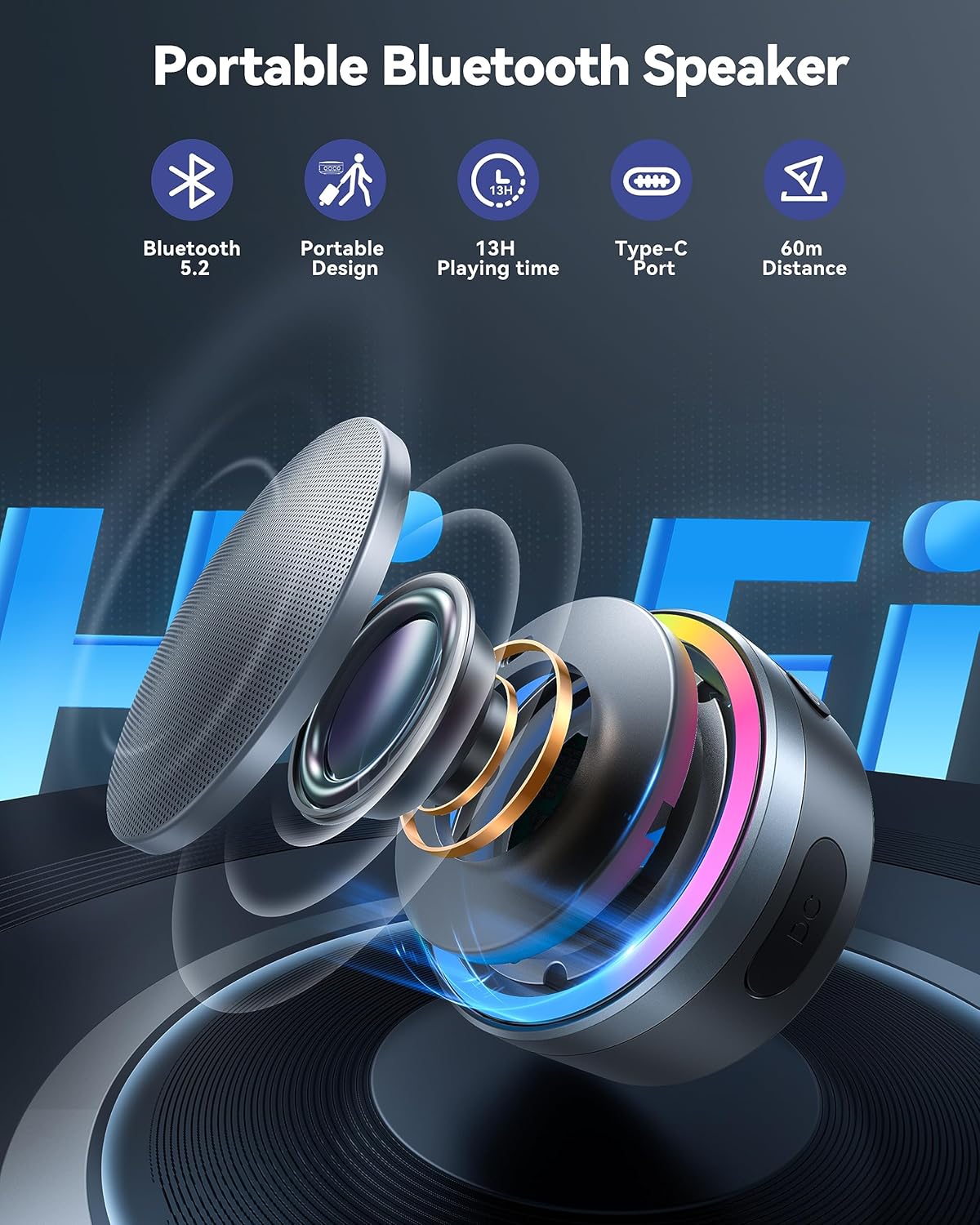
Image: Close-up view of the TECKNET Bluetooth speaker, highlighting its control buttons (power, light, Bluetooth, track/volume) and the vibrant RGB light ring.
Video: This video demonstrates the Bluetooth pairing process, showing the speaker connecting to a device and playing music, as well as showcasing the various RGB light modes and the mute function.
Maintenance
To ensure the longevity and optimal performance of your TECKNET 2 in 1 Wireless Doorbell and Bluetooth Speaker, follow these maintenance guidelines:
- Cleaning: Wipe the surfaces of both the speaker and transmitter with a soft, dry cloth. Avoid using abrasive cleaners, solvents, or strong chemicals, as these can damage the finish.
- Water and Dust Resistance: The doorbell transmitter is IP66 rated, meaning it is protected against powerful water jets and dust ingress. While it is designed for outdoor use and can withstand rain and snow, avoid submerging it in water.
- Temperature Range: The doorbell transmitter is functional between -4°F (-20°C) and 140°F (60°C). Avoid exposing the device to extreme temperatures outside this range.
- Battery Replacement (Transmitter): The doorbell transmitter requires 2 CR2032 batteries. When the battery is low, the indicator light on the transmitter may dim or the signal range may decrease. To replace, open the transmitter casing, remove the old batteries, and insert new ones, ensuring correct polarity.
Image: Visual representation of the doorbell transmitter's IP66 waterproof and dustproof rating, showing its resilience in rain, snow, and sun, along with its operating temperature range.
Troubleshooting
If you encounter issues with your TECKNET 2 in 1 Wireless Doorbell and Bluetooth Speaker, refer to the following common problems and solutions:
| Problem | Possible Cause | Solution |
|---|---|---|
| Doorbell does not ring. | Low battery in transmitter; transmitter and receiver not paired; receiver is in mute mode; too far apart. | Replace CR2032 batteries in transmitter. Re-pair transmitter and receiver (see manual for specific steps if needed). Check if receiver is in mute mode and adjust volume. Reduce distance between units. |
| Bluetooth speaker does not connect. | Speaker not in pairing mode; Bluetooth disabled on device; device too far from speaker. | Ensure speaker is on and in pairing mode (LED flashing). Enable Bluetooth on your device. Move device closer to the speaker. Forget previous connections on your device and try pairing again. |
| Poor sound quality from speaker. | Low battery; interference; device too far. | Charge the speaker unit. Move speaker closer to the audio source device. Avoid placing speaker near strong electromagnetic interference sources. |
| Short operating range for doorbell. | Obstructions; low battery in transmitter. | Relocate receiver or transmitter to minimize obstructions (thick walls, metal structures). Replace transmitter batteries. |
Specifications
| Feature | Detail |
|---|---|
| Brand | TECKNET |
| Model Number | HSD01001BA01 |
| Item Weight | 8.8 ounces |
| Product Dimensions | 3.39 x 3.39 x 1.57 inches |
| Country of Origin | China |
| Color | Black |
| Item Package Quantity | 1 |
| Included Components | Receiver/Bluetooth Speaker/Doorbell, Transmitter |
| Speaker Battery | 1000mAh Rechargeable (Built-in) |
| Transmitter Batteries | 2 CR2032 batteries required (Not Included) |
| Bluetooth Technology | Bluetooth 5.2 |
| Doorbell Operating Range | Up to 1300 feet (400 meters) |
| Doorbell Melodies | 60 options |
| Volume Levels | 5 levels (0-100dB) |
| Waterproof Rating | IP66 (for transmitter) |
| Operating Temperature | -4°F to 140°F (-20°C to 60°C) |
Warranty and Support
TECKNET offers comprehensive support for its products:
- Warranty: The product comes with a 36-Month Warranty. Registration may be required to activate the full warranty period. Please refer to the product packaging or TECKNET's official website for warranty registration details.
- Life Time Support: TECKNET provides lifetime customer support for this product. If you encounter any issues or have questions regarding its use, setup, or functionality, please do not hesitate to contact their professional customer support team.
- User Manual (PDF): For a detailed digital copy of the user manual, you can download the PDF version here.
Related documentsHSD01001BA01


Ask a question about this manual
Ask about setup, troubleshooting, compatibility, parts, safety, or missing instructions. Manuals+ will review the question and use this page’s manual context to help answer it.