
1. Introduction
This manual provides detailed instructions for the safe and efficient use of your VEGER V1115 10000mAh Portable Charger. Please read this manual thoroughly before use and retain it for future reference. This device is designed to provide convenient power on the go for a wide range of electronic devices.
2. Product Overview
The VEGER V1115 is an all-in-one portable power bank designed for convenience and versatility. It features a 10000mAh capacity, capable of providing multiple charges to most smartphones. Its ultra-slim and lightweight design makes it ideal for travel. A key feature is the integrated AC wall plug, allowing direct recharging from any standard outlet without needing extra adapters. Additionally, it includes three built-in charging cables (Lightning, USB-C, and Micro USB) and additional ports, enabling simultaneous charging of up to four devices.

Image 2.1: Front and back view of the VEGER V1115 Portable Charger, highlighting its compact design and digital display.

Image 2.2: Detailed view of the VEGER V1115, illustrating its integrated AC plug and various built-in charging cables for universal compatibility.

Image 2.3: Visual comparison demonstrating the convenience of the VEGER V1115's all-in-one design, eliminating the need for extra adapters and cables.

Image 2.4: The ultra-compact size of the VEGER V1115, highlighting its portability and suitability for travel, including aircraft carry.
3. Package Contents
Please check the package for the following items:
- VEGER V1115 Portable Power Bank
- Mesh Travel Pouch
- User Manual

Image 3.1: The VEGER V1115 Portable Charger, mesh travel pouch, and user manual as included in the product package.
4. Specifications
| Feature | Detail |
|---|---|
| Model Number | V1115 |
| Battery Capacity | 10000 Milliamp Hours (Lithium Polymer) |
| Product Dimensions | 5.9 x 2.7 x 0.72 inches |
| Item Weight | 8 ounces |
| Connector Type | USB C, Lightning, Micro USB (built-in cables) |
| Special Features | Built-in AC Plug, Built-in Cables, Digital Display |
| Charging Output | Up to 15W Fast Charging |
| Manufacturer | Dong guan Utopia-Originality Technology Co., Ltd |
| Color | Coffee |
5. Setup
Before initial use, fully charge your VEGER V1115 Portable Charger. This ensures optimal performance and battery longevity. Refer to the 'Recharging the Power Bank' section for detailed instructions.
6. Operating Instructions
To charge your devices using the VEGER V1115 Portable Charger:
- Identify the Correct Cable: Locate the appropriate built-in cable (Lightning, USB-C, or Micro USB) for your device.
- Connect Your Device: Gently pull out the desired built-in cable and connect it securely to your device's charging port.
- Begin Charging: The power bank will automatically begin charging your device. The digital display on the power bank will show the remaining battery percentage.
- Simultaneous Charging: To charge multiple devices, use the additional USB-A output port or another built-in cable. The power bank supports simultaneous charging of up to four devices at speeds up to 15W.

Image 6.1: The VEGER V1115 actively charging four different devices concurrently, demonstrating its multi-device charging capability.
7. Recharging the Power Bank
Your VEGER V1115 Portable Charger offers two convenient methods for recharging:
7.1. Using the Built-in AC Wall Plug
- Fold Out Plug: Gently fold out the integrated AC wall plug located on the side of the power bank.
- Plug into Outlet: Plug the power bank directly into any standard wall outlet.
- Monitor Charging: The digital display will indicate the charging status. A full charge using the AC wall plug typically takes approximately 6 hours.

Image 7.1: The VEGER V1115 plugged into a wall outlet using its integrated AC plug, demonstrating its self-charging capability.
7.2. Using the USB-C Input Port
- Connect USB-C Cable: Connect a USB-C cable (not included) to the power bank's USB-C input port.
- Connect to Power Source: Connect the other end of the USB-C cable to a compatible USB wall adapter (not included) or a computer's USB-C port.
- Monitor Charging: The digital display will indicate the charging status. A full charge using the USB-C input port typically takes approximately 5 hours.

Image 7.2: Illustration of the two recharging methods for the VEGER V1115: direct wall plug-in and USB-C cable charging.
8. Universal Compatibility
The VEGER V1115 is designed for broad compatibility, supporting a wide range of electronic devices through its various built-in cables and ports:
- Apple Devices: Compatible with iPhone 17/15/14/13/12/11/Xs/X/8/SE series, iPad, Apple AirPods Pro/AirPods, and other Lightning-enabled devices.
- USB-C Devices: Compatible with Samsung Galaxy S23/S21/S20/S10/S9, Note 20/Note 10, Google Pixel phones, tablets, and other USB-C enabled devices.
- Micro USB Devices: Compatible with Bluetooth headphones, smartwatches, and other Micro USB enabled devices.

Image 8.1: A visual guide to the universal compatibility of the VEGER V1115, showcasing its ability to charge various Apple, USB-C, and Micro USB devices.
9. Safety Information
To ensure safe operation and prolong the life of your power bank, please observe the following safety guidelines:
- Avoid exposing the power bank to extreme temperatures (above 45°C/113°F or below 0°C/32°F), direct sunlight, or high humidity.
- Do not disassemble, puncture, or modify the device. Unauthorized modifications can lead to hazards and void the warranty.
- Keep away from water and flammable materials.
- Do not drop or subject the power bank to strong impacts.
- Ensure proper ventilation during charging and discharging to prevent overheating.
- The power bank includes comprehensive internal protections against short circuits, over-current, over-voltage, and over-heat conditions to ensure safe operation.
- Keep out of reach of children.
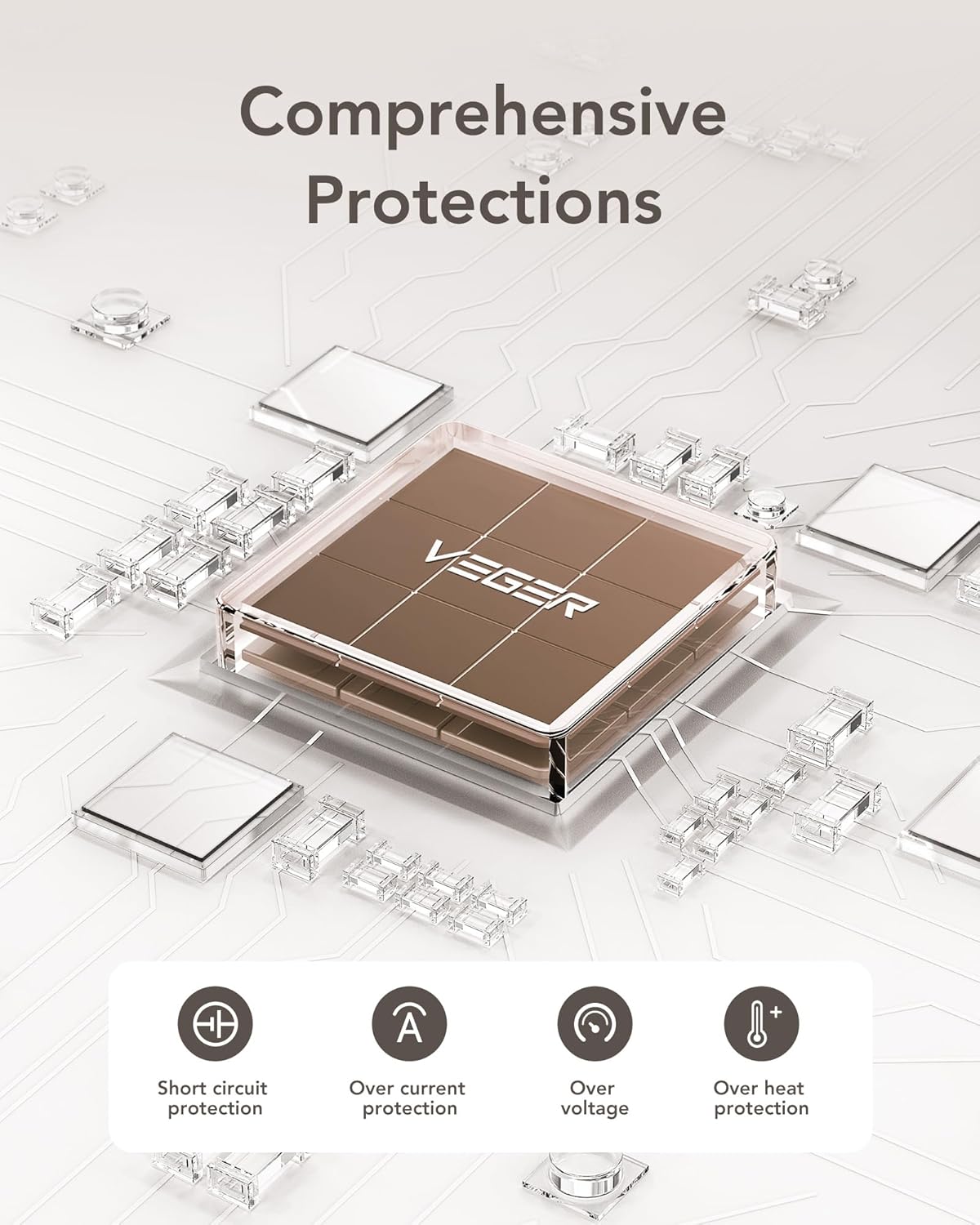
Image 9.1: An internal diagram highlighting the multiple safety protections integrated into the VEGER V1115, ensuring device and user safety.
10. Maintenance
Proper maintenance helps extend the lifespan of your VEGER V1115 Portable Charger:
- Cleaning: Clean the exterior of the power bank with a soft, dry cloth. Avoid using liquid cleaners, aerosols, or harsh chemicals.
- Storage: Store the power bank in a cool, dry place away from direct sunlight and extreme temperatures when not in use.
- Long-Term Storage: If storing for extended periods (over 3 months), charge the power bank to approximately 50-75% every three months to preserve battery health and prevent deep discharge.
11. Troubleshooting
If you encounter issues with your VEGER V1115, please refer to the following common problems and solutions:
11.1. The power bank is not charging.
- Ensure the AC plug is fully inserted into a functional wall outlet.
- If using the USB-C input, verify that the USB-C cable is securely connected to both the power bank and a working power source (e.g., a wall adapter or computer).
- Check if the wall outlet or USB adapter is functional by testing it with another device.
11.2. My device is not charging from the power bank.
- Verify that the correct built-in cable or external cable is securely connected to both the power bank and your device.
- Ensure the power bank has sufficient charge (check the digital display).
- Try using a different built-in cable or the USB-A output port.
11.3. Charging is slow.
- Ensure your device supports 15W fast charging. Some older devices may charge at a slower rate.
- Charging multiple devices simultaneously may distribute the available power, potentially reducing individual charging speeds.
- Ensure the cables are not damaged and are fully inserted.
12. Warranty and Support
Your VEGER V1115 Portable Charger comes with a dedicated 12-month warranty from the date of purchase. This warranty covers manufacturing defects and ensures reliable performance of your device.
For any questions, technical support, or warranty claims, please refer to the contact information provided in your product packaging or visit the official VEGER website. Our friendly customer support team is available 24/7 to answer any questions within 12 hours, ensuring you have a reliable experience after you get the power bank.
Customer Service Contact: Please refer to the contact details provided on the VEGER official website or your product's warranty card.


