
1. Introduction and Overview
The Ingenuity SimpleComfort Compact Soothing Swing is designed to provide ultimate comfort and entertainment for infants from birth up to 9 months, or a maximum weight of 20 pounds. This versatile swing features a rotating seat, multiple swing speeds, soothing melodies, and nature sounds to keep your little one engaged and relaxed.
Key features include:
- Rotating seat with 3 swing directions.
- 6 TrueSpeed™ weight-sensing swing speeds.
- 8 melodies and 3 soft nature sounds.
- WhisperQuiet™ motor for peaceful operation.
- Rotating and removable wooden toy bar with interactive toys.
- 5-point safety harness for secure seating.
- Compact design with handle and wheels for easy mobility and storage.
- USB cord powered (included).
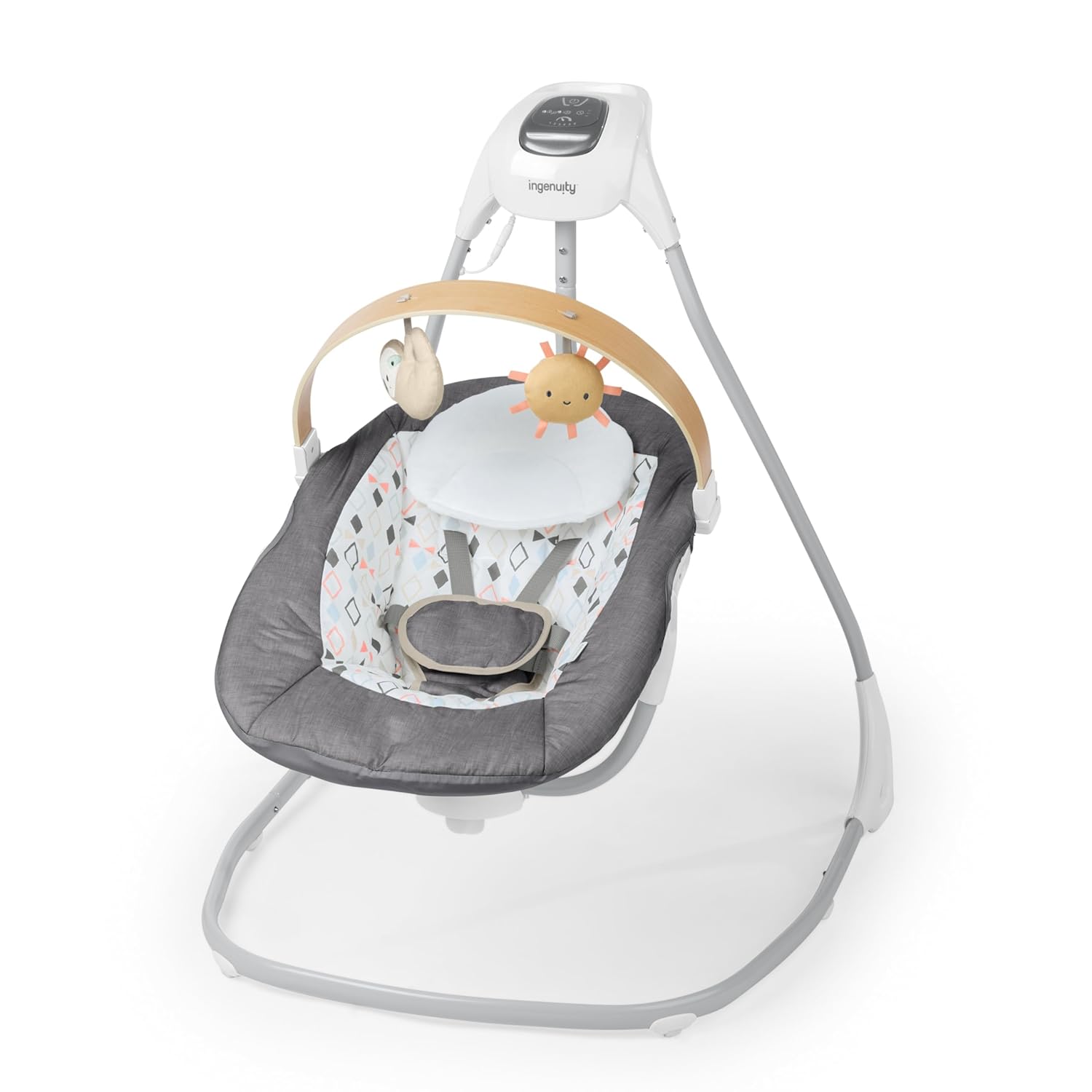
Figure 1: Ingenuity SimpleComfort Compact Soothing Swing (Parker)
2. Safety Information
Always ensure your child's safety by adhering to the following guidelines:
- Age and Weight Limits: Suitable for infants aged 0-9 months, or up to 20 pounds, whichever comes first. Discontinue use when the child can sit up unassisted.
- Harness System: Always secure your child with the 5-point safety harness. Ensure all straps are properly adjusted and fastened before each use.
- Supervision: Never leave your child unattended in the swing.
- Placement: Place the swing on a flat, level surface. Do not use on elevated surfaces. Keep away from stairs, heat sources, and electrical cords.
- Assembly: Ensure all components are correctly assembled and securely fastened before placing a child in the swing.
- Toy Bar: The toy bar is for entertainment only. Do not use it to carry the swing.
3. Setup
Assembly of the Ingenuity SimpleComfort Compact Soothing Swing is required. Please refer to the detailed instructions provided in the official user manual (PDF link available in Section 6) for step-by-step guidance.
The assembled dimensions of the swing are approximately 36.22 inches (Depth) x 31.53 inches (Width) x 34.25 inches (Height).
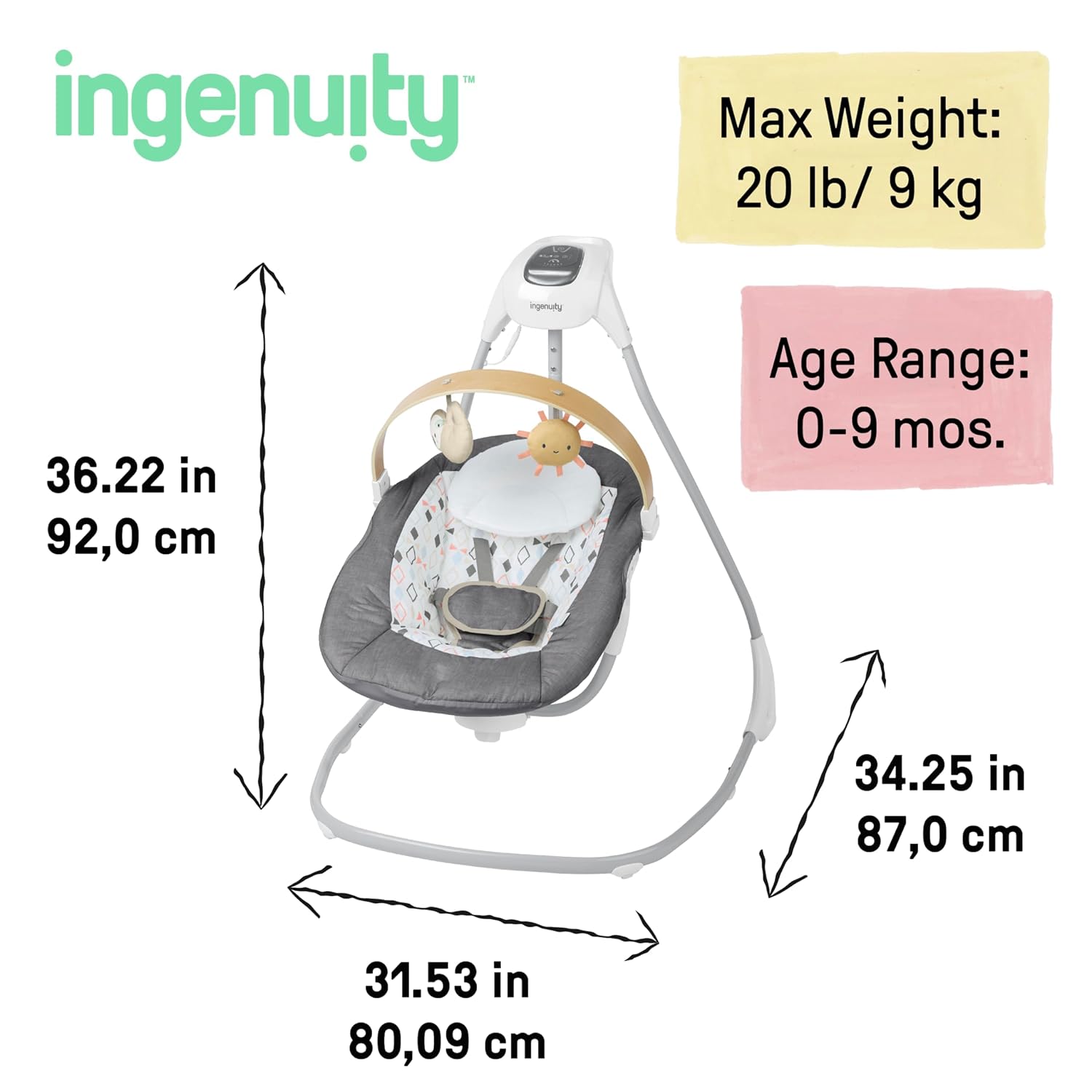
Figure 2: Product Dimensions
The swing is powered by an included USB cord. Connect the USB cord to a compatible USB power adapter (not included) and plug it into a wall outlet.
4. Operating Instructions
The control panel, located at the top of the swing's frame, allows you to manage all operational features.
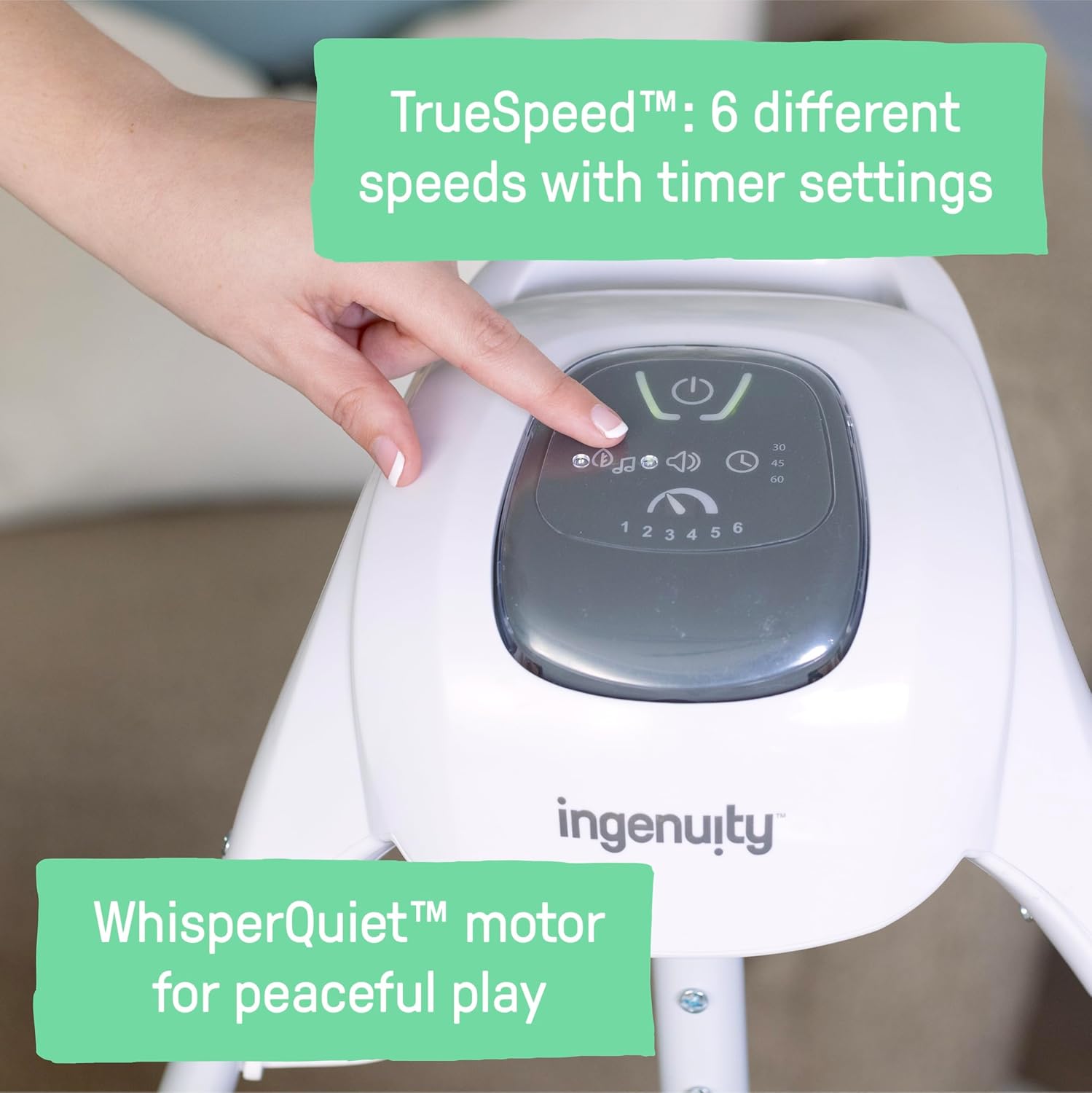
Figure 3: Control Panel
- Power On/Off: Press the power button (usually indicated by a circle with a vertical line) to turn the swing on or off.
- Swing Speeds: Select from 6 different swing speeds using the speed selector buttons. The TrueSpeed™ technology maintains consistent speed regardless of the baby's weight.
- Timer Settings: Set the swing to operate for a specific duration (e.g., 15, 20, or 30 minutes) using the timer button. The swing will automatically shut off after the selected time.
- Melodies and Nature Sounds: Choose from 8 melodies and 3 soft nature sounds to soothe your baby. Adjust the volume as needed.
- Seat Rotation: The seat rotates 180 degrees and swings in 3 directions (side-to-side, front-to-back, or diagonal). Gently rotate the seat to the desired position.

Figure 4: Seat Rotation Feature
- Toy Bar: The wooden toy bar is rotating and removable. It features interactive toys (Raffi the Giraffe and Casi the Zebra) that can be detached for on-the-go fun.

Figure 5: Rotating Toy Bar
5. Features Overview
Beyond its core functions, the SimpleComfort Swing incorporates several design elements for convenience and baby's comfort:
- WhisperQuiet™ Motor: Ensures a peaceful swinging experience without disruptive motor noise.
- Soothing Sounds: A selection of 8 melodies and 3 nature sounds are available to calm and entertain your baby.
- Portability: The lightweight design includes a handle and wheels, making it easy to move the swing from room to room or store it when not in use.

Figure 6: Easy Portability
- Comfortable Seating: The seat pad and headrest are designed for optimal comfort and support for your infant.
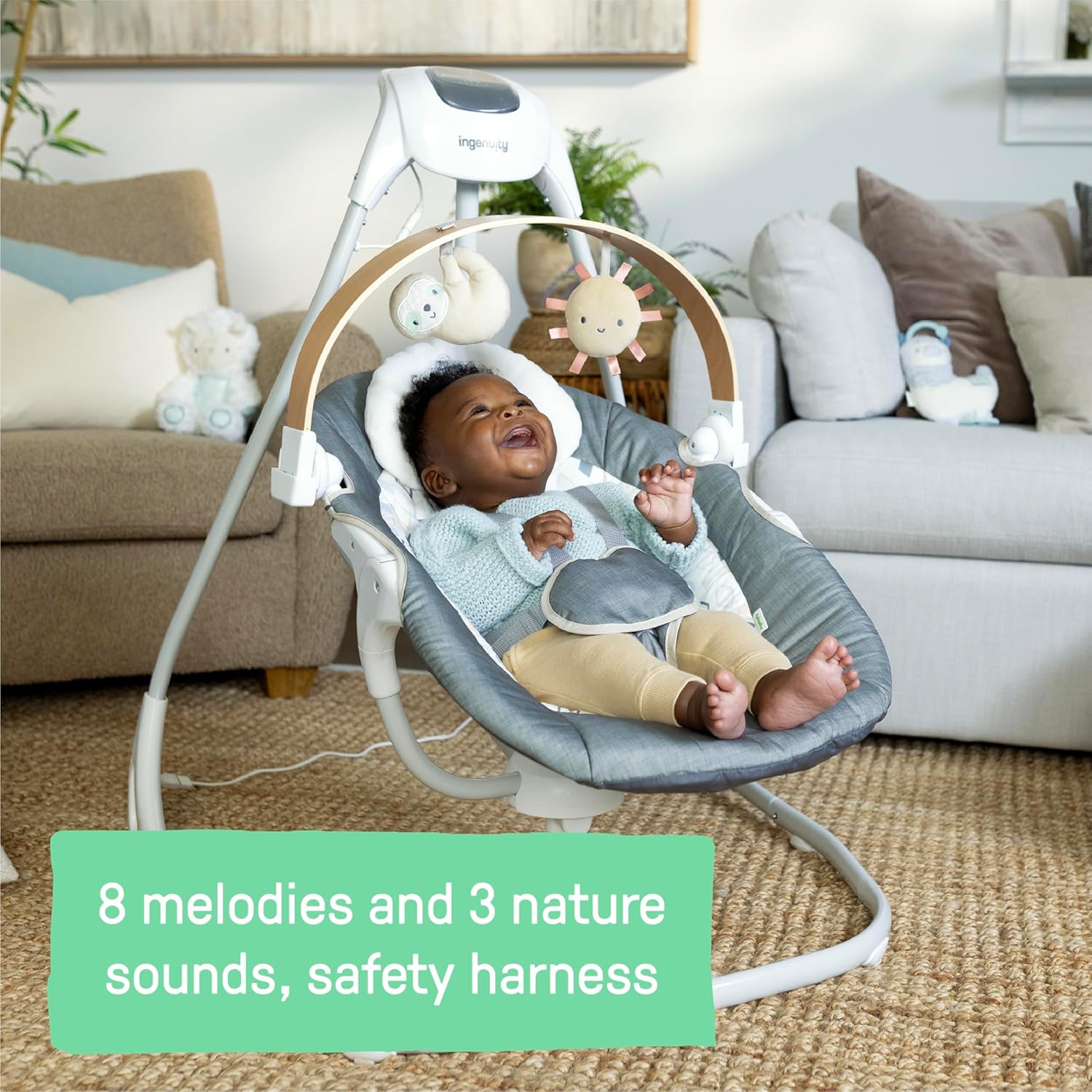
Figure 7: Secure 5-Point Harness and Plush Seating
6. Maintenance
Proper maintenance ensures the longevity and hygiene of your swing:
- Cleaning: The toy bar and removable toys can be easily wiped clean with a damp cloth. The headrest and seat pad are machine-washable for thorough cleaning.
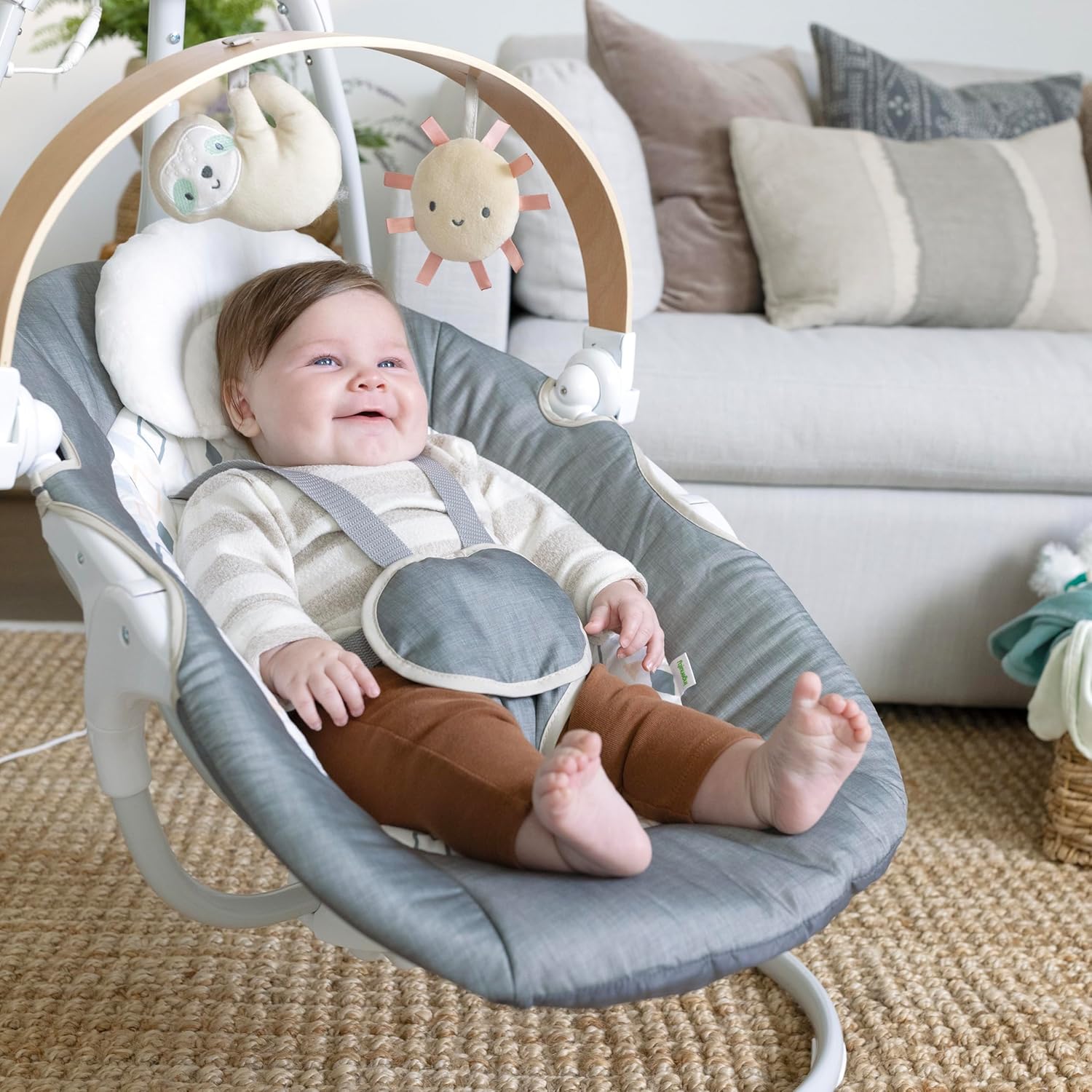
Figure 8: Removable Headrest for Easy Cleaning
- Storage: When not in use, store the swing in a clean, dry place away from direct sunlight.
7. Troubleshooting
If you encounter any issues with your Ingenuity SimpleComfort Compact Soothing Swing, please consider the following common troubleshooting steps:
- Swing Not Operating: Ensure the USB cord is securely plugged into both the swing and a working power adapter/outlet. Check if the power button on the control panel is illuminated.
- Inconsistent Swing Speed: Verify that the swing is placed on a flat, level surface. The TrueSpeed™ technology is designed to maintain consistent speed, but uneven surfaces can affect performance.
- No Sound/Music: Check the volume settings on the control panel. Ensure the swing is powered on.
- Unusual Noises: Inspect the swing for any obstructions or loose parts. Ensure all assembly connections are secure.
For persistent issues, please refer to the comprehensive troubleshooting section in the full user manual or contact Ingenuity customer support.
8. Specifications
| Attribute | Value |
|---|---|
| Brand | Ingenuity |
| Model Number | 16926 |
| Color | Parker |
| Product Dimensions | 34.25"D x 31.53"W x 36.22"H |
| Item Weight | 15.4 pounds |
| Frame Material | Metal |
| Material Composition | 67% Metal, 21% Plastic, 6% Fabric |
| Finish Type | Cushioned Fabric |
| Target Gender | Unisex |
| Assembly Required | Yes |
| Batteries Required | No (USB powered) |
| Manufacturer | Kids2, Inc. |
9. Warranty and Support
For detailed warranty information and customer support, please refer to the official Ingenuity website or the full user manual.
Official User Manual (PDF): Download PDF
Ingenuity Brand Store: Visit Store


