
awei A897BL
AWEI A897BL Air Conduction Bluetooth Headphones
User Manual
Introduction
Thank you for choosing the AWEI A897BL Air Conduction Bluetooth Headphones. These headphones are designed to provide a comfortable and safe listening experience, especially during outdoor activities, by allowing you to remain aware of your surroundings. This manual will guide you through the setup, operation, and maintenance of your new headphones.
Safety Information
- Do not expose the headphones to extreme temperatures, humidity, or corrosive substances.
- Avoid dropping or subjecting the headphones to strong impacts.
- Do not disassemble or modify the headphones. This will void the warranty.
- Clean the headphones with a soft, dry cloth. Do not use harsh chemicals or abrasive materials.
- Keep out of reach of children and pets.
- Use only the provided charging cable or a certified equivalent.
- While air conduction allows for environmental awareness, always exercise caution in traffic or dangerous situations.
Package Contents
Please check the package for the following items:
- AWEI A897BL Air Conduction Bluetooth Headphones
- USB Charging Cable
- User Manual (this document)
Product Overview
Familiarize yourself with the components of your AWEI A897BL headphones.

Image: Front view of the AWEI A897BL Air Conduction Bluetooth Headphones, showcasing their lightweight, open-ear design with a flexible neckband and integrated controls on the earpieces.
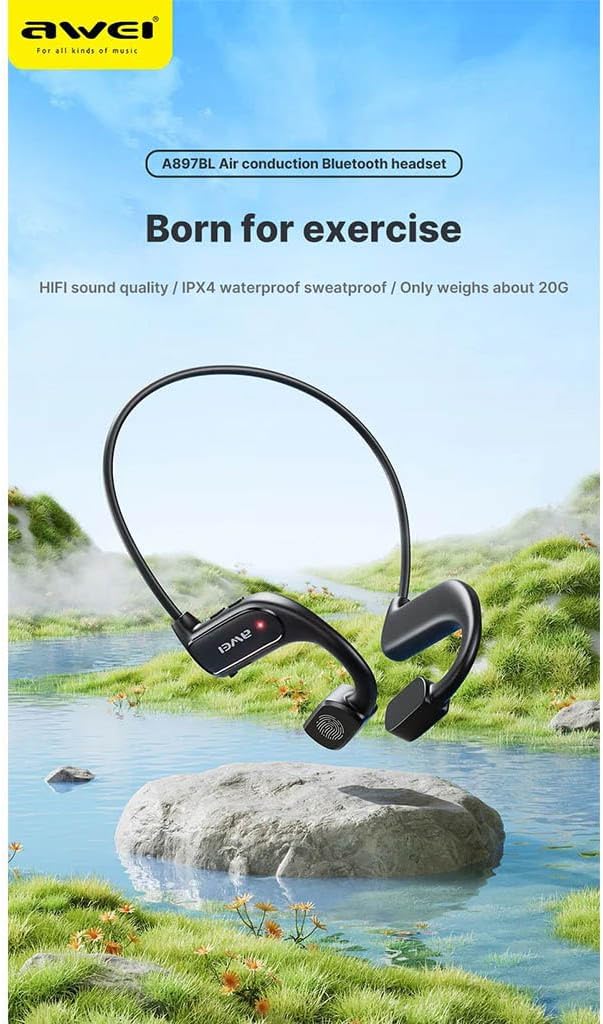
Image: AWEI A897BL headphones displayed in a serene outdoor environment, emphasizing their suitability for exercise and outdoor activities. The image highlights the sleek design and the brand logo.
- Flexible Neckband: Provides a secure and comfortable fit around the back of the head.
- Air Conduction Transducers: Deliver sound without blocking the ear canal.
- Control Buttons: (Specific button functions will be detailed in the Operating section)
- Charging Port: For recharging the internal battery.
Setup
1. Charging the Headphones
Before first use, fully charge your AWEI A897BL headphones.
- Connect the small end of the USB charging cable to the charging port on the headphones.
- Connect the large end of the USB charging cable to a USB power adapter (not included) or a computer's USB port.
- The LED indicator will show the charging status (e.g., red for charging, blue/off for fully charged).
- Charging typically takes approximately 1.5-2 hours for a full charge.
2. Bluetooth Pairing
Pair your headphones with your Bluetooth-enabled device (smartphone, tablet, computer).
- Ensure the headphones are turned off.
- Press and hold the Power button (usually a multi-function button) for approximately 3-5 seconds until the LED indicator flashes red and blue alternately, indicating pairing mode.
- On your device, go to Bluetooth settings and turn Bluetooth on.
- Search for available devices. You should see "AWEI A897BL" or a similar name appear in the list.
- Select "AWEI A897BL" to connect. Once connected, the LED indicator on the headphones will typically turn solid blue or stop flashing.
- If prompted for a password, enter "0000" (four zeros).
The headphones will automatically attempt to reconnect to the last paired device when turned on.

Image: A graphic representation of Bluetooth version 5.3 technology, highlighting its advanced capabilities for stable, low-power, and high-quality wireless audio transmission, ensuring an unimpeded listening experience.
Operating Instructions
Wearing the Headphones
The A897BL headphones are designed for air conduction, meaning they rest outside your ear canal.
- Place the flexible neckband around the back of your head.
- Position the sound transducers (the parts that deliver sound) just in front of your ears, resting on your cheekbones.
- Adjust for a comfortable and secure fit.

Image: A woman wearing the AWEI A897BL headphones while running outdoors, illustrating the open-ear design that allows ambient sounds to be heard, enhancing safety during sports activities.
Basic Controls
| Button/Action | Function |
|---|---|
| Power Button (Long Press) | Power On/Off |
| Power Button (Short Press) | Play/Pause Music, Answer/End Call |
| Volume + Button (Short Press) | Increase Volume |
| Volume - Button (Short Press) | Decrease Volume |
| Volume + Button (Long Press) | Next Track |
| Volume - Button (Long Press) | Previous Track |
| Power Button (Double Press) | Activate Voice Assistant (Siri, Google Assistant) |
Maintenance
- Cleaning: Wipe the headphones regularly with a soft, slightly damp cloth. Do not use alcohol, benzene, or other chemical cleaners. Ensure the charging port is dry before charging.
- Storage: Store the headphones in a cool, dry place away from direct sunlight and extreme temperatures.
- Battery Care: To prolong battery life, avoid fully discharging the headphones frequently. Charge them regularly, even if not in use for extended periods.
Troubleshooting
| Problem | Possible Solution |
|---|---|
| Headphones won't turn on. | Charge the headphones fully. Ensure the power button is pressed and held long enough. |
| Cannot pair with device. |
|
| No sound or low volume. |
|
| Sound cutting in/out. |
|
Specifications
| Feature | Detail |
|---|---|
| Model Number | AWE000159 (A897BL) |
| Connectivity Technology | Wireless (Bluetooth) |
| Bluetooth Version | V5.3 |
| Design Type | Air Conduction, Open-Ear |
| Material | Faux Leather, Plastic |
| Item Weight | Approx. 20 Grams |
| Color | Multicoloured (typically black) |
| Age Range | Adult |
Warranty and Support
AWEI products are manufactured to the highest quality standards. For warranty information, technical support, or customer service inquiries, please refer to the warranty card included with your purchase or visit the official AWEI website. Please retain your proof of purchase for warranty claims.
Related documentsA897BL


Ask a question about this manual
Ask about setup, troubleshooting, compatibility, parts, safety, or missing instructions. Manuals+ will review the question and use this page’s manual context to help answer it.