
ANNFUZ 6208B
ANNFUZ Mechanical Keyless Door Lock User Manual
Model: 6208B

Image: ANNFUZ Mechanical Keyless Door Lock, Matte Black.
1. Introduction
Thank you for choosing the ANNFUZ Mechanical Keyless Door Lock. This single-sided keypad door lock provides a secure and convenient entry solution without the need for batteries or wiring. It features an auto-lock function and a passage mode for flexible access control. This manual will guide you through the installation, operation, and maintenance of your new lock.
2. Product Components
Before you begin, please ensure all components are present in your package:

Image: Diagram showing all included components: Exterior Panel with Lever, Interior Panel with Lever, Spindle, 60mm Latch, Strike Plate, Strike Box, Brass Keys, Rubber Seal, Instruction Manual, Screw pack.
- Exterior Panel with Lever
- Interior Panel with Lever
- Spindle (8mm x 60mm and 8mm x 70mm)
- Adjustable Latch (60mm/70mm backset)
- Strike Plate
- Strike Box
- Brass Keys
- Rubber Seal (2x)
- Door Seal (2x)
- Screw Pack (Plate Wood Screws, Bolts + Screws, M5x35mm Screws)
3. Installation
This section provides detailed steps for installing your ANNFUZ Mechanical Keyless Door Lock. For a visual guide, please refer to the installation video below.
3.1 Door Preparation and Dimensions
Ensure your door meets the following specifications:
- Door Thickness: 1-3/8" to 2" (35 mm-50 mm)
- Applicable Backset: 60mm (2.36") or 70mm (2.75")

Image: Detailed diagram showing product dimensions and door backset measurements for installation.
3.2 Installation Steps
Follow these steps carefully for proper installation:
- Install the Latch: Insert the adjustable latch into the door edge. Secure it with the two short screws provided. Ensure it is tightened firmly.
- Prepare the Exterior Panel: Before installing the exterior (front) panel, locate the small "ARROW" on the spindle hole. This arrow must face the direction of the handle. If the handle is for left-open, the arrow should face "L"; if for right-open, it should face "R". Use a flathead screwdriver to adjust the arrow's direction if necessary.
- Insert Spindle: Insert the spindle with the spring (#4) through the latch. The spindle has two raised slots that should face the exterior (front) panel.
- Install Exterior Panel: Place the exterior panel onto the door, aligning it with the spindle and latch. Ensure the door seal or rubber seal is correctly positioned.
- Install Interior Panel: Turn to the back of the door. Similarly, place the interior panel onto the door, aligning it with the spindle.
- Secure the Lock: Tighten the two long fixing screws (M5x35mm) with a screwdriver to secure both panels to the door.
- Test Passcode: After installation, test the passcode to ensure it functions correctly.
3.3 Installation Video Guide
Watch this official video for a step-by-step installation guide:
Video: "How to install?" - A detailed video guide demonstrating the installation process of the ANNFUZ Mechanical Keyless Door Lock.
4. Operating Instructions
Understand the key features and how to operate your ANNFUZ Mechanical Keyless Door Lock.
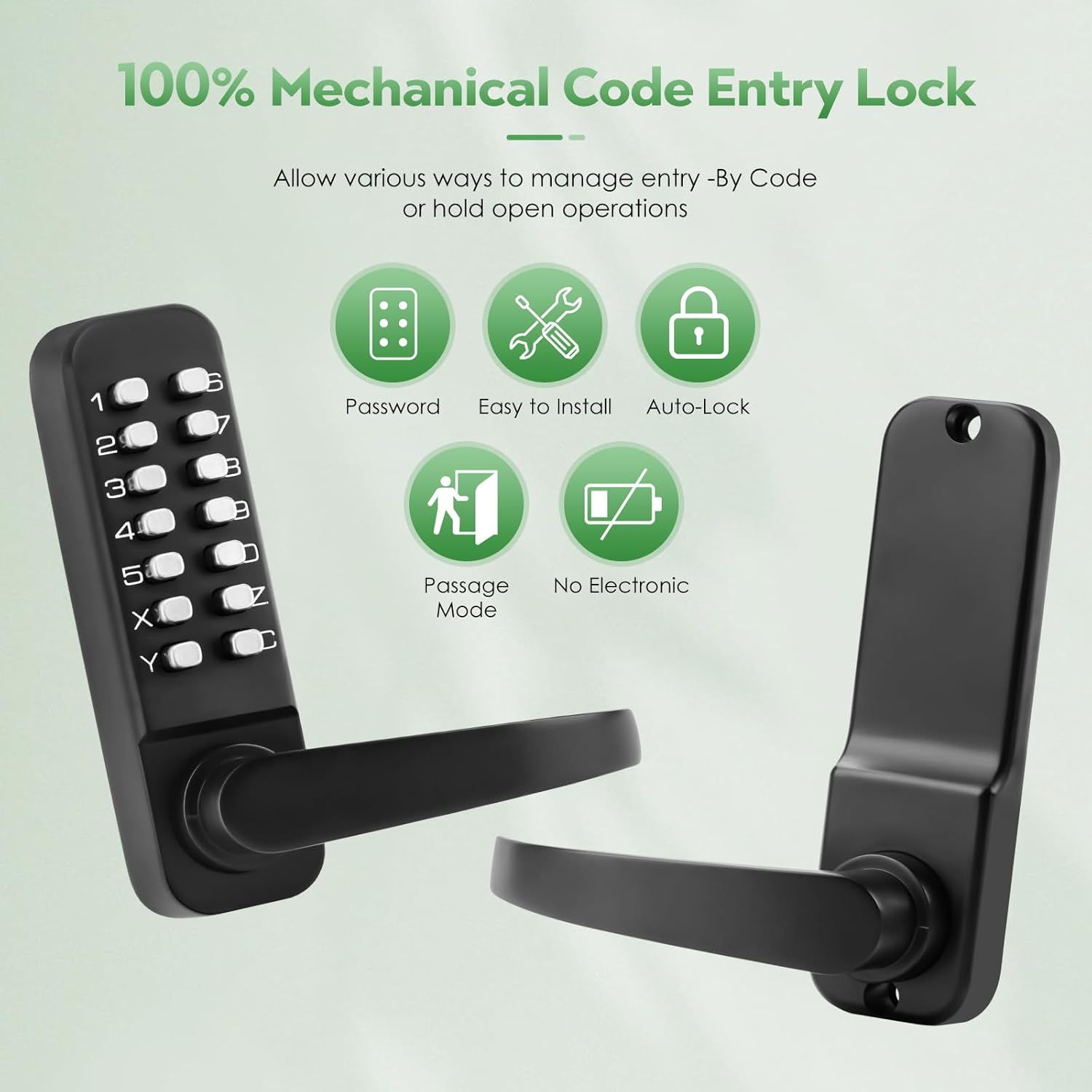
Image: Overview of the lock's features including Password entry, Easy Installation, Auto-Lock, Passage Mode, and No Electronic components.
4.1 Setting Handle Orientation and Passcode
The factory setting allows the handle to be moved freely. You can adjust the handle's orientation and set your desired passcode.
- Adjusting Handle Orientation (Exterior Panel): Locate the screw hole on the back of the exterior panel. Use a screwdriver to loosen it. You can then swap the handle to be left or right-handed. After determining the correct position, tighten the screw.
- Setting Passcode: The factory setting has no passcode (all "fish eyes" facing inwards). To set a passcode, use a flathead screwdriver to press down on the slot next to the desired number and turn it outwards 180 degrees. The dot (fish eye) will then face towards the number, indicating the passcode setting for that number is successful. Passcodes can be 4-7 digits composed of numbers or alphabet (no repeats) except for button C. Codes with 4 digits provide maximum security.
- Adjusting Handle Orientation (Interior Panel): Similarly, adjust the position of the handle on the interior panel. The position of the handle at the interior panel should be set in the opposite direction to the exterior panel. After determining the direction, tighten the screws.

Image: Instructions on how to change the code using a flathead screwdriver, showing the "fish eyes" mechanism for setting numbers.

Image: Visual guide for the recommended Phillips head screwdriver specifications (5mm shank diameter, at least 50mm shank length).
4.2 Handle Orientation and Passcode Setting Video Guide
For a visual demonstration on setting the handle orientation and passcode, please watch this video:
Video: "How to set the handle orientation? How to set the passcode?" - A video guide explaining how to adjust the handle direction and set a new passcode for the lock.
4.3 Entering Codes
To unlock the door, always press button "C" before entering the code. Passcodes can be pressed in any order to unlock the lock. For example, if your code is 1234, pressing 4321 will also unlock it, as long as all correct digits are pressed after 'C'.
4.4 Auto-Lock Feature
The lock automatically engages after closing the door, providing peace of mind that your door is always secured without manual locking.
4.5 Passage Mode
When Passage Mode is activated, the keypad door lock functions as an ordinary door handle, requiring no password for entry. This is convenient for situations with frequent entry and exit. To exit Passage Mode, simply close this mode, and the keypad door lock will resume automatic locking and require a passcode for entry.
5. Maintenance
To ensure the longevity and smooth operation of your ANNFUZ Mechanical Keyless Door Lock, follow these simple maintenance tips:
- Cleaning: Wipe the lock's exterior surfaces with a soft, damp cloth. Avoid abrasive cleaners or solvents that could damage the finish.
- Lubrication: Periodically apply a small amount of silicone-based lubricant to the moving parts of the latch and handle mechanism to ensure smooth operation. Do not use oil-based lubricants as they can attract dust and debris.
- Inspection: Regularly check all screws and connections to ensure they are tight. If any part feels loose, tighten it immediately.
6. Troubleshooting
If you encounter any issues with your ANNFUZ Mechanical Keyless Door Lock, please refer to the following common troubleshooting steps:
- Code Not Working:
- Ensure you are pressing button "C" before entering your code.
- Verify that the correct numbers are set on the internal mechanism (fish eyes facing outwards for active code numbers).
- Confirm that no numbers are stuck or partially pressed.
- Handle is Stiff or Not Turning:
- Check for any obstructions around the handle or latch.
- Apply a silicone-based lubricant to the moving parts.
- Ensure the spindle is correctly inserted and not binding.
- Lock Not Auto-Locking:
- Verify that Passage Mode is not activated.
- Check if the latch is fully extending when the door is closed.
- Handle Direction Incorrect:
- Refer to Section 4.1 and the corresponding video to re-adjust the handle orientation on both the exterior and interior panels.
If these steps do not resolve the issue, please contact ANNFUZ customer support for further assistance.
7. Specifications
| Feature | Detail |
|---|---|
| Brand | ANNFUZ |
| Model Name | Mechanical Keyless Door Lock with Keypad |
| Model Number | 6208B |
| Lock Type | Combination Lock, Keypad |
| Special Features | Passcode Unlock, Resettable, Auto-Lock |
| Material | Zinc |
| Color | Matte Black |
| Finish Type | Oil Rubbed |
| Item Dimensions (L x W x H) | 3.3 x 5.5 x 2.6 inches |
| Item Weight | 2.6 Pounds |
| Batteries Required? | No |
| Recommended Uses | Offices, Front Gate Door Locks, Warehouses |
8. Warranty & Support
For any warranty claims, technical support, or further inquiries regarding your ANNFUZ Mechanical Keyless Door Lock, please contact the manufacturer directly through their official channels. Refer to the product packaging or the ANNFUZ brand store on Amazon for contact information.
ANNFUZ Store Link: Visit the ANNFUZ Store
Related documents6208B


Ask a question about this manual
Ask about setup, troubleshooting, compatibility, parts, safety, or missing instructions. Manuals+ will review the question and use this page’s manual context to help answer it.