
Product Overview
This manual provides instructions for the ROJECO Automatic Pet Feeder (Model RWSQ). This device features 2.4G WiFi app control, dual power options, and a stainless steel feeding bowl, designed to provide scheduled and portion-controlled meals for your small to medium-sized pets.

Image: ROJECO Automatic Pet Feeder showing its improved non-stick food design and dual power options (battery and power adapter).
Setup Guide
Unpacking and Assembly
- Remove all components from the packaging.
- Ensure all parts are present: main feeder unit, stainless steel bowl, power adapter.
- Wash the stainless steel bowl and food tank with water and mild detergent. Dry thoroughly before assembly. Do not wash the main feeder unit.
- Place the stainless steel bowl into its designated slot on the feeder base.
- Insert the food tank onto the main unit, ensuring it is securely seated.

Image: The ROJECO Automatic Pet Feeder disassembled for cleaning, with the stainless steel bowl being washed under a faucet. Note: Wipe all parts before use; do not wash the base.
Power Connection
The feeder supports dual power options:
- AC Adapter: Connect the provided power adapter to the feeder and a wall outlet.
- Battery Backup: For power outages or portability, insert 4 AA batteries (not included) into the battery compartment at the bottom of the unit.

Image: Illustration of the dual power options for the ROJECO Automatic Pet Feeder, showing both AC power and battery backup.
App Installation and Connection
- Download the ROJECO app from your mobile phone's app store (iOS and Android compatible).
- Create an account and log in.
- Connect the feeder to a power source and wait for the connection indicator light to flash green.
- In the app, add the device. Ensure your phone and the feeder are connected to the same 2.4G WiFi network. The device does not support 5G WiFi networks.

Image: Step-by-step guide on how to use the ROJECO Automatic Pet Feeder, including connecting to power, downloading the app, adding the device, and setting feeding plans.
Operating Instructions
Filling the Food Tank
Open the top lid. Pour dry pet food into the transparent food tank. The feeder has a 2-liter capacity.
Recommended Food Types: Dry food, freeze-dried food, air-dried food, mixed dry food.
Do not use wet food or kibble larger than 15mm in diameter.

Image: Recommended kibble sizes (2-15mm) and types of dry food suitable for the ROJECO Automatic Pet Feeder, with a warning against wet food.
Setting Feeding Schedules via App
Use the ROJECO app to program feeding times and portions.
- You can set up to 10 meals per day.
- Each meal can be set for 1 to 20 portions.
- Adjust settings based on your pet's dietary needs and activity level.
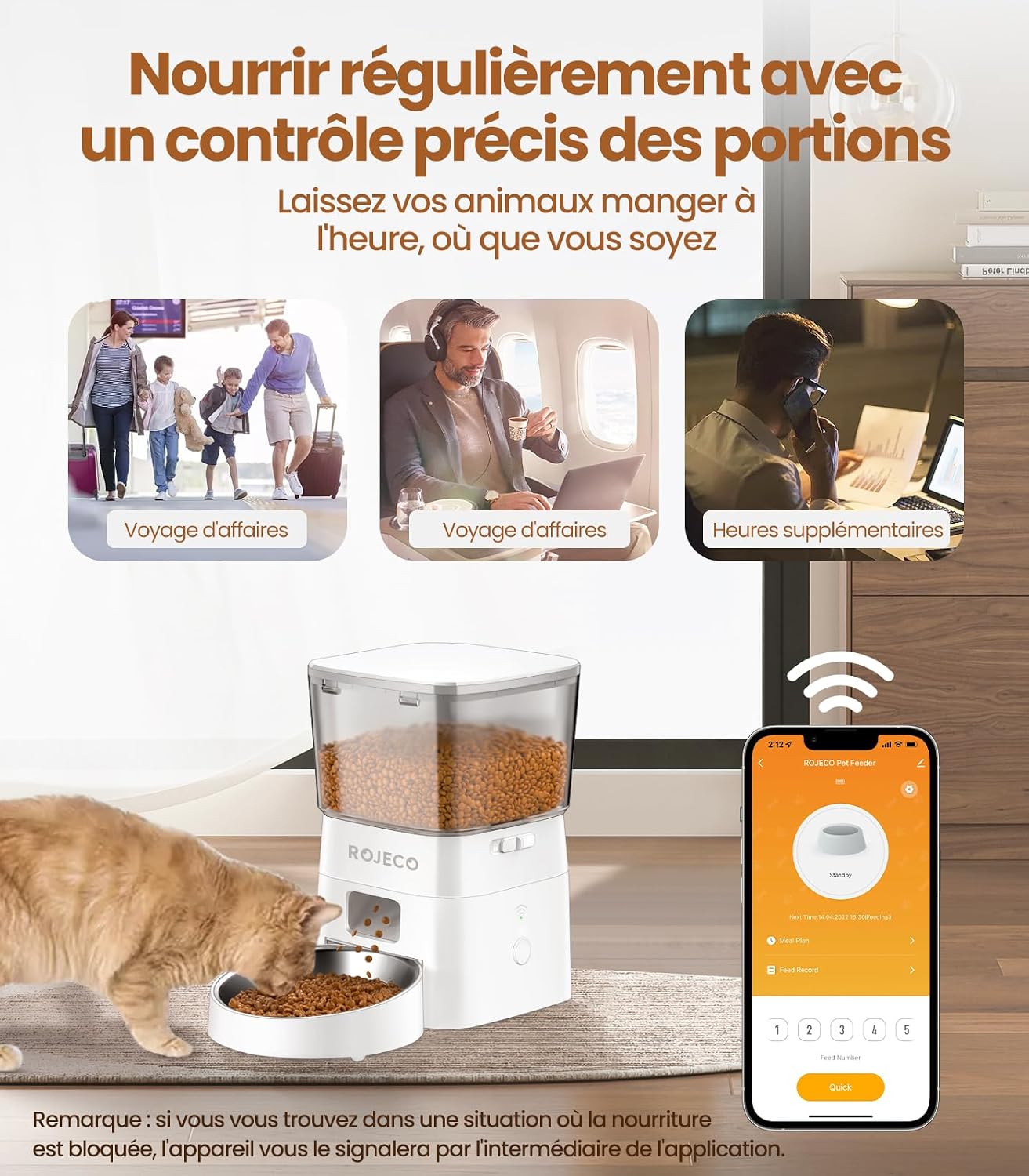
Image: The ROJECO Automatic Pet Feeder being controlled by a smartphone app, illustrating how to set precise feeding schedules and portions.
Manual Feeding
The feeder may have a manual feed button. Refer to the app for immediate dispensing options if available, or check the device for a physical button.
Lid Locking Mechanism
The top lid features a double protection lock to prevent pets from accessing the food. The keypad also has a lock function.

Image: The improved lid locking design of the ROJECO Automatic Pet Feeder, showing a cat attempting to open it.
Maintenance and Cleaning
Regular cleaning ensures hygiene and proper functioning of the feeder.
- Disconnect the feeder from power and remove any batteries.
- Remove the stainless steel bowl and the food tank.
- Wash the bowl and food tank with warm, soapy water. Rinse thoroughly and dry completely.
- Wipe the main feeder unit with a damp cloth. Do not submerge the main unit in water.
- Ensure all parts are dry before reassembling.
Image: The ROJECO Automatic Pet Feeder disassembled for cleaning, with the stainless steel bowl being washed under a faucet.
Food Freshness
The feeder is designed with good sealing and includes desiccant bags to maintain food freshness.

Image: Comparison of fresh and stale pet food, illustrating the feeder's design to maintain food freshness.
Troubleshooting
- Feeder not dispensing food.
- Check if the food tank is empty.
- Ensure the feeder is connected to power or has charged batteries.
- Verify the feeding schedule in the app.
- Check for food blockages. Ensure kibble size is between 2-15mm.
- App connection issues.
- Ensure your phone and feeder are connected to a 2.4G WiFi network (5G is not supported).
- Restart the feeder and your router.
- Re-pair the device in the app.
- Food becoming stale.
- Ensure the lid is properly closed and locked.
- Replace desiccant bags regularly if applicable.
If issues persist, contact ROJECO customer support.
Product Specifications
| Feature | Detail |
|---|---|
| Brand | ROJECO |
| Model Number | RWSQ |
| Capacity | 2 Liters |
| Material | Stainless Steel (bowl) |
| Color | White |
| Connectivity | Wi-Fi (2.4G only) |
| Power Source | AC Adapter, 4x AA Batteries (not included) |
| Product Dimensions | 25L x 15W x 10H centimeters |
| Target Species | Dog, Cat (Small to Medium Breed Size) |
| Special Features | WiFi App Control, Dual Power, Programmable Times & Portions, Multifunction |
Warranty and Support
The product comes with a warranty. For specific warranty details, please refer to the documentation included with your purchase or contact ROJECO customer service.
For technical support or further assistance, please visit the official ROJECO website or contact their customer service department.
Manufacturer: ROJECO
Part Number: RWSQ-00


