
Introduction
The Monster S310 Upgraded Bluetooth Speaker delivers powerful, dynamic sound with deep bass and clear details. Designed for portability and durability, it features IPX6 waterproofing, Bluetooth 5.2 connectivity, and True Wireless Stereo pairing for an immersive audio experience. This manual provides essential information for setting up, operating, and maintaining your speaker.
What's in the Box
- Monster S310 Bluetooth Speaker
- 3.5mm audio cable
- Charging Cable
- User manual (This document)
Product Overview and Features
The Monster S310 speaker is engineered for an impactful music experience, combining robust design with advanced audio technology.
- Dynamic Sound: Features two drives and a passive radiator for superior sound quality and deep bass.
- True Wireless Stereo (TWS) Pairing: Connect two S310 speakers for 60W total output and 360° stereo sound.
- Bluetooth 5.2: Ensures faster connection and extended wireless range. Remembers the last paired device for effortless reconnection.
- Long Battery Life: Rechargeable Li-ion battery provides up to 24 hours of continuous playback.
- IPX6 Waterproof: Resistant to splashes, rain, and gentle sprays, making it suitable for various environments.
- Integrated Controls: Easy-to-use buttons for power, volume, track navigation, and mode selection.
- SD/TF Card Support: Play music directly from a memory card.
- Built-in Microphone: Allows for hands-free phone calls.
Visual Overview

Image: An exploded view of the Monster S310 speaker, highlighting its internal dual drivers and passive radiator responsible for its dynamic sound and deep bass.

Image: The Monster S310 speaker showcasing its Bluetooth 5.2 capability for instant pairing and seamless connection.
Setup
Powering On/Off
Press and hold the power button (usually marked with a circle and a vertical line) located on the top panel of the speaker.
Initial Bluetooth Pairing
- Ensure the speaker is fully charged before first use.
- Power on the speaker. It will automatically enter Bluetooth pairing mode, indicated by a flashing LED light.
- On your device (smartphone, tablet, etc.), go to Bluetooth settings and search for available devices.
- Select "Monster S310" from the list.
- Once connected, the LED indicator will become solid, and you will hear an audible confirmation.
True Wireless Stereo (TWS) Pairing
To achieve a 60W stereo sound experience, you can pair two Monster S310 speakers together.
- Ensure both S310 speakers are powered on and not connected to any other Bluetooth device.
- On one speaker, press and hold the 'M' (Mode) button for a few seconds until you hear a pairing tone. This speaker will become the primary unit.
- The two speakers will automatically search for and connect to each other. Once connected, you will hear a confirmation tone, and their LED indicators will synchronize.
- Now, connect your device to the primary speaker via Bluetooth as described in "Initial Bluetooth Pairing."
Video: This video demonstrates the True Wireless Stereo (TWS) pairing process for two Monster S310 speakers, showing how they connect to each other and then to a mobile device for a synchronized stereo audio experience.
Operating Instructions
Controls Overview
The top panel features intuitive controls:
- Power Button: Press and hold to power on/off. Short press to play/pause music.
- Volume Up (+): Short press to increase volume.
- Volume Down (-): Short press to decrease volume.
- Next Track (>): Long press Volume Up button.
- Previous Track (<): Long press Volume Down button.
- Mode (M) Button: Short press to switch between Bluetooth and SD/TF card modes. Long press for TWS pairing.
- Call Button (Phone icon): Short press to answer/end calls. Long press to reject calls.

Image: A close-up view of the Monster S310 speaker's top control panel, showing the power, volume, track navigation, mode, and call buttons.
Using SD/TF Card
Insert a formatted SD/TF card with music files into the designated slot on the back of the speaker. The speaker will automatically switch to SD/TF card mode or can be manually selected using the 'M' button.

Image: The back of the Monster S310 speaker, illustrating the covered port for the SD/TF card and the Micro USB charging input.
Answering Calls
When a call comes in while connected via Bluetooth, the music will pause. Press the Call button to answer, and press it again to end the call. Long press to reject an incoming call.
Charging
Connect the provided charging cable to the Micro USB port on the back of the speaker and to a USB power source (e.g., wall adapter, computer USB port). The LED indicator will show charging status. A full charge provides up to 24 hours of playtime at appropriate volume levels.
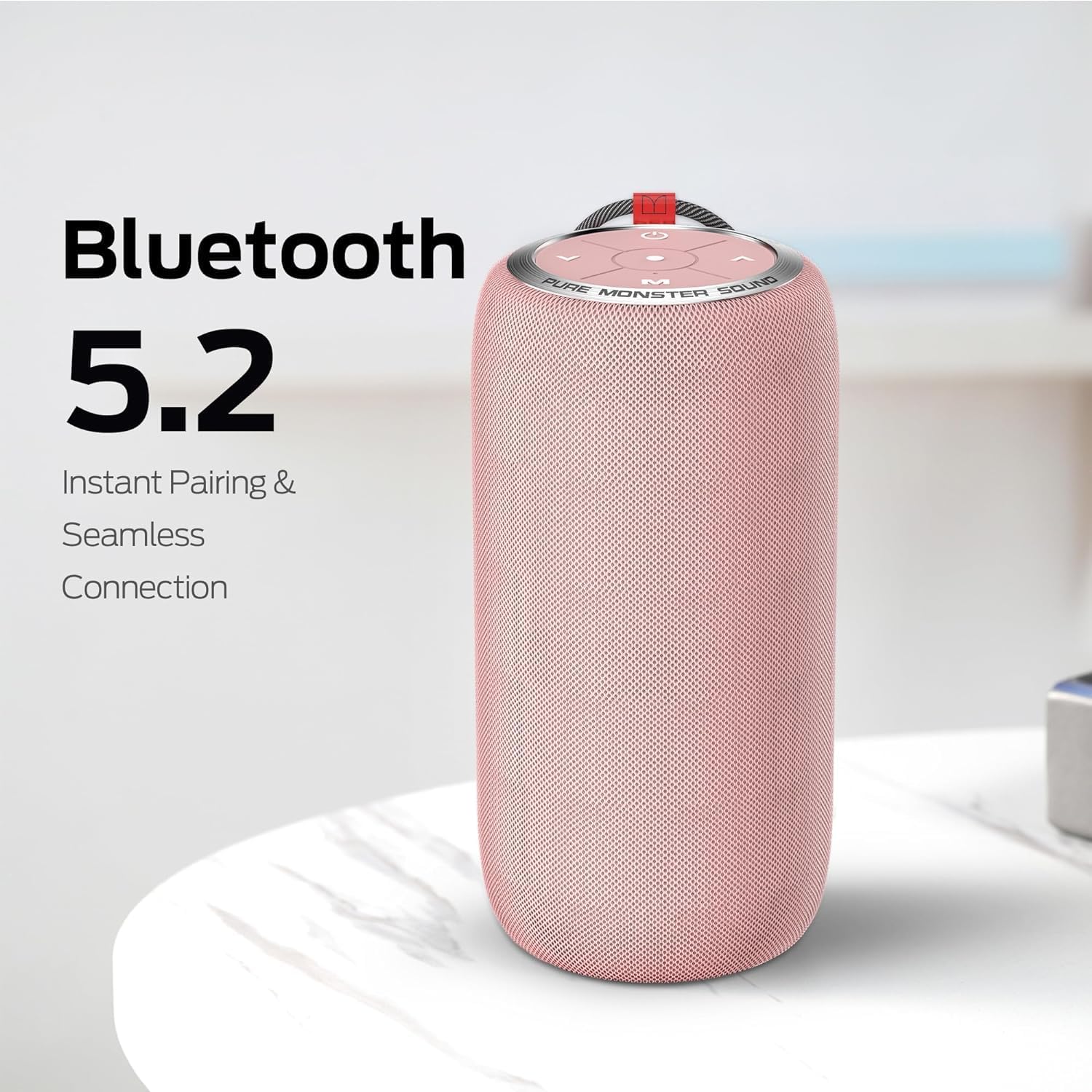
Image: The Monster S310 speaker with a graphic indicating its 24-hour playtime on a single charge.
Maintenance
- Keep the speaker away from extreme temperatures and direct sunlight.
- Clean the speaker with a soft, dry cloth. Do not use abrasive cleaners or solvents.
- Ensure the charging port cover is securely closed when not charging to maintain IPX6 water resistance.
- Do not attempt to disassemble or repair the speaker yourself. Contact customer support for assistance.

Image: The Monster S310 speaker being splashed with water, illustrating its IPX6 water-resistant design suitable for outdoor and wet environments.
Troubleshooting
No Power
- Ensure the speaker is fully charged.
- Check the charging cable and power adapter for damage.
Cannot Pair via Bluetooth
- Ensure the speaker is in pairing mode (flashing LED).
- Make sure the speaker is not already connected to another device.
- Turn off and on your device's Bluetooth, then try pairing again.
- Move the speaker closer to your device.
No Sound
- Check the volume levels on both the speaker and your connected device.
- Ensure the speaker is correctly paired via Bluetooth or the SD/TF card is properly inserted and selected.
TWS Pairing Fails
- Ensure both speakers are S310 models and are not connected to any other Bluetooth device.
- Follow the TWS pairing instructions carefully, ensuring only one speaker initiates the pairing process.
Specifications
| Feature | Detail |
|---|---|
| Brand | Monster |
| Model Name | S310 |
| Connectivity Technology | Bluetooth 5.2 |
| Speaker Type | Portable Bluetooth Speaker, Outdoor |
| Special Feature | Waterproof (IPX6), Wireless Connectivity, TWS Pairing |
| Speaker Maximum Output Power | 30 Watts (60W with TWS pairing) |
| Battery Life | Up to 24 hours |
| Material | Metal |
| Product Dimensions | 1"D x 1"W x 1"H |
| Item Weight | 1.39 pounds |
| Control Method | Touch |
| Included Components | 3.5mm audio cable, User manual, Charging Cable, Bluetooth Speaker |
Warranty and Support
The Monster S310 Bluetooth Speaker comes with a Limited Warranty. For detailed warranty information or technical support, please refer to the official Monster website or contact their customer service.
Return Policy: A 30-day refund/replacement policy is available from the point of purchase.
Additional Resources
For more information and product demonstrations, you may view the official product video below.
Video: An official product video showcasing the Monster S310 Bluetooth Speaker's features, including its sound technology, battery life, TWS pairing, and portability.


