
1. Product Overview
The PocBuds X1 Wireless Earbuds are designed to provide a superior audio experience with extended playback time, intuitive controls, and robust connectivity. Featuring a dual LED power display, IPX7 water resistance, and a comfortable in-ear design, these earbuds are suitable for various activities including sport, music, and phone calls.

Image: PocBuds X1 Wireless Earbuds in their charging case, showcasing the sleek design and LED display.
2. What's in the Box
- Wireless Earbuds (Left and Right)
- Wireless Charging Case
- Type-C Charging Cable
- User Manual
3. Setup and Initial Use
3.1 Initial Charging
Before first use, fully charge the earbuds and the charging case. The charging case supports both USB Type-C cable charging and wireless charging via a Qi-certified charging pad (not included). The dual digital display on the case will indicate the battery level.
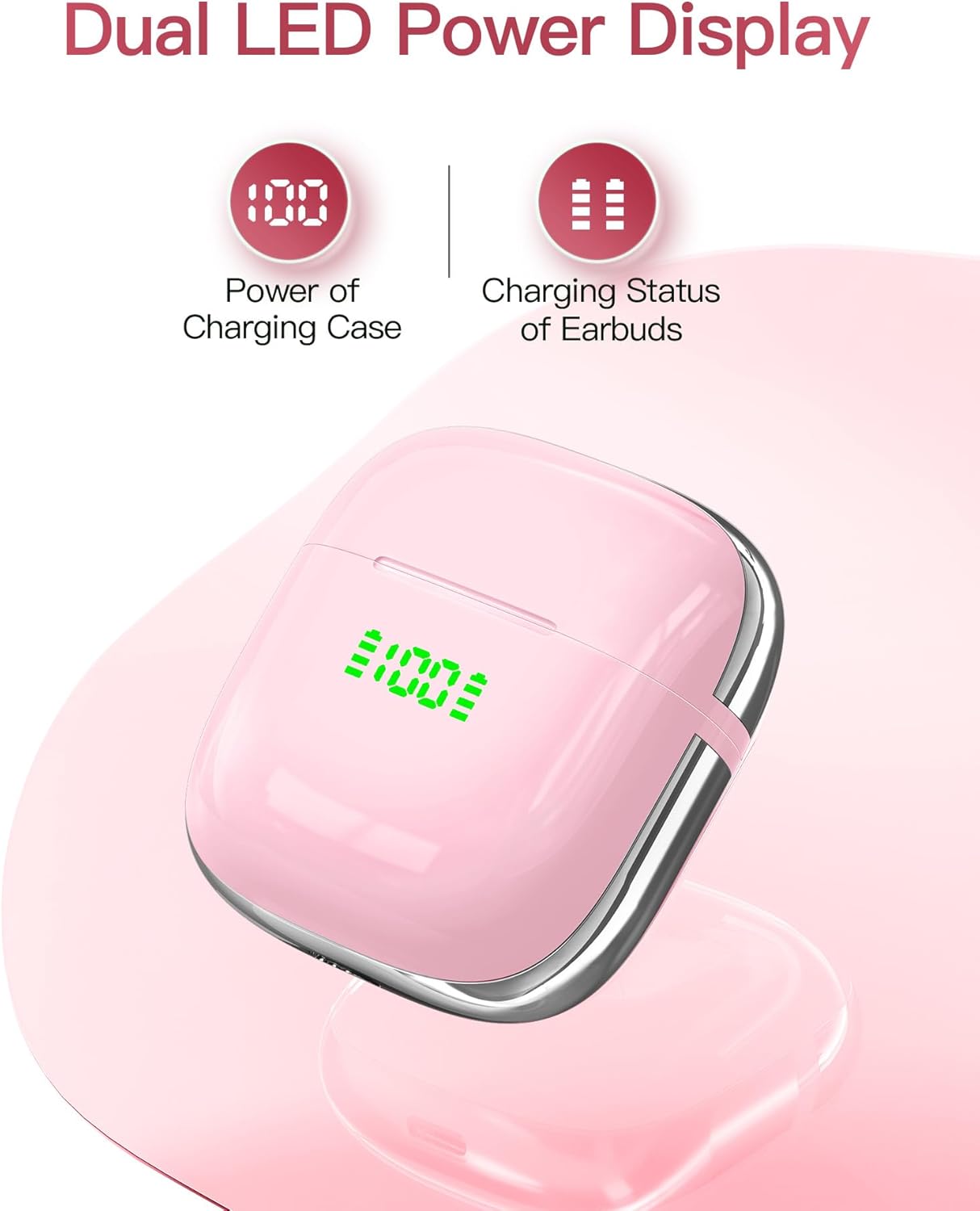
Image: Close-up of the charging case displaying the dual LED power indicators for the case and individual earbuds.
3.2 Pairing with Your Device (Open to Connect)
The PocBuds X1 earbuds feature an 'Open to Connect' function for seamless pairing:
- Ensure the earbuds are in the charging case and the case has sufficient charge.
- Open the lid of the charging case. The earbuds will automatically enter pairing mode.
- On your device (smartphone, tablet, laptop), navigate to the Bluetooth settings.
- Select "X1" from the list of available devices to connect.
- Once connected, the earbuds are ready for use. They will automatically reconnect to the last paired device when the case is opened.

Image: A smartphone screen showing the Bluetooth settings with 'X1' listed as a discoverable device, illustrating the 'Open to Connect' feature.
4. Operating Instructions
4.1 One-Button Control
The earbuds feature a single button control for easy management of audio and calls:
- Play/Pause: Single press on either earbud.
- Next Track: Double press on the right earbud.
- Previous Track: Double press on the left earbud.
- Answer/End Call: Single press on either earbud.
- Reject Call: Press and hold on either earbud.
- Activate Voice Assistant: Triple press on either earbud.
4.2 Battery Life and Charging
The earbuds provide up to 6 hours of playback on a single charge, with the charging case extending total playtime to an impressive 72 hours. A quick 15-minute charge can provide up to 2 hours of playback when the battery is low.

Image: Graphic illustrating the 6 hours of single charge playtime and 72 hours total playtime with the charging case.
4.3 Audio Quality
Equipped with a 13mm dynamic driver unit, the PocBuds X1 delivers crisp highs, accurate mids, and rich bass for an immersive stereo sound experience. The built-in microphone with beamforming technology ensures clear voice capture for calls.

Image: Visual representation of sound waves, indicating premium stereo sound and a 95% reduction in noise for an enhanced listening experience.
5. Maintenance and Care
5.1 Cleaning
Regularly clean your earbuds and charging case with a soft, dry, lint-free cloth. Avoid using abrasive materials or harsh chemicals. Gently remove any earwax or debris from the earbud tips and speaker mesh using a small, soft brush or cotton swab.
5.2 Water Resistance (IPX7)
The PocBuds X1 earbuds are IPX7 sweat-resistant, making them suitable for workouts and use in most wet weather conditions. This rating means they can withstand immersion in water up to 1 meter for 30 minutes. However, the charging case is not water-resistant. Do not submerge the earbuds or expose the charging case to water.
5.3 Storage
Store the earbuds in their charging case when not in use to protect them and ensure they remain charged. Keep them in a cool, dry place away from extreme temperatures and direct sunlight.

Image: A person wearing the earbuds, highlighting their lightweight and comfortable semi-in-ear ergonomic design.
6. Troubleshooting
If you encounter any issues with your PocBuds X1 earbuds, please refer to the common solutions below. For more detailed assistance, you can refer to the official Troubleshooting Guide (PDF).
- Earbuds not pairing: Ensure both earbuds are in the case, close the lid, wait a few seconds, then open it again. Check your device's Bluetooth settings and forget any previous connections to "X1" before attempting to reconnect.
- No sound from one earbud: Place both earbuds back in the charging case, close the lid, and then take them out again. This often re-syncs them.
- Charging issues: Ensure the charging cable is securely connected to both the case and a power source. For wireless charging, ensure the case is properly aligned on the charging pad. Clean the charging contacts on the earbuds and inside the case.
- Poor call quality: Ensure the earbuds are clean and positioned correctly in your ears. Check your device's microphone settings.
- Earbuds falling out: Ensure the earbuds are correctly inserted and twisted slightly to secure them in your ear canal.
7. Specifications
| Feature | Detail |
|---|---|
| Model Name | X1 |
| Connectivity Technology | Wireless (Bluetooth 5.3) |
| Bluetooth Range | 10 Meters (30 feet) |
| Earbud Playback Time (Single Charge) | Up to 6 hours |
| Total Playback Time (with Charging Case) | Up to 72 hours |
| Charging Interface | USB Type-C, Wireless Charging (Qi-certified) |
| Water Resistance Rating | IPX7 (Earbuds only) |
| Driver Unit | 13mm Dynamic Driver |
| Control Method | Button Control |
| Earbud Weight | Approximately 0.15 ounces (each) |
| Product Dimensions | 2 x 1.13 x 2.21 inches (Charging Case) |
8. Warranty and Support
PocBuds stands behind the quality of its products. The X1 Wireless Earbuds come with a comprehensive warranty. For specific warranty details and to register your product, please refer to the information provided with your purchase or contact PocBuds customer support.
For further assistance, please consult the official User Manual (PDF) or the Troubleshooting Guide (PDF) available online.
You can also visit the PocBuds Store on Amazon for more product information and support resources.


