
1. Introduction
Thank you for choosing the ThermoPro TP904 Bluetooth Meat Thermometer. This device is designed to help you achieve perfectly cooked meats every time by providing accurate temperature readings and remote monitoring capabilities via a smartphone application. With its dual probes and extended Bluetooth range, you can monitor two different cuts of meat or the ambient grill temperature simultaneously, ensuring optimal results for your BBQ, oven, or smoker.
2. Package Contents
- 1 x ThermoPro TP904 Main Unit
- 2 x Stainless Steel Temperature Probes
- 2 x Probe Clips
- 2 x AAA Batteries (included)
- 1 x User Manual
3. Product Overview

The main unit features a large, easy-to-read digital display showing temperatures for both probes. It is designed for durability and ease of use, with a compact form factor.
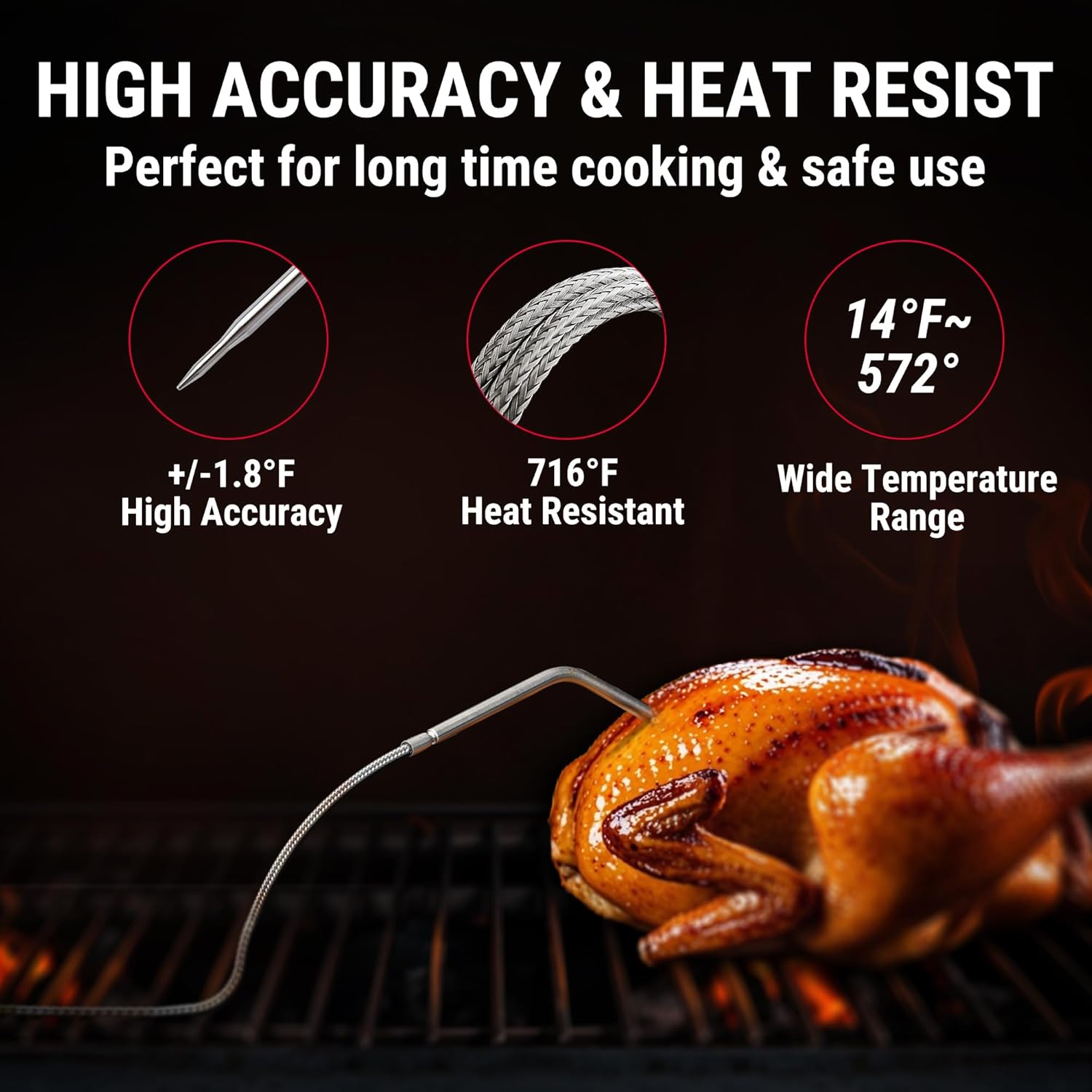
The stainless steel probes are highly accurate, with a temperature range of 14°F to 572°F and heat resistance up to 716°F, making them suitable for various cooking methods.
The ThermoPro TP904 unit is equipped with a clear digital display, allowing you to monitor temperatures directly. It also features a hideaway hanging mount and a durable stand for versatile placement options during cooking.
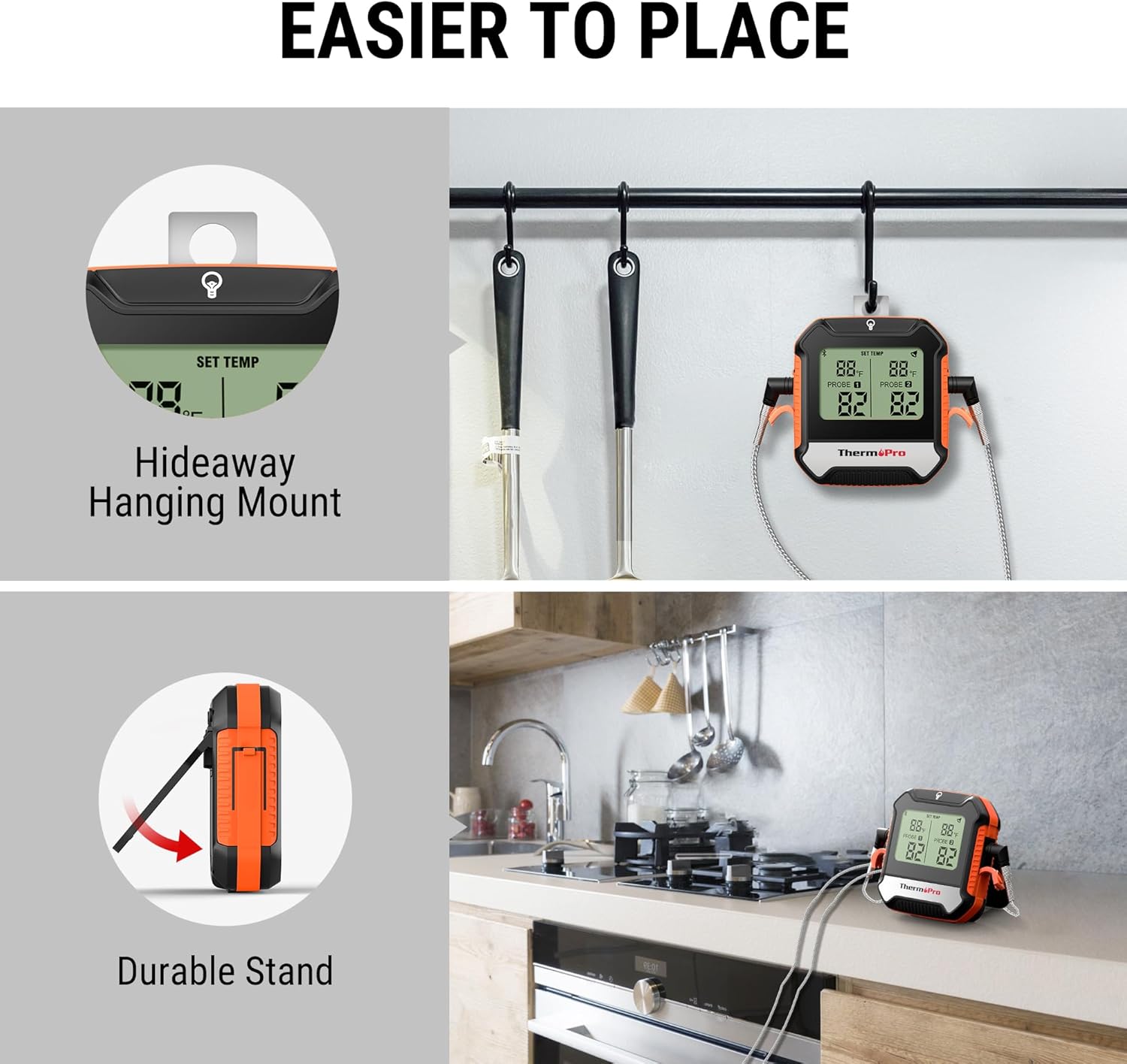
The unit can be conveniently hung or stood on a flat surface.
4. Setup
4.1 Battery Installation
Open the battery compartment on the back of the main unit. Insert the two AAA batteries, ensuring correct polarity (+/-). Close the battery compartment securely.
4.2 Probe Connection
Insert the stainless steel probes into the designated ports on the side of the main unit. Ensure they are fully inserted for accurate readings.
4.3 App Download & Bluetooth Pairing
To utilize the full features of your ThermoPro TP904, download the companion app. Scan the QR code provided in the quick start guide or search for "ThermoPro BBQ" in your device's app store (available for iOS and Android).

The ThermoPro app offers easy setup without requiring account creation or WiFi settings.
Once the app is installed, turn on your ThermoPro TP904 unit. Press the pair button located on the back of the unit. Open the ThermoPro app on your smartphone. The app will automatically detect and pair with your thermometer. A stable Bluetooth 5.0 connection allows for a remote range of up to 450 feet, enabling you to monitor your cooking from a distance.

Enjoy a stable connection up to 450 feet away from your grill or oven.
5. Operating Instructions
5.1 Monitoring Temperatures
Once paired, the main unit's display will show the current temperatures from both probes. The app will also display these temperatures in real-time. You can easily check the temperature without needing to constantly pull out your phone.

Monitor two separate meats or the grill temperature simultaneously.
5.2 Setting Target Temperatures & Presets
The ThermoPro app allows you to set custom target temperatures or select from a variety of USDA-recommended presets for different types of meat (e.g., poultry, beef, pork). This feature ensures your food is cooked to the desired doneness.

Utilize USDA presets for various food types to ensure perfect doneness.
5.3 Alarms and Notifications
The app will provide an alarm and vibration notification when your food reaches the set target temperature. This allows you to step away from the grill or oven and be alerted when your meal is ready, preventing overcooking.

Receive pre-alarms and notifications directly on your phone when target temperatures are reached.
6. Maintenance
6.1 Cleaning
Wipe the main unit clean with a damp cloth. Do not immerse the main unit in water. The probes can be cleaned with soap and water, but ensure the probe connectors are kept dry.
6.2 Storage
Store the thermometer and probes in a dry place when not in use. Avoid extreme temperatures or direct sunlight.
7. Troubleshooting
7.1 Connection Issues
If the Bluetooth connection is lost or unstable:
- Ensure the main unit and your smartphone are within the 450ft Bluetooth range.
- Check if the batteries in the main unit are low and replace them if necessary.
- Restart the ThermoPro app and try re-pairing the device.
- Ensure Bluetooth is enabled on your smartphone.
7.2 Inaccurate Readings
If you suspect inaccurate temperature readings:
- Ensure the probes are fully inserted into the meat and the main unit.
- Verify that the probes are not touching bone or gristle, which can affect readings.
- Test the probes in boiling water (212°F / 100°C) or ice water (32°F / 0°C) to check their calibration.
8. Specifications
| Feature | Specification |
|---|---|
| Model Name | TP904 |
| Temperature Range | 14°F to 572°F (-10°C to 300°C) |
| Accuracy | +/-1.8°F (+/-1°C) |
| Probe Heat Resistance | Up to 716°F (380°C) |
| Connectivity Technology | Bluetooth 5.0 |
| Wireless Range | Up to 450 ft (137 m) |
| Number of Probes | 2 |
| Power Source | 2 x AAA Batteries (included) |
| Display Type | Digital |
| Waterproof Rating | IPX4 (Main Unit) |
| Product Care | Wipe Clean |
9. Warranty and Support
ThermoPro provides a warranty for its products. For detailed warranty information, product registration, or technical support, please visit the official ThermoPro website or contact their customer service. Keep your purchase receipt for warranty claims.


