
1. Introduction
This manual provides comprehensive instructions for the assembly, operation, and maintenance of your FLEXISPOT Electric Standing Desk. Please read this manual thoroughly before use to ensure safe and efficient operation.
2. Safety Information
Important Safety Precautions:
- Always follow the assembly instructions carefully.
- Use appropriate tools, such as a drill, which is not included with the product.
- Be cautious when handling the heavy desk (approximately 90 pounds) to avoid injury. It is recommended to have two people for assembly.
- Ensure the desk is properly anchored to the floor for stability, especially when using the electric height adjustment feature.
- Keep children and pets away from the desk during operation.
- Do not overload the desk beyond its specified weight capacity (110 lbs for the monitor stand).
- Ensure all cables are properly managed to prevent tripping hazards or damage during height adjustments.
3. Package Contents
Your FLEXISPOT Electric Standing Desk package includes the following components. Please verify all parts are present before beginning assembly.
- One-piece Desktop (Black Frame/Black Top, 48 inch)
- Electric Lifting Columns (Legs)
- Control Panel with LCD Display
- Monitor Stand with Two Drawers
- Power Adapter and Cables
- Assembly Hardware (screws, tools - drill not included)
- User Manual (this document)

Figure 1: Complete FLEXISPOT Electric Standing Desk with integrated monitor stand and drawers.

Figure 2: The desk is shipped in two separate packages (desktop and frame) which may arrive separately.
4. Setup and Assembly
Assembly of the FLEXISPOT Electric Standing Desk typically requires two people due to the weight of the components. Follow the detailed instructions provided in the included physical instruction manual for step-by-step guidance.
Key Assembly Steps:
- Unpack all components and verify against the package contents list.
- Assemble the desk frame (legs and crossbar) according to the manual.
- Attach the one-piece desktop securely to the assembled frame.
- Install the monitor stand with integrated drawers onto the desktop.
- Connect the control panel and power cables. Ensure all connections are secure.
- Manage cables using the provided ties or clips for a clean and safe setup.

Figure 3: Desk dimensions, including the monitor stand and adjustable height range (28.1" to 45.7").
5. Operating Instructions
The FLEXISPOT Electric Standing Desk features an intuitive control panel for easy height adjustments and personalized settings.
5.1. Control Panel Overview
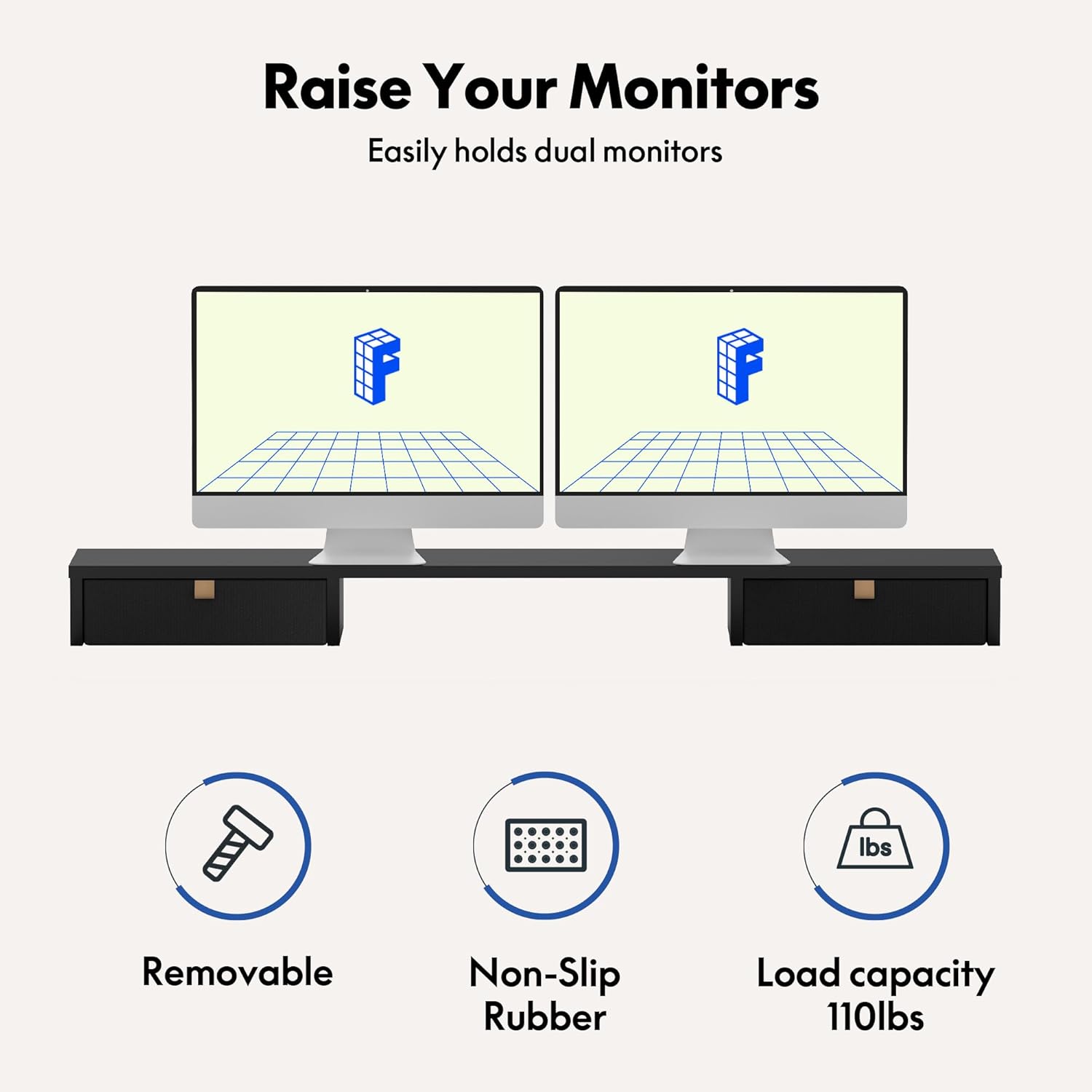
Figure 4: The control panel with up/down arrows, memory presets (1, 2, 3), and reminder (M) buttons.
- Up/Down Arrows (▲ / ▼): Press to manually adjust the desk height. The LCD display shows the current height in inches.
- Memory Presets (1, 2, 3): Save your preferred sitting or standing heights. To save a height, adjust the desk to the desired position, then press the 'M' button followed by the desired preset number (1, 2, or 3).
- Reminder (M): Set a reminder to change your posture. The default is 60 minutes. Refer to the physical manual for detailed instructions on setting the reminder interval.
5.2. Height Adjustment Range
The desk's height can be adjusted from 28.1 inches (minimum) to 45.7 inches (maximum), accommodating various user heights and preferences.
5.3. Integrated Monitor Stand and Drawers
The integrated monitor stand provides an ergonomic viewing height for your monitors and includes two convenient drawers for storage. The open cubicle space beneath the monitor stand is ideal for keyboard and mouse storage when not in use.

Figure 5: The monitor stand offers dual drawers, an open cubicle, and elevates monitors for improved ergonomics.

Figure 6: The monitor stand is removable, features non-slip rubber, and has a load capacity of 110 lbs.
6. Maintenance
To ensure the longevity and optimal performance of your FLEXISPOT Electric Standing Desk, follow these maintenance guidelines:
- Regularly wipe down the desktop and frame with a soft, damp cloth. Avoid harsh chemicals or abrasive cleaners.
- Check all screws and connections periodically to ensure they remain tight. Tighten if necessary.
- Keep the electric components dry and free from dust.
- Avoid placing excessive weight on the desk, especially on the edges or corners.
7. Troubleshooting
If you encounter any issues with your FLEXISPOT Electric Standing Desk, please refer to the troubleshooting section in your physical user manual. Common issues and their solutions are typically covered there. If the problem persists, please contact FLEXISPOT customer support.
Common Troubleshooting Tips:
- Desk not moving: Check all power connections. Ensure the power cord is securely plugged into both the desk and a working outlet.
- Error codes on display: Refer to the specific error code in your manual for diagnostic steps.
- Uneven movement: Ensure the desk is on a flat, stable surface and that all leg components are properly assembled.
8. Specifications
| Feature | Detail |
|---|---|
| Brand | FLEXISPOT |
| Model Number | B0CKW4XR6B |
| Product Dimensions | 48"D x 24"W x 33.2"H |
| Color | Black Frame/Black Top |
| Height Adjustment Range | 28.1" to 45.7" |
| Desktop Material | Engineered Wood (One-Piece) |
| Base Material | Alloy Steel |
| Item Weight | 90 Pounds |
| Monitor Stand Load Capacity | 110 lbs |
| Included Components | Monitor Stand, Drawers, Desk Organizer |
| Certifications | FCC and UL certified frame, EPA and CARB certified desktop |
9. Warranty and Support
The FLEXISPOT Electric Standing Desk comes with a Limited Warranty. For specific warranty terms and conditions, please refer to the warranty information provided with your product or visit the official FLEXISPOT website.
For customer support, technical assistance, or to inquire about replacement parts, please contact FLEXISPOT directly through their official channels.


