
1. Introduction
This instruction manual provides detailed guidance for the installation, operation, and maintenance of your SmallRig Side Handle Quick Release Adaptor, Model 4404. This adaptor is designed to enhance your mobile phone photography and videography experience by providing quick and secure attachment of compatible side handles to SmallRig phone cages.
Please read this manual thoroughly before using the product to ensure proper function and longevity.
2. Package Contents
- 1 x Side Handle Quick Release Adaptor
- 2 x M5 Allen Cylindrical Screws
- 1 x Allen Wrench
3. Product Overview and Compatibility
The SmallRig Side Handle Quick Release Adaptor 4404 is a robust accessory crafted from aluminum alloy and silicone, designed for durability and ease of use. It facilitates rapid attachment and detachment of side handles to compatible phone cages.
3.1. Product Image

Figure 1: SmallRig Side Handle Quick Release Adaptor 4404.
3.2. Compatibility
- Phone Cage Compatibility: Designed for SmallRig universal quick release phone cage 4299 and upcoming SmallRig special phone cages for the iPhone 15 series.
- Side Handle Compatibility: Compatible with all SmallRig mobile phone side handles (Models 2772, 3838, 3894, and HSS2424), as well as any side handles on the market secured by M5x10 screws.
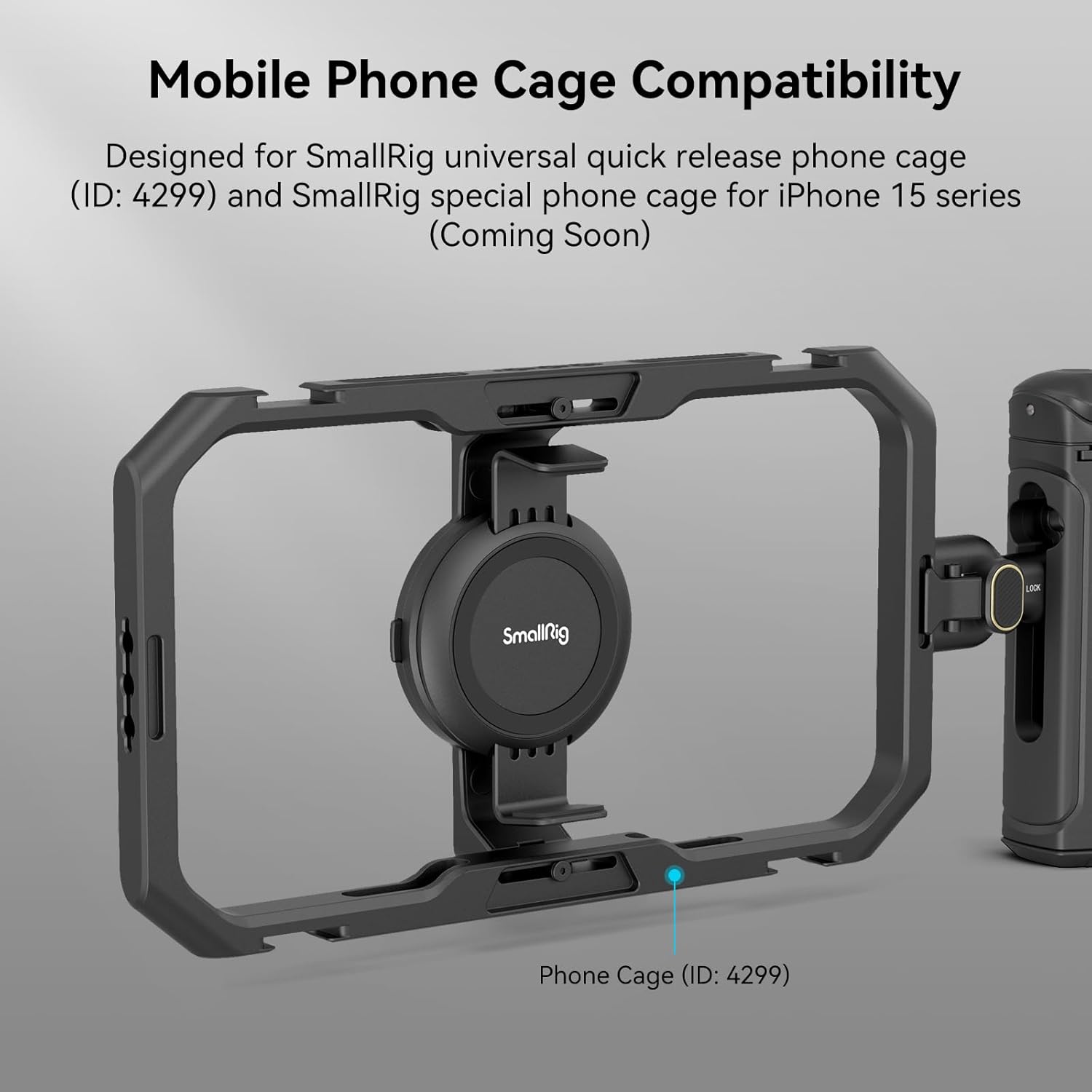
Figure 2: Illustration of the adaptor's compatibility with a SmallRig phone cage (ID: 4299).

Figure 3: The adaptor is compatible with various SmallRig side handles and other M5x10 screw-secured handles.
4. Installation
Follow these steps to properly install the Quick Release Adaptor and attach it to your phone cage.
4.1. Attaching the Adaptor to a Side Handle
- Locate the two M5 Allen cylindrical screws and the Allen wrench provided in the package.
- Align the Quick Release Adaptor with the mounting holes on your compatible SmallRig side handle.
- Insert the M5 screws through the adaptor and into the side handle.
- Use the Allen wrench to securely tighten the screws. Ensure the adaptor is firmly attached to the handle.

Figure 4: Illustration of attaching the Quick Release Adaptor to a SmallRig side handle using M5 screws.
4.2. Attaching the Handle (with Adaptor) to a Phone Cage
- Identify the quick release slot on your SmallRig phone cage.
- Align the positioning post of the adaptor with the 1/4"-20 threaded hole on the phone cage.
- Press the adaptor firmly into the quick release slot until you hear a distinct "click" sound, indicating it is securely locked.

Figure 5: Diagram illustrating the 1-second installation process with the phone cage, showing positioning post, quick release lock buckle, and unlock button.
4.3. Video Demonstration: Quick Release System
Video 1: This video demonstrates the quick release mechanism of the SmallRig Universal Phone Cage, showcasing how the side handle adaptor can be quickly attached and detached.
5. Operation
5.1. Locking and Unlocking the Adaptor
- Lock: Once the positioning post is aligned and pressed into the threaded hole, the quick release lock buckle will engage, securing the handle to the cage. A "click" sound confirms the lock.
- Unlock: To detach the handle, simply press the double-sided unlock button on the adaptor. This releases the lock buckle, allowing for quick removal.
5.2. Quick Conversion Between Horizontal and Vertical Shooting
The quick release design allows for seamless transitions between horizontal and vertical shooting orientations. By quickly detaching and reattaching the handle to different mounting points on your phone cage, you can adapt to various shooting scenarios without tedious installation or disassembly.
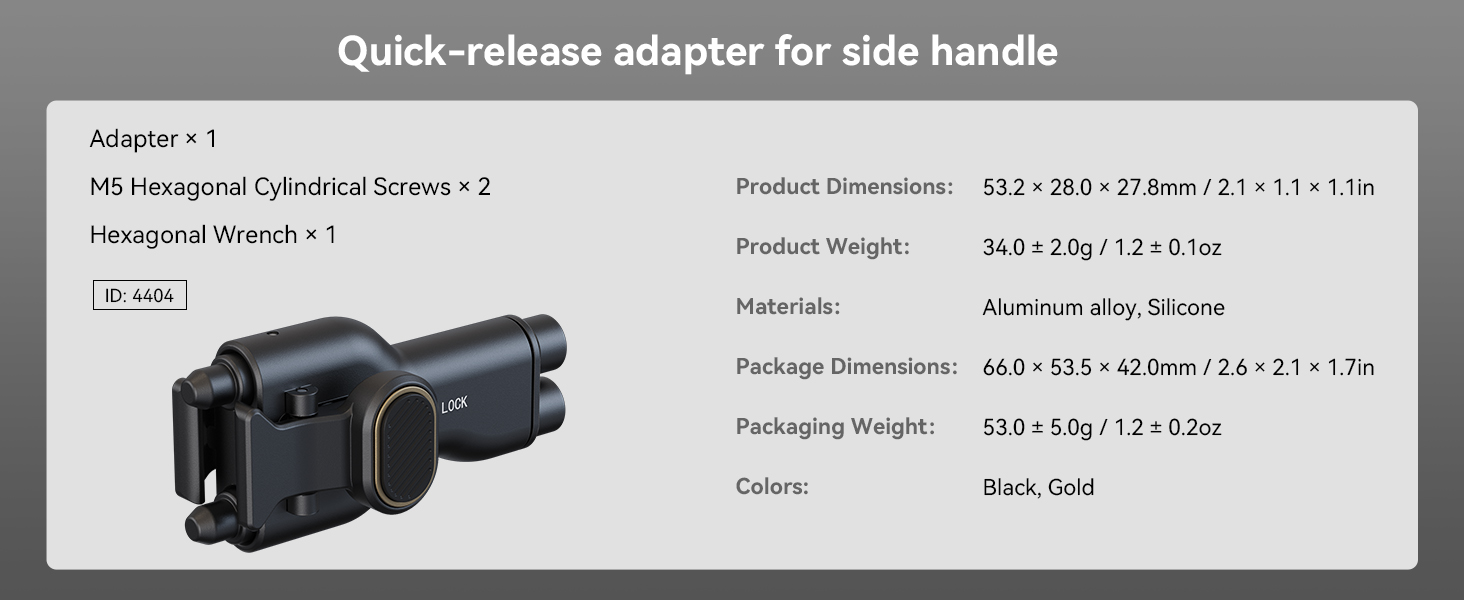
Figure 6: Demonstrates the quick conversion capability between horizontal and vertical shooting modes by repositioning the handle.
5.3. Bluetooth Remote Functionality (with compatible handles)
Some compatible SmallRig side handles (e.g., Models 2772, 3838, 3894, HSS2424) may feature integrated Bluetooth remote controls. If your handle includes this feature, you can trigger recording or capture photos remotely, further enhancing your shooting flexibility. Refer to your specific handle's manual for Bluetooth pairing instructions.
6. Specifications
| Feature | Detail |
|---|---|
| Brand | SMALLRIG |
| Model Number | 4404 |
| Product Dimensions | 2.09"D x 1.1"W x 1.09"H (53.2mm x 28mm x 27.8mm) |
| Item Weight | 1.2 ounces (34 Grams) |
| Materials | Aluminum Alloy, Silicone |
| Color | Black |
7. Maintenance and Care
- Keep the adaptor clean by wiping it with a soft, dry cloth.
- Avoid exposing the product to extreme temperatures or harsh chemicals.
- Store the adaptor in a dry, dust-free environment when not in use.
- Regularly check screws for tightness to ensure secure attachment.
8. Troubleshooting
- Handle feels loose: Ensure all M5 screws attaching the adaptor to the handle are tightened. Verify the adaptor is fully clicked into the phone cage's quick release slot.
- Difficulty attaching/detaching: Check for any obstructions in the quick release slot or on the adaptor's posts. Ensure the unlock button is fully pressed when detaching.
9. Warranty and Support
For warranty information and customer support, please refer to the official SmallRig website or contact your local distributor. Keep your purchase receipt for warranty claims.