
1. Introduction
Thank you for choosing the YMOO Y7Pro Bluetooth 5.3 Hybrid Active Noise Cancelling Headphones. This manual provides essential information for setting up, operating, and maintaining your headphones to ensure optimal performance and longevity. Please read this manual thoroughly before use.
2. Safety Information
- Do not expose the headphones to extreme temperatures, humidity, or corrosive substances.
- Avoid dropping or subjecting the headphones to strong impacts.
- Do not disassemble or modify the headphones. This voids the warranty.
- Clean the headphones with a soft, dry cloth. Do not use liquid cleaners.
- Prolonged listening at high volume levels may cause hearing damage. Adjust volume to a safe level.
- Be aware of your surroundings when using headphones, especially in traffic or other potentially hazardous situations.
3. What's in the Box
Please check the package contents to ensure all items are present:
- YMOO Y7Pro Hybrid Active Noise Cancelling Headphones
- USB Charging Cable
- 3.5mm to Type-C Audio Cable
- Aircraft Adapter
- User Manual (this document)

Image: Contents of the YMOO Y7Pro package, including headphones, cables, and adapter.
4. Product Overview
Familiarize yourself with the headphone components and controls:

Image: Detailed view of the 40mm dynamic drivers within the YMOO Y7Pro headphones.
Controls and Ports:
- Power Button: Press and hold to power on/off.
- Volume Up/Next Track: Short press for volume up, long press for next track.
- Volume Down/Previous Track: Short press for volume down, long press for previous track.
- Multi-function Button (MFB): Play/Pause, Answer/End calls.
- ANC Button: Toggle Active Noise Cancellation modes (On/Off/Transparency).
- USB-C Port: For charging and wired audio connection.
- Microphone: For calls and voice commands.
5. Setup
5.1 Charging the Headphones
- Connect the USB charging cable to the USB-C port on the headphones.
- Connect the other end of the cable to a USB power adapter (not included) or a computer's USB port.
- The LED indicator will show charging status. A full charge typically takes approximately 2 hours.
- A 10-minute charge provides approximately 5 hours of playtime.
5.2 Powering On/Off
- Power On: Press and hold the Power button for 3 seconds until the LED indicator flashes blue.
- Power Off: Press and hold the Power button for 3 seconds until the LED indicator flashes red and then turns off.
5.3 Bluetooth Pairing
- Ensure the headphones are powered off.
- Press and hold the Power button for 5 seconds until the LED indicator flashes red and blue alternately, indicating pairing mode.
- On your device (smartphone, tablet, computer), enable Bluetooth and search for available devices.
- Select "YMOO Y7Pro" from the list of devices.
- Once connected, the LED indicator will flash blue slowly.
- The headphones support multipoint pairing, allowing connection to two devices simultaneously.
5.4 Wired Connection
To use the headphones in wired mode:
- Connect the 3.5mm end of the audio cable to your audio source (e.g., phone, computer, airplane entertainment system via adapter).
- Connect the Type-C end of the audio cable to the USB-C port on the headphones.
- The headphones will automatically switch to wired mode. Bluetooth functionality will be disabled.

Image: The YMOO Y7Pro headphones support both wireless Bluetooth and wired connections.
5.5 App Customization (YeeMall App)
For advanced settings and sound customization, download the YeeMall app:
- Search for "YeeMall" on the Google Play Store or Apple App Store.
- Install the app on your smartphone.
- Connect your Y7Pro headphones via Bluetooth to your phone.
- Open the YeeMall app to access features like custom EQ settings, preset sound effects, and noise cancellation mode control.
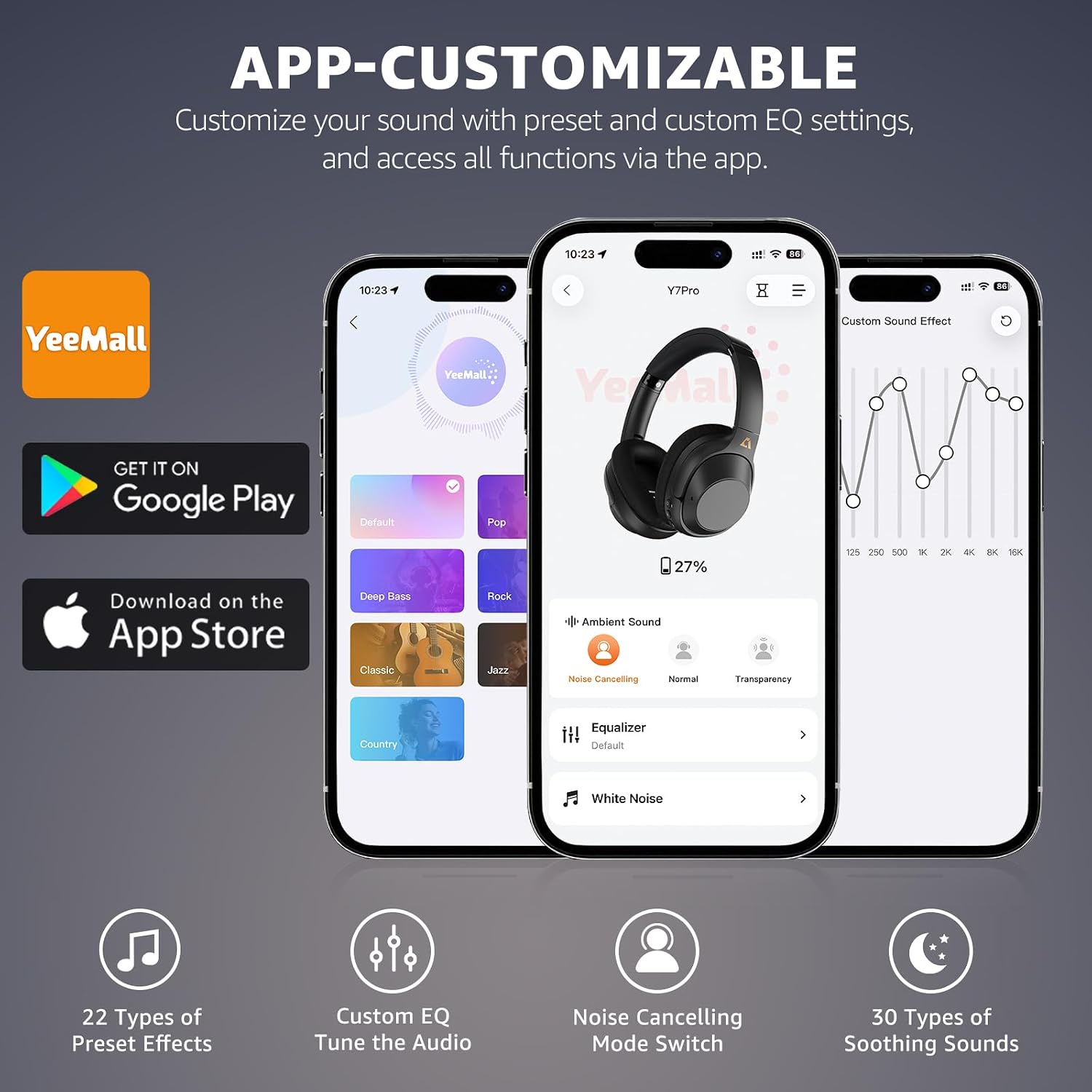
Image: The YeeMall app allows for personalized sound and feature control.
6. Operating
6.1 Music Playback
- Play/Pause: Press the MFB once.
- Volume Up: Short press the Volume Up button.
- Volume Down: Short press the Volume Down button.
- Next Track: Long press the Volume Up button.
- Previous Track: Long press the Volume Down button.
6.2 Call Functions
- Answer/End Call: Press the MFB once.
- Reject Call: Press and hold the MFB for 2 seconds.
- Activate Voice Assistant: Double-press the MFB.
6.3 Active Noise Cancellation (ANC)
The Y7Pro headphones feature Hybrid Active Noise Cancellation to reduce ambient noise.
- Toggle ANC Modes: Press the ANC button to cycle through modes: ANC On, Transparency Mode, ANC Off.
- ANC On: Reduces external noise for immersive listening.
- Transparency Mode: Allows you to hear your surroundings while still enjoying audio.

Image: Hybrid Active Noise Cancellation reduces ambient noise for a clearer audio experience.
7. Maintenance
7.1 Cleaning
- Wipe the headphones with a soft, dry, lint-free cloth.
- Do not use abrasive cleaners, alcohol, or chemical solvents.
- Keep the charging port free of dust and debris.
7.2 Storage
- Store the headphones in a cool, dry place away from direct sunlight.
- When not in use for extended periods, store them in their protective case (if included) or a suitable pouch.
- The foldable design allows for compact storage.

Image: The Y7Pro headphones feature a foldable design for easy storage and portability.
7.3 Battery Care
- Charge the headphones regularly, even if not used frequently, to maintain battery health.
- Avoid fully discharging the battery often.
8. Troubleshooting
If you encounter issues with your YMOO Y7Pro headphones, refer to the following common solutions:
| Problem | Possible Cause | Solution |
|---|---|---|
| Headphones won't power on | Low battery | Charge the headphones fully. |
| Cannot pair via Bluetooth | Headphones not in pairing mode; Bluetooth off on device | Ensure headphones are in pairing mode (flashing red/blue). Turn on Bluetooth on your device and re-scan. |
| No sound in Bluetooth mode | Volume too low; not connected; wired cable inserted | Increase volume. Ensure headphones are connected. Remove any wired audio cables. |
| ANC not working effectively | ANC mode off; improper fit | Press the ANC button to activate ANC. Adjust headphones for a snug fit over your ears. |
| Wired connection not working | Cable not fully inserted; faulty cable | Ensure the 3.5mm to Type-C audio cable is securely connected at both ends. Try a different cable if available. |
9. Specifications
Key technical specifications for the YMOO Y7Pro headphones:
- Model: Y7Pro
- Brand: YMOO
- Connectivity: Bluetooth 5.3 (Wireless), 3.5mm to Type-C (Wired)
- Bluetooth Range: Up to 15.24 meters (50 feet)
- Battery Life: Up to 80 hours (Standard mode), Up to 50 hours (ANC mode)
- Charging Time: Approximately 2 hours (10 min charge for 5 hours playtime)
- Noise Control: Hybrid Active Noise Cancellation
- Audio Driver Size: 40mm Dynamic Drivers
- Frequency Response: Up to 40 KHz
- Impedance: 36 ohm
- Control Type: Media Control (Buttons, Touch)
- Material: Acrylonitrile Butadiene Styrene (ABS)
- Additional Features: Foldable design, Multipoint Pairing, Fast Charging

Image: The Y7Pro offers extended playtime and fast charging capabilities.
10. Warranty and Support
10.1 Warranty Information
The YMOO Y7Pro headphones come with a 1-year warranty from the date of purchase. This warranty covers manufacturing defects and workmanship under normal use. It does not cover damage caused by misuse, accidents, unauthorized modifications, or normal wear and tear.
10.2 Customer Support
For technical assistance, warranty claims, or any questions regarding your YMOO Y7Pro headphones, please contact YMOO customer support through the retailer where you purchased the product or visit the official YMOO website for contact information.


