
AIMIBO G75TX&RX
AIMIBO Wireless HDMI Transmitter and Receiver User Manual
Model: G75TX&RX | Brand: AIMIBO
1. Introduction
The AIMIBO Wireless HDMI Transmitter and Receiver system provides a seamless solution for wirelessly streaming 4K video and audio. This device allows you to transmit content from various sources like laptops, Macs, and cameras to displays such as TVs, monitors, or projectors, enhancing your viewing experience for movies, work, or presentations without the need for long HDMI cables.
2. Package Contents
Please verify that all items listed below are included in your package:
- 1 x Wireless HDMI Transmitter (TX)
- 1 x Wireless HDMI Receiver (RX)
- 2 x USB-C Cables (for power supply)
- 1 x HDMI Extension Cable
- 1 x User Manual

3. Setup Guide
The AIMIBO Wireless HDMI system is designed for plug-and-play operation, requiring no software installation or Wi-Fi connection.
3.1 Initial Connection
- Connect the Receiver (RX) unit to an HDMI input port on your display (TV, monitor, or projector).
- Connect one of the provided USB-C power cables to the RX unit and plug the other end into a USB power source (e.g., TV's USB port, USB wall adapter).
- Connect the Transmitter (TX) unit to the HDMI output port of your source device (e.g., laptop, camera, game console).
- Connect the second USB-C power cable to the TX unit and plug the other end into a USB power source (e.g., laptop's USB port, USB wall adapter).
- Allow a few seconds for the units to automatically pair and establish a connection. The display should show the content from your source device.

3.2 Setup Demonstration Video
4. Operating Modes
The AIMIBO Wireless HDMI system supports two primary operating modes:
4.1 Mirror Mode
In Mirror Mode, the content displayed on your source device (e.g., laptop screen) is duplicated onto the connected display. This is ideal for presentations or sharing content directly.
4.2 Extend Mode
Extend Mode allows your connected display to act as a second, independent screen for your source device. This is beneficial for multitasking, enabling you to have different applications open on each screen, effectively turning your laptop into a dual-monitor setup.

5. Advanced Features
5.1 Dual Antenna & Strong Signal
Equipped with dual 2.4G and 5.8G bands and foldable antennas, the connection remains stable and smooth even over long distances, ensuring ultra-low latency of only 0.1 seconds.

5.2 Stunning HD Quality
The system supports 4K decoding and outputs 1080P/60Hz ultra-high definition, allowing for instant streaming of content from various platforms to your TV.
5.3 Long-Range Transmission
Enjoy wireless coverage up to 165ft (50m) with a clear line of sight, making it suitable for meeting rooms, classrooms, and home entertainment. Note that the range may reduce to 32ft (10m) when transmitting through walls.

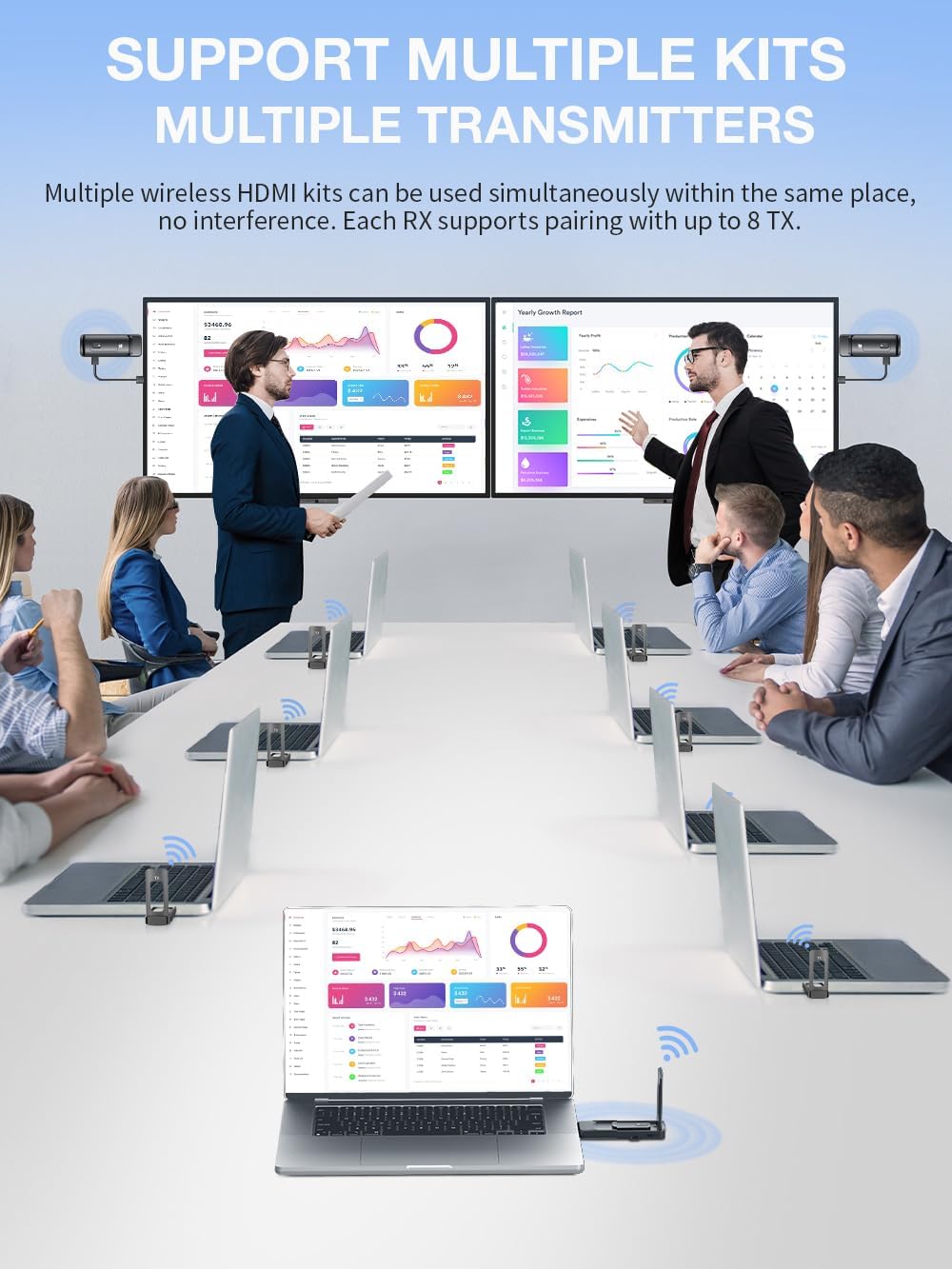
5.4 Multiple Transmitters Support
The system allows for up to 8 transmitters to be paired with a single receiver, enabling flexible content mirroring from multiple devices to one display without interference. Multiple wireless HDMI kits can also be used simultaneously in the same location.
5.5 Adjustable WiFi Channels
To optimize your viewing experience and minimize interference, you can adjust the WiFi channels. If you experience signal dropouts or noticeable delays, testing different channels between 36 and 165 can help find the optimal setting for your environment.

5.6 Privacy Protection
The device features a privacy protection button. Pressing this button allows you to quickly disconnect and reconnect the signal, providing an easy way to manage content visibility.

6. Compatibility
The AIMIBO Wireless HDMI system offers broad compatibility with a wide range of devices and content platforms:
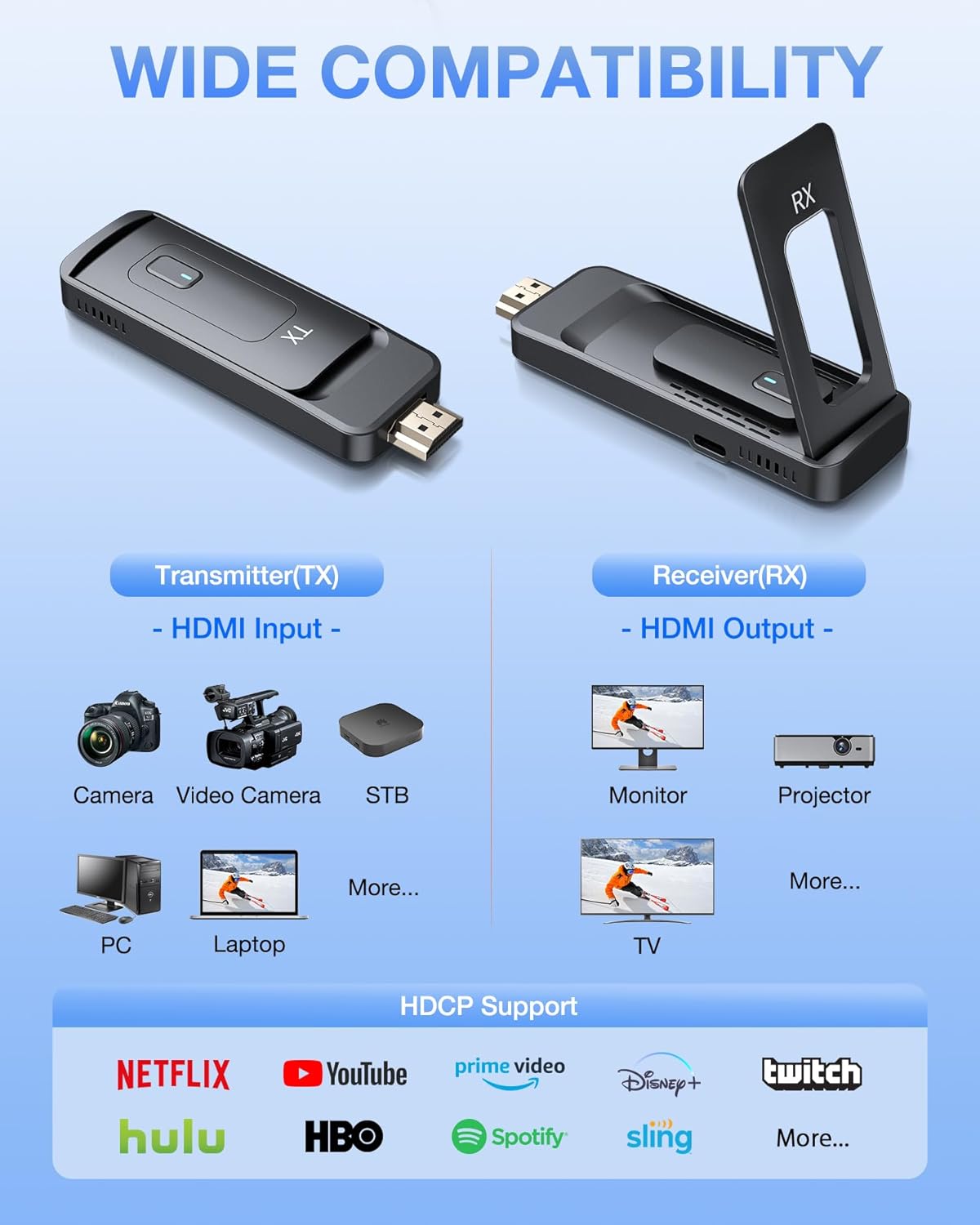
6.1 Compatible Devices (Transmitter TX)
- Laptops (Windows, Mac)
- PCs
- Blu-ray Players
- Cameras (DSLR, Camcorders)
- DVD Players
- Set-top Boxes
- CCTV Systems
- Other HDMI-enabled devices
6.2 Compatible Devices (Receiver RX)
- HDTVs
- Monitors
- Projectors
6.3 Multimedia Compatibility (HDCP Support)
The system supports HDCP, allowing you to stream content from popular platforms including:
- Netflix
- YouTube
- Prime Video
- Disney+
- Twitch
- Hulu
- HBO Max
- Spotify
- Sling TV
7. Maintenance
To ensure the longevity and optimal performance of your AIMIBO Wireless HDMI system, follow these maintenance guidelines:
- Cleaning: Use a soft, dry cloth to clean the exterior of the transmitter and receiver units. Avoid using liquid cleaners or abrasive materials.
- Storage: When not in use for extended periods, store the units in a cool, dry place away from direct sunlight and extreme temperatures.
- Ventilation: Ensure that the ventilation holes on the units are not obstructed. Proper airflow is crucial for heat dissipation and preventing overheating, which can impact performance and lifespan.

8. Troubleshooting
If you encounter issues with your AIMIBO Wireless HDMI system, please refer to the following common troubleshooting steps:
- No Signal/Black Screen:
- Ensure both the TX and RX units are properly connected to their respective HDMI ports and are receiving adequate power via the USB-C cables.
- Verify that your display is set to the correct HDMI input source.
- Try disconnecting and reconnecting both units.
- Test with different HDMI ports on your source device and display.
- Intermittent Signal/Flickering:
- Check for any physical obstructions between the transmitter and receiver units. Ensure a clear line of sight for optimal performance.
- Move the units closer to each other if possible.
- Adjust the foldable antennas on both units for better signal reception.
- Try changing the WiFi channels as described in Section 5.5 to avoid interference from other wireless devices.
- Audio Issues:
- Ensure the audio output settings on your source device are correctly configured.
- Check the volume levels on both your source device and display.
- Latency/Delay:
- While the device boasts ultra-low latency, environmental factors or excessive distance can introduce minor delays. Ensure optimal placement and minimal obstructions.
- Adjusting WiFi channels may help reduce latency in some cases.
For more detailed troubleshooting or specific issues, please refer to the full user manual included in your package or contact AIMIBO customer support.
9. Specifications
| Feature | Description |
|---|---|
| Brand | AIMIBO |
| Model Number | G75TX&RX |
| Item Weight | 7.2 ounces |
| Product Dimensions | 4.2 x 3.5 x 0.85 inches |
| Color | Black |
| Connectivity Technology | HDMI, Wi-Fi, Wireless |
| Video Output Resolution | Supports 4K decoding, outputs 1080P@60Hz |
| Wireless Transmission Range | Up to 165ft/50m (line of sight); 32ft/10m (through walls) |
| Latency | 0.1s ultra-low latency |
| Frequency Bands | 2.4G & 5.8G |
| Max Transmitters per Receiver | Up to 8 TXs |
| Power Supply | USB-C (cables included) |
| Special Features | 5.8G-upgraded chip, Foldable Antenna, Plug-and-play, Lightweight and portable, Dual Extend Mode, Adjustable WiFi Channels, Privacy Protection |
10. Warranty and Support
10.1 Warranty Information
The AIMIBO Wireless HDMI Transmitter and Receiver comes with a One-Year Warranty from the date of purchase. This warranty covers manufacturing defects and ensures the product's quality and performance under normal use. Please retain your proof of purchase for warranty claims.
10.2 Customer Support
For any technical assistance, troubleshooting not covered in this manual, or warranty inquiries, please contact AIMIBO customer support. You can find contact information and additional resources by visiting the official AIMIBO Store:
Related documentsG75TX&RX



Ask a question about this manual
Ask about setup, troubleshooting, compatibility, parts, safety, or missing instructions. Manuals+ will review the question and use this page’s manual context to help answer it.