
Introduction
This manual provides detailed instructions for the installation, operation, and maintenance of your ieGeek ZS-GX4S 5MP Wireless Solar Outdoor Security Camera. Please read this manual thoroughly before using the product to ensure proper function and safety.
Package Contents
Verify that all items listed below are included in your package. If any items are missing or damaged, please contact ieGeek customer support.
- 1 x ieGeek ZS-GX4S Security Camera
- 1 x Micro USB 5V Power Cable
- 1 x User Manual
- 1 x Camera Bracket
- 4 x 1/4-inch Side Manual Screws (for bracket)
- 4 x 1/4-inch Screw Caps (for bracket)
- 1 x Solar Panel
- 1 x Solar Panel Bracket
- 3 x 1/4-inch Screw Caps (for solar panel bracket)

Figure 1: ieGeek ZS-GX4S Camera and Solar Panel
Setup and Installation
1. Initial Charging
Before first use, fully charge the camera using the provided USB cable. This ensures the battery is at optimal capacity for initial setup and solar charging efficiency.
2. App Installation and Camera Pairing
Download the "CLOUEDGE" app from your smartphone's app store (available for Android and iOS). Follow the in-app instructions to pair your camera. The camera connects via 2.4GHz Wi-Fi. Ensure your Wi-Fi network is 2.4GHz for successful connection.

Figure 2: ieGeek Cam App Interface
3. Mounting the Camera and Solar Panel
The camera is 100% wireless, offering flexible installation. Use the provided brackets and screws to mount the camera and solar panel in your desired outdoor location. Ensure the solar panel receives direct sunlight for optimal charging. The camera is IP65 rated for outdoor weather resistance.

Figure 3: Outdoor Installation Example
Operating Instructions
1. High-Resolution Video
The camera features a 5MP CMOS image sensor, providing 2592x1944P resolution. It supports 4x digital zoom for detailed viewing.

Figure 4: 5MP Camera Lens Detail
2. PIR Human Detection & Color Night Vision
Equipped with PIR infrared and high-brightness LED lights, the camera detects human bodies and sends notifications to your phone. It automatically switches to color night vision mode, capturing clear details up to 15 meters even in low light.
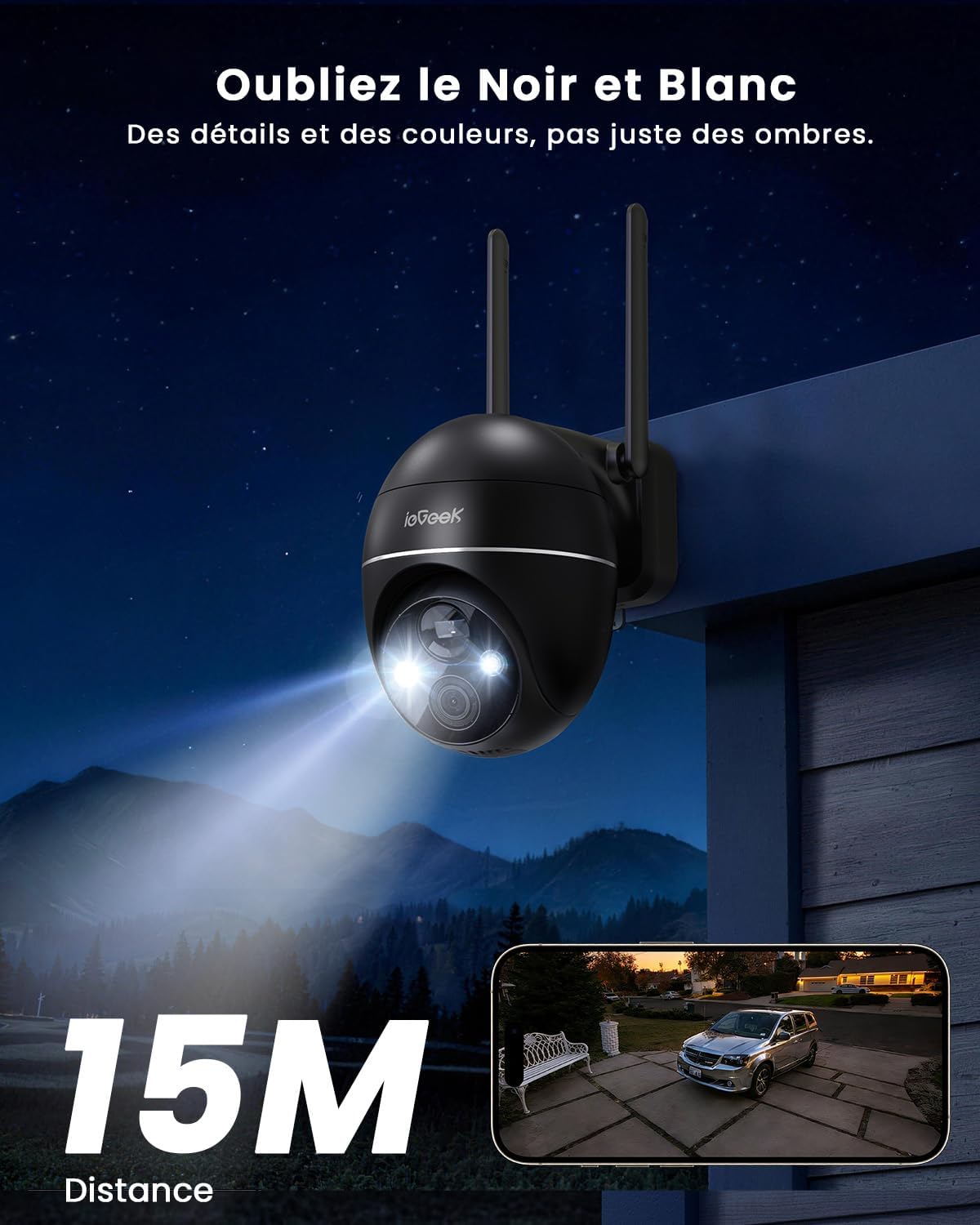
Figure 5: Color Night Vision in Action
3. Two-Way Audio
The integrated speaker and microphone allow for real-time voice calls, enabling you to communicate with visitors or deter intruders.

Figure 6: Two-Way Audio Communication
4. Pan & Tilt Functionality
Control the camera's 355° pan and 120° tilt remotely via the app to monitor a wide area without blind spots.
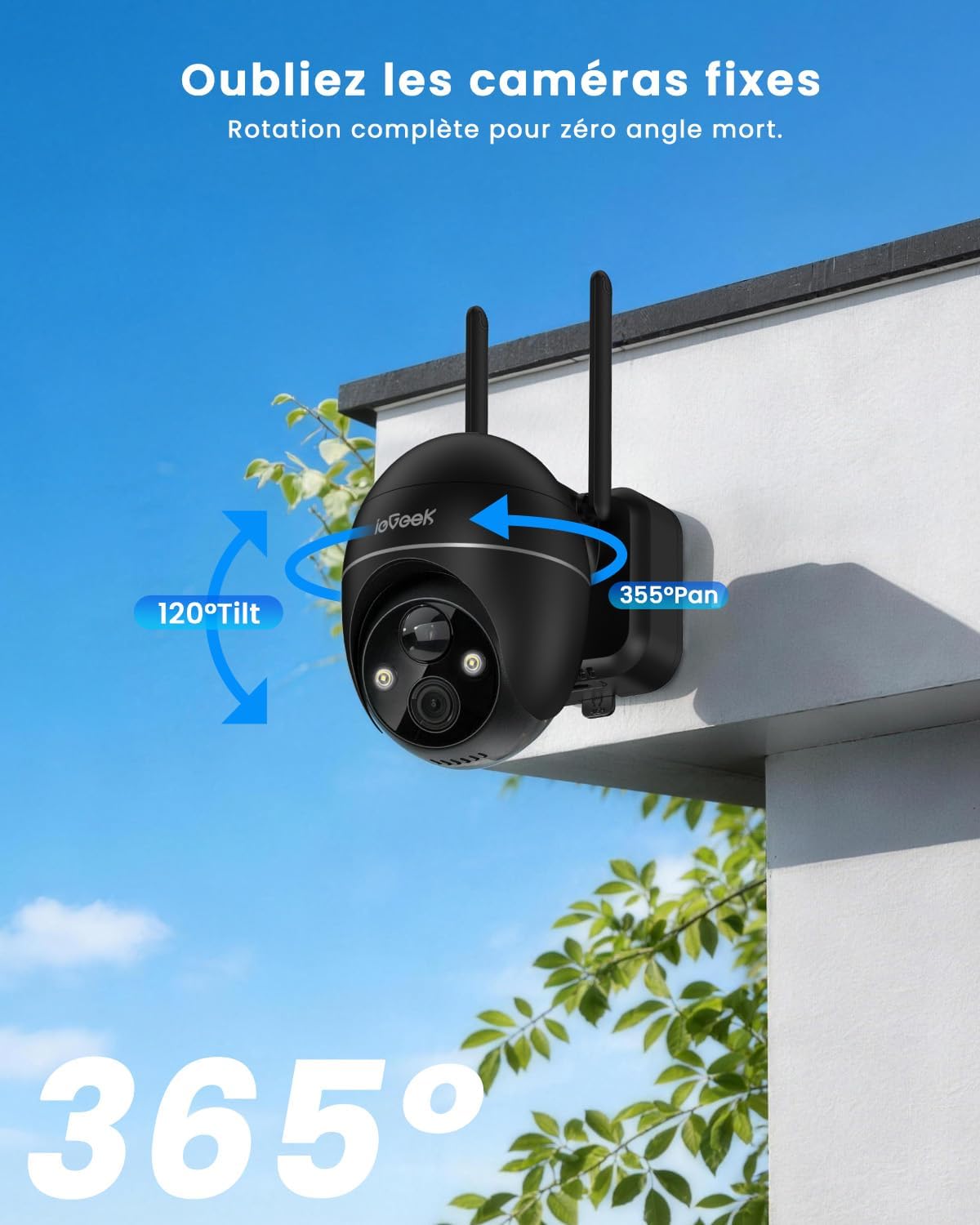
Figure 7: Pan and Tilt Capabilities
5. Storage Options
The camera supports both local storage via a Micro SD card (up to 128GB) and cloud storage. ieGeek provides 6 seconds of looped footage for free cloud storage, sufficient for recording events as they occur.

Figure 8: Micro SD Card Slot

Figure 9: Cloud Storage Feature
6. Family Sharing & Alexa Compatibility
Share the camera's live feed with family members in real-time and monitor up to 4 cameras simultaneously. The camera is compatible with Alexa, allowing voice control for viewing the surveillance feed.
Maintenance
1. Power Management
The camera is equipped with a high-capacity rechargeable battery and a solar charging panel. This design ensures continuous operation for up to 365 days without manual recharging, provided the solar panel receives adequate sunlight.

Figure 10: Solar Power for Continuous Operation
2. Weather Resistance
With an IP65 waterproof rating, the camera is designed to withstand various outdoor weather conditions, including rain and snow.

Figure 11: IP65 Weather Resistance
Troubleshooting
- Camera not connecting to Wi-Fi: Ensure your Wi-Fi network is 2.4GHz. The camera does not support 5GHz networks. Check the signal strength at the camera's location.
- Poor image quality: Ensure the camera lens is clean and free from obstructions. Check your Wi-Fi connection stability.
- Motion detection issues: Adjust the sensitivity settings in the app. Ensure there are no objects constantly triggering the sensor (e.g., tree branches moving in the wind).
- Battery not charging: Verify the solar panel is clean and positioned to receive direct sunlight. Ensure the USB cable connecting the solar panel to the camera is securely attached.
- App issues: Ensure the CLOUEDGE app is updated to the latest version. Restart the app or your smartphone if issues persist.
For further assistance, please refer to the Warranty & Support section.
Specifications
| Feature | Detail |
|---|---|
| Model Name | ieGeek ZS-GX4S |
| Brand | ieGeek |
| Connectivity Technology | Wireless (Wi-Fi 2.4GHz) |
| Special Features | 360-degree Capture, Motion Detector, Color Night Vision |
| Indoor/Outdoor Use | Outdoor |
| Compatible Devices | Smartphone (iOS, iPadOS, Android) |
| Power Source | Solar Powered |
| Water Resistance Level | IP65 Waterproof |
| Effective Capture Resolution | 5 Megapixels (2592x1944P) |
| Digital Zoom Ratio | 4X |
| Viewing Angle | 360 Degrees (Pan 355°, Tilt 120°) |
| Night Vision Range | 15 Meters |
| Video Capture Format | MPEG-4 |
| Optical Sensor Technology | CMOS |
| Item Dimensions | 18 x 17 x 13 cm |
| UPC | 734931727704 |
Warranty and Support
The ieGeek ZS-GX4S camera comes with a 2-year manufacturer's warranty (730 days). ieGeek also offers a 30-day money-back guarantee and lifetime support.
If you have any questions or require assistance, please do not hesitate to contact ieGeek customer support. Our professional after-sales team is available to resolve your queries within 24 hours on business days.

Figure 12: ieGeek Warranty and Support Information


