
Important Safety Instructions
Read all instructions before using this appliance. To reduce the risk of fire, electrical shock, or injury when using your air conditioner, follow these basic precautions:
- This appliance must be properly grounded.
- Never unplug the air conditioner by pulling on the power cord. Always grasp the plug firmly and pull straight out from the receptacle.
- Do not pinch, bend, or knot the power cord.
- Do not operate the air conditioner with a damaged power cord or plug.
- Do not use an extension cord or an adapter plug with this unit.
- Always turn off the air conditioner and unplug it before cleaning or servicing.
- Do not block the air intake or exhaust openings.
- Use only for its intended purpose as described in this manual.
- Keep packaging materials out of reach of children.
Product Overview
The RCA 12000 BTU Wi-Fi Air Conditioner is designed to cool rooms up to 550 sq. ft. It features Wi-Fi connectivity, allowing remote control via a smart device. The unit includes multiple operating modes, a digital display, and a 24-hour timer for personalized comfort.
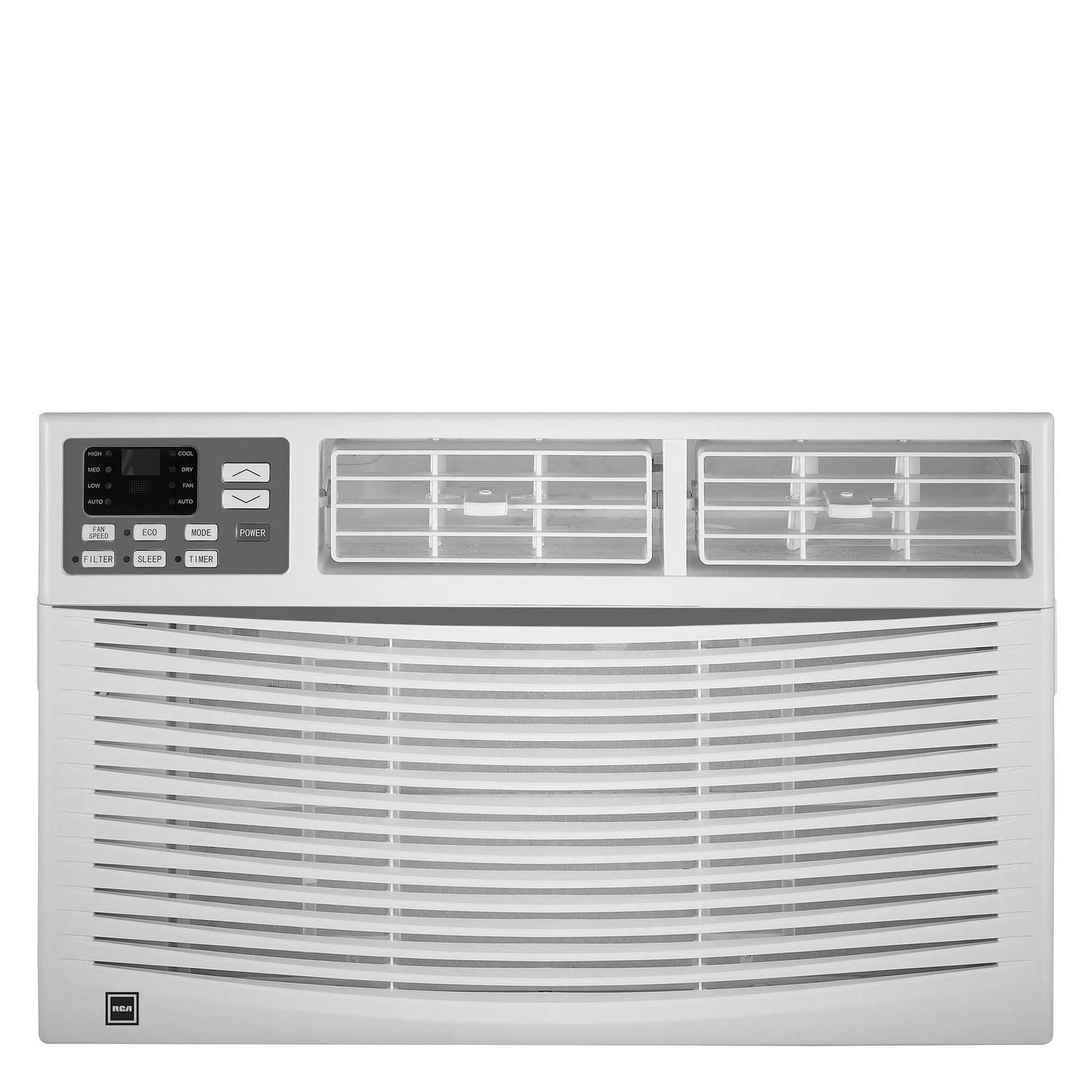
Image: Front view of the RCA 12000 BTU Wi-Fi Air Conditioner, showing the control panel and air vents.
Key Features:
- 12,000 BTU cooling capacity, suitable for areas up to 550 sq. ft.
- Integrated Wi-Fi for remote control via smart devices.
- Three fan modes for customized airflow.
- Digital display for easy temperature and setting adjustments.
- 24-hour programmable timer.
- Eco mode for energy-efficient operation.
- Filter check reminder for timely maintenance.
- Auto restart function after power outages.
- Includes window installation kit and remote control.
Package Contents
Verify that all parts are included in the package before installation:
- RCA 12000 BTU Wi-Fi Air Conditioner Unit
- Remote Control with Batteries
- Window Installation Kit (side panels, top rail, sash lock, foam seals)
- Owner's Manual
An image showing all included components laid out would typically be found here.
Installation and Setup
Window Installation:
This air conditioner is designed for installation in standard double-hung windows with a minimum height of 16 inches and a width between 26 and 36 inches.
- Prepare the Window: Ensure the window opening is clean and clear of obstructions.
- Attach Top Rail: Secure the top rail to the air conditioner unit using the provided screws.
- Install Side Panels: Slide the accordion side panels into the side panel frames on the unit.
- Place Unit in Window: Carefully lift the unit and place it in the window opening, ensuring the bottom rail rests against the window sill.
- Secure Unit: Extend the side panels to fill the window opening and secure them with screws. Install the sash lock to prevent the window from being opened from the outside. Apply foam seals to ensure an airtight fit.
- Drainage: Ensure the unit is slightly tilted outwards to allow for proper condensate drainage.
An image illustrating the step-by-step window installation process would be beneficial here.
Wi-Fi Setup:
To enable remote control functionality, connect your air conditioner to your home Wi-Fi network.
- Download App: Download the RCA Home app from your smartphone's app store (iOS or Android).
- Create Account: Open the app and create a new user account or log in if you already have one.
- Add Device: Follow the in-app instructions to add a new device. This typically involves putting the air conditioner into pairing mode (refer to the unit's control panel or remote for specific instructions, often a Wi-Fi button press).
- Connect to Wi-Fi: Select your home Wi-Fi network and enter the password when prompted by the app.
- Confirmation: Once connected, the Wi-Fi indicator on the air conditioner's display will illuminate steadily, and the app will confirm successful pairing.
An image showing the Wi-Fi indicator on the unit's display and a screenshot of the app's pairing screen would be helpful.
Operating Instructions
Control Panel and Remote Control:
The air conditioner can be operated using the control panel on the unit or the included remote control. The remote control offers full functionality from a distance.
An image of the remote control with button labels would be useful here.
Basic Operation:
- Power On/Off: Press the POWER button to turn the unit on or off.
- Mode Selection: Press the MODE button to cycle through available modes: Cool, Fan, and Eco.
- Temperature Adjustment: Use the UP (▲) and DOWN (▼) arrows to set the desired temperature. The temperature range is typically 62°F to 86°F (17°C to 30°C).
- Fan Speed: Press the FAN SPEED button to select Low, Medium, or High fan speed.
Advanced Functions:
- Timer: Press the TIMER button to set a delay for the unit to turn on or off. Use the UP/DOWN arrows to adjust the time in 1-hour increments, up to 24 hours.
- Eco Mode: When activated, the unit will cycle the compressor on and off to maintain the set temperature, saving energy. The fan may continue to run during compressor off cycles.
- Sleep Mode: (If available) This mode gradually increases the temperature over several hours to provide comfortable sleeping conditions while saving energy.
- Wi-Fi Control: Use the RCA Home app on your smart device to remotely turn the unit on/off, change temperatures, control modes, create custom schedules, and adapt fan speeds.
Maintenance
Regular maintenance ensures optimal performance and extends the life of your air conditioner.
Air Filter Cleaning:
The air filter should be cleaned every two weeks or when the 'Filter Check' indicator illuminates.
- Turn Off Unit: Always turn off and unplug the air conditioner before cleaning.
- Remove Filter: Open the front panel and carefully slide out the air filter.
- Clean Filter: Wash the filter with warm, soapy water. Rinse thoroughly. For heavily soiled filters, a vacuum cleaner can be used to remove loose dirt before washing.
- Dry Filter: Allow the filter to air dry completely before reinserting it. Do not expose to direct sunlight or high heat.
- Reinstall Filter: Slide the dry filter back into its slot and close the front panel.
An image demonstrating how to remove and clean the air filter would be helpful.
General Cleaning:
- Exterior: Wipe the cabinet with a soft, damp cloth. Do not use harsh chemicals, abrasive cleaners, or waxes.
- Coils: Periodically check the condenser coils (located at the back of the unit) for dirt and debris. If necessary, gently brush them clean.
Troubleshooting
Before contacting customer service, refer to the following table for common issues and solutions:
| Problem | Possible Cause | Solution |
|---|---|---|
| Air conditioner does not start. | No power; tripped circuit breaker; unit unplugged. | Check power cord connection; reset circuit breaker; ensure unit is plugged into a working outlet. |
| Unit not cooling effectively. | Dirty air filter; blocked air intake/exhaust; room too large; windows/doors open. | Clean air filter; clear obstructions; ensure room size is within capacity; close all windows and doors. |
| Water dripping inside. | Unit not tilted properly; clogged drain pan. | Ensure unit is slightly tilted outwards for drainage; clear any blockages in the drain pan. |
| Wi-Fi connection issues. | Incorrect Wi-Fi password; router too far; app not updated. | Verify Wi-Fi password; move unit closer to router or use a Wi-Fi extender; update RCA Home app. |
Specifications
| Feature | Detail |
|---|---|
| Brand | RCA |
| Model Number | RACE1206WF |
| Cooling Capacity | 12,000 BTU |
| Coverage Area | Up to 550 sq. ft. |
| Dehumidification Rate | 2 pints per hour |
| Minimum Window Height | 16 inches |
| Window Width Range | 26 - 36 inches |
| Dimensions (LxDxH) | 22" x 24" x 17" (approximate) |
| Item Weight | 78 Pounds |
| Connectivity | Wi-Fi |
Warranty Information
This RCA air conditioner comes with a 1-year limited manufacturer warranty. Please refer to the warranty card included with your product for full terms and conditions, or visit the official RCA website for more details.
Customer Support
For technical assistance, troubleshooting beyond this manual, or warranty claims, please contact RCA Customer Support. Contact information can typically be found on the manufacturer's website or on the warranty card provided with your product.


