
1. Introduction
Thank you for choosing the Daewoo Digital Air Fryer Oven SDA2519. This appliance is designed to provide a versatile cooking experience, combining air frying, baking, roasting, rotisserie, dehydrating, and grilling functions. With its 14.5-liter capacity and 12 preset functions, it offers convenience for preparing a variety of meals. Please read this manual thoroughly before first use to ensure safe and optimal operation.

This image displays the Daewoo Digital Air Fryer Oven, Model SDA2519, with its front door open. A whole chicken is visible on the rotisserie skewer, rotating inside the illuminated cooking chamber. The digital display shows temperature and time settings.
2. Important Safety Instructions
When using electrical appliances, basic safety precautions should always be followed to reduce the risk of fire, electric shock, and injury to persons, including the following:
- Read all instructions before operating the appliance.
- Do not touch hot surfaces. Use handles or knobs.
- To protect against electric shock, do not immerse cord, plugs, or the main unit in water or other liquid.
- Close supervision is necessary when any appliance is used by or near children.
- Unplug from outlet when not in use and before cleaning. Allow to cool before putting on or taking off parts.
- Do not operate any appliance with a damaged cord or plug, or after the appliance malfunctions or has been damaged in any manner.
- The use of accessory attachments not recommended by the appliance manufacturer may cause injuries.
- Do not use outdoors.
- Do not let cord hang over edge of table or counter, or touch hot surfaces.
- Do not place on or near a hot gas or electric burner, or in a heated oven.
- Extreme caution must be used when moving an appliance containing hot oil or other hot liquids.
- Always attach plug to appliance first, then plug cord into the wall outlet. To disconnect, turn any control to 'off', then remove plug from wall outlet.
- Do not use appliance for other than intended use.
- Ensure adequate ventilation around the appliance during operation.
3. Product Overview
3.1 Components
- Main Air Fryer Oven Unit
- Drip Tray
- Rotisserie Skewer
- Rotisserie Skewer Pliers
- Mesh Trays (x3)
- Spacer
3.2 Control Panel and Features
The Daewoo Digital Air Fryer Oven features an intuitive digital control panel with touch controls and a clear display for temperature, time, and preset functions. An internal light and viewing window allow for monitoring cooking progress.

This image highlights the control panel of the Daewoo Digital Air Fryer Oven, showing its digital display and touch controls. Below it, a graphic lists included accessories: rotisserie skewer/tongs, drip tray, 3 mesh trays, and a spacer.
4. Setup
4.1 Unpacking
- Carefully remove all packaging materials from the air fryer oven and its accessories.
- Check that all listed components are present and undamaged.
4.2 Before First Use
- Wipe the exterior of the appliance with a damp cloth.
- Wash all removable accessories (drip tray, mesh trays, rotisserie skewer, pliers) with warm, soapy water. Rinse thoroughly and dry completely.
- Place the air fryer oven on a stable, heat-resistant, and level surface, ensuring at least 10 cm (4 inches) of clear space on all sides and above for proper ventilation.
- Plug the power cord into a grounded electrical outlet.
5. Operating Instructions
5.1 General Operation
- Power On: Plug in the appliance. The display will illuminate.
- Setting Temperature and Time: Use the touch controls to adjust the desired temperature (40°C - 230°C) and cooking time (up to 2 hours).
- Start/Pause: Press the Start/Pause button to begin or temporarily stop cooking.
- Internal Light: Use the dedicated button to turn the internal light on or off to monitor food.
5.2 Using Preset Functions
The appliance features 12 preset functions for common dishes. Select a preset by pressing the corresponding icon on the control panel. The default temperature and time for that preset will be displayed. These can be adjusted manually if needed.
5.3 Air Frying and Baking
- Place food on one or more mesh trays. For best results, do not overcrowd trays.
- Insert the drip tray at the bottom of the oven to catch any oil or food drippings.
- Slide the mesh trays into the desired rack positions.
- Close the door, set the desired temperature and time, or select a preset, then press Start.
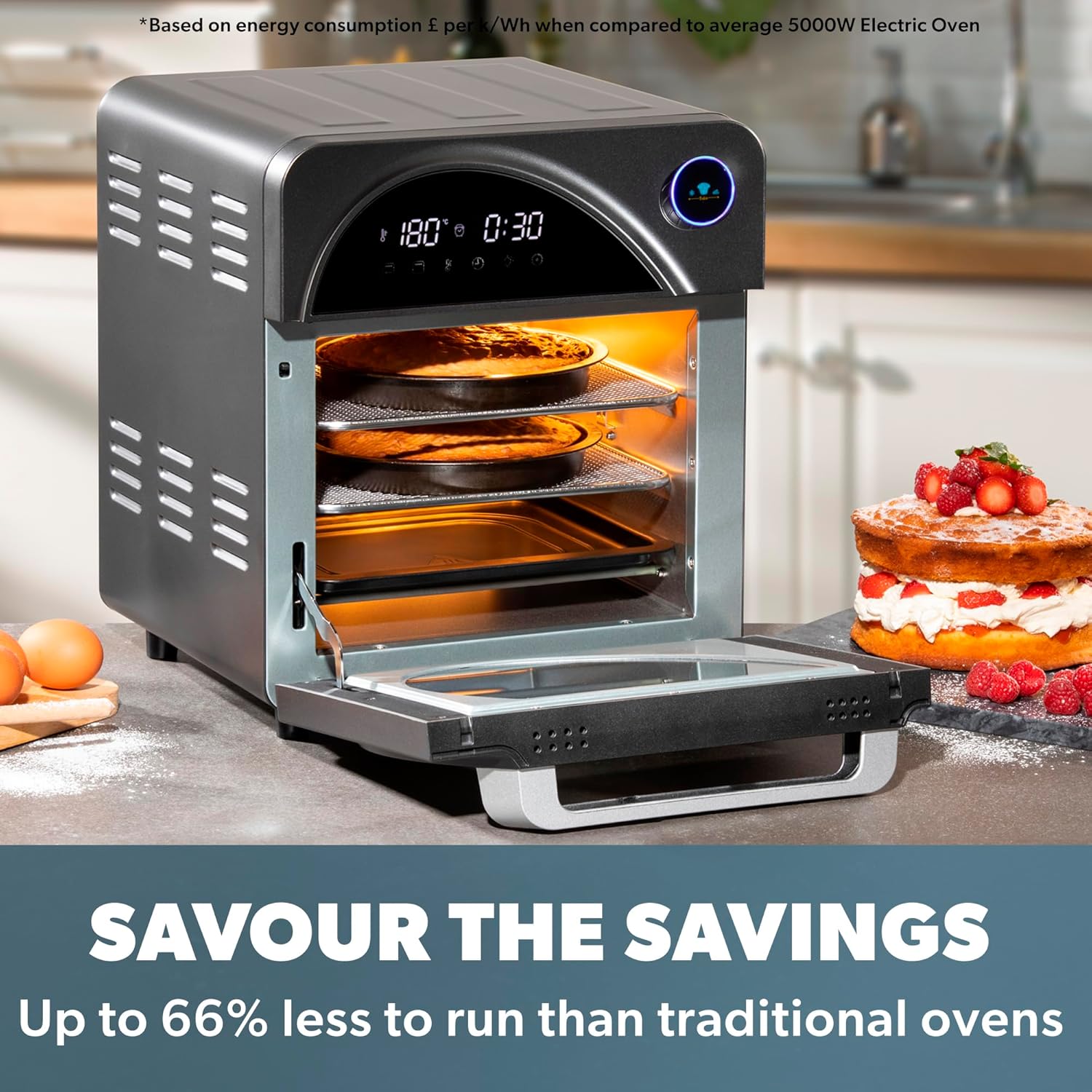
This image shows the Daewoo Digital Air Fryer Oven with its door open, revealing multiple mesh trays stacked inside. The trays contain baked items, illustrating the appliance's capacity for cooking different foods simultaneously.
5.4 Rotisserie Function
- Secure the food (e.g., whole chicken) onto the rotisserie skewer, ensuring it is centered and balanced. Use the forks to hold it in place.
- Insert the rotisserie skewer into the designated slots inside the oven. Ensure the drip tray is in place below.
- Select the rotisserie function on the control panel, set temperature and time, then press Start. The skewer will rotate automatically.
- Once cooking is complete, use the rotisserie skewer pliers to safely remove the hot skewer and food from the oven.
The Daewoo Digital Air Fryer Oven is shown with a rotisserie chicken cooking inside. The image also features prepared side dishes, emphasizing the appliance's capability for full meal preparation.
5.5 Dehydrating
The dehydrating function operates at lower temperatures for longer durations, ideal for drying fruits, vegetables, or making jerky. Place thinly sliced food on the mesh trays, ensuring good airflow between pieces. Select the dehydrate preset or manually set a low temperature and extended time.
6. Cooking Guidelines
Cooking times and temperatures can vary based on food type, quantity, and desired crispness. The user manual includes recommended times and temperatures for various foods. Always ensure food is cooked to a safe internal temperature.
- For even cooking, shake or turn smaller items halfway through the cooking process.
- Preheating the oven for 3-5 minutes before adding food can improve results.
- Use a meat thermometer to verify internal temperatures for meats and poultry.
7. Cleaning and Maintenance
7.1 Cleaning the Appliance
- Always unplug the air fryer oven and allow it to cool completely before cleaning.
- Wipe the exterior with a damp cloth. Do not use abrasive cleaners.
- Clean the interior with a damp cloth and mild detergent. For stubborn stains, a non-abrasive sponge can be used.
- The main unit is not dishwasher safe and should never be immersed in water.
7.2 Cleaning Accessories
The drip tray, mesh trays, rotisserie skewer, and pliers can be washed in warm, soapy water. Rinse thoroughly and dry completely before storage or next use. Refer to the product packaging or specific accessory instructions for dishwasher compatibility.
8. Troubleshooting
| Problem | Possible Cause | Solution |
|---|---|---|
| Appliance does not turn on | Not plugged in; Power outlet malfunction | Ensure plug is securely in a working outlet; Check circuit breaker. |
| Food not cooked evenly | Overcrowding; Incorrect temperature/time | Do not overcrowd trays; Adjust temperature/time; Shake or turn food halfway. |
| White smoke from appliance | Grease/oil residue; Fatty food cooking | Clean drip tray and interior thoroughly; This is normal for very fatty foods. |
| Rotisserie skewer not rotating | Skewer not properly installed; Food too heavy/unbalanced | Ensure skewer is correctly seated in slots; Balance food; Reduce load if necessary. |
9. Specifications
- Model: SDA2519
- Capacity: 14.5 Liters
- Power: 1700W
- Voltage: [Standard Voltage, e.g., 120V~60Hz or 220-240V~50/60Hz - Not specified in JSON, assume standard for region]
- Max Temperature: 230°C (446°F)
- Timer: Up to 2 hours
- Control Method: Digital Touch
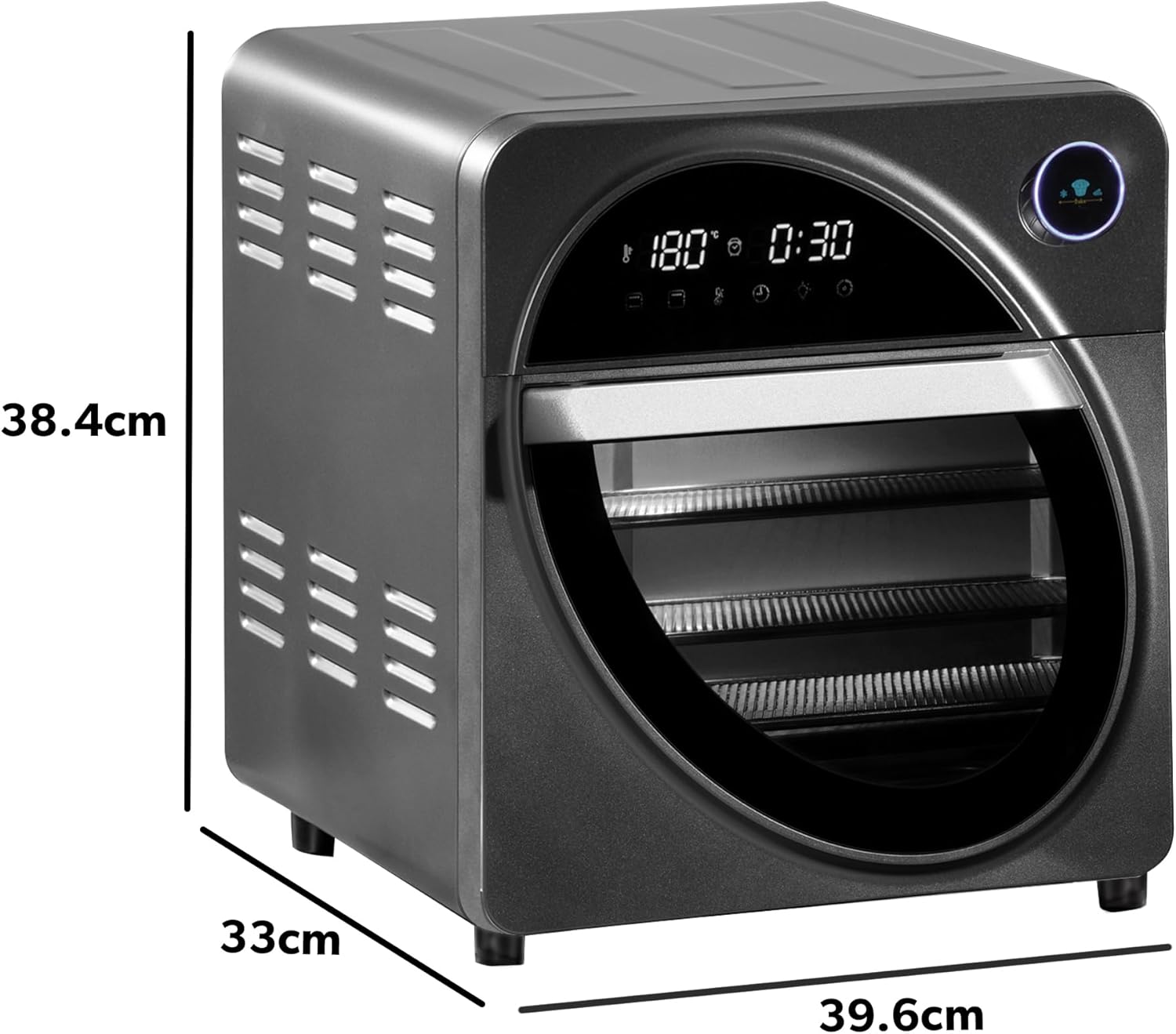
- Dimensions (D x W x H): 16.93" x 15.35" x 17.6" (approx. 43cm x 39cm x 44.7cm)
- Weight: 7.6 kg (16.72 lbs)
- Material: Plastic, Aluminum

A diagram illustrating the physical dimensions of the Daewoo Digital Air Fryer Oven, with measurements for height, width, and depth.
10. Warranty and Support
The Daewoo Digital Air Fryer Oven SDA2519 comes with a 3-year guarantee, subject to online registration. For warranty claims, technical support, or further assistance, please refer to the official Daewoo customer support channels or website.
Online Registration: Visit Daewoo's official website for product registration.


