
1. Introduction
The OUPES Mega 3 Portable Power Station is a versatile and powerful energy solution designed for various applications, from home emergency backup to RV and off-grid adventures. Featuring a 3072Wh LiFePO4 battery and 3600W AC output, it can power a wide range of devices. This manual provides essential information for safe and efficient operation.
Key Features:
- Portable RV Power: Ideal for RVs, offering quiet, green, and maintenance-free power.
- 3600W Output: Capable of powering high-demand appliances like coffee machines, fridges, and air conditioners.
- Smart App Control: Monitor status and customize settings via Wi-Fi or Bluetooth.
- 0.8H Fast Charging: Fully recharges in 1.8 hours via wall outlets or 2.5 hours with 2100W solar input.
- LiFePO4 Battery: Durable with 3500+ charge cycles, designed for long-term reliability.

Figure 1: OUPES Mega 3 Portable Power Station with included 240W solar panels.
2. Setup
2.1 Unboxing
Upon receiving your OUPES Mega 3, carefully open the packaging. The package includes: 1* OUPES MEGA 3 3600W power station, 2*240W panels and connect cable, 1* AC charging cable, 1* Anderson to Anderson Cable, 1*7909 to Anderson Charging Cable, 1*Car to Anderson Charging Cable, 1*MC4 to Anderson Charging Cable, and 1* user manual.
Video 1: Unboxing the OUPES Mega 3 Solar Generator & Panels. This video demonstrates the unboxing process and contents of the OUPES Mega 3 package.
2.2 Initial Charging
Before first use, it is recommended to fully charge the OUPES Mega 3. It can be fully recharged in approximately 1.8 hours using 1800W wall outlets. For solar charging, it takes about 2.5 hours with 2100W solar input.

Figure 2: The OUPES Mega 3 can be fully charged in 0.8 hours (AC + Solar Dual Charging at 3900W).
2.3 Connecting Solar Panels
To connect the 240W solar panels to your Mega 3 power station, use the provided MC4 to Anderson Charging Cable. Ensure proper polarity (red to positive, black to negative) when connecting. For multiple panels, refer to the series connection diagram.
Video 2: How to connect OUPES solar panels to Mega Series. This video illustrates the steps for connecting solar panels to the power station.
Video 3: How to connect multiple solar panels in series. This video provides instructions for connecting multiple solar panels in a series configuration.

Figure 3: OUPES Mega 3 connected to solar panels for outdoor charging.
3. Operating Instructions
3.1 Powering On/Off and Display
To power on the unit, press the 'POWER' button. The digital display will show the remaining battery level, estimated running time, and input/output wattages. Press and hold the 'POWER' button to turn off the unit.
3.2 Setting Charging Speed
The OUPES Mega 3 allows you to adjust the charging speed (high/low). Refer to the video below for detailed instructions on how to set this preference.
Video 4: How to set charging speed. This video guides you through adjusting the charging speed settings on your OUPES Mega 3.
3.3 Smart App Control
Manage your OUPES Mega 3 conveniently using the dedicated OUPES app via Wi-Fi or Bluetooth. The app allows you to monitor real-time status, including battery level, estimated running time, and input/output wattages, and customize settings.
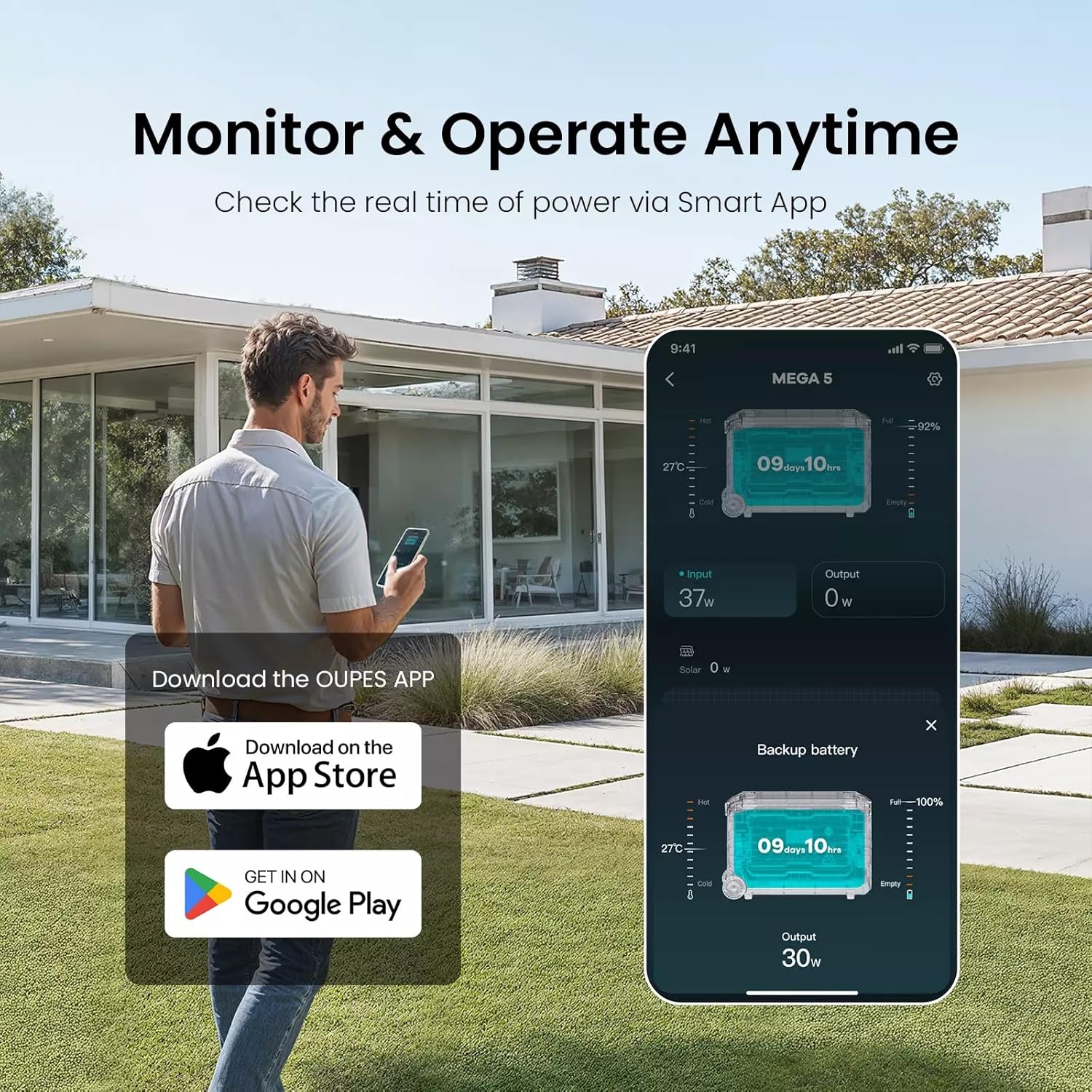
Figure 4: Monitor and operate your OUPES Mega 3 anytime using the Smart App.
3.4 Powering Appliances
With its 3600W AC output, the Mega 3 can power a wide array of devices. Connect your appliances to the appropriate AC outlets or USB ports. Always ensure the total wattage of connected devices does not exceed the power station's maximum output.

Figure 5: The OUPES Mega 3 can power almost everything, from microwaves to air conditioners.
3.5 Emergency Power Supply (UPS Function)
The OUPES Mega 3 ensures swift 10ms switch-overs, protecting your NAS systems, servers, and entertainment devices from power disruptions. It can function as an Uninterruptible Power Supply (UPS) for critical devices.
Video 5: Amazing Home Backup. This video highlights the OUPES Mega 3's capability as a home backup power solution.

Figure 6: The OUPES Mega 3 provides a reliable emergency power supply with fast switch-overs.
4. Maintenance
4.1 Battery Care
The OUPES Mega 3 uses an EV-grade LiFePO4 battery, designed for 3500+ cycles at 80% depth of discharge. To maintain optimal battery health and extend its lifespan, it is suggested to charge the battery every three months, even if not in active use.
4.2 Cleaning
Regularly clean the exterior of the power station with a soft, dry cloth. Ensure all ports are free from dust and debris. Do not use abrasive cleaners or immerse the unit in water.
5. Troubleshooting
If the unit is not powering on, ensure it is fully charged. Check all cable connections for secure fit. If an error message appears on the display, consult the specific error code in the comprehensive user manual (physical copy) or contact OUPES customer support for assistance.
6. Specifications
| Attribute | Value |
|---|---|
| Brand | OUPES |
| Model Name | Mega 3 |
| Wattage | 3072 Watt-hours |
| Output Wattage | 3600 Watts |
| Voltage | 120 Volts (AC) |
| Item Weight | 88 Pounds |
| Product Dimensions | 25.2"L x 11.9"W x 17.2"H |
| Power Source | Battery Powered |
| Fuel Type | Electric |
| Special Features | Digital Display, Electric Start, Electric Brake, Automatic Voltage Regulation, Automatic Shut Down |
7. Warranty and Support
7.1 Warranty Information
The OUPES Mega 3 Portable Power Station comes with a 3-year warranty. Please retain your proof of purchase for warranty claims.
7.2 Customer Support
For any questions, technical assistance, or warranty claims, please contact OUPES customer support. Refer to the contact information provided in your product packaging or visit the official OUPES website.
Returns are accepted within 30 days of purchase. Please refer to the return policy details from your retailer.