
PRUNUS J-136
PRUNUS J-136 Portable AM FM Radio User Manual
Model: J-136
1. Product Overview
The PRUNUS J-136 is a compact and portable AM/FM radio designed for ease of use and reliable reception. It offers dual power options, a clear tuning interface, and additional input ports for enhanced versatility.

Figure 1: Front view of the PRUNUS J-136 Portable AM FM Radio.
2. Package Contents
Please verify that all items are present in the package:
- PRUNUS J-136 Radio x 1
- AC Power Cord x 1
- User Manual x 1

Figure 2: Included items in the PRUNUS J-136 package.
3. Product Features and Controls
Familiarize yourself with the radio's components and controls:
- Tuning Knob: For selecting radio frequencies.
- Volume/Power Knob: Controls power ON/OFF and audio volume.
- Band Selector: Switches between AM, FM, and Shortwave (SW1, SW2) bands.
- Telescopic Antenna: Extendable for improved FM and SW reception.
- AUX In Port: Connect external audio devices.
- MIC In Port: Connect a wired microphone for voice amplification.
- AC Power Input: For connecting the AC power cord.
- Battery Compartment: Holds D-cell batteries for portable use.

Figure 3: Side view with product dimensions (6.5 x 4.6 x 2.8 inches, 1 lb weight).

Figure 4: Detail of the AUX In and MIC In ports.
4. Setup
4.1 Powering the Radio
The PRUNUS J-136 offers two power options:
- AC Power: Connect the provided AC power cord to the radio's AC input port and plug it into a standard wall outlet.
- Battery Power: Open the battery compartment on the back of the radio and insert two (2) D-cell batteries (not included), ensuring correct polarity.

Figure 5: Illustration of AC power and D-cell battery installation.
4.2 Antenna Setup
For optimal reception, especially for FM and Shortwave bands:
- Extend the telescopic antenna fully.
- Adjust the angle and direction of the antenna to achieve the clearest signal.

Figure 6: The 22-inch retractable telescopic antenna for enhanced reception.
5. Operating Instructions
5.1 Turning On/Off and Volume Control
- Rotate the Volume/Power knob clockwise to turn the radio ON.
- Continue rotating clockwise to increase the volume.
- Rotate counter-clockwise to decrease the volume.
- Rotate fully counter-clockwise until a click is heard to turn the radio OFF.
5.2 Selecting a Radio Band
Use the Band Selector switch to choose your desired frequency band:
- FM: 87.5-108 MHz
- AM: 520-1710 KHz
- SW1: Shortwave Band 1
- SW2: Shortwave Band 2
5.3 Tuning to a Station
- Select the desired radio band using the Band Selector.
- Slowly rotate the Tuning Knob to scan through frequencies.
- Stop rotating when you find a clear station.
- Adjust the telescopic antenna for optimal clarity.
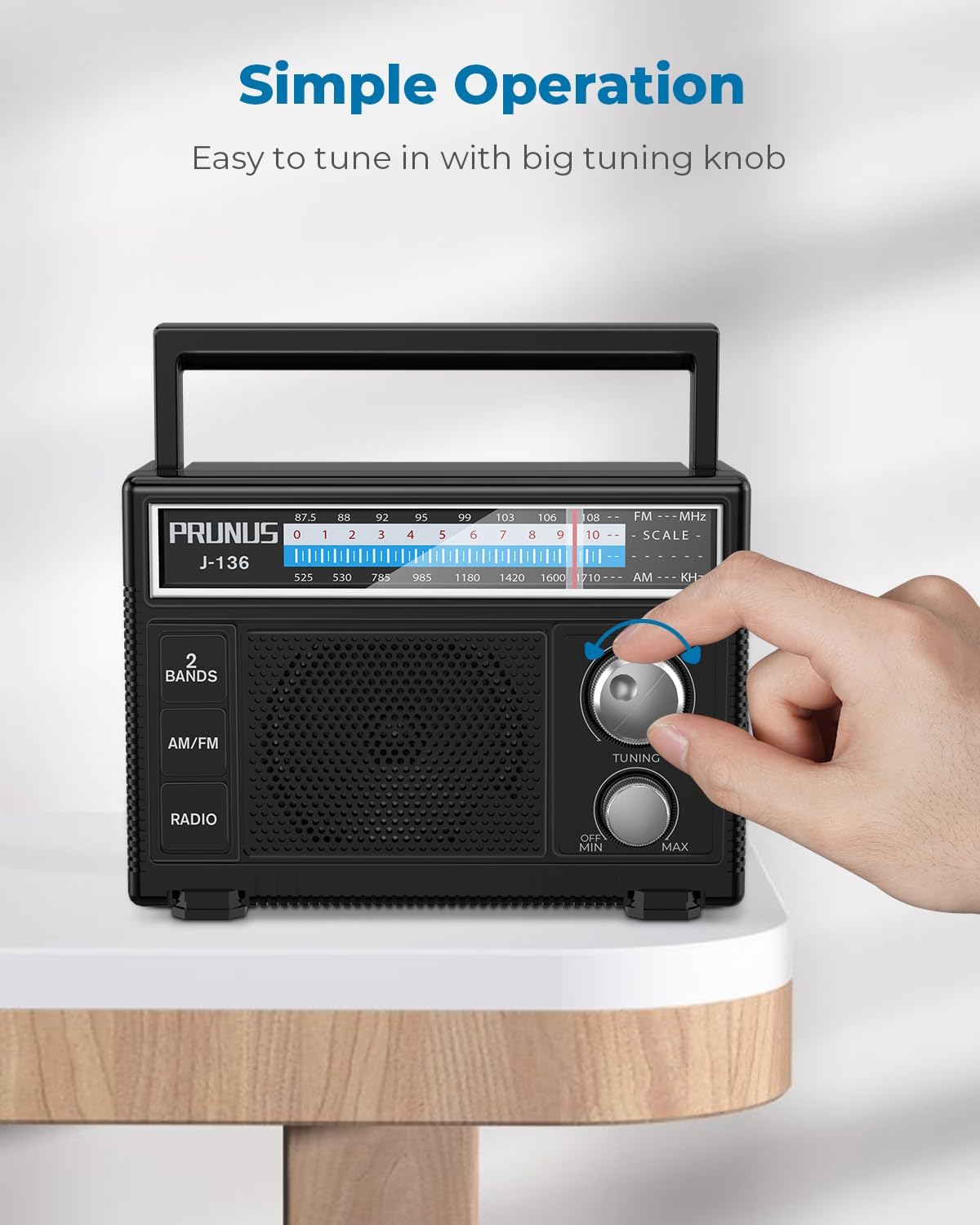
Figure 7: Adjusting the tuning knob for station selection.
5.4 Using AUX In / MIC In
- Connect an external audio device (e.g., smartphone, MP3 player) to the AUX In port using a 3.5mm audio cable. The radio will automatically switch to AUX input mode.
- Connect a wired microphone to the MIC In port to use the radio as a voice amplifier.
6. Maintenance
- Clean the radio with a soft, dry cloth. Do not use abrasive cleaners or solvents.
- Avoid exposing the radio to extreme temperatures, humidity, or direct sunlight.
- If not using the radio for an extended period, remove the batteries to prevent leakage.
- Keep the antenna clean and free from obstructions.
7. Troubleshooting
| Problem | Possible Cause | Solution |
|---|---|---|
| No power | Batteries are dead or incorrectly inserted; AC cord not connected. | Replace batteries or check polarity; ensure AC cord is securely plugged in. |
| Poor reception | Antenna not extended or poorly positioned; weak signal in area. | Extend and adjust the telescopic antenna; try moving the radio to a different location. |
| No sound from AUX/MIC input | Cable not fully inserted; external device volume too low. | Ensure cables are fully inserted; increase volume on both the radio and the external device. |
8. Specifications
- Product Dimensions: 6.5 x 2.8 x 4.6 inches
- Item Weight: 1 pound
- Tuner Technology: AM, FM
- Radio Bands Supported: AM/FM (520-1710KHz / 87.5-108MHz)
- Power Source: Corded Electric (AC 110V/220V) or 2 x D Batteries (DC 3V)
- Connectivity Technology: Auxiliary
- Special Feature: Lightweight, Portable
- Manufacturer: PRUNUS
- Model Number: J-136
9. Official Product Videos
Watch these official videos for additional guidance on using your PRUNUS J-136 radio:
Video 1: Demonstrates the PRUNUS J-136 AM FM Radio's power options (plug-in wall or D batteries).
Video 2: Provides a general overview of the PRUNUS Portable Radio AM FM J-136.
10. Warranty and Support
For warranty information or technical support, please refer to the contact details provided with your purchase or visit the official PRUNUS website. Keep your purchase receipt for warranty claims.
Related documentsJ-136


Ask a question about this manual
Ask about setup, troubleshooting, compatibility, parts, safety, or missing instructions. Manuals+ will review the question and use this page’s manual context to help answer it.