
Google G4TSL / GQ6H2
Google Pixel Watch 2 User Manual
Model: G4TSL / GQ6H2
Introduction
The Google Pixel Watch 2 seamlessly integrates the best of Google's smart features with Fitbit's advanced health and fitness tracking capabilities. This manual provides essential information for setting up, operating, maintaining, and troubleshooting your device, ensuring you get the most out out of your Pixel Watch 2.
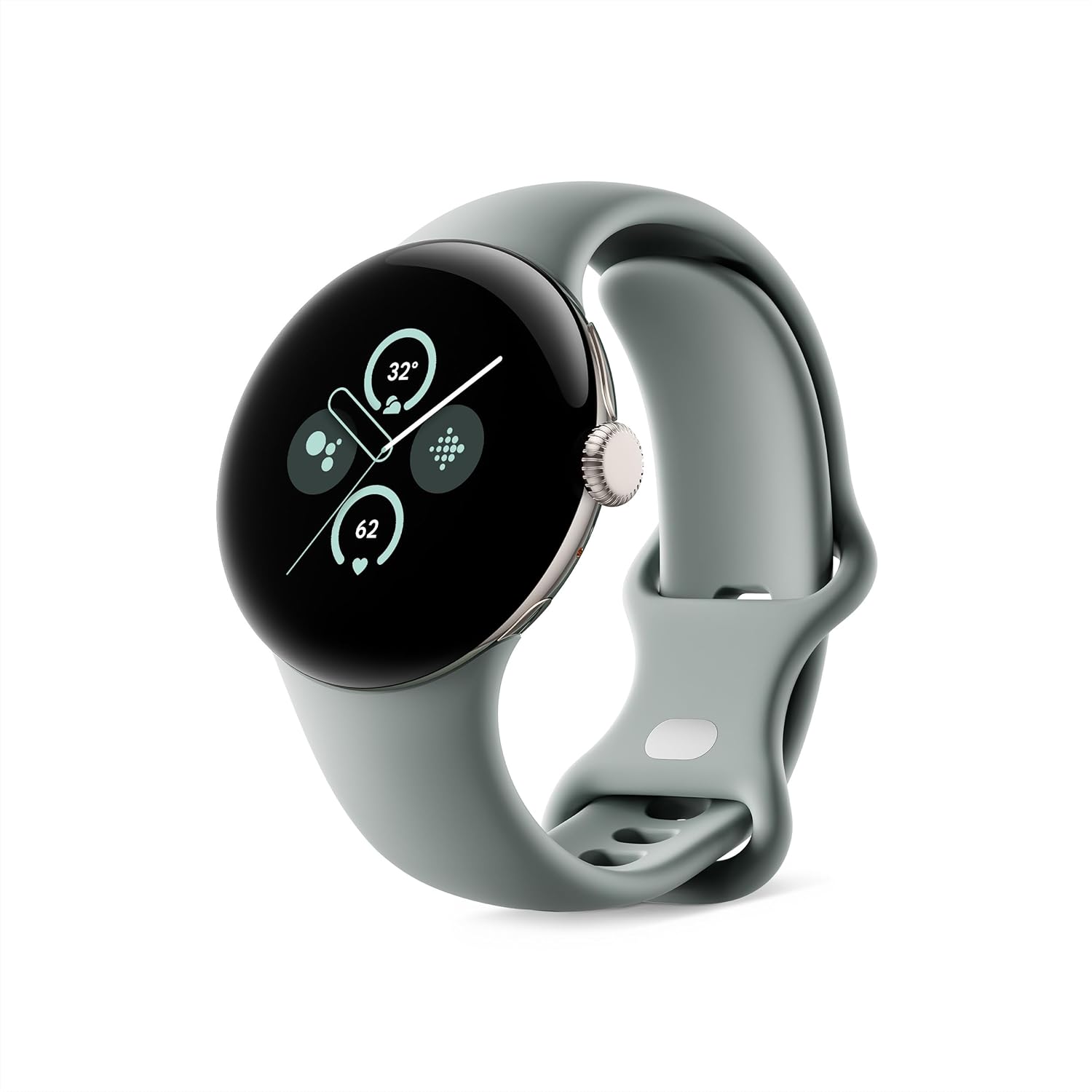
Image: The Google Pixel Watch 2 in Champagne Gold Aluminum Case with Hazel Active Band.
What's in the Box
Upon unboxing your Google Pixel Watch 2, verify that all components are present:
- Google Pixel Watch 2 (Champagne Gold Aluminum Case)
- Hazel Active Band (Small and Large sizes)
- USB-C Fast Charging Cable
- Quick Start Guide (not shown in image)

Image: Display of the Pixel Watch 2, active bands (small and large), and the USB-C fast charging cable.
Setup
Initial Setup and Pairing
To begin using your Pixel Watch 2, ensure your Android phone is running Android 10.0 or newer. The watch is designed for seamless integration with Google Pixel and other Android devices.
- Charge Your Watch: Before first use, fully charge your Pixel Watch 2 using the provided USB-C Fast Charging Cable. A 75-minute charge provides a full day of battery life.
- Power On: Press and hold the crown button to power on the watch.
- Download Apps: On your Android phone, download the Google Pixel Watch app and the Fitbit app from the Google Play Store.
- Pairing: Open the Google Pixel Watch app on your phone and follow the on-screen instructions to pair your watch. Fast Pair makes this process quick and easy.
- Fitbit Integration: Connect your Fitbit account within the Pixel Watch app to enable advanced health and fitness tracking features.

Image: Various Android phone screens demonstrating compatibility and app integration with the Pixel Watch 2.
Operating Your Pixel Watch 2
Navigation and Interface
The Pixel Watch 2 features a responsive touchscreen and a tactile crown for intuitive navigation.
- Touchscreen: Swipe left, right, up, or down to navigate through tiles, notifications, and quick settings. Tap to select items.
- Crown: Rotate the crown to scroll through lists and adjust settings. Press the crown to return to the watch face or open the app launcher.
- Side Button: Located above the crown, this button can be customized for quick access to frequently used apps or features.
Key Features and Usage
The Pixel Watch 2 offers a wide range of functionalities:
- Google Apps: Access Gmail, Calendar, Maps, and more directly from your wrist. Respond to texts, answer calls, and control music playback.
- Voice Assistant: Use "Hey Google" to set timers, start workouts, control smart home devices, and get information hands-free.
- Customization: Personalize your watch face and choose from a variety of stylish watch bands to match your preference.

Image: A user interacting with the Pixel Watch 2 to answer an incoming call, demonstrating communication features.

Image: The Pixel Watch 2 displaying various health metrics, including skin temperature variation and sleep session data.
Health and Fitness Tracking (Fitbit Integration)
Leverage Fitbit's advanced sensors and algorithms for comprehensive health and fitness insights.
- Heart Rate Tracking: The all-new heart rate sensor provides Fitbit's most accurate heart rate tracking to date, offering precise health and fitness information.
- Stress Management: Utilize the body-response feature to identify potential signs of stress and manage it with on-wrist tools and guided breathing sessions.
- Skin Temperature Tracking: Monitor variations in your skin temperature to help spot possible changes related to wellness and sleep environment.
- Sleep Tracking: Review your sleep habits, including time spent in light, deep, and REM stages.
- ECG App: Assess your heart rhythm for atrial fibrillation and easily share results with your doctor.
- Workout Tracking: Automatically track activities with Auto Workout mode. Set goals with Pace Training for real-time feedback during runs and optimize workouts with Heart Zone Training.

Image: A close-up view of the back of the Pixel Watch 2, highlighting the advanced heart rate, SpO2, and EDA sensors for comprehensive health tracking.

Image: A person meditating outdoors, demonstrating the stress management features of the Pixel Watch 2.

Image: The Pixel Watch 2 screen showing options to start a workout, illustrating its fitness tracking capabilities.
Safety Features
The Pixel Watch 2 includes features designed to provide peace of mind:
- Emergency SOS: Get help if you're feeling unsafe.
- Fall Detection: Automatically detects hard falls and can initiate a call for help.
- Safety Check: Alerts your close contacts if you don't respond to a set check-in timer.
- Emergency Sharing: Share your real-time location and battery level with chosen contacts.

Image: Three screens of the Pixel Watch 2 demonstrating Safety Check, Emergency Sharing, and Fall Detection features.
Battery Life and Charging
The Pixel Watch 2 is designed for extended use with an enhanced 24-hour battery life, even with the always-on display enabled. Charging is fast and efficient.
- Battery Duration: Up to 24 hours with always-on display.
- Fast Charging: Approximately 75 minutes for a full charge.
- Charging Cable: Use the provided USB-C Fast Charging Cable.

Image: Individuals wearing the Pixel Watch 2 in a casual setting, highlighting its comfortable design and extended battery life for daily use.
Maintenance
To ensure the longevity and optimal performance of your Google Pixel Watch 2, follow these maintenance guidelines:
- Cleaning: Regularly wipe the watch and band with a soft, lint-free cloth. For stubborn dirt, slightly dampen the cloth with water. Avoid harsh chemicals or abrasive materials.
- Water Resistance: The Pixel Watch 2 is water resistant up to 50 meters. It is suitable for shallow-water activities like swimming, but not for scuba diving or high-velocity water sports. Always dry the watch thoroughly after exposure to water.
- Band Care: If you have an active band, clean it regularly, especially after workouts, to prevent skin irritation.
- Software Updates: Keep your watch's software updated to the latest version to benefit from new features, performance improvements, and security patches. Updates are typically managed through the Google Pixel Watch app on your phone.
- Storage: When not in use for extended periods, store the watch in a cool, dry place away from direct sunlight.
Troubleshooting
If you encounter issues with your Pixel Watch 2, try the following common troubleshooting steps:
| Problem | Solution |
|---|---|
| Watch not turning on | Ensure the watch is fully charged. Connect it to the charger and wait a few minutes before attempting to power on again. |
| Cannot pair with phone |
|
| Inaccurate heart rate/fitness data |
|
| Short battery life |
|
For further assistance, refer to the official Google Pixel Watch support website or contact Google support.
Specifications
| Feature | Detail |
|---|---|
| Model Number | G4TSL / GQ6H2 |
| Dimensions | 1.61 x 1.61 x 0.48 inches |
| Item Weight | 7.7 ounces |
| Operating System | Android (requires Android 10.0 or newer) |
| Connectivity | Wi-Fi, Bluetooth, GPS (via smartphone) |
| Battery | 1 Lithium Ion battery (up to 24 hours with always-on display) |
| Memory Storage Capacity | 32 GB |
| Screen Size | 41 Millimeters |
| Water Resistance | 50 meters |
| Case Material | 100% recycled light aluminum housing |
Warranty and Support
The Google Pixel Watch 2 comes with a standard manufacturer's warranty. For detailed information regarding warranty coverage, terms, and conditions, please refer to the warranty card included with your product or visit the official Google support website.
Online Support: For the latest support resources, FAQs, and troubleshooting guides, visit support.google.com/pixelwatch.
Customer Service: Contact Google customer service for personalized assistance with product issues, repairs, or technical support.
- Protection Plans: Additional protection plans are available for purchase, offering extended coverage beyond the standard warranty. These plans may include accidental damage protection.
Related documentsG4TSL / GQ6H2


Ask a question about this manual
Ask about setup, troubleshooting, compatibility, parts, safety, or missing instructions. Manuals+ will review the question and use this page’s manual context to help answer it.