
HOCO EQ2 EARBUDS
HOCO EQ2 True Wireless Earbuds User Manual
Model: EQ2 EARBUDS | Brand: HOCO
1. Introduction
The HOCO EQ2 True Wireless Bluetooth Headset is designed to provide an exceptional audio experience with its ergonomic design and secure fit. These earbuds offer comfortable and immersive listening, featuring seamless connectivity, intuitive touch controls, and impressive sound quality. This manual provides detailed instructions to help you get the most out of your HOCO EQ2 earbuds.
2. What's in the Box
Upon opening your HOCO EQ2 package, you will find the following items:
- HOCO EQ2 Earbuds (Left and Right)
- Charging Case
- USB Charging Cable
- Ear Cushions (Multiple Sizes)

Image: The HOCO EQ2 earbuds, charging case, and accessories as they appear in the product packaging.
3. Product Overview
The HOCO EQ2 earbuds are designed for comfort and high-quality audio. They feature a lightweight plastic construction, weighing only 50g in total, and come with three sizes of ear caps (XS, M, XL) to ensure a comfortable and secure fit for prolonged use.

Image: A pair of purple HOCO EQ2 earbuds resting in their open charging case, showcasing their design.
The earbuds are available in personalized colors including Purple, White, and Black, allowing you to choose a style that suits you.

Image: Display of HOCO EQ2 earbuds in purple, white, and black, alongside a table detailing product parameters.
4. Key Features
- High-Fidelity Sound: Equipped with 13mm composite fiber PU diaphragm dynamic coil speakers, delivering rich and delicate sound for an immersive audio experience.
- Advanced Bluetooth Connectivity: Features Bluetooth 5.3 with a JL AC6983D2 chip for quick, stable, and low-latency connections, ensuring seamless audio streaming.
- Intuitive Touch Controls: A variety of functional operations can be performed with simple touch gestures on the earbuds, including play/pause, next/previous track, and voice assistant activation.
- Magnetic Switch & Automatic Pairing: The earbuds support master-slave switching and automatically pair when the charging case lid is opened, providing a hassle-free connection.
- 360° Surround Audio: Experience immersive sound with 360-degree surround audio capabilities.

Image: The white HOCO EQ2 charging case and a detailed diagram illustrating the 13mm moving coil speaker for high-fidelity sound.
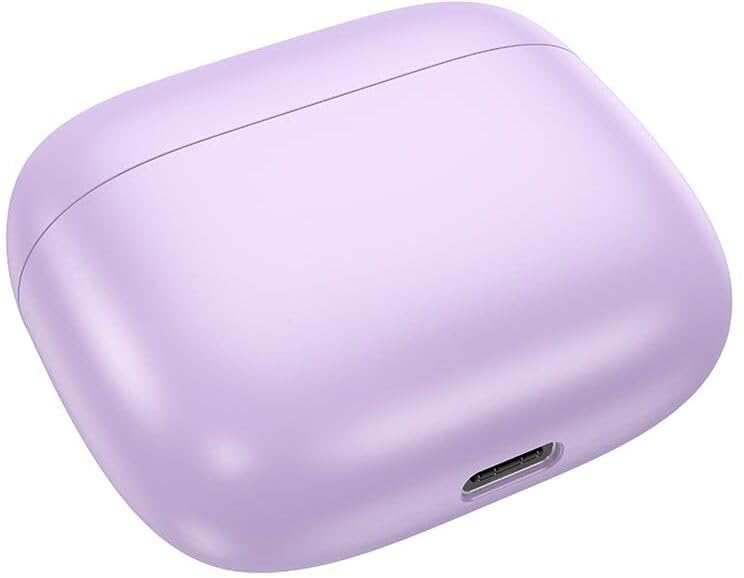
Image: A visual guide to the touch control gestures and their corresponding functions on the HOCO EQ2 earbuds.
Video: An overview of the HOCO EQ2 Wireless Earbuds, highlighting their main features and design.
5. Setup and Pairing
Initial Pairing
- Ensure both earbuds are charged.
- Open the charging case lid. The earbuds will automatically enter pairing mode.
- On your device (smartphone, tablet, etc.), enable Bluetooth.
- Search for available Bluetooth devices and select "HOCO EQ2" from the list.
- Once connected, a voice prompt will confirm successful pairing.
Automatic Reconnection
After initial pairing, the earbuds will automatically reconnect to the last paired device when the charging case lid is opened, provided Bluetooth is enabled on the device and it is within range.
6. Controls
The HOCO EQ2 earbuds feature intuitive touch controls on each earbud. Refer to the diagram below for specific functions:
- Tap the touch area (L/R): Play/Pause music.
- Double tap the touch area (L/R): Next track.
- Triple tap the touch area (L/R): Previous track.
- Long press the touch area for 2s (L/R): Activate voice assistant (Siri, Google Assistant, etc.).
Image: A visual representation of the touch control gestures and their corresponding functions on the HOCO EQ2 earbuds.
7. Charging and Battery Life
The HOCO EQ2 earbuds and charging case provide extended listening time:
- Headset Battery Capacity: 40mAh (each earbud)
- Charging Case Battery Capacity: 320mAh
- Single Headset Use Time: Approximately 7 hours
- Total Playback Time (with charging case): Up to 40 hours
- Standby Time: Up to 180 hours
Charging Instructions
- Place the earbuds into the charging case. Ensure they are correctly seated.
- Connect the USB charging cable to the charging port on the case (located at the back, as shown in the image below) and to a power source.
- The indicator light on the charging case will show the charging status.
- Once fully charged, disconnect the cable.
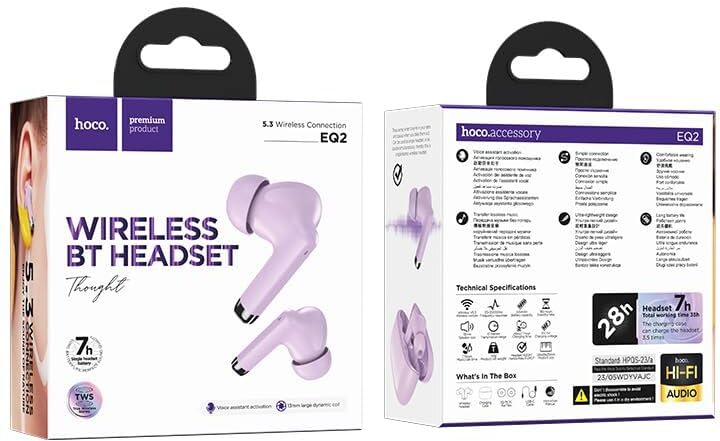
Image: The back view of the HOCO EQ2 charging case, showing the USB-C charging port.

Image: White HOCO EQ2 earbuds in their charging case, highlighting the 28-hour total battery life.
8. Specifications
| Feature | Detail |
|---|---|
| Model Name | EQ2 EARBUDS |
| Bluetooth Version | 5.3 |
| Bluetooth Chip | JL AC6983D2 |
| Audio Driver Type | Dynamic Driver |
| Speaker Size | 13mm |
| Headset Battery | 40mAh |
| Charging Case Battery | 320mAh |
| Use Time | Up to 7 hours (single headset) |
| Total Playback Time | Up to 40 hours (with charging case) |
| Standby Time | 180 hours |
| Total Weight | 50g |
| Product Dimensions | 58*49*25mm (Charging Case) |
| Material | Plastic |
| Water Resistance Level | Water Resistant |
| Control Method | Touch |
| Microphone | Included |
| Compatible Devices | Smartphones, Tablets, Laptops, Desktops |
| Country of Origin | China |
9. Troubleshooting
Earbuds Not Pairing
- Ensure both earbuds are charged and placed correctly in the charging case.
- Turn off and then turn on Bluetooth on your device.
- Forget/delete "HOCO EQ2" from your device's Bluetooth list and try pairing again.
- If only one earbud connects, try placing both back in the case, closing the lid for a few seconds, then reopening to reset.
No Sound or Low Volume
- Check the volume level on both your device and the earbuds.
- Ensure the earbuds are properly seated in your ears. Try different sized ear cushions for a better seal.
- Clean any debris from the earbud mesh.
Charging Issues
- Verify the charging cable is securely connected to both the case and the power source.
- Try a different USB port or power adapter.
- Ensure the charging contacts on the earbuds and inside the case are clean and free of dust.
10. Safety Information
- Do not expose the earbuds or charging case to extreme temperatures, humidity, or liquids.
- Avoid dropping, impacting, or disassembling the device.
- Keep out of reach of children and pets.
- Use only the provided or certified charging cables and adapters.
- Prolonged exposure to high volume levels may cause hearing damage. Adjust volume to a safe level.
11. Warranty and Support
The HOCO EQ2 True Wireless Earbuds come with a standard manufacturer's warranty. Please refer to the warranty card included in your package for specific terms and conditions. For any technical support, troubleshooting assistance, or warranty claims, please contact the seller or HOCO customer service through their official channels.
For further information, you may also visit the product detail page on Amazon.in: HOCO EQ2 Product Page
Related documentsEQ2 EARBUDS


Ask a question about this manual
Ask about setup, troubleshooting, compatibility, parts, safety, or missing instructions. Manuals+ will review the question and use this page’s manual context to help answer it.