
ENGWE C20 PRO (White)
ENGWE C20 PRO Folding Electric Bicycle User Manual
Model: C20 PRO (White)
1. Introduction
Welcome to the user manual for your new ENGWE C20 PRO Folding Electric Bicycle. This manual provides essential information for the safe and efficient operation, assembly, maintenance, and troubleshooting of your e-bike. Please read this manual thoroughly before your first ride and keep it for future reference.
The ENGWE C20 PRO is designed for versatility and convenience, featuring a robust aluminum alloy frame, a powerful 250W brushless motor, and a long-lasting 36V 15.6Ah removable battery. Its 20-inch fat tires and front suspension ensure a comfortable ride across various terrains, while the foldable design allows for easy storage and transport.
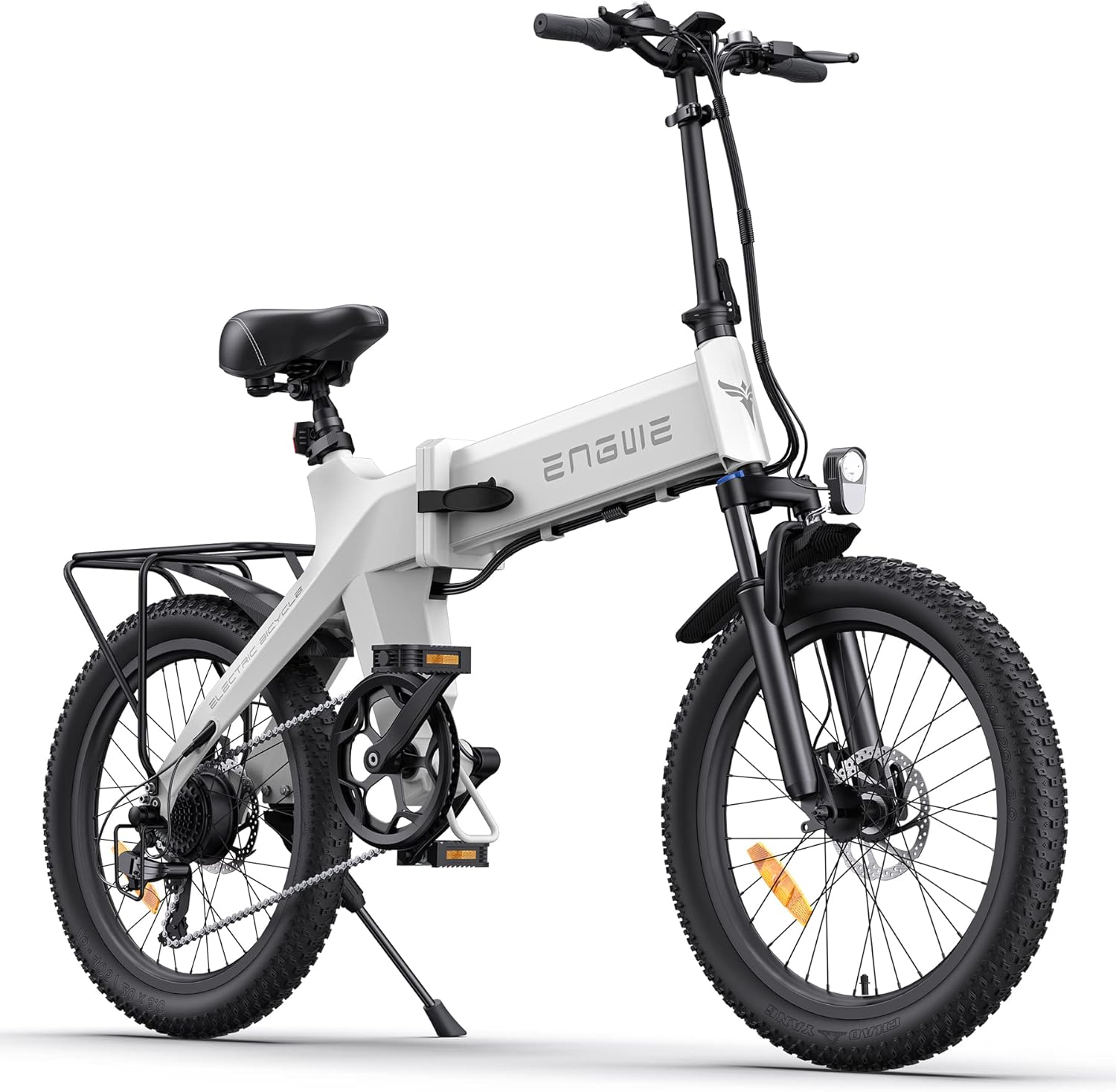
Image: The ENGWE C20 PRO Folding Electric Bicycle in white, showcasing its compact and robust design.
2. Important Safety Warnings
Your safety is paramount. Always adhere to the following safety guidelines:
- Always wear a helmet and appropriate safety gear when riding.
- Familiarize yourself with local traffic laws and regulations regarding electric bicycles.
- Perform a pre-ride inspection before each use, checking brakes, tire pressure, and battery level.
- Do not ride under the influence of alcohol or drugs.
- Avoid riding in adverse weather conditions, such as heavy rain or snow, which can reduce visibility and traction.
- Ensure the battery is securely locked in place before riding.
- Do not attempt to modify the e-bike's electrical system or motor.
- Be aware of your surroundings and other road users.
3. Package Contents
Upon opening the package, please verify that all the following components are included:
- 1 x ENGWE C20 Pro E-bike
- 1 x 36V 15.6Ah Lithium-ion Battery
- 1 x Battery Charger
- 1 x User Manual
- 2 x Pedals
- 1 x Assembly Tools Kit
4. Assembly and Setup
The ENGWE C20 PRO comes mostly pre-assembled. Follow these steps for final assembly and initial setup:
- Unfolding the Bicycle: Carefully unfold the frame and handlebar stem until they lock into place. Ensure all quick-release levers are securely fastened.
- Installing Pedals: Identify the left (L) and right (R) pedals. Screw them into the crank arms. Note that the left pedal screws counter-clockwise. Tighten firmly with the provided tools.
- Adjusting Seat Height: Loosen the quick-release lever on the seat post. Adjust the seat height so your feet can comfortably touch the ground when stopped, or your leg has a slight bend at the knee when the pedal is at its lowest point. Secure the quick-release lever.
- Adjusting Handlebar Height: If adjustable, loosen the quick-release lever on the handlebar stem and adjust to a comfortable riding position. Secure the quick-release lever.
- Battery Installation and Charging: Insert the 36V 15.6Ah lithium-ion battery into its compartment and ensure it clicks into place. Use the provided key to lock it. Before your first ride, fully charge the battery using the included charger. The charging port is typically located on the battery itself or the frame.
- Tire Inflation: Inflate the 20x3.0 inch fat tires to the recommended pressure indicated on the tire sidewall.

Image: The ENGWE C20 PRO can be easily folded and stored, demonstrating its portability for transport in a vehicle.
5. Operating Instructions
5.1 Powering On/Off and Display
To power on the e-bike, press and hold the power button on the LCD display. The display will show battery level, current speed, and riding mode. To power off, press and hold the power button again.
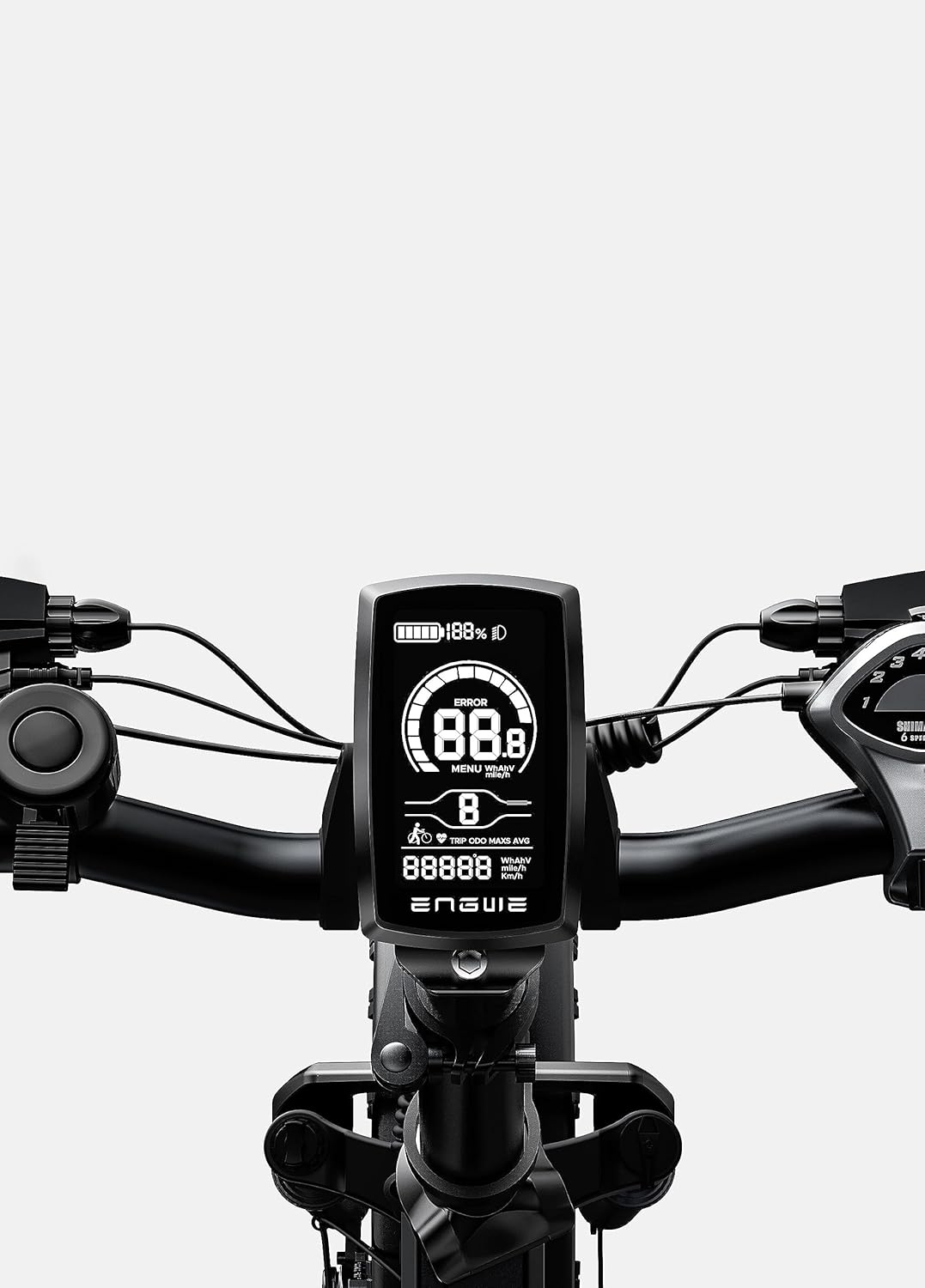
Image: A close-up view of the ENGWE C20 PRO's LCD display, showing battery indicator, speed, and other ride data.
5.2 Riding Modes
The ENGWE C20 PRO offers three distinct riding modes:
- Pure Electric Mode: Engage the throttle for motor-only propulsion without pedaling.
- Pedal Assist Mode (PAS): The motor provides assistance as you pedal. You can adjust the level of assistance using the controls on the handlebar.
- Normal Bicycle Mode: Ride the bike like a traditional bicycle with no motor assistance.
5.3 Gear Shifting
The e-bike is equipped with a 7-speed gear system. Use the gear shifter on the handlebar to change gears according to terrain and desired speed. Lower gears are for climbing hills, and higher gears are for flat terrain and faster speeds.
5.4 Braking System
The ENGWE C20 PRO features front and rear mechanical disc brakes for reliable stopping power. Always apply both brakes simultaneously for effective and safe braking. Avoid sudden, hard braking, especially at high speeds.

Image: Detailed views of the e-bike's 7-speed gear shift system, robust mechanical disc brakes, and the clear LCD display.
6. Maintenance
Regular maintenance ensures the longevity and safe operation of your e-bike.
- Battery Care:
- Charge the battery regularly, even if not in use, to maintain its health.
- Avoid fully discharging the battery.
- Store the battery in a cool, dry place away from direct sunlight.
- Tires: Check tire pressure before each ride. The 20x3.0 inch fat tires are puncture-resistant but should still be inspected for wear and damage.
- Brakes: Regularly check brake pads for wear and ensure brake levers provide firm and responsive stopping power. Adjust as needed.
- Chain and Gears: Keep the chain clean and lubricated. Inspect gears for any damage or misalignment.
- Frame and Components: Periodically check all bolts, nuts, and quick-release levers for tightness. Clean the frame with a damp cloth; avoid high-pressure washing directly on electrical components.

Image: An illustration highlighting the 15.6Ah Lithium-ion battery, emphasizing its capacity and extended range compared to other batteries.

Image: A visual representation of the e-bike's 20x3 inch puncture-resistant fat tires, designed for stable and safe rides.
7. Troubleshooting
This section addresses common issues you might encounter with your ENGWE C20 PRO e-bike.
| Problem | Possible Cause | Solution |
|---|---|---|
| E-bike does not power on. | Battery not charged or not properly installed. Loose connections. | Ensure battery is fully charged and securely locked. Check all electrical connections. |
| Motor not assisting. | Low battery. Incorrect riding mode selected. Sensor issue. | Charge battery. Switch to Pedal Assist or Pure Electric mode. Check for error codes on display. |
| Brakes feel weak. | Worn brake pads. Loose brake cable. | Inspect and replace brake pads if worn. Adjust brake cable tension. |
| Tires losing air quickly. | Puncture or valve issue. | Inspect tires for punctures and repair. Check valve stem for leaks. |
8. Specifications
Detailed technical specifications for the ENGWE C20 PRO Folding Electric Bicycle:
| Feature | Specification |
|---|---|
| Model | ENGWE C20 PRO |
| Color | White (also available in Black, Gray) |
| Motor | 36V 250W Brushless Motor (500W Peak Power) |
| Battery | 36V 15.6Ah Removable Lithium-ion Battery |
| Charging Time | Approximately 6 hours |
| Max Range | Up to 60 KM (depending on mode, terrain, rider weight) |
| Frame Material | Aluminum Alloy |
| Wheel Size | 20 Inches |
| Tires | 20 x 3.0 inch Puncture-resistant Fat Tires |
| Gears | 7-Speed Gear System |
| Brakes | Front and Rear Mechanical Disc Brakes |
| Suspension | Front Fork Suspension |
| Dimensions (L x W x H) | 161 x 52 x 120 cm |
| Product Weight | 24.8 kg |
| Age Range | Adult |
Image: An infographic summarizing the key specifications including range, battery, tire size, suspension, charge time, speed, and motor power.

Image: A detailed diagram illustrating the 250W brushless motor, highlighting its components and power output.

Image: The ENGWE C20 PRO electric bike displayed in its available colors: Black, Gray, and White.
9. Warranty and Support
ENGWE provides a limited warranty for its products. Please refer to the warranty card included with your purchase or visit the official ENGWE website for detailed warranty terms and conditions. The warranty typically covers manufacturing defects in materials and workmanship for a specified period from the date of purchase.
For technical support, spare parts, or warranty claims, please contact ENGWE customer service through their official website or the contact information provided in your purchase documentation. When contacting support, please have your product model (C20 PRO) and purchase details ready.
Ask a question about this manual
Ask about setup, troubleshooting, compatibility, parts, safety, or missing instructions. Manuals+ will review the question and use this page’s manual context to help answer it.